
What’s currently trending? And where?
Real-time Twitter Map with JavaScript, Python, and Kafka
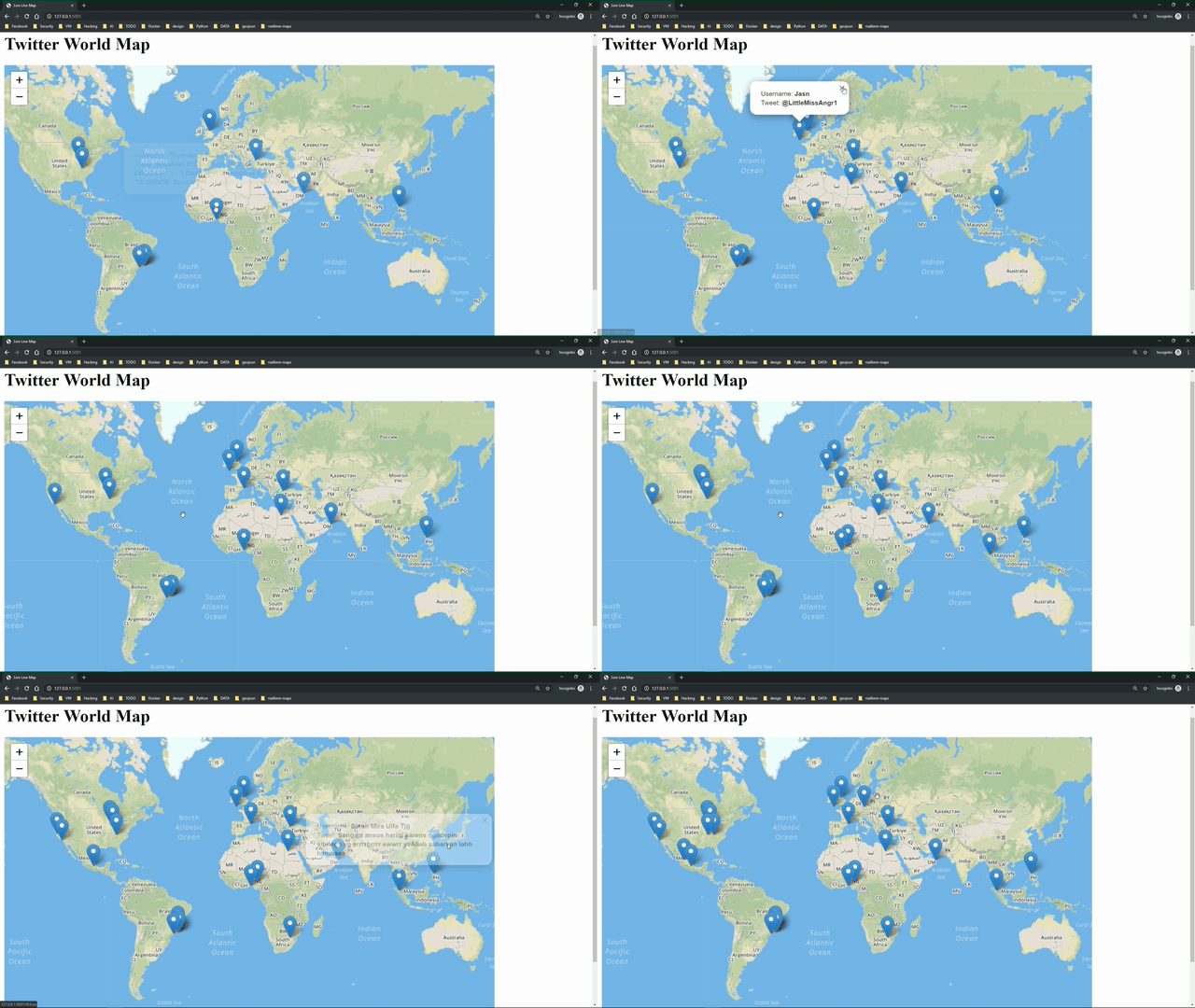
Stream Tweets on a live map
You know what’s currently trending? And where in the world? Well, I don’t… but Twitter does.

In 2019 Twitter had 330 million users from which 145 million were active daily. 500 million tweets were submitted per day which makes 5.787 tweets a second (source). That’s a hell of data. How amazing would it be to visualize the Tweets on a map in real-time to see what is trending and where? I will show you how!
Background
I was playing around with Tweepy, an easy to use Python library for accessing Twitter Data. While playing around and printing some Tweets to my console, I thought about how to display those Tweets on a Map. But not simply showing Tweets back from 2014. I wanted to visualize the Tweets on a Map as they appear — in real-time.
Luckily the Twitter API offers a real-time Streaming API, and so does Tweepy — it provides an easy to use wrapper around. One can easily stream Tweets based on hashtags, keywords or locations.
Kick off Backend & Frontend
After authenticating to Twitter (lines 6 & 7) we define a StdOutListener and start the streaming of Tweets (lines 8 & 9). We can set filters to only stream Tweets which contain certain hashtags or keywords (line 10) or from defined locations (settings in line 11 defines worldwide).
Next, we can switch over to the frontend and create our map with Leaflet.JS, an open-source JavaScript library for mobile-friendly interactive maps. I quickly created a webserver using Python Flask and included Leaflet in the frontend to generate an empty World Map.
Then I got stuck. How can we close the gap between getting all the Tweets with Python Tweepy and the empty frontend map generated with Python Flask and Leaflet.JS?
Decoupling using Kafka
I decided to use Apache Kafka, an open source and distributed streaming platform. Why Kafka? It decouples generating / producing the Tweets from consuming the Tweets to display them on the map. With other words — I could write two decoupled Microservices independent from each other. This allows me to change the style of the map without touching the Tweet producing service and the need to refactor the whole Application for each small change. When we look into detail, I created two small applications.
· Application 1 is mainly using Python Tweepy to listen to Twitter Streaming API. Whenever a relevant Tweet is received it produces this Tweet as a message to a topic on Apache Kafka. This was realized with the Pykafka library and editing the Tweepy standard StdOutListener class (see lines 4–16 below).
· Application 2 is a Python Flask app with two routes. One route is an API which spins of an Apache Kafka Consumer and listens to the Twitter Topic (lines 14–20). The second route renders the frontend map with Leaflet JS (lines 10–12).
From within the frontend we are calling the first route with HTML5 Server-Sent Events and creating a new marker on the map for each newly received message in the Kafka topic.
Outlook
If you want to follow along with all my stories & support me, you can register on Medium. If something is unclear or you need help, just drop a comment. I will answer it for sure.
You can find the complete code on github. If you are interested in more technical details, I created a YouTube video with a detailed technical explanation of all the steps. I hope you liked my little (not production-ready) project :-).


