React TypeScript Folder Structure To Follow

Hey Front-End explorers, this is the folder structure we currently incorporated in our project. Please feel free to restructure your folder structure as you will and do let me know if you know a better Folder structure to organize your React project.
Folder Structure
components:
- In the components folder, we are expected to define components that will be used to create pages.
- We can define the following component types in the components folder.
For Example: Footer.tsx, UserProfile.tsx, Modal.tsx, Drawer.tsx
- Extension for React component file should be
.tsx
For Example: Footer.tsx
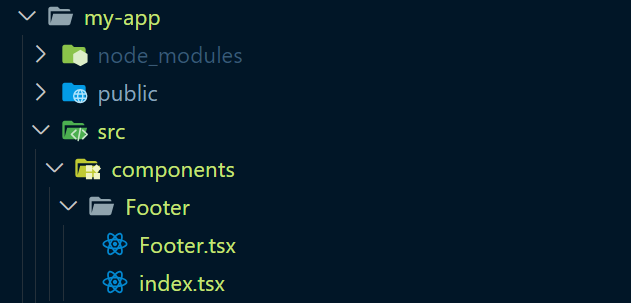
- Use the Folder name as the component name.
For Example: Footer.tsx should have a reference name of Footer.
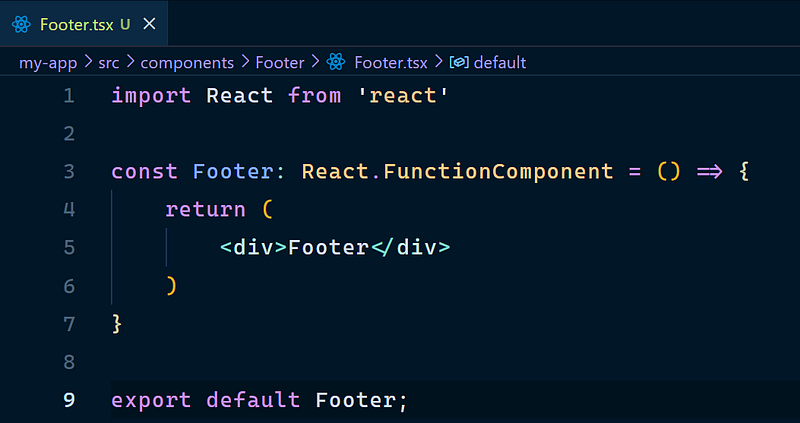
- Define index.tsx for the components folder, which act as the single access point for that component.

🔷 Good Practice 🔷
- Only include one React component per file.
- Generally, a file can contain any number of components as you’d like. However, keeping components in their respective file keeps things organized.
- Makes it very clear which imports/styles etc are used by which component.
hooks:
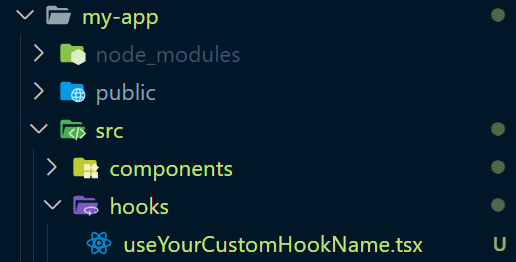
- Reusable custom hooks should be kept in the src/
hooksfolder. - Name the hooks by prefixing them with use and then its functionality all in camelCase.
pages:
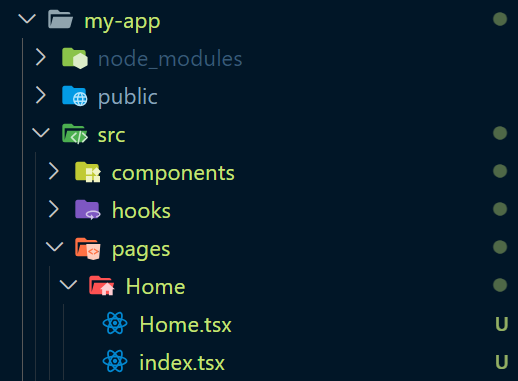
- In a React TypeScript project, the “pages” folder is often used to organize components that represent different pages or views of the application.
- This folder is part of a common project structure used in React applications to promote modularity, maintainability, and scalability.
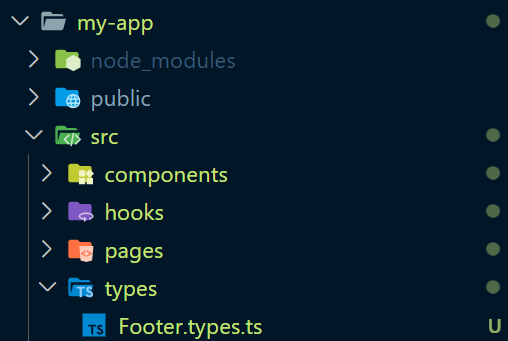
types:
- “types” folder provides a centralized location for storing all type & enum definitions related to the application. This organization makes it easier for developers to locate and manage different types without cluttering the main codebase.
- In case the types are specific to a component or a Page then we can create a nested folder under “types” folder.
- Name your types as your Component, Prop or State name in camelCase followed by “.types.ts”
For Example: buttonProps.types.ts, myComponent.types.ts
🚨Watch Out🚨
- Do not use *.d.ts files for defining types.
- d.ts files do not modularize the types defined in them, they put the types in the global scope of the application.
Reference: Youtube Video on Why not to Define types in d.ts
Do ✅
export type MyComponentPropsSubItem = {
    label: string;
    value: string | null;
  };


export type IssuerInformationProps = {
  [category: string]: Array< MyComponentPropsSubItem >;
};
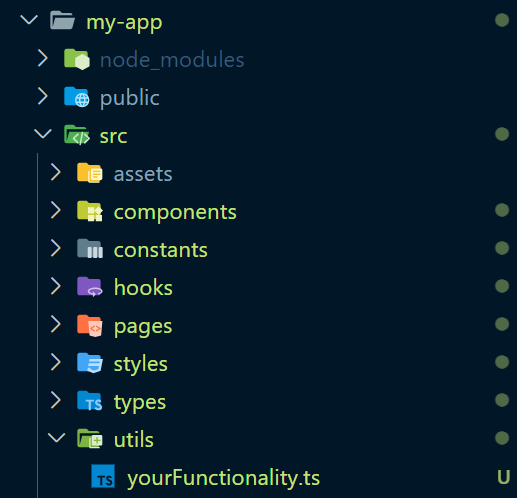
utils:
- The utils folder will help us organize the helper function that we use throughout our application
- I agree that not all helper functions will be shared across the application. However, we can make a folder for the component in utils and create the helper function there.
- And for all the shared helper functions we can keep them in the utils directory itself.
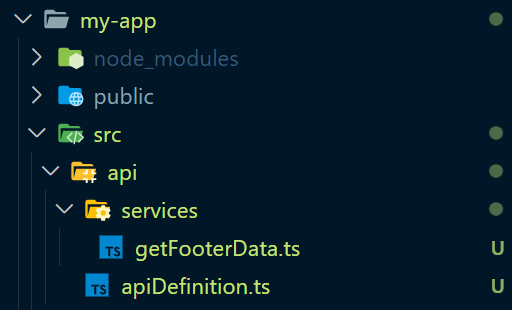
api & services:
- use this folder structure to define your api definition using axios or fetch.
- services folder should be used to call api to fetch desired data.
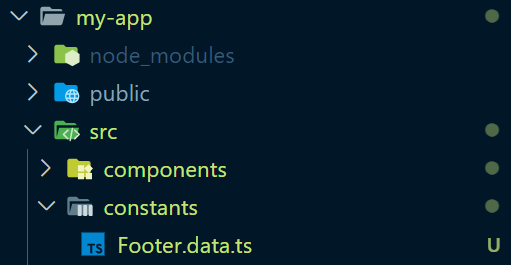
constants:
- This folder holds app-wide constants such as app data.
- The naming convention to define data files would be the name of the component and extension as “.data.ts”.
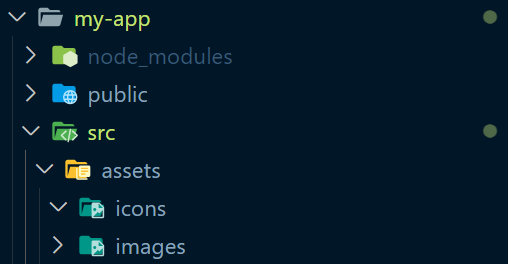
assets:
- assets folder should be used to store icons and images.
🔷 Good Practice 🔷
- Images, icons, or other component-specific assets should be placed directly into the assets folder.
- If using images then try to use WebP extension images.
- These images are smaller in size compared to JPG, JPEG, or PNG
- Moreover, use SVG for icons.
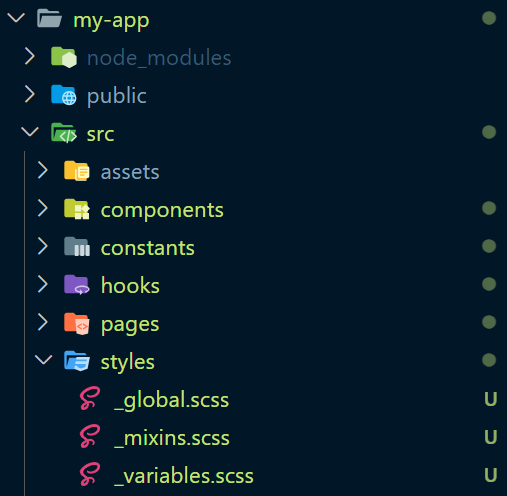
styles:
- In the styles folder, we will define global styles, variable names, mixins, and functions that will be used across the application.
I will update the article if I find any better way of structuring the folders. If this was in any way helpful please leave a clap 👏 and follow 🚶♂️for more such content.
References
- Best Practices for React TypeScript
- 10 Must know pattern to write clean React Typescript
- 8 Items I added to my React TypeScript Guide
- React TypeScript CheatSheet
- React TypeScript Folder Structure
- Reddit Thread on Why to use index.ts for every Component folder
- React TypeScript Comprehensive Guide
- Another React TS best Practices
- Yet Another Best Practices for React TypeScript
Stackademic
Thank you for reading until the end. Before you go:


