
[React Hook 筆記] 從最基本的useState, useEffect 開始
(新增 typing 於 2023/11/7)
React Hook 系列文
1. 從最基本的 Hook 開始 useState, useEffect 2. Memorized Hook- useMemo, useCallback 3. useRef 4. useContext 5. useReducer 6. useLayoutEffect 7. Custom Hooks
本來不想寫這篇的,因為網路上實在太多關於 useState 跟 useEffect 文章,但還是想要把一些重點寫出來
🔖 文章索引
1. 用 React Hooks 的規則
2. useState
3. useEffect
4. useState/useEffect in typeScript
Why use hooks?
自己寫 React 也兩年了,針對 Hook 跟舊的 Class 寫法跟做比較。
- Keep state logic close to where it is used: 不需要像 Class 再分 View 跟 Lifecycle 的檔案
- Often requires less code and less prop passing: 可以用更少的程式碼撰寫
- Can be more granular: 只需要更新 specific dependencies 變動就好
- Improves reliability and allows for logical grouping of functionality
- 藉由 custom hook 更容易 reuse
想轉 Hooks 的成本也蠻低的,不需要整個專案都 migrate 到 Hooks,他可以跟 Class 並存,所以若手上有 React 案子可以先從小的 components 先試試看 Hooks。
用 React Hooks 的規則
使用 Hooks 前有一些要遵守的規則
- 只能在 React Function 中呼叫 Hook。 class component 是不能用的
// Class-based Component
class App extends React.component {
  render () { return </> }
}
// Function Component
function App () {}
- 只在最上層呼叫 。不要在迴圈、條件式或是巢狀的 function 內呼叫 Hook,這樣你才能確保每一次 component render 時 Hook 被呼叫順序都要是一樣的
function Appp () {
    ✅ const [state, setState] = useState()
    ❌ if (true) { useState() }
    ❌ function B () { useState() }
    ❌ for(xx) { useState() }
}
useState
useState會回傳一個包含兩個值的 array,第一個值是 state、第二個值是用來更新 state 的函式。每當 state 值改變,就會觸發 re-render
const [appleCount, setAppleCount] = useState(1);
console.log(appleCount); //1setAppleCount(prev => prev + 1);
console.log(appleCount) // 2以上程式碼就代表 appleCount這個變數的初始值是 1 ,只有用 setAppleCount這個更新函式更新 appleCount 才會觸發 re-render
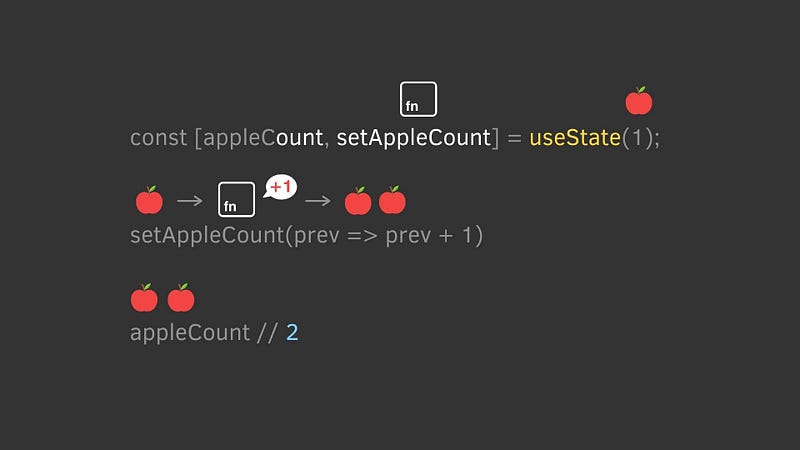
State Hook 可以用不止一次
function ExampleWithManyStates() {
  // 宣告多個 state 變數!
  const [age, setAge] = useState(42);
  const [fruit, setFruit] = useState('banana');
  const [todos, setTodos] = useState([{ text: 'Learn Hooks' }]);
  // ...
}
要用 setCount(count + 1) 還是 setCount(prev => prev + 1) ?
更新 state 的函式可以丟兩種參數
- Pass the state, Run Everytime. eg.
setCount(count + 1) - Pass the function, Run only the very first time when your component render. eg.
setCount(prev => prev + 1)
兩種都可以用,但需要了解其中有什麼不同,若懶得了解那建議用後者可以減少出錯機會。以下先出一道題
function A () {
const [count, setCount] = useState(4); setCount(count + 1);
setCount(count + 1);
console.log('A: ', count) // ?
}function B () {
const [count, setCount] = useState(4); setCount(prev => prev + 1);
setCount(prev => prev + 1);
console.log('B: ', count) // ?
}// Answer
// A: 5
// B 6有沒有答對呢? 在 A 裡面第二個 setCount會覆蓋第一個,因為他們抓的 count 都是 4,但若是用 function version 來設定 state 就會記住 prevState 再去做運算
另外 Pass the state 是每一次都會重新跑,而 Pass the function 只會跑第一次,直接來看 範例 比較快
function init () {
    console.log('run function');
    return 4;
}
// Run Everytime
const [count, setCount] = useState(4);
const [count, setCount] = useState(init());// Run only the very first time when your component render
const [count, setCount] = useState(() => init());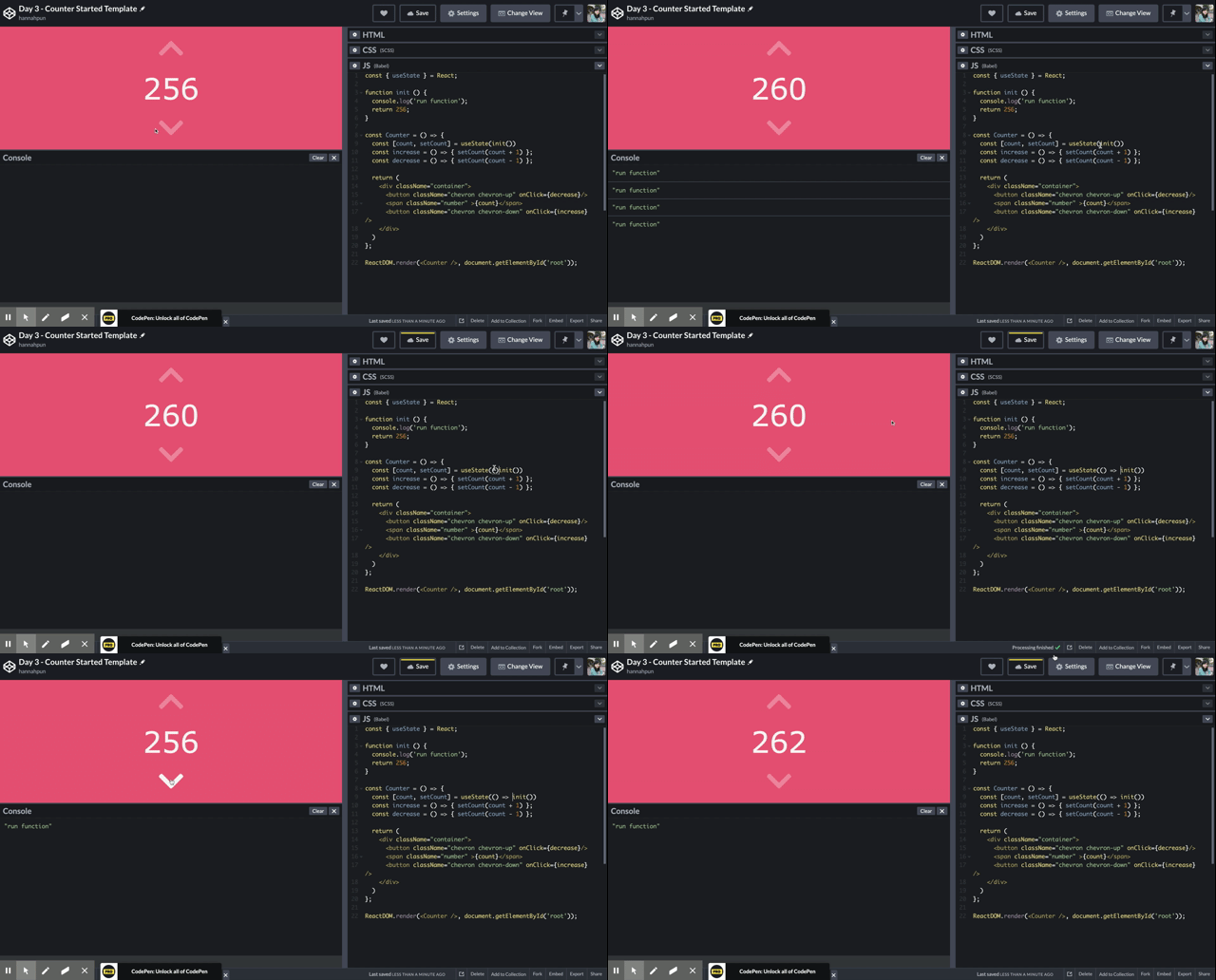
若用 Object 呢
const [state, setState] = useState({count: 4, name: 'blue'});setState(prevState => {...prevSate, count: prevSate.count + 1}; console.log(state); // {count: 5, name: 'blue'}setState(prevState => {count: prevSate.count + 1};
console.log(state); // {count: 5} name 消失,因為他會整個覆蓋掉useEffect
任何會產生 side Effect 的行為都應該 Effect Hook 裡執行。他和
componentDidMount,componentDidUpdate,與componentWillUnmount有著同樣的宗旨,但整合進一個單一的 API。
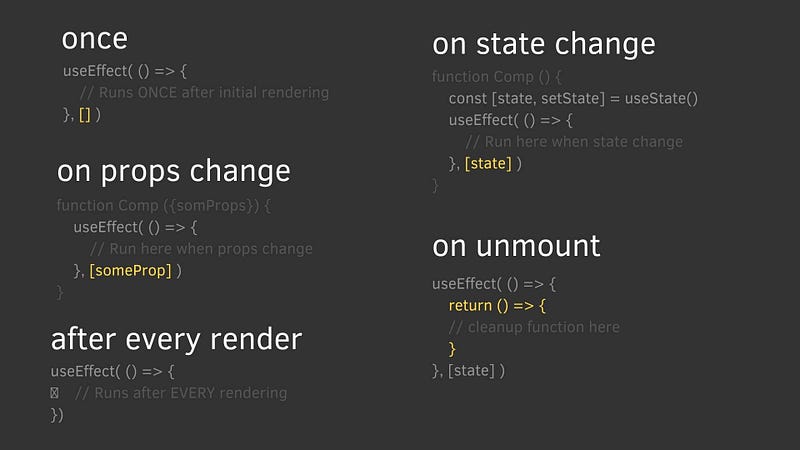
useEffect 有兩個參數,第一個參數是 Effect function,第二個則是 depandancy array。 根據不同 depandancy 決定何時要執行 Effect function
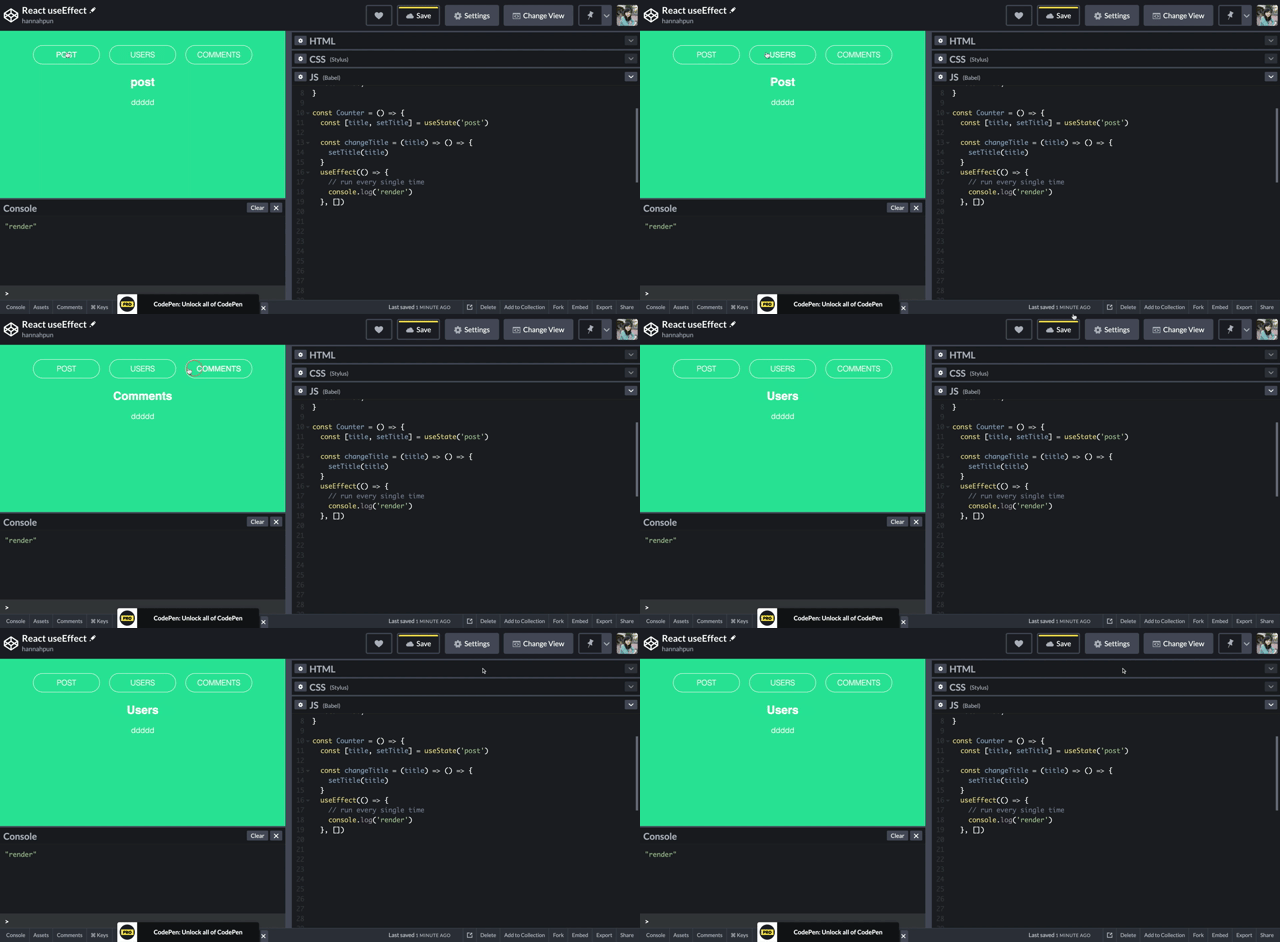
Once
useEffect(() => {
    // Just run the first time
    console.log('render')
  }, [])
after every render
記得是 after rendering 才會執行,若你想要 before rendering 執行基本上是辦不到的 [延伸閱讀: React Hook to Run Code After Render]
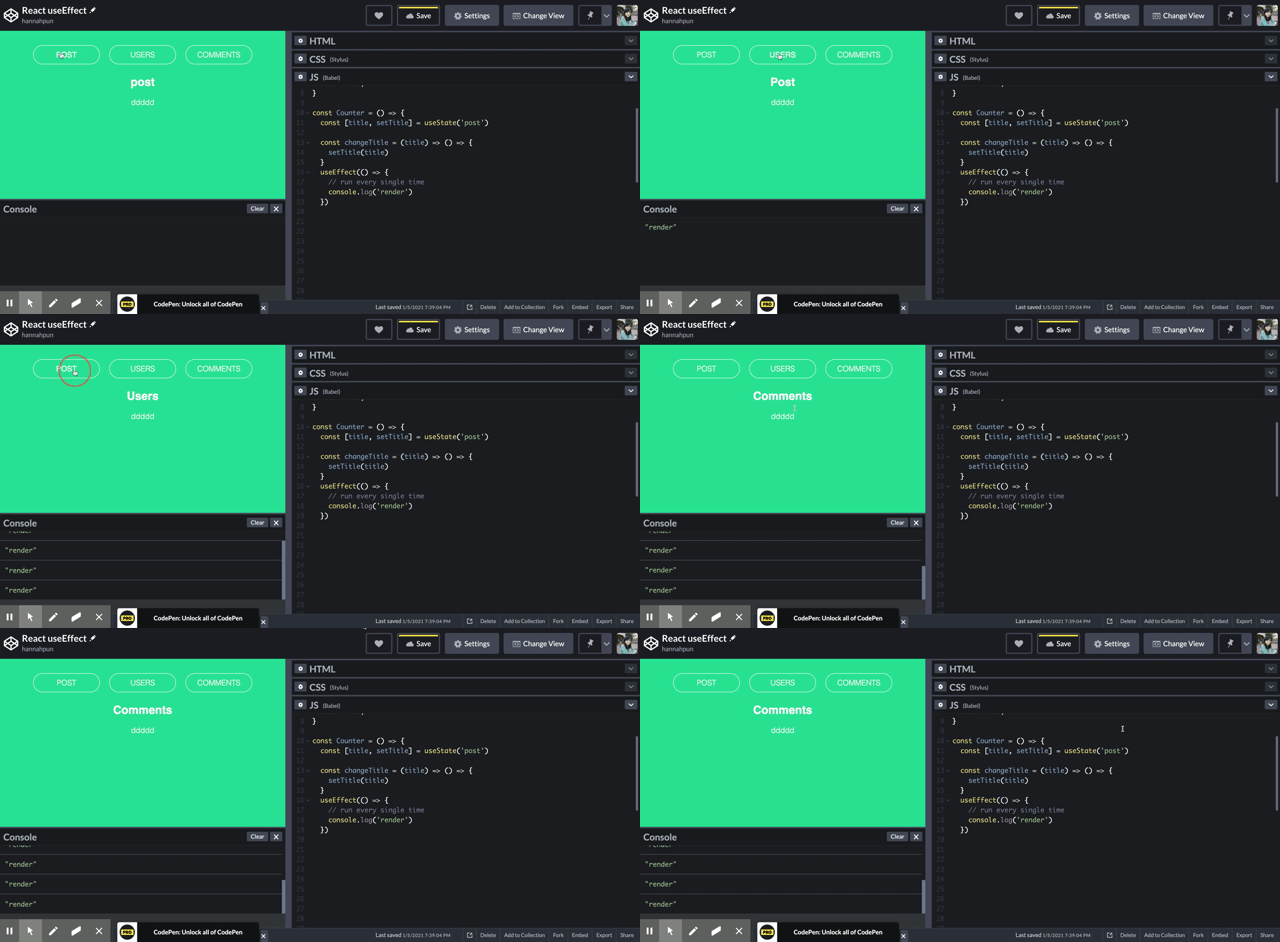
useEffect(() => {
    // run after every rendering
    console.log('render')
})
state/props change
useEffect(() => {
    // When title or name changed will render
    console.log('render')
}, [title, name])
cleanup
useEffect(() => {
   return () => {
       // Cleanup whatever we did last time
   }
}, [])
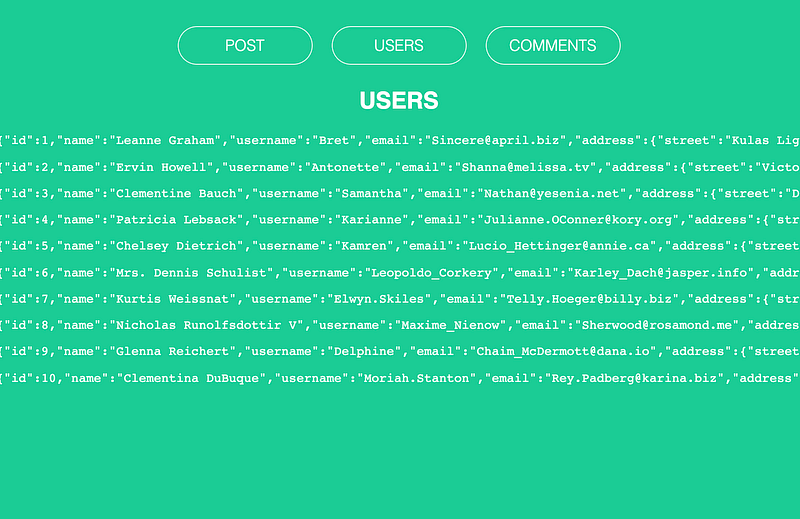
可以來範例玩玩,我有串 API
Typing useState
Typing hooks 其實並不難,一般來說在初始化的時候,TS 就會幫你自動定義型別了
const [appleCount, setAppleCount] = useState(1); // type is number
setAppleCount("2"); // error: string not assignable to number!
但實務上,很多 state 得初始值都是 null或 undefined。這時就要使用 generic (允許你可以使用多個 types)。例如 state 一開始是 null ,set state 後才會是 string
// title is string or null
const [title, setTitle] = useState<string | null>(null) // type is string or null
setTitle("hllo orld") // success

// score is number or undefined
const [score, setScore] = useState<number | undefined>(undefined) // type is number or undefined
setScore(100) // success
若 state value 是個複雜的 object,generic 也可以寫成 type 或 interface
interface Member {
  username: string,
  age?: number
}
const [member, setMember] = useState<Member | null>(null)

{member?.username} // type is string
Typing useEffect
恭喜你,不需要管 useEffect的 type,因為他不會回傳任何值。You can write this hook as normal.


