
Quick Guide: API Testing for Test Engineers using Postman

When we talk about performing testing — there is typically a wide range of activities a typical QA Engineer performs those days.
It could be: - Testing the new build - Verifying the backward compatibility with older app versions - Making sure that the build works correctly against different environments - Writing Test Automation scripts
And there is also one type of activity that falls between multiple categories. It’s not exactly manual testing and it’s not automation testing either. This is what’s typically called REST API Testing.
What we will need?
- A Tool to perform API queries (e.g Postman)
- API endpoint to try those requests on
Let’s start
Create a new account and download Postman or use the Web version. Create a new collection for the API Calls and create a new request there. Call it “Get Weather”, for example.
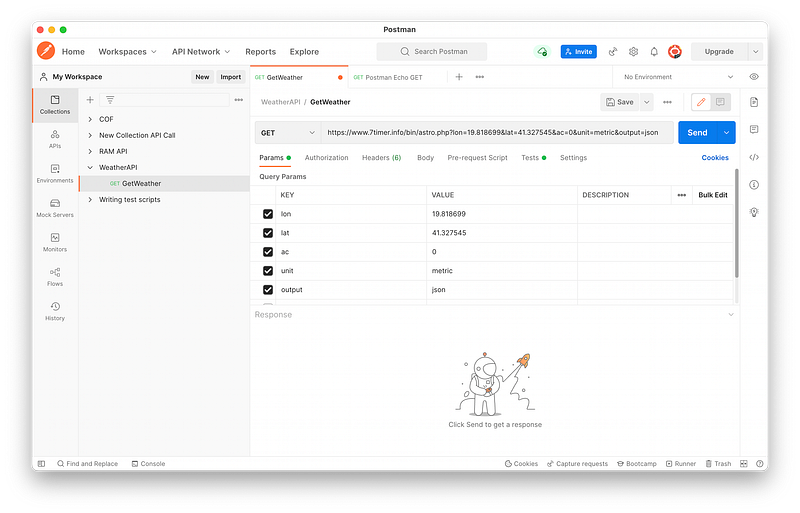
Insert this request there:
https://www.7timer.info/bin/astro.php?lon=19.818699&lat=41.327545&ac=0&unit=metric&output=jsonPress the “Send” button and observe the area at the bottom:
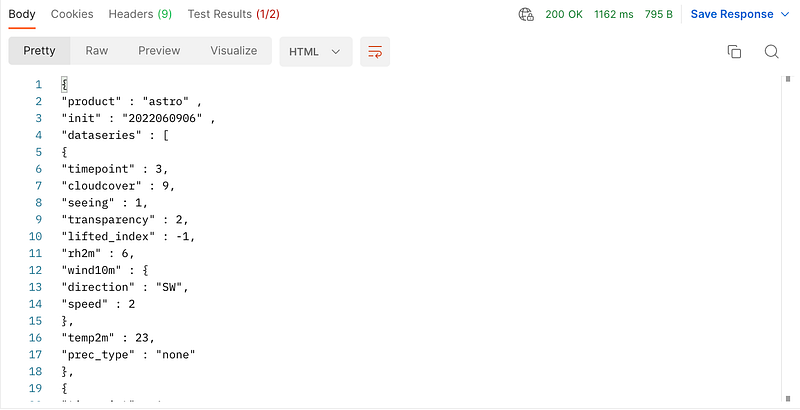
When you see the request — it means that it was able to successfully communicate with the server and get the response back to you.
You can play around with the parameters and enable/disable some of those. Let’s try disabling the “output” parameter by clicking and disabling it.
You will see that we now see the visual representation instead of the JSON output:
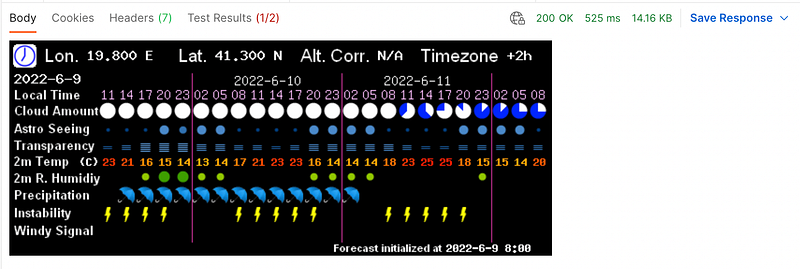
This is how we adjust our request to get the specific data that we need. This is how most of the applications work those days — by sending and receiving requests.
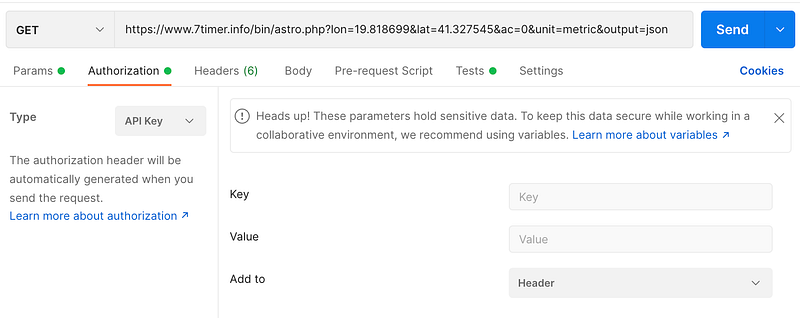
But sometimes you need to provide a specific API key that is necessary to access the data. This is typically done in the “Authorization” tab of the “Postman” app.
Writing Tests / Performing assertions
Since we now know how to make those requests — how about writing simple scripts to actually perform testing of those areas of the app.
Go ahead to the “Tests” tab and paste this code there:
pm.test(“Status code is 200”, function () {pm.response.to.have.status(200);});pm.test(“Body matches string”, function () {pm.expect(pm.response.text()).to.include(“product”);});Press “Send” button and observe the output:
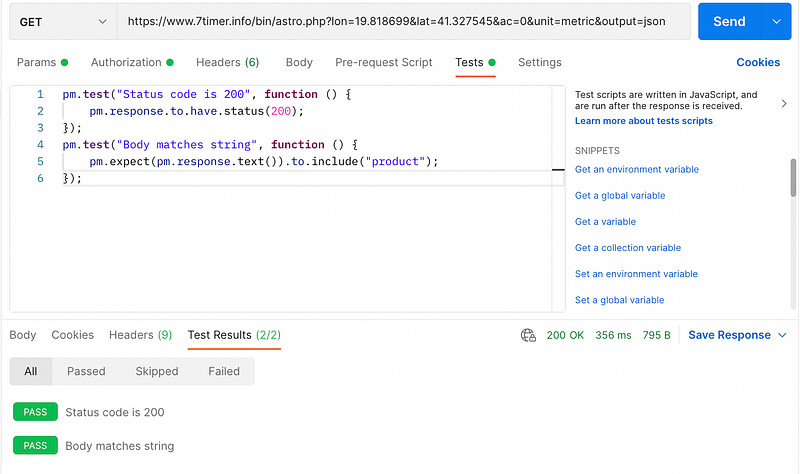
Here is what we are going to see. We have two tests. One test is verifying that the response code from the server is 200, and the other one confirms that there is a specific text string “product” in our JSON response.
There are snippets and examples on the right side in the “Tests” tab that you can explore. Imagine how powerful it could be to be able to quickly check the status of your Backend.
Conclusion
You can use powerful tools such as Postman to be able to send API requests and get the response back. You can also run test scripts using Postman and make assertions to confirm that the output is correct.
Being a QA Engineer is no longer about performing manual testing only, but also about being exposed to a wide range of tools. Hopefully, this article provided you some insight into it.