Coding
Python for Fun
Here’s a great way to improve your problem-solving skills
I’ve always loved board games. But I never thought of them as a coding challenge. But they are a terrific challenge and it’s all spelled out for you in the directions of the game.
Monopoly is a perfect example. The task is to bring the game to life on your monitor so it looks, feels, and behaves exactly like the board game. The behavior of each player or icon is outlined by the rules. The game board and player icons are readily available online.
I began my journey coding games in the middle of an online Python course. The midterm project was to create a working version of Blackjack, the casino card game. I was familiar with the game and the project appealed to me.
Every coding challenge must be broken down into small chunks. The first challenge for Blackjack was to figure out how to shuffle and deal the cards from a virtual deck. You can never deal the same card twice until the deck is shuffled. The midterm project was meant to be played out on the console, but to me, that was just part of the project. I wanted to see the cards fly off the deck in a virtual representation of the real game. This led me to Pygame.
The Pygame library allows you to create games and rich multimedia programs in Python. Pygame gives you the tools to represent your code with graphics on the screen. Pygame allowed me to deal my virtual Bicycle playing cards directly onto a blaze green virtual Blackjack table.
I’ve spent many enjoyable hours solving problems to bring this game to life. I added betting and a means to track my betting results over time. I added statistics that were displayed at the end of each session. I built it so you could split your hand in the case of a pair or double down if your first two cards added up to twenty or you were dealt a pair of aces just like you can do in the casinos. My son was interested in counting cards, so I added a card counter that the player could toggle off to practice counting, and then toggle it on to check the count.
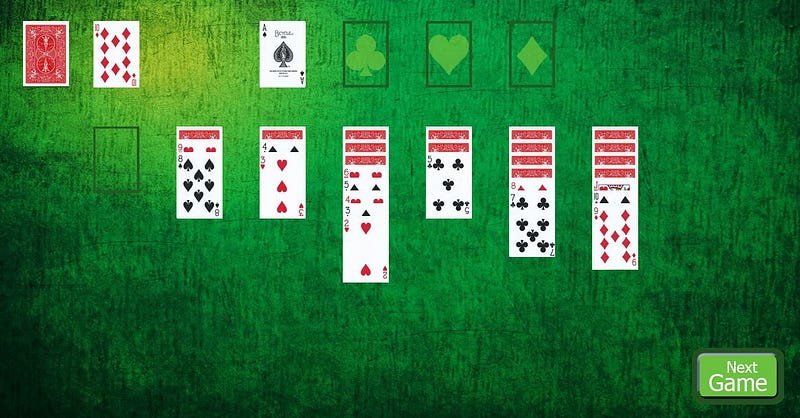
I’ve coded Solitaire, Sorry, Craps, Monopoly, Blackjack, and Risk. Risk is perhaps the toughest challenge and I revisit it frequently. The more a game relies on player strategy the more difficult it is to code. Surprisingly Sorry is a close second. For those who know it, it’s a fairly simple children’s game, but not one that’s simple to code.
Sorry uses a deck of cards that determine an icon’s actions. There are four icons per team with board space for four teams. That’s 16 positions to track as they progress around the board. The icons begin the game in the start circle. They move to the perimeter of the board, to what I call the racetrack by drawing a one, two, or the Sorry card. They move clockwise around the board (sixty squares) until they reach their finish lane and each team has a unique finish lane on the board.
The Sorry card allows an icon to leave the start circle to replace any opponent’s icon on the racetrack. The opponent’s icon returns to his start circle.
The three, five, eight, and twelve simply advance an icon a given number of squares. The four moves an icon backward four spaces. The seven can be split and used between any two of a team’s icons on the racetrack. The ten can move forward 10 squares or backward one. Lastly, the eleven allow any one of your team’s icons already on the racetrack to switch places with any opponent on the track.
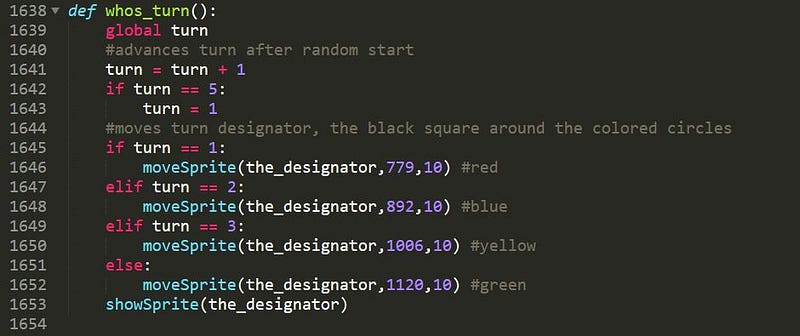
The starting positions are different for every player. Red starts at 5. Blue starts at 20. Yellow starts at 35 and green at 50. Every time a player crosses over from square 60 to square 1, an adjustment has to be made to keep track of the player’s position on the racetrack. With a -4 or a -1 players frequently cross in reverse. As I stated earlier, the challenge is all spelled out by the rules of the game and the layout of the game board.
Of course, so far I covered just the basic nuts and bolts of the game, the more important part is the coding that informs the computer players when and where to move — the game strategy. My goal is to create games that are hard to beat. In the case of Sorry it’s not enough for the computer to know how to switch two icons when the eleven card is drawn, but to select the most advantageous opponent to switch with. In the game of Risk, once the initial armies are deployed the games are all about where to attack, when to attack, and for what duration to attack — all make for great coding challenges.
I became interested in Python when I wanted to flesh out the code for an outdoor game console.
I read that you could program an Arduino board with Python and I thought an Arduino board might be the perfect controller for my game console. I wrote the program to control the console while I was learning Python.
What I learned from studying Python and coding the game console project was that I enjoyed the problem-solving aspect of programming. Unless I have a problem to solve, I have nothing to code. I’m a retired teacher, not an IT professional, so no one is throwing problems at me — I have to find my own. I found coding board games to be a terrific challenge that gives me hours of satisfaction. All I have to do is sort through our collection of board games to find my next challenge. In between I revisit previous code to make it more concise while discovering new ways to solve old problems.
If you are new to coding and desire to improve your skills this is a enjoyable way to go about it.


