Python for everyone
How to become an expert in python programming
In this article, we will discuss python from beginner to expert. To understand python there are no prerequisites is needed as I already told python is for everyone. I would like to thank freeCodeCamp and GUVI are helped me to understand the complexity of python.
∘ History of python ∘ Integrated Development Environment : ∘ Installation : ∘ Python installed or not ∘ What is a Comment? ∘ Run python ∘ Variables ∘ Data types in python ∘ string ∘ working with string ∘ Escape character
History of python :
A python is an object-oriented programming language that was created by Guido van Rossum and established in 1991. Python is an open-source programming language so we don’t need to pay a single penny and it is Interpreted language in which the program can be executed line by line. An Interpreted language is slow when compared to compiler language.
Why python?
- Python programming language is similar to English to easily understand the code does and execution is faster. It works on different platforms like Windows, Linux, mac..python plays a major role in web development, Machine learning, Artificial intelligence, mathematical computation, also applied to create Desktop GUI.
Integrated Development Environment :
An Integrated Development Environment[IDE] provides almost every facility to develop software. The IDE that I used is pycharm professional you can go for an absolutely free community edition.
Installation :
Visit the official site and choose which platform you use and you can download it.
Python installed or not
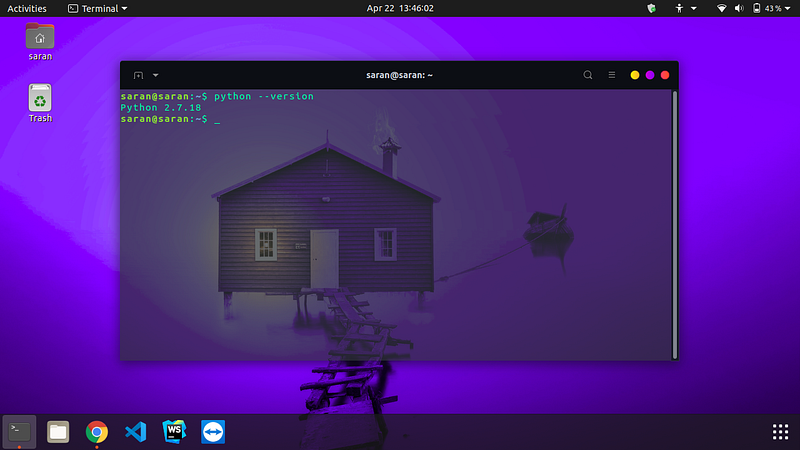
- you can check whether python is installed in our local machine or not by opening a command prompt or terminal and type the
python --version
like this ☟
To run python simply type python in your command prompt
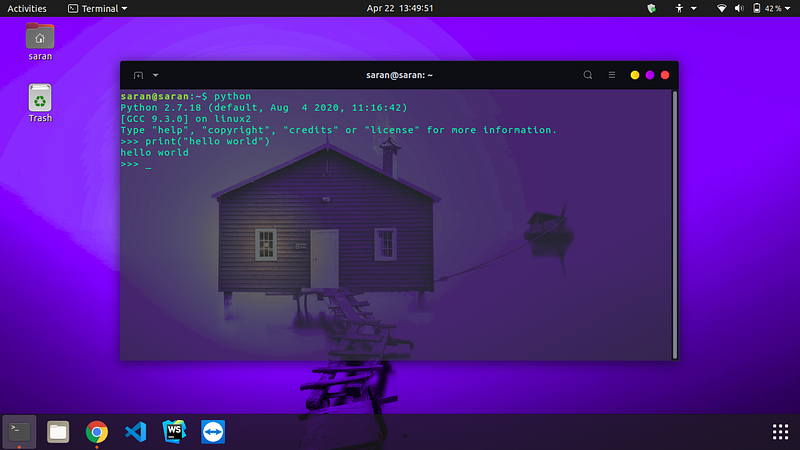
Run python
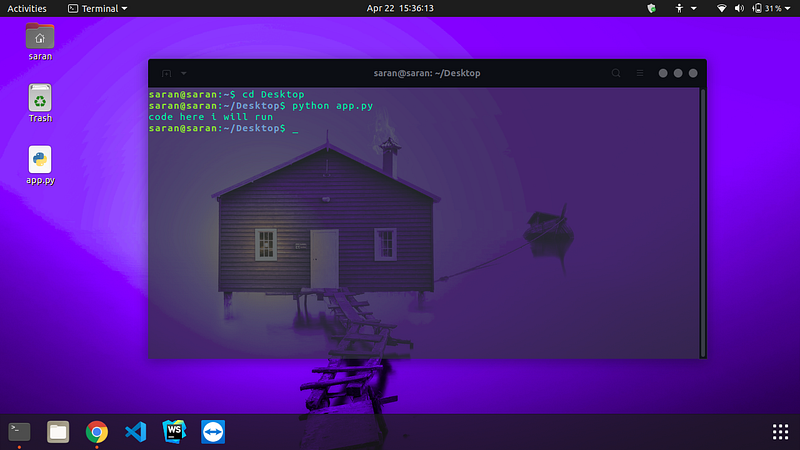
you can execute your python file by navigating the project folder in the command prompt and type python your_filename.py and hit enter, If you are using pycharm you can hit the run ▶ button in the editor or press Ctrl+Shift+F10 to execute your program.
Variables
Variables are like a container which are used to store values. Variable are case sensitive like a=4 and A=2 both are two different variables and variables are alphanumerical(eg:max23). a variable cannot start with a number and does not allow any special characters to declare a variable. Variables begin only with letters, underscore__. Using underscore at the beginning for a variable is not recommended.
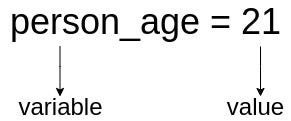
person_age is a variable that holds the integer value 21.
Printing variable: use print() to display output
Data types in python
For python, there are five common data types.
- String
- Numbers
- List
- Tuples
- Dictionary
➤ we will discuss string in this article. we will see about other data types in the upcoming articles.
string
- A string contains an alphabet and numerics it can also hold alphanumeric characters like i5, five or 5G can be taken.
- The string always starts and ends with Single Quotation Mark ‘ ‘ or Double Quotation Mark “ “.
working with string
Escape character
The escape character is used to break the line in between a paragraph or a sentence.
In our upcoming articles, we talk more about string and how numbers are implemented in python.
Thank You take care…!


