
PyCaret 3 is coming… What’s New?

Introduction
PyCaret is an open-source, low-code machine learning library in Python that automates machine learning workflows. It is an end-to-end machine learning and model management tool that speeds up the experiment cycle exponentially and makes you more productive.
To learn more about PyCaret, you can check the official website or GitHub.
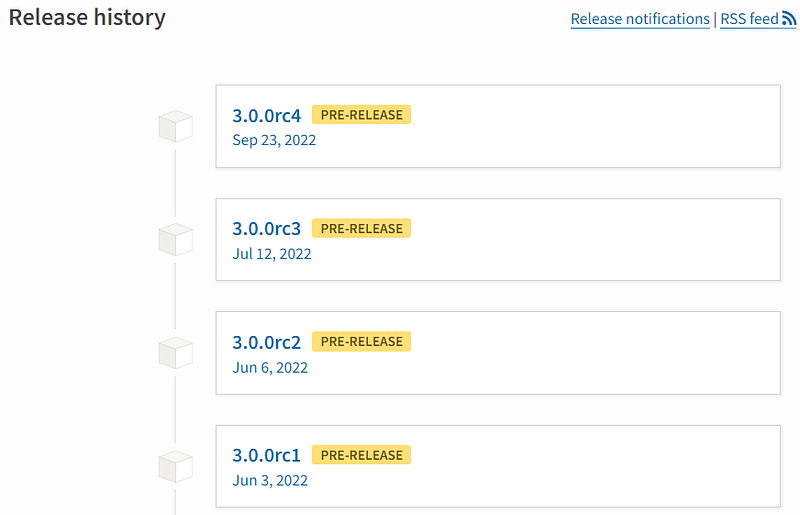
PyCaret 3.0 is in making for almost a year now. The final release candidate (rc5) for PyCaret 3 is expected to be released by end November and the final 3.0 release by end of 2022.
Fully compatible with scikit-learn 1.X
PyCaret 2 has a hard dependency on scikit-learn 0.23.2. This prevents you from using the latest version of scikit-learn (1.X) with PyCaret in the same environment.
PyCaret 3 will be fully compatible with the latest version of the scikit-learn.

Objected Oriented API
While PyCaret is excellent, it lacks the way that Python programmers typically operate. through classes and objects. Well, this modification forced us to reconsider a lot of the early design choices we made for the 1.0 release. It goes without saying that this is a major adjustment that will be difficult to implement. Let’s examine the implications for you.
# Functional API (Existing)

# load dataset
from pycaret.datasets import get_data
data = get_data('juice')

# init setup
from pycaret.classification import *
s = setup(data, target = 'Purchase', session_id = 123)

# compare models
best = compare_models()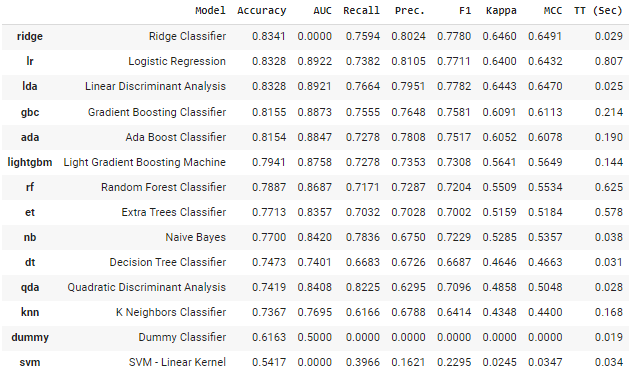
This is fantastic, but what if you later want to perform a different experiment in the same notebook with different setup function parameters? You can do it, but the original experiment’s settings will be overwritten. You can run as many experiments as you like in the same notebook using our new object-oriented API and compare them without any difficulty to various modeling options as well as preprocessing settings because the parameters are associated with an object.
# load dataset
from pycaret.datasets import get_data
data = get_data('juice')

# init setup 1
from pycaret.classification import ClassificationExperiment

exp1 = ClassificationExperiment()
exp1.setup(data, target = 'Purchase', session_id = 123)

# compare models init 1
best = exp1.compare_models()

# init setup 2
exp2 = ClassificationExperiment()
exp2.setup(data, target = 'Purchase', normalize = True, session_id = 123)

# compare models init 2
best2 = exp2.compare_models()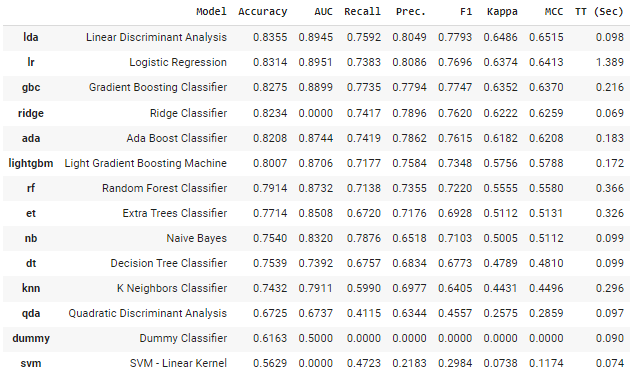
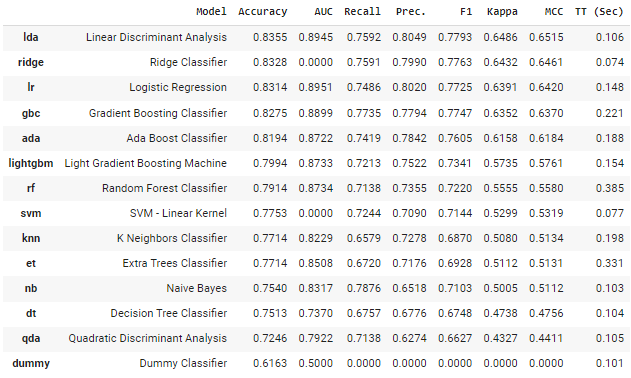
You can also use the get_leaderboard function to then generate leaderboards for each experiment and then compare them.
# generate leaderboard
leaderboard_exp1 = exp1.get_leaderboard()
leaderboard_exp2 = exp2.get_leaderboard()
lb = pd.concat([leaderboard_exp1, leaderboard_exp2])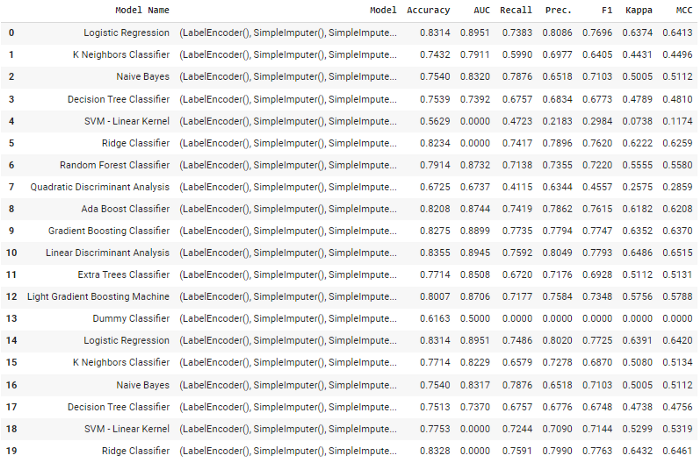
# print pipeline steps
print(exp1.pipeline.steps)
print(exp21.pipeline.steps)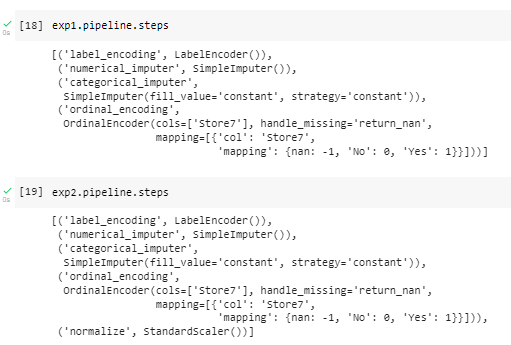
You can also switch between functional and object-oriented API as you would like.
# set current experiment to exp1
from pycaret.classification import set_current_experiment
set_current_experiment(exp1)
Time Series Module
PyCaret’s time series module has been a separate PyPI library (pycaret-ts-alpha) for quite some time. It is now finally coming together and will be generally available in PyCaret 3.0.
# load dataset
from pycaret.datasets import get_data
data = get_data('airline')

# init setup
from pycaret.time_series import *
s = setup(data, fh = 12, session_id = 123)

# compare models
best = compare_models()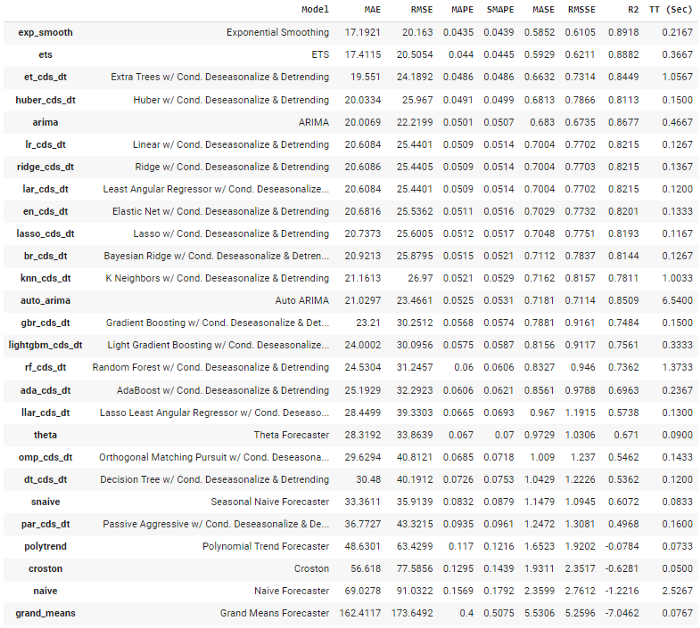
# forecast plot
plot_model(best, plot = 'forecast')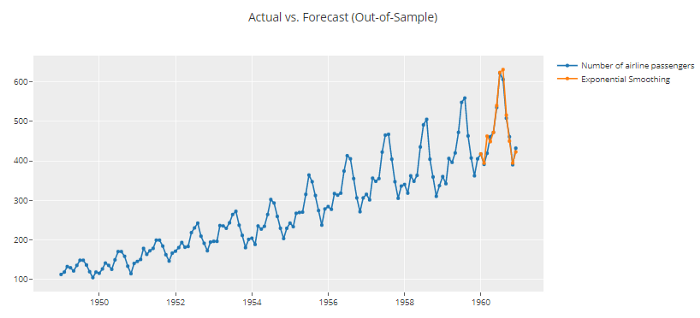
Improved and Enhanced Pipeline
The preprocessing module was entirely redesigned to be compatible with the most recent version of Scikit-Learn and to improve performance and efficiency.
Some of the new preprocessing functionalities in PyCaret 3 are:
- New categorical encoding methods
- Handling text features for machine learning modeling
- New methods to detect outliers
- New methods for feature selection
- Guarantee to avoid target leakage as the entire pipeline is now fitted at a fold level.
Automated Data type handling
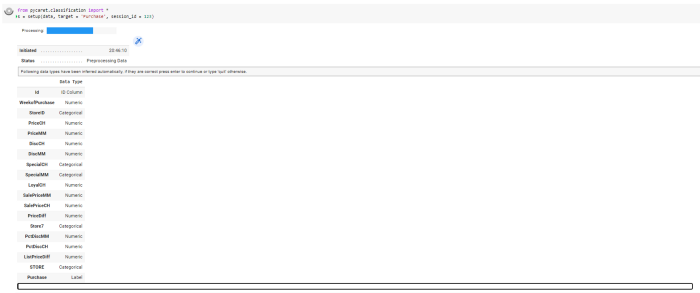
No more pressing "enter" or passing silent = True . You still have the ability to explicitly define data types using numeric_features and categorical_features parameter but you just won’t have to sit there on your screen to press enter anymore. YayyYYyy!
Important Links
📚 Documentation The detailed API docs of PyCaret ⭐ Tutorials New to PyCaret? Check out our official notebooks! 📋 Example Notebooks created by the community. 📙 Blog Tutorials and articles by contributors. 📺 Video Tutorials Our video tutorial from various events. 📢 Discussions Engage with the community and contributors. 🛠️ Changelog Changes and version history.
Liked the blog? Connect with Moez Ali
Moez Ali is an innovator and technologist. A data scientist turned product manager dedicated to creating modern and cutting-edge data products and growing vibrant open-source communities around them.
Creator of PyCaret, 100+ publications with 500+ citations, keynote speaker and globally recognized for open-source contributions in Python.
Let’s be friends! connect with me:
👉 LinkedIn 👉 Twitter 👉 Medium 👉 YouTube
🔥 Check out my brand new personal website: https://www.moez.ai.
To learn more about my open-source work: PyCaret, you can check out this GitHub repo or you can follow PyCaret’s Official LinkedIn page.
Listen to my talk on Time Series Forecasting with PyCaret in DATA+AI SUMMIT 2022 by Databricks.


