
Proven Techniques to Create Enticing Email Marketing Campaigns
Including a crucial step many people forget…
There’s plenty of information out there when it comes to mailing lists. But from experience, small businesses barely email their lists regularly, let alone run A/B testing or segmentation.
I know this because I’ve created multiple email campaigns for several clients on my mailing list. When I stop, they usually don’t continue on their own.
Fair enough. There’s so much to do as a small business. Learning a new set of skills and taking time out to send out regular emails is often low on the list of priorities.
But it’s such a shame when small business owners don’t connect with their customers and prospects online, especially by email.
You see, people can miss your Facebook posts, but they are more likely to do something about your email — even if it’s to throw it in the trash.
Business owners bring so much purpose, passion, and personality in person and by phone. They owe it to themselves — and their mailing list — to keep in touch.
That’s what inspired me to create a Mailing List 101 series for my mailing list of small businesses.
Over the past few weeks, I’ve shared simple, practical, powerful tips to give small businesses the confidence and insight to get in touch with their customers and prospects:
Strategy — Do People Really Want Marketing Emails?
Content ideas — How To Write Marketing Emails People Want To Read
In this post, you’ll learn:
- Programs that make email creation easy (I’ve used 2 in particular for more than a decade)
- 4 Proven ways to get your reader to open — and act on your emails
- An important step many people often forget…
At the end of it, you’ll know far more than many small businesses know about harnessing the power of their mailing lists.
Apply these 3 parts and you’ll strengthen your bond with customers and prospects. You’ll get more leads. And you’ll naturally make more sales.
Let’s get into it, shall we?
Programs that make email creation easy
There are plenty of cheap or free programs out there. They all pretty much do the same thing, and make it very simple to do it:
Create and send emails to small and large mailing lists.
Emails
The two programs I’ve used for many years for clients include:
- Campaign Monitor: Its basic package is $9 USD / month
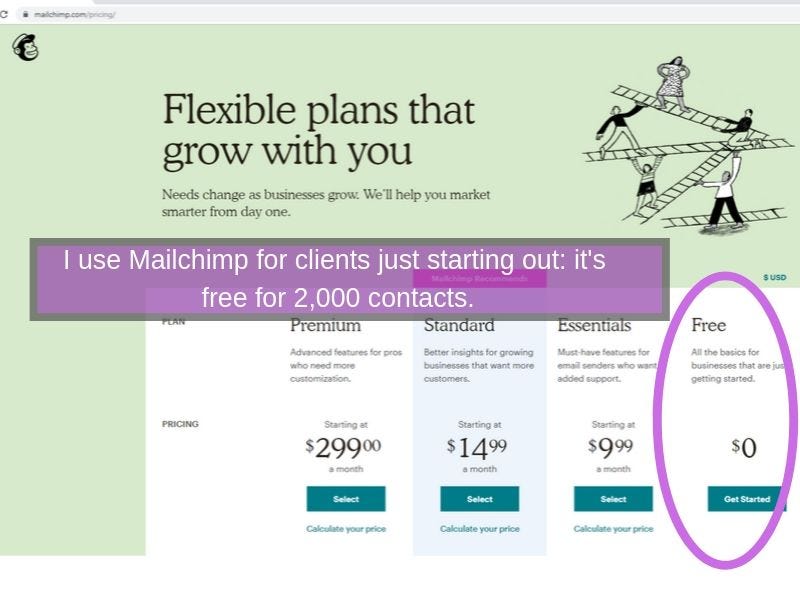
- MailChimp: Free for up to 2,000 contacts (see screenshot below) then plans from $9.99
I use these programs because they allow me to:
- Easily create emails with text, images, logos, buttons, and links
- Customize pre-made templates, eg. newsletters, sales, announcements, education emails
- Send professional, branded emails quickly
Photo editing
I use Canva to do everything I need with photos. For example, all the screenshots in this post were created in Canva.
You can use the free version, to begin with. I have upgraded mainly because the Pro version lets me resize multiple photos in a few seconds. As many times as I like. That is gold!
Disclosure: I am not a partner with any of these programs (I don’t get paid to promote).
Although these programs make it simple to email your mailing list, these are just tools. There are a few key considerations that will make your email campaigns more successful. Ways that will get your reader to click and act on your email.
Many of these are techniques I have used with success in over a decade working on client campaigns. On the other end, businesses that have used these techniques on me have led me to buy products, services, and improve my knowledge and skills.
Research has found these techniques work well for businesses across industries.
4 Proven ways to get your reader to open — and act on your emails
Here are 4 basic, proven tips on how to write a click-worthy email that entices your reader to take action:
- Subject line
- Call to action
- Personalization
- When to send
1. Subject line
Your subject line can make the difference between an open or your email being sent to trash.
Mailchimp’s #1 tip for improving email stats is:
“don’t sell what’s inside — tell what’s inside”.
Subject lines have proven to work: personalized, direct, and how-tos. Here are examples of each:
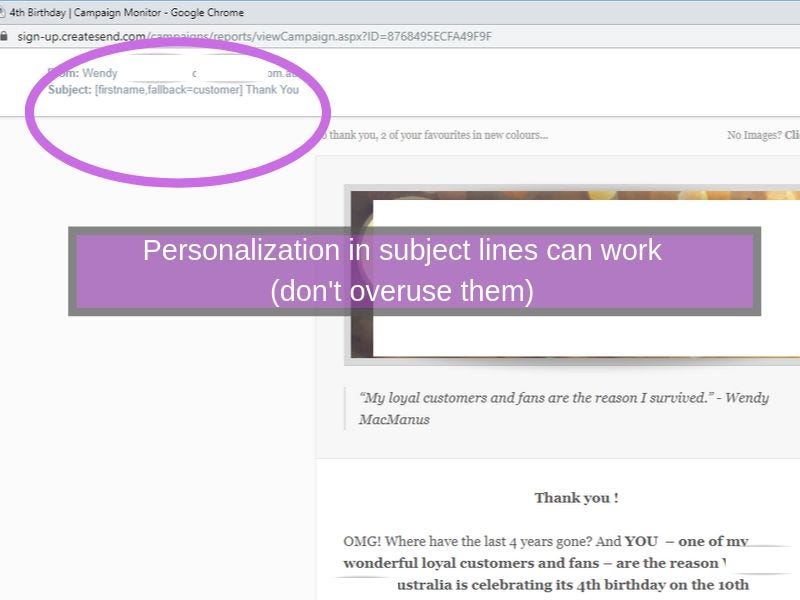
Personalized subject lines:
“From Facebook to your inbox — hey Justin” (this got my writing pitch noticed by an editor of a big publication)
“X Thank You” (this email, shown below, was about my client’s 4th business birthday — it was a personal thank you from the owner and led into the launch of 2 products. It got a high open rate, click rate, and sales for a client)
Direct subject lines:
“Rusty’s Spray Treatment Reminders 🐜🐜” (I booked in to get my house sprayed — lots of creepy crawlies here in Australia ;)
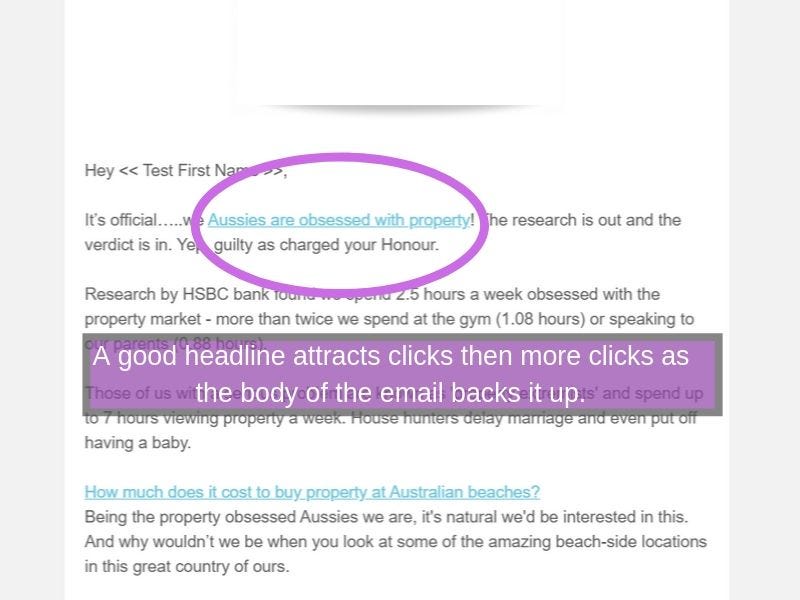
“Aussies exposed as obsessed with property” (this news email shown below got one of the highest open rates of all campaigns)
How-To subject lines:
“How I bought my time back” (I was curious because it never feels like we have enough time)
“How to draw kawaii cat step-by-step” (I opened and followed the ‘draw a cat’ tutorial from the email headline shown below. I was interested because I am learning to draw and animals are my drawing weakness)
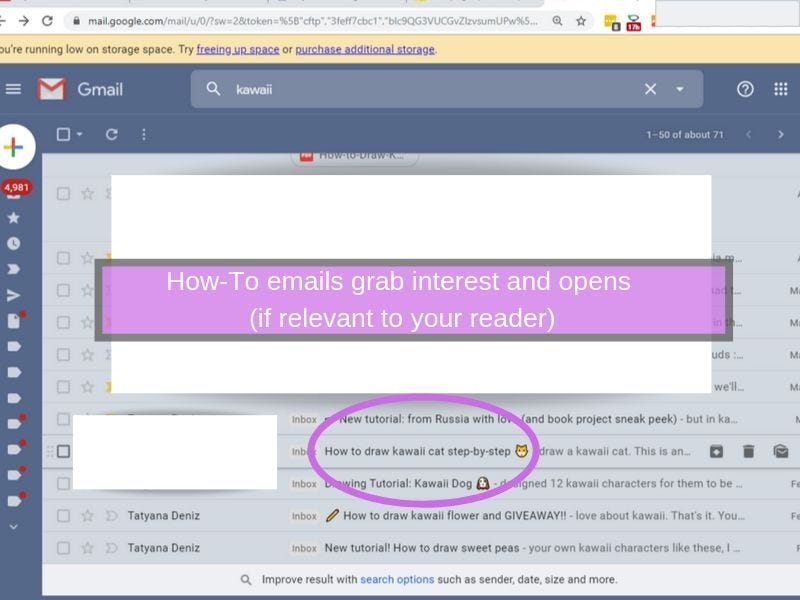
Read more about why these 3 subject line formulas have been proven to get people clicking emails.
2. Call to action
Including a call-to-action button instead of a text link can increase conversion rates by as much as 28% (Campaign Monitor).
Whatever you do, please, please don’t use these phrases as links:
Click here Read more Learn more
Readers often scan a page by links. Using these generic terms doesn’t help your reader understand what they’ll find if they click.
To emphasize this point, I once worked at a not-for-profit that supported people who are blind and have low vision. They used software to read out digital content.
Sometimes the user would choose to scan a page by having their screen reader list out all the links on a page. Imagine their confusion if they heard the links in the screenshot below: “Read more” and “Click here to learn more”.
Without context, they would have no idea where these links would take them.
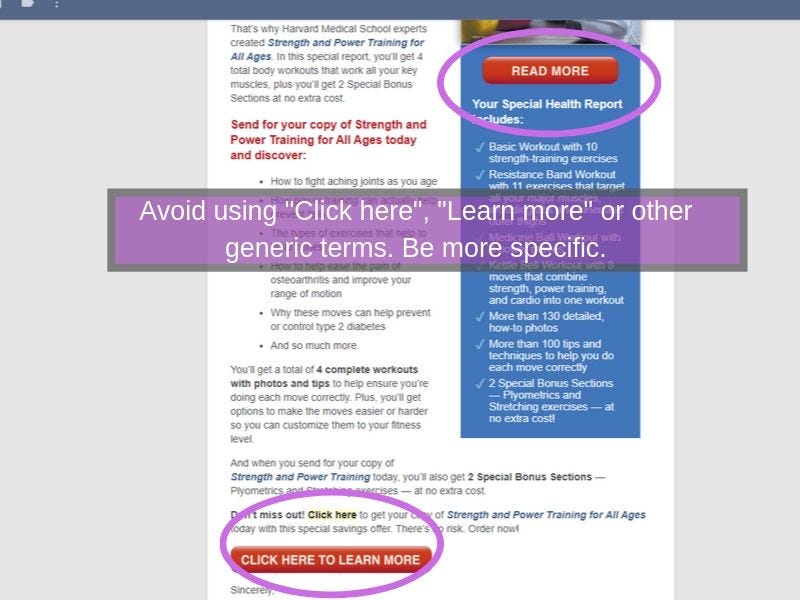
Using these generic terms doesn’t help your reader understand what they’ll find if they click.
Usability group Nielsen Norman Group recommends we create better link labels with 4 S’s in mind: Substantial. Specific. Sincere. Succinct.
- Specific: Let readers know what will happen when they click.
- Sincere: A link is a promise. Create accurate expectations and follow through.
- Substantial: Users scan. Links must be descriptive enough to understand without reading the text around it.
- Succinct: Don't waste words yet ensure it is specific, sincere, and substantial.
Use verbs for descriptive, enticing action eg. Download your ebook, Book a callback, Get 70% off all shoes today, Read about the app, Find camping and hiking classes
Below is a screenshot of descriptive call-to-action buttons that prompted me to buy a course from an email.
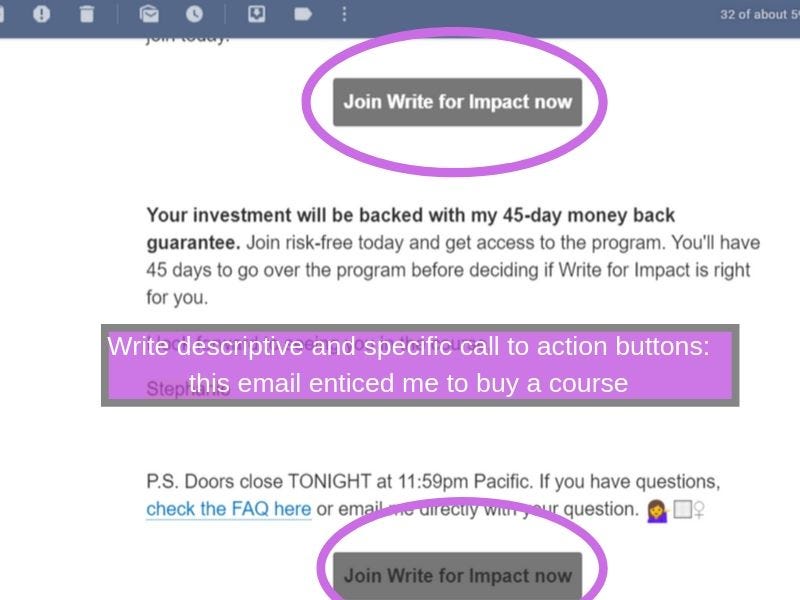
Links must be descriptive enough to understand without reading the text around it.
3. Personalize your emails
It’s been found that personalized emails lead to 6 times higher transaction rates than non-personalized emails.
Simple ways to personalize emails:
- Use your reader’s name in the headline and / or in your welcome
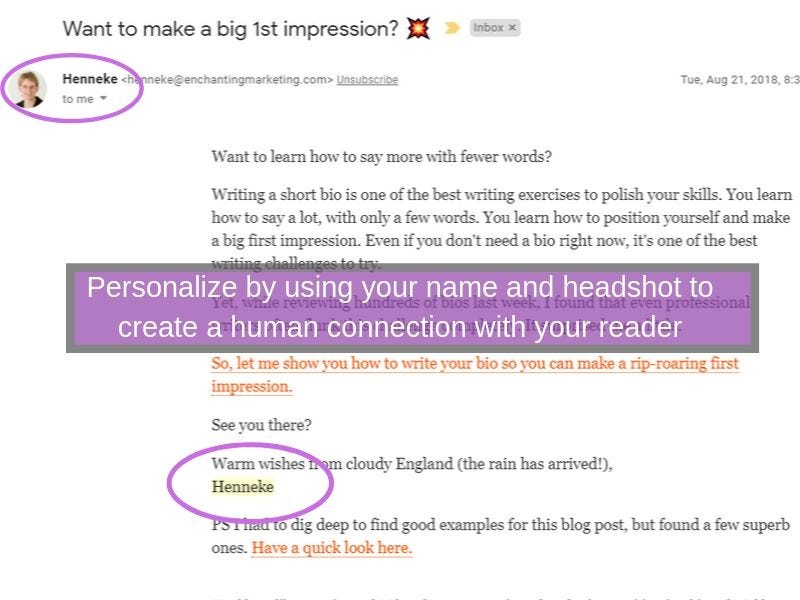
- User your name as the Sender, and sign off emails from yourself (screenshot below)
- Add a headshot to your emails
Note: If you are a co-founder or want to include the team, you can still add this personal touch. Eg. Yours in health: Joe, Sarah, and the Boost team
4. When to send
Coschedule gathered the recommendations of 14 studies and found the 3 best days to send emails are:
- Tuesday
- Thursday
- Wednesday
And the 4 best times to send:
- 10 am (late morning, 10 am was mentioned by several studies)
- 8 pm (checking email before bed)
- 2pm (afternoon slump / need distraction)
- 6 am (50% of us being our day by emailing as soon as we wake up)
These studies are a great guide. Some of it is common sense. For example, I stay away from sending emails on Mondays because most of us are catching up after the weekend and don’t have time to read emails that won’t directly help us get sh*t done.
It also makes sense not to send emails on a Friday evening when many people are out for work drinks or winding down with their families and friends.
But a guide is just a guide…
My clients have found they often get more sales and clicks on the weekend when people have time to shop and read.
Typically, businesses send fewer emails on the weekend, so if you do, your email won’t get lost in the mid-week avalanche.
Don’t forget this important step…
Test on mobile
About 53% of emails are opened on mobile devices. Many email programs allow previews of your emails on mobile (see screenshot below).
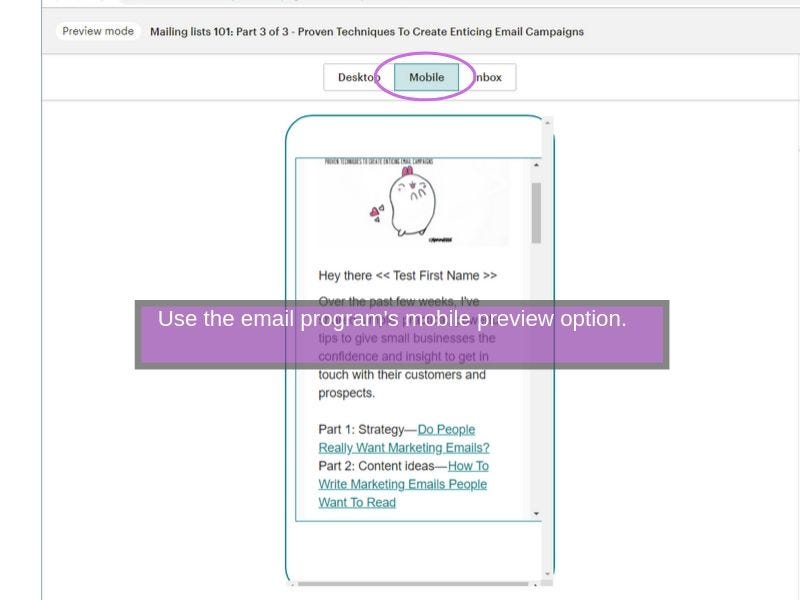
Always go a step further and send the draft to yourself and other testers. You won’t regret it. See the screenshot below of an email I sent to my mobile and reviewed before I sent it to my mailing list.
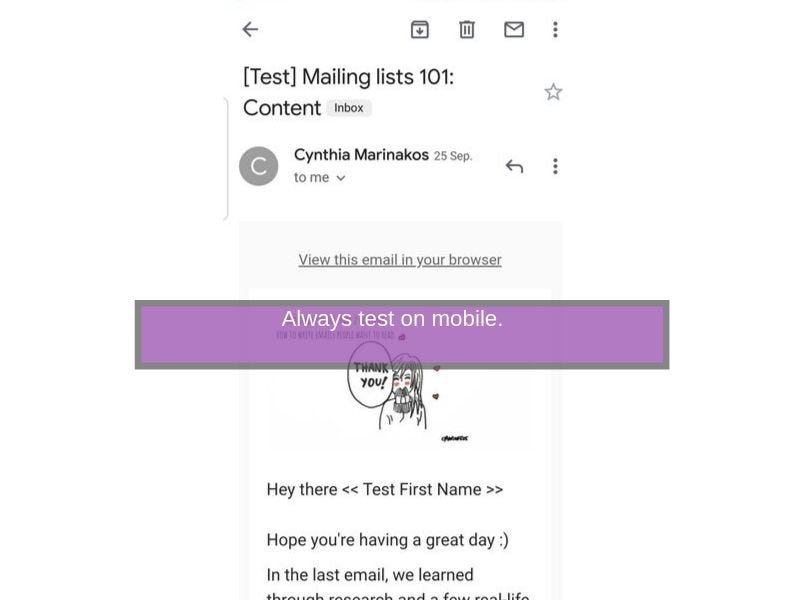
Make any changes to the content on your computer as you run through the email on your mobile. I often find something I’ve missed by testing this way — no matter how sure I am that the draft is ready to go.
About 53% of emails are opened on mobile devices. Always go a step further and send the draft to yourself and other testers.
Proven techniques to create enticing email campaigns
To make your email efforts worthwhile, consider 5 key aspects:
- Subject line: personalized, direct, how-tos
- Call to action: use buttons
- Personalization: use name or other tags, a person’s name as recipient, your headshot
- When to send: Tues, Thurs, Wed at 10 am, 8 pm, 2 pm, or 6 am
- Testing: Test on mobile
Note that the recommendations about best times, calls to action, and subject lines are guidelines. What may work for one business, one industry, and one mailing list — may not work for another.
Test to see what works for you.
You know you’re doing well when it doesn’t matter what your subject lines are: your reader is so loyal to you they’ll open all your emails — or save them to read later.
The screenshot below shows how I have kept all the emails of a person I respect and have learned a lot from.
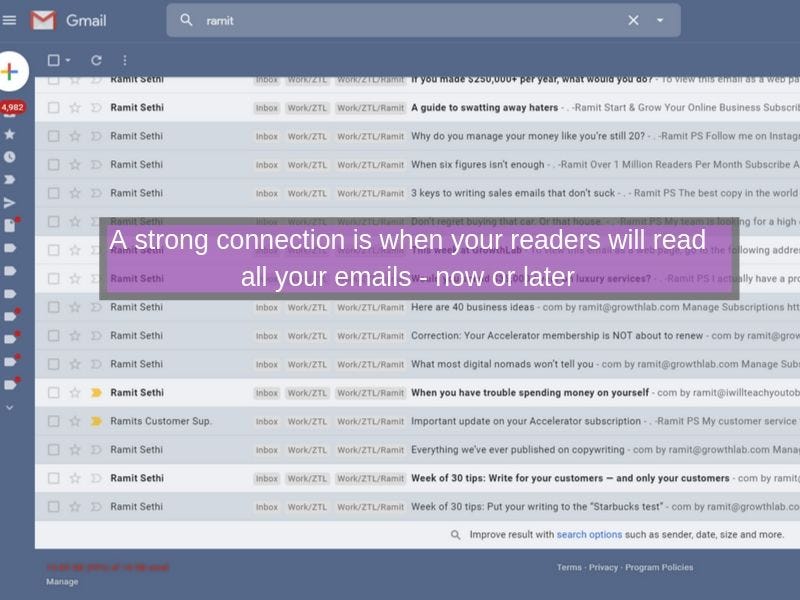
They’ll buy your product, download your ebook, reply to your emails… these are the readers you want on your mailing list.
What may work for one business, one industry, and one mailing list — may not work for another.
Test to see what works for you.
Now you’ve got your email strategy. Your content. And simple yet powerful tips on how to write a clickworthy email.
Well, now you know far more than many small businesses know about mailing lists. All that’s left is to get onto an email program, upload your mailing list, pick a template, and send your email.
Go on, your customers and prospects are eagerly waiting to hear from you!