
4 Ways To Protect Yourself From Hackers Before It Is Too Late
#3: Forget about Instagram help desk and do this instead
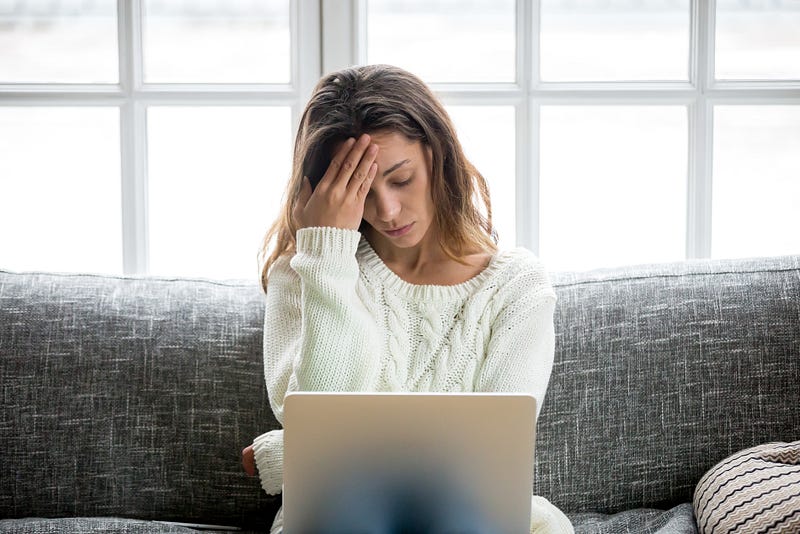
Update: I finally got my Instagram account back three weeks after it has been hacked. During the time I lost control, the hackers were able to hack and scam a dozen of my followers.
I have lost sleep, health, money, followers, and control of my Instagram. My account got hacked after I felt for a cryptocurrency scam.
Part of the scam was for me to invest $500 into a cash app and then fill in key information into a website to withdraw my funds.
If you think it is just an Instagram account and some money, read through to discover how it is more.
Online security should be taken very seriously before it is too late.So, please follow these guidelines to protect yourself from being hacked and your money stolen.
You will thank me later.
1. Create Strong Passwords
If you are like me, you might use the same password for a lot of your apps, social media, mail, and banking, etc.
If you have used this same password on a fraudulent website, hackers will use it to:
- Log onto your online banking, including PayPal. They will then send money on their cashapp, which is non-traceable.
- Use it to log onto your mailbox. With your email address such as Google, they can access many other websites––including Medium.
- Change all your passwords associated with your email address and then blackmail you for more money.
This is what to do before it is too late.
#1: Use a password manager
Never use the same password twice. And don’t take the stupid idea to enter your cat’s name or something easy to guess.
Use a password manager like 1password. This is a computer program that allows users to store and generate complex passwords.
#2: Activate double authentication everywhere
Use an Authenticator App and save all of your recovery codes outside of your computer, in case your phone gets stolen.
Activate double authentication for your emails, social media, cloud services, and online banking.
I know it sounds a lot, but better to prevent than cure, like I had to. You will save yourself all of the stress that I went through.
#3: Change all your email addresses
Use Protonmail rather than Gmail. If an attacker steals emails from ProtonMail, they would not have the ability to decrypt them.
Then, create a separate email address for:
- Your business,
- One for your social media,
- One for your friends and family,
- One for your online banking,
- And another for trash websites.
If you subscribe to a ProtonMail paid plan, you can also create additional addresses, known as aliases. It makes the process easier.
I know it sounds like a hassle but if you have a better idea, please comment on it.
2. Watch for Spam and Malware
If you have registered your email on a fraudulent website, hackers will attempt to pish you or send malware every other day.
So, you must change your email address. Otherwise, overwhelming amounts of threatening ransomware will arrive in your email account, and you might click on it one day.
I received a “Happy Chinese New Year” email. And even an “Infos” which could pass from someone asking for information about my services.
What to do before it is too late
#1: Run a smart scan to identify malware
Check your CPU and monitor to see what requires a lot of CPU. If you don’t know the app running, close it and trash it.
Then, invest in device protection software. Avast, for example, scans every file to ensure it’s safe. If a file is malicious, they inform you.
It also has a web shield to scan every piece of data that travels to your computer while you browse. This keeps malware off your device.
There is also ransomware protection. Ransomware is a type of malware that blocks you from accessing your files until you pay a ransom. Even if paid, you may not get the files back.
Avast prevents hackers from using DNS hijacking to redirect you to fraudulent websites too.
#2: Use a VPN
You must also hide your IP address. They got yours when you enter your data onto their fake website! They can now harm you with a DDoS (Distributed Denial of Service) attack.
They flood your device with traffic, so it disconnects from the internet and completely shuts down.
You can use a VPN secure connection provided by your device protection software.
3. Forget about Instagram Help Desk
Instagram doesn’t offer the help option for devices not recognized — the one you’ve used before you got hacked.
And hackers know that.
So, the first thing they do once they hack your Instagram account is to clear all the lists of recognized devices.
Then you don’t get any help from Instagram since this option is only offered to recognized devices.
This is a loophole the scammers take full advantage of.
It is bizarre how the very security features with IG, designed to protect you, can actually work against you.
Next, hackers proceed to unlink your FB account with your IG account. This way, there is no way to login onto your Instagram using your FB account.
They then use FB planning tools to schedule spam posts and stories on your hacked Instagram account.
And when you tweet or write about your hacked Instagram account, you will also receive a lot of answers promoting services to get back your hacked Instagram.
I suspect that I will receive a lot of spam here in the comment section too. Please ignore!
They are hackers trying to hack you more for unlocking your hacked Instagram…
What to do before it is too late
#1: Always have a recovery IG/FB account
I wish I had added people in my recovery account from the start, to avoid starting my network from zero like a lot of influencers do on social media.
#2: Regularly delete all of your important messages
Last but not least, remember to never exchange important information over social media and even WhatsApp!
So, delete all of that regularly to avoid further harm. And activate disappearing messages for your nudes or dick pic…
4. Protect Your Phone
When you use your phone number as double-verification, hackers can intercept the reset password link.
This is called a Sim Port Attack. The attacker ports your SIM card to a phone that they control. They will intercept every verification code sent to you.
Sean Coonse has lost $100,000 in a Port Sim attack back in 2019.
Then, you might think that putting your pictures on the cloud, using iCloud for example, is enough to protect your phone.
Well, Apple had some security vulnerabilities in Apple iCloud and Safari 15 recently.
This is what to do before it is too late.
#1: Change your phone number
If you have been hacked already, buy yourself a new SIM card or contact your mobile provider to inform them of the situation so that you can change numbers.
Then, update everything using your phone number for authentication.
#2: Put your photos on an external hard drive
I went to the Mac Store and bought a 64 GB USB key to put all of my pictures there. With 15,000 pictures on my phone, it took 24 hours to transfer them all. I wish I did that sooner.
Why? Because hackers could use your photos to threaten you for more money (this is called ransomware).
Plus, it is most likely you have screenshots of your passwords, credits card, identification paper, or recuperation codes.
Save your recovery codes for your authentication app in this USB key too.
When you get hacked and haven’t taken these safety measures before, there is no time to sleep. You need to act fast.
However, you can avoid this nightmare by taking every step described in this article.
If you were following my Instagram, know that this was not me who was talking to you behind my name. I’ve now changed my Instagram account and currently rethinking my social media strategy.