
Progressive Web Apps Are Here to Stay — VitePWA Edition
Navigating the digital realm can feel like an epic journey. From the humble origins of static webpages to today’s dynamic applications, every technological leap enhances how we interact with the digital world. As users, we’ve journeyed from web 1.0 to today’s complex digital ecosystem. As developers, designers, or entrepreneurs, understanding this digital journey is crucial — it’s what allows us to create better experiences for our users.
Basics of Progressive Web Apps (PWAs)
Progressive Web Apps are essentially web applications but with an added layer of modern APIs that provide enhanced capabilities, such as amazingly high reliability, and excellent installability. They allow for a single codebase to reach anyone, anywhere, on any device, which certainly demonstrates their progressiveness.
PWAs differ from traditional web and mobile apps in their technical architecture and functionalities. That difference is most noticeable in three key areas:
- Web App Manifest: This is a simple JSON file that controls how your app appears to the user and how it can be launched. It includes everything from the home screen icons, to the page to load when the app is opened, to even whether to show the browser chrome.
- Service Worker: At their heart, PWAs function through service workers. These service workers act as proxy servers, sitting between the web application, the browser, and the network when available. They enable the creation of effective offline experiences, intercept network requests, and take appropriate action based on network availability. Moreover, service workers can cache resources very efficiently, providing end-users with considerable control over how their app behaves in certain situations, especially when the network is unavailable.
- Script/Module to Register the Service Worker: To ensure the full functionality of a PWA, service workers must be registered in the browser. Tools such as
vite-plugin-pwasimplify this task. With almost zero configuration, this tool generates a service worker, a script to register the service worker in the browser, handles the Web App Manifest, and injects them in the appropriate places of the project.
// Example of registering a service worker using vite-plugin-pwa
import { VitePWA } from 'vite-plugin-pwa'
export default defineConfig({
  plugins: [
    VitePWA({ registerType: 'autoUpdate' })
  ]
})
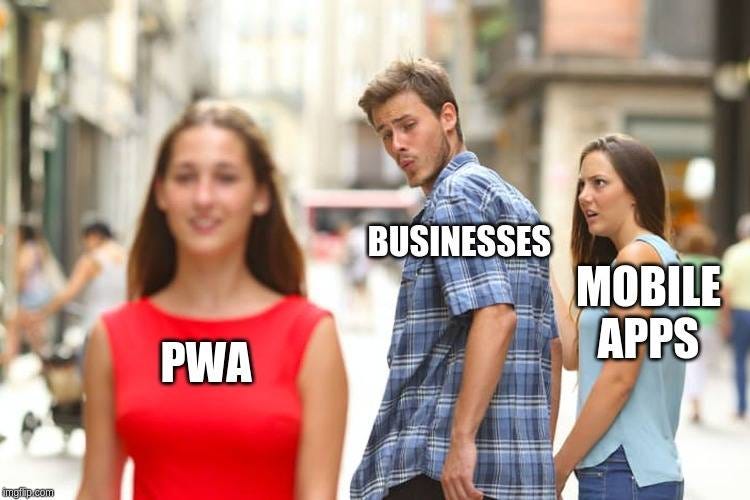
A step ahead of traditional applications, PWAs bring the power of mobile apps to the universal accessibility of the web, promising a unified and enhanced user experience. As we set foot in the PWA era, the journey of the web continues, and it’s more exciting than ever.
Benefits of Using PWAs
Fast: Lightning-speed interactions
PWAs leverage modern web technologies and optimize resource caching, allowing for quick interactions and fast-loading content. This speed improvement leads to a smooth user experience that keeps your users engaged and coming back for more.
Reliable: Load instantly, even in uncertain network conditions
Thanks to the implementation of service workers, PWAs are reliable no matter the network conditions. They can work entirely offline by caching assets and resources effectively. This means that even with a slow or no internet connection, users can access the content and keep using your application seamlessly.
Engaging: Feel like a natural app on the device, with immersive user experience
PWAs offer an engaging and immersive experience with features like installation to the home screen, full-screen mode, and push notifications. These capabilities allow the PWA to feel like a native app, providing users with a consistent and integrated experience on their devices.
Case Studies: PWAs in Action
Inspiring stories from brands that have adopted PWAs (Starbucks, Twitter, etc.)
- Starbucks: Starbucks wanted to provide an engaging ordering system to its customers, while ensuring fast and reliable performance. They opted for a PWA to achieve this goal, resulting in an exemplary experience that works seamlessly on both desktop and mobile devices. This allowed Starbucks to reach customers across platforms and provide a personalized experience based on their preferences.
- Twitter: Twitter’s PWA, called Twitter Lite, was developed to resolve slow loading times and high data consumption issues. Not only did Twitter Lite result in substantial improvements in performance and UX, but it also significantly lowered data consumption, making the platform more accessible to users with limited data plans or those in areas with slow internet connections.
Statistics and results showcasing their success
- Starbucks: After launching their PWA, Starbucks observed a notable increase in daily active users. Orders placed on the PWA rose by double digits compared to their conventional app. This showcases the PWA’s ability to deliver fast and reliable performance, resulting in increased user engagement and a boost in sales.
- Twitter: After implementing their PWA, Twitter Lite experienced increased user engagement with 65% more pages viewed per session, 75% more Tweets sent, and a 20% decrease in bounce rate. This demonstrates that PWAs can deliver an exceptional user experience, leading to increased engagement and growth.
These examples highlight the transformative power of PWAs in the digital landscape. By improving performance, reliability, and user experience, PWAs can lead to greater user engagement and a significant boost in growth for businesses.
How to Build a PWA: An Overview
Tools and technologies involved
Creating a Progressive Web App (PWA) involves various modern web technologies, including HTML, CSS, JavaScript, and more importantly, the Service Worker's API. Service Workers allow PWAs to run offline, intercept network requests, cache resources, and offer push notifications and background sync.
One convenient tool for creating PWAs is vite-plugin-pwa. This PWA plugin for Vite simplifies the process significantly. With minimum configuration, the plugin helps add PWA capabilities to your existing applications. This includes generating the Web App Manifest, configuring it, generating the service worker, and injecting the script necessary to register the service worker in the browser.
Create your first PWA
Creating your first PWA using vite-plugin-pwa is a straightforward process:
- Install the plugin: Start by adding
vite-plugin-pwato your project as a development dependency. You can do this with a package manager such as npm by runningnpm install --save-dev vite-plugin-pwa. - Configure the plugin: Next, you will need to configure
vite-plugin-pwa. This entails adding it to yourvite.config.tsorvite.config.jsfile, and specifying certain parameters for the plugin.
import { VitePWA } from 'vite-plugin-pwa'
export default defineConfig({
  plugins: [
    VitePWA({ registerType: 'autoUpdate' })
  ]
})
This configuration tells vite-plugin-pwa to generate the Web App Manifest, inject it at the entry point, generate the service worker and register it in the browser.
Challenges in Implementing PWAs
PWAs, while a powerful tool, still have their limitations.
- Browser compatibility: Not every web browser supports every PWA feature. While Chrome and Firefox offer robust support, Safari lags in some areas. It’s important to check for compatibility and create fallbacks, especially for critical parts of your application.
- Limited device capabilities: While PWAs can access many device features, accessing hardware-centric features such as Bluetooth, NFC, and others may still be limited or unavailable. This is particularly noticeable when comparing the capabilities of native apps to PWAs.
The best way to address the limitations of PWAs is to stay up-to-date with emerging technologies and browser updates, which can often extend capabilities.
Also, it is imperative to focus on building a good user experience, regardless of the platform or framework. PWAs might have their constraints in terms of access to native device features, but their sheer strength in providing a seamless, app-like experience on all devices still trumps these limitations for most use cases. Often, addressing these concerns means efficiently utilizing what PWAs can do, rather than focusing on what they can’t.
In Plain English
Thank you for being a part of our community! Before you go:
- Be sure to clap and follow the writer! 👏
- You can find even more content at PlainEnglish.io 🚀
- Sign up for our free weekly newsletter. 🗞️
- Follow us on Twitter, LinkedIn, YouTube, and Discord.