avatarGeorge Calin

Summary

The web content provides a step-by-step guide on setting up the Yocto Project on a Linux machine, with a focus on using Poky, the reference distribution for the Yocto Project.

Abstract

The article titled "How to Set Up Yocto Project on Your Machine Made Easy" outlines the necessary steps to prepare a Linux environment for the Yocto Project, particularly for users of Ubuntu and Debian distributions. It begins with the installation of essential system packages and then proceeds to guide the reader through cloning the Poky repository, which is the Yocto Project's reference distribution system. The guide includes detailed instructions on checking out specific versions of Poky, such as 'dunfell', and provides commands and screenshots to facilitate the process. Additionally, it advises users on how to verify the version of Poky they are using.

Opinions

  • The article implies that using a Linux distribution recommended by the Yocto Project's guidelines simplifies the setup process.
  • It suggests that users should use Poky for a standardized Yocto Project experience.
  • The inclusion of screenshots after each major step indicates that visual confirmation is considered helpful for users following the guide.
  • The guide is tailored for users with varying levels of expertise, providing explicit commands for beginners.
  • By mentioning the use of tags to check available versions, the author conveys the importance of using specific, stable releases of Poky.

How to Set Up Yocto Project on Your Machine Made Easy

Preparation

Install the necessary Linux Operating system packages.

That depends upon the Linux distribution you are using. For simplicity, you should use a Linux distribution recommended in the Yocto Project’s guidelines.

My example for preparation applies to Linux Ubuntu and Debian.

$ sudo apt-get update
$ sudo apt-get install gawk wget git-core diffstat unzip texinfo gcc-multilib
$ sudo apt-get install build-essential chrpath socat cpio python python3
$ sudo apt-get install python3-pip python3-pexpect libsdl1.2-dev xterm

Set up Poky

Poky is Yocto Project’s own distribution system.

Step 1. Clone the poky repository

$ git clone git://git.yoctoproject.org/poky.git

screenshot: operation of cloning the repository is in progress
screenshot: operation of cloning the repository is completed

It will create a directory called ‘poky’ once the retrieval of files is completed.
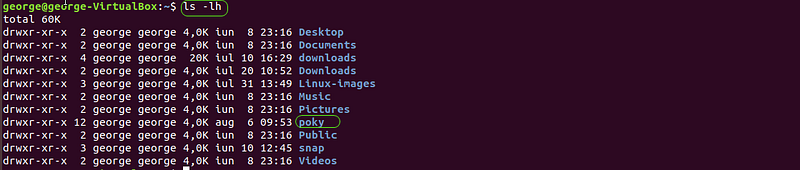
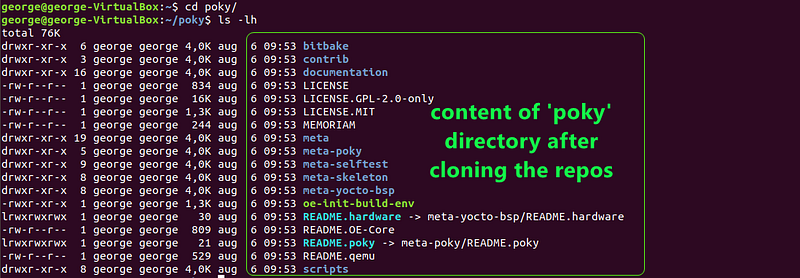
Step 2. Change to poky directory

$ cd poky/
Step 3. Check all available tags inside Poky repository

These shows all the version of Yocto Project, available through Poky.

$ git tag
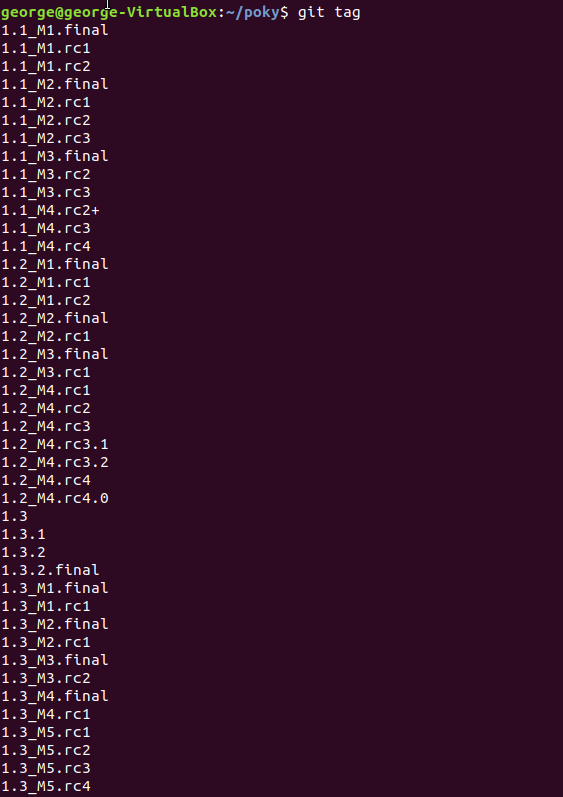
Scrolling available. Screenshot shows only the top of the list

Step 4. Checkout the desired version of Poky

You can pick any version you want, the example goes for ‘dunfell’ (the current version at the time of writing this)

$ git checkout dunfell

poky is set to version ‘dunfell’

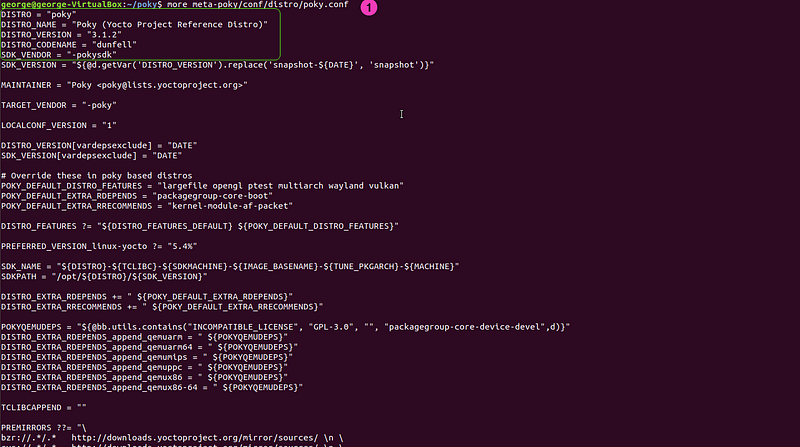
Note: Check what version of Poky

If you are here and for some reason you do not know which is the version of Poky you are using, you can make use of reading the content of the following file:

$ more /poky/meta-poky/conf/distro/poky.conf
Yoctoproject
Embedded Linux
Embedded
Poky
Embedded Training
Recommended from ReadMedium
