
Prep your TV app for Android 12
Refresh rate switching, text scaling and 4K UI support are key areas to focus on in TV apps for Android 12.
Refresh rate switching
Refresh rate switching allows apps to instruct TV panels to switch between different frequencies, such as multiples of 24, 25 and 30Hz. If your video content was for instance created at 24 fps, then your app can ensure smoother playback while simultaneously allowing for fluid UI animations by switching to 48Hz or 120Hz on supported panels.
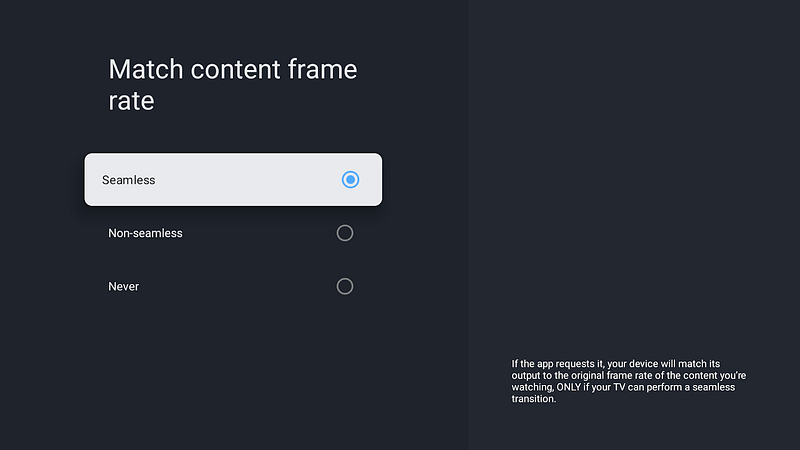
Some panels support HDMI 2.1 VRR for seamless refresh rate transitions without any visual interruptions (like showing a black screen for a few seconds), and Android can inform you of these through getAlternativeRefreshRates().
Switching during playback
From your playback Surface, you can request the desired refresh rate using setFrameRate(). For instance, to do so seamlessly or according to the user’s preference:
If you are using ExoPlayer, seamless frame rate switching is handled by default. If you would like to always change frame rates using CHANGE_FRAME_RATE_ALWAYS, disable the strategy through ExoPlayer.setVideoChangeFrameRateStrategy() before implementing the approach above.
Switching with application focus
If all your video content is the same frame rate (e.g. 50Hz), it may be more sensible to allow panels that cannot switch seamlessly to perform their refresh rate switch when your application starts. In this case, you may instead choose to enumerate all supported display modes through Display.getSupportedModes() to find a mode that best suits your needs, and specify it as the preferredDisplayModeId in the WindowManager’s attributes. For example:
Text scaling
A new accessibility options screen in Android 12 allows users to adjust the size of text on the screen, so it’s now even more important to support text scaling. Specifying text sizes in scalable pixels is essential, but also take special care to ensure that layouts rearrange components as their dimensions change and that everything still fits on the screen when the text scale is increased or decreased.
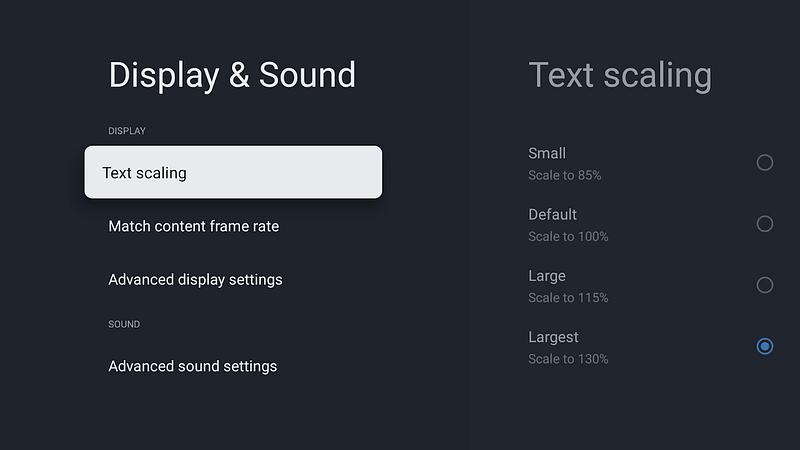
Text scale has always been an accessibility setting in Android and with Android 12, we are introducing a settings screen in Android TV so users can adjust it to their preference. You don’t have to wait to get ahold of Android 12 to find this new settings screen; it can be adjusted through ADB:
adb shell settings put system font_scale 1.2fIt’s generally recommended to use dynamic layouts with components that use wrap_content for dimensions and allow the user to scroll to access content that doesn’t fit in the screen. You can always query the value of FONT_SCALE from resources.configuration.fontScale.
4K UI support
Android itself will begin rendering UIs natively at 4K on supported devices. Much like the migration from 720p to 1080p, TV apps should not make assumptions about the dimensions of the screen. Avoid hardcoding pixel values by designing responsive UIs and supporting different screen sizes.
Read more about managing layout resources in our recommendations for building TV layouts.
Android 12 developer preview for Android TV
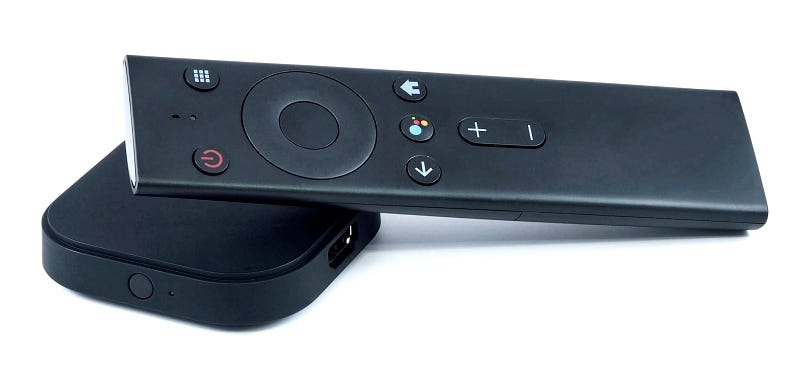
Android 12 is available as a developer preview on the ADT-3 developer kit; the Android 12 developer preview for TV will be installed automatically through an OTA, or you can install the latest image manually.
Alternatively, you can use the Android Emulator for TV which allows you to try out these and other new user interface capabilities like window blurs.
Android 12 will begin appearing on TVs later this year, so now is the time to begin evaluating your app for compatibility.
Editor’s note: a previous version of this story stated that Android 12 would begin appearing on TVs early this year.