
Practical Guide to Creating and Selling Your Own Font — Plus Generative AI Tools
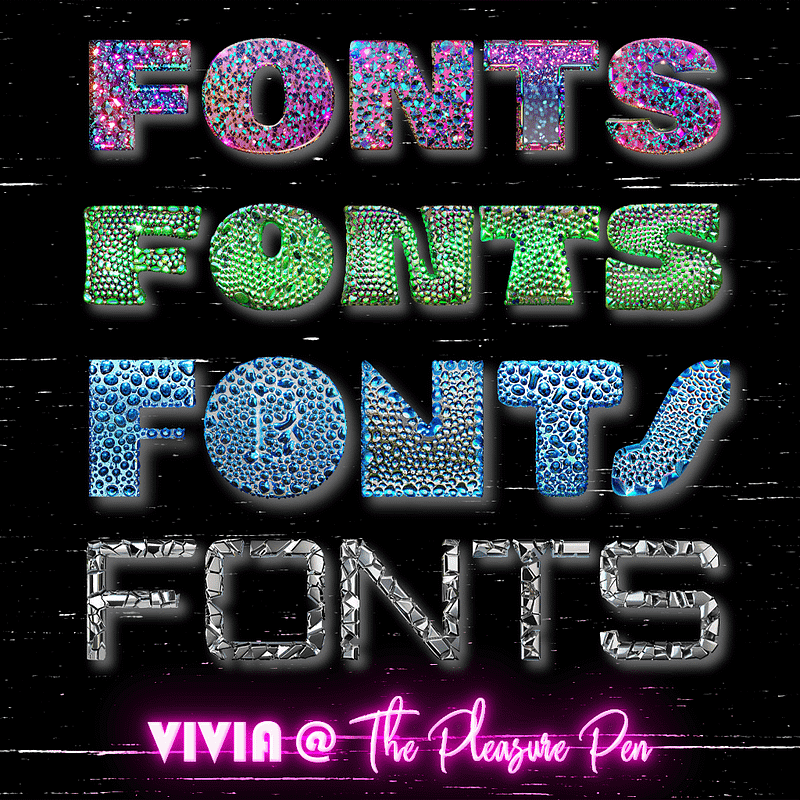
Welcome to the world of font creation and sales! Whether you’re a seasoned graphic designer or a typography enthusiast venturing into the realm of custom fonts, this guide is your roadmap to success. The art of crafting your unique font is not just a creative journey but also a strategic process that can lead to significant commercial success. From the spark of an idea to the final product, this guide will walk you through the essentials of creating your own font, understanding its technicalities, and ultimately, selling it in the vast digital marketplace. Get ready to dive into a world where each curve and stroke can become a part of someone’s brand identity, a headline in a magazine, or the voice of a website. Let’s embark on this fascinating journey together!
Tools for Creating Fonts — Free and Paid
Creating your own font can be a fun and rewarding experience. There are many tools available to help you design a font, and some are free while others require a purchase. Here are a few options to help you create your own font, along with step-by-step instructions for each:
FontStruct (Free):
Visit the FontStruct website https://www.fontstruct.com and create an account.
Once logged in, click on the “Create” button to start building your font.
Use the grid and available shapes to design your characters.
Save your font and export it as a TrueType font file (TTF) to use on your computer.
BirdFont (Free and Paid versions):
Download and install the BirdFont application from https://www.birdfont.org
Launch the application and create a new font project.
Use the drawing tools to design your characters.
Export your font as a TrueType font file (TTF) or other supported formats.
FontForge (Free and Open-Source):
Download and install FontForge https://fontforge.org/en-US/
Launch the application and create a new font project.
Use the drawing tools to design your characters.
Export your font as a TrueType font file (TTF) or other supported formats.
FontLab (Paid):
Visit the FontLab https://www.fontlab.com and purchase a license for the software.
Download and install the FontLab application.
Launch the application and create a new font project.
Use the drawing tools to design your characters.
Export your font as a TrueType font file (TTF) or other supported formats.
Calligraphr (Free and Pro versions):
Visit Calligraphr at https://www.calligraphr.com and sign up for an account.
Use the template provided to fill in your handwriting or calligraphy.
Upload the completed template to create your personalized font.
Customize your font using Calligraphr’s tools.
Download and export your custom font as a TrueType Font file (TTF) for use in various applications.
Calligraphr offers a basic free version for personal use and a Pro version with advanced features for professional needs.
Fontself (Paid) Font Creation in Adobe Illustrator and Photoshop:
Purchase Fontself Adobe extension at https://www.fontself.com/
Install Fontself in Illustrator or Photoshop.
Design your characters within Adobe using Fontself’s user-friendly interface.
Export your custom font directly from Adobe in various formats.
Remember to follow the specific instructions provided by each tool or platform, as they may vary slightly.
Understand Font Basics
Familiarize yourself with font terminology and concepts like serifs, sans-serifs, kerning, leading, and tracking. Understanding these basics will help you design a more functional and aesthetically pleasing font.
Serifs
Serifs are small decorative strokes that extend from the ends of the main strokes of a character. These small lines or additional strokes are found in serif typefaces.
Classic serif fonts include Times New Roman, Georgia, and Garamond.
Serif fonts are often used in print media like books and newspapers, as the serifs are believed to guide the flow of reading and can be more comfortable for long-form reading.
Sans-Serifs
Sans-serif fonts are characterized by the absence of serifs. The term “sans-serif” comes from the French word “sans,” meaning “without.”
Popular sans-serif fonts include Helvetica, Arial, and Futura.
Sans-serif fonts are commonly used in digital media, such as websites and mobile apps, for their clean and modern appearance. They are considered more legible on screens, especially at smaller sizes.
Kerning
Kerning is the adjustment of space between individual letter pairs to ensure consistent and visually pleasing spacing across a text.
Effective kerning prevents awkward gaps or overly tight spaces between letters, which can affect readability and aesthetic appeal.
Kerning is particularly important in large texts, like logos or headings, where the spacing between letters is more noticeable.
Leading (Line Spacing)
Refers to the vertical space between lines of text. Adequate leading improves readability by ensuring that lines of text are neither too cramped nor too spread out.
Tracking (Letter Spacing)
Unlike kerning, which adjusts space between specific pairs of letters, tracking refers to the uniform adjustment of spacing across all characters in a body of text.
Font Weight refers to the thickness of the character strokes. Common weights include regular, bold, and light.
Italic and Oblique styles refer to fonts that are slanted. Italic typically has a cursive aspect, while oblique is more of a slanted version of the regular font.
Typeface refers to a family of related fonts, characterized by common design features. For example, “Helvetica” is a typeface.
Font refers to a specific member of a typeface family, defined by its weight, style, and size. For example, “Helvetica Bold 12pt” is a font.
Ascender is the part of a lowercase letter that extends above the font’s x-height (e.g., the upper part of ‘b’ or ‘d’).
Descender is the part of a lowercase letter that extends below the baseline (e.g., the lower part of ‘p’ or ‘g’).
Baseline is the line upon which most letters sit. It’s the reference line that determines the vertical alignment of most letters in a font.
X-height is the height of the lowercase ‘x’ in a typeface. It generally defines the height of the main body of lowercase letters in that font.
Cap Height is the height of a capital letter above the baseline. It’s used to determine the scale of uppercase letters within a typeface.
Ligature is a single character that combines two or more letters, typically used to improve readability or for stylistic purposes (e.g., the combination of ‘f’ and ‘i’ in some typefaces).
Glyph refers to any individual mark in a font, including letters, numbers, punctuation marks, and symbols.
Script Fonts are fonts that mimic handwritten styles. They often include varying stroke weights and may include flourishes.
Display Fonts are fonts designed for use at large sizes, such as in headings or billboards. They often have more unique and decorative styles.
Monospaced Fonts are fonts in which every character takes up the same amount of horizontal space. Classic examples include Courier and Consolas.
Proportional Fonts are fonts where different characters have different widths. Most common fonts, like Arial or Times New Roman, are proportional.
Counter is the open space in a fully or partly enclosed part of a letter, like the inside of ‘o’, ‘b’, ‘d’, etc.
Bowl is the curved part of a character that encloses the counter, like in letters ‘b’, ‘d’, ‘o’, etc.
Understanding these fundamentals is crucial for anyone working with text, whether in graphic design, web design, or typography. Each element plays a role in the readability, mood, and overall impact of the written word.
Define Your Concept of Your Font
Start with a clear idea of the style and purpose of your font. Is it for display or body text? Will it have a modern, classic, or unique style? Your concept will guide all your design decisions.
Defining the concept of your font is a critical first step in the font design process. It’s where you decide the fundamental attributes of your font that will guide all subsequent design decisions. Let’s break down what this means:
Purpose of the Font — Display vs. Body Text
Decide whether your font is intended for display purposes (like headlines, logos, and titles) or for body text (like in books, articles, or web content). Display fonts can afford to be more decorative and unique as they are used at larger sizes, while body text fonts need to be highly legible at smaller sizes and over longer stretches of text.
Style of the Font
Modern
A modern font style often features clean, straight lines and a minimalist aesthetic. It may have a more geometric appearance and is suited to tech brands, fashion, or contemporary art.
Classic
Classic styles are timeless and often hark back to traditional typefaces. They can include serif fonts reminiscent of classical literature and print media, conveying reliability and professionalism.
Unique or Thematic
Fonts can be designed with a unique theme in mind, like mimicking handwritten text, replicating vintage typewriter letters, or even incorporating elements of fantasy. These are often more decorative and used for specific purposes or industries.
Target Audience and Context
Consider who will be reading the text in your font. Different demographics might have different preferences and requirements in terms of legibility and style.
The context in which your font will be used (like advertising, user interfaces, or educational materials) also plays a huge role in its design. For instance, a font for a children’s book might be more playful and rounded, while a font for a legal document would be more conservative and clear.
Technical Considerations
Readability and Legibility
For body text fonts, readability (the ease with which text can be read in a large block) and legibility (how easy it is to distinguish one letter from another) are paramount.
Screen vs. Print
Fonts designed for screens may require different considerations than those for print, such as the way pixels display characters on various digital displays.
Emotional Impact
Every font conveys a certain emotion or character. A font might be playful, serious, elegant, or robust. This emotional impact should align with the overall brand or message the text is meant to convey.
Cultural and Historical Influences
Fonts can be influenced by cultural and historical contexts. For example, a font might be inspired by art deco designs, calligraphy from a certain culture, or even futuristic themes.
In summary, defining your font’s concept involves a deep understanding of its intended use, target audience, style, and the overall impact you want it to have. This concept serves as a blueprint for all design choices you’ll make throughout the font creation process.
Start with a Few Characters
Begin by designing a few key characters, like ‘a’, ‘b’, ’n’, ‘o’, ‘p’, and ‘d’. These characters can help you establish the style and proportions for the rest of the alphabet.
Starting with a few key characters in font design is an effective strategy that helps establish the style, proportions, and overall aesthetic of the entire typeface. This approach is particularly useful because it allows the designer to focus on a manageable subset of characters and refine the design before expanding to the entire alphabet. Let’s delve into why and how this is done:
Selection of Key Characters
Why These Characters
The characters ‘a’, ‘b’, ’n’, ‘o’, ‘p’, and ‘d’ are often chosen because they represent a wide range of shapes and strokes found in the alphabet. For example, ‘o’ gives a sense of the curved elements, ’n’ shows how diagonal lines interact, and ‘d’ and ‘b’ demonstrate how vertical and circular elements combine.
Variety in Forms
These characters include both round and straight shapes, ascenders (in ‘b’, ‘d’), and a descender (in ‘p’). This variety helps in setting a consistent style that can be applied to other characters.
Establishing Style and Proportions
Consistency
By starting with these characters, you can ensure consistency in key aspects like x-height, cap height, stroke width, and serif design (if applicable).
Proportional Relationships
These characters help in understanding the proportional relationships within the font, like the width-to-height ratio, which is crucial for both legibility and aesthetics.
Refining Design Elements
Detailing
Details such as the thickness of strokes, the tapering of lines, and the treatment of terminals can be explored and refined in these few characters.
Design Motifs
Any unique design motifs or elements that the typeface will feature can be introduced and tested in these initial characters.
Testing and Iteration
Iterative Process
Designing a few characters initially allows for testing and iteration without the commitment of having to modify an entire alphabet for each design change.
Feedback and Adjustments
Early feedback can be sought on these characters, and adjustments can be made before more time is invested in completing the set.
Extension to Other Characters
Applying Learned Principles
Once these characters are established, the principles and styles developed can be applied to the rest of the alphabet, numbers, and punctuation.
Maintaining Cohesion
The design of these initial characters sets a precedent, ensuring that the rest of the typeface is cohesive and harmonious.
Efficiency and Focus
Focus on Essentials
This approach allows designers to focus on the essentials without getting overwhelmed by the complexity of designing every character at once.
Resource Management
It’s a more efficient use of time and resources, especially important in early stages of font development.
In essence, starting with a few key characters is a strategic approach in font design, serving as a foundational step that influences the design of the entire typeface. It ensures consistency, allows for detailed refinement, and sets the tone for the rest of the characters in the font family.
Consistency is Key
Ensure that your font has consistent stroke widths, heights, and spacing. Consistency makes your font more cohesive and professional-looking.
Consistency in font design is crucial for creating a typeface that is not only aesthetically pleasing but also functional and legible. This concept of consistency applies to various aspects of font design, including stroke widths, heights, and spacing. Let’s explore why consistency is key and how it impacts the design of a font:
Consistent Stroke Widths
Visual Harmony
Consistent stroke widths create a harmonious look across the typeface, making it appear more balanced and professional.
Readability
Especially in smaller sizes or when used in lengthy texts, consistent stroke widths ensure that no single letter or word disproportionately draws the eye, aiding in better readability.
Uniform Heights
X-heights and Cap Heights
Maintaining uniform x-heights (height of lowercase letters) and cap heights (height of uppercase letters) is essential for creating a visually cohesive typeface. It ensures that the letters sit well together in words and sentences.
Baseline Alignment
Letters should align consistently along a common baseline, with exceptions for certain character traits like descenders.
Spacing Consistency
Kerning and Tracking
Consistent spacing between characters (kerning) and overall letter-spacing (tracking) is vital. It prevents the text from appearing too cramped or too spread out, which can affect legibility and the overall aesthetic appeal.
Word Spacing
The space between words should be consistent to avoid disrupting the reader’s flow.
Consistency Across Weights and Styles
Multiple Font Weights
For typefaces with multiple weights (like light, regular, bold), maintaining consistency across these variants is important for uniformity. This includes consistent stroke widths relative to each weight and maintaining the same character shapes and spacing.
Italic and Bold Variants
Consistency should also be maintained in italic, bold, and other styled variants of the typeface.
Professionalism and Brand Identity
Brand Consistency
Consistent fonts are crucial for brand identity. They convey professionalism and reliability.
Style Consistency
Whether the font is modern, classic, or playful, consistency in its elements helps reinforce the intended style and character of the typeface.
Technical Considerations
Digital Displays
Consistency in design is especially important for digital displays where resolution and screen sizes vary.
Print Legibility
For print, consistent fonts ensure that the text is equally legible and visually appealing across different types of paper and printing methods.
Designing for Accessibility
Consistent fonts are easier to read and comprehend, making them more accessible, especially for individuals with reading or vision impairments.
In summary, consistency in font design is about maintaining a coherent visual language throughout the entire typeface. This coherence is key to creating a font that is not only pleasing to the eye but also functional and versatile for a wide range of applications. It’s a fundamental aspect that influences the user’s experience with the written word.
Consider Readability and Legibility
For text fonts, readability and legibility are crucial. Make sure your font is easy to read in various sizes and in different contexts (like on a screen or printed).
Readability and legibility are essential considerations in font design, especially for text fonts. These two aspects determine how easily and comfortably the text can be read, which is crucial for any typeface intended for body text or continuous reading. Let’s delve into the distinctions between these two concepts and how they impact font design:
Understanding Readability and Legibility
Legibility
Refers to how easily individual characters or letters can be distinguished from each other. It’s about clarity and the ease with which a reader can recognize individual letters and words.
Readability
Involves the arrangement and presentation of text blocks to facilitate efficient reading and comprehension. This includes aspects like font size, line spacing (leading), and paragraph spacing.
Factors Affecting Legibility
Character Design
Each character should be distinct to avoid confusion. For instance, ‘b’, ‘d’, ‘p’, and ‘q’ should be clearly distinguishable.
Stroke Contrast
The contrast between thick and thin strokes should be appropriate to ensure clarity, particularly in smaller sizes.
Size and Proportions
Proper proportions of characters and adequate x-height improve legibility, making the text easier to read at various sizes.
Factors Affecting Readability
Line Length
Overly long lines can make reading difficult, as can lines that are too short. An optimal line length helps in maintaining a comfortable reading rhythm.
Line Spacing (Leading)
Adequate space between lines enhances readability. Too little space can make text blocks look cramped, while too much space can disconnect the lines visually.
Letter Spacing (Tracking and Kerning)
Proper spacing between letters and word spacing is crucial. Poor kerning or tracking can disrupt the reading flow.
Context-Specific Considerations
On-Screen vs. Print
Fonts designed for screens need to account for pixelation and screen resolutions, whereas print fonts must consider how ink spreads on paper (ink trap).
Different Sizes and Mediums
A font should be legible and readable across various sizes and mediums, from large displays to small mobile screens, and from high-quality prints to low-resolution screens.
Testing Across Contexts
User Testing
It’s important to test the font in various real-world scenarios — different devices, screen resolutions, and print materials.
Accessibility
Consideration should be given to how accessible the font is for individuals with visual impairments or reading difficulties.
Application in Design
Text Fonts vs. Display Fonts
While display fonts can afford to be more decorative, text fonts used in paragraphs and body text must prioritize legibility and readability.
Adaptive Design
Modern font design often requires adaptability to different formats and screen sizes, making readability and legibility even more crucial.
In conclusion, readability and legibility are vital for ensuring that a font serves its primary purpose: to convey information in a way that is easy to digest and understand. They are the cornerstone of good typography and are essential for creating fonts that provide a comfortable and efficient reading experience.
Test Extensively
Testing extensively, seeking feedback, and refining iteratively are pivotal stages in the font design process. Each of these steps plays a crucial role in ensuring that the final font is not only visually appealing but also functional and versatile across various applications and contexts. Let’s discuss each of these stages in detail:
Context and Size Variability
Different Contexts
A font should be tested in various contexts to check its versatility. This includes digital screens (websites, apps), print media (books, magazines), and environmental graphics (signage, billboards).
Size Variability
Testing in different sizes is crucial to ensure the font maintains legibility and readability from very small to very large scales.
Performance in Use Cases
Paragraphs
Check how the font performs in long paragraphs. Is it comfortable for extended reading? Do any letters or words seem out of place?
Headers and Titles
Assess the font’s impact and legibility when used in larger sizes for headings or titles.
Color and Contrast: Test the font on different color backgrounds and with varying contrasts to ensure legibility in diverse visual scenarios.
Refine and Iterate
Font design is rarely a linear process. It often requires going back to the drawing board to make adjustments based on testing and feedback.
This could involve tweaking individual characters, adjusting weight and spacing, or even overhauling certain letters or styles.
Use the feedback constructively to refine the design. This might include adjusting for better legibility, improving aesthetic appeal, or ensuring better functionality across mediums.
It’s important to balance feedback with the font’s original concept and purpose. Not all feedback will align with the intended use or style of the font.
After making refinements, it’s essential to re-test the font to ensure that the changes have improved its performance and appeal.
Keeping track of changes and iterations can be helpful for future projects and understanding the evolution of your design.
This cycle of testing, feedback, and refinement is vital in creating a font that is not only visually pleasing but also highly functional and adaptable to various uses. It’s a process that demands patience, openness to critique, and a willingness to continually improve the product. In the world of typography, these steps are what separate amateur designs from professional, high-quality fonts.
Consider Licensing and Distribution
Decide how you want to distribute your font. Will it be free, open-source, or for sale? Ensure you understand the legal aspects of font distribution.
Considering the licensing and distribution of your font is an important aspect of font design, as it determines how your font can be used by others and potentially how you can monetize your work. Let’s discuss the various options and the legal considerations involved:
Licensing Options
Free Fonts
You can choose to offer your font for free, which often means anyone can download and use it without cost. However, “free” can still come with certain conditions, such as not using the font for commercial purposes.
Commercial Fonts
These are fonts that users pay to license. Prices can vary based on usage rights, like the number of users, breadth of use (web, print, etc.), or usage in a product for sale.
Open-Source Fonts
Releasing a font as open-source means that its source files are available for others to use, modify, and distribute. Open-source licenses, like the SIL Open Font License, still govern how the font can be used and modified.
Understanding Licensing Terms
License Agreements
Whether free, commercial, or open-source, every font should come with a clear license agreement stating how it can be used. This might include restrictions on modification, redistribution, or commercial use.
Copyrights and Trademarks
Be aware that even if you create a font from scratch, its design might still infringe on existing copyrights or trademarks, especially if it closely resembles another font.
Distribution Channels
Online Marketplaces
Fonts can be sold or distributed through various online marketplaces, which can handle licensing and payment processing.
Personal Website
Distributing through your own website gives you full control over sales and distribution but requires handling your own licensing and payment processing.
Legal Aspects of Font Distribution
Intellectual Property Rights
Understand the intellectual property rights involved in font creation. This includes ensuring that your font is an original creation and not inadvertently infringing on others’ works.
Standard vs. Extended Licensing
Consider offering different licensing options. Standard licenses usually cover basic usage (personal, business), while extended licenses cover broader use (e.g., for use in commercial products, broadcasting).
Promotion and Marketing
If you decide to sell your font, consider how you will market it. This might include creating type specimens, showcasing the font in use, and promoting it on design platforms and social media.
User Rights and Permissions
Clearly define what users can and cannot do with your font. This clarity helps avoid legal disputes and ensures users comply with your terms.
Updates and Support
Consider how you will handle updates, bug fixes, and user support. This is especially relevant for commercial fonts where users expect ongoing support.
Deciding how to license and distribute your font is a crucial step that should align with your goals as a designer and creator. It’s important to balance your desire for exposure, the need to protect your intellectual property, and the potential for monetization. Understanding and navigating the legalities of font licensing and distribution is key to successfully sharing your font with the world.
Create a Full Character Set
Once you’re satisfied with the basic characters, expand your design to include the full set of characters, including uppercase, lowercase, numbers, punctuation, and special characters.
Creating a full character set and documenting the design process are essential steps in the journey of font design. Both aspects play a critical role in the creation of a comprehensive and professional typeface, as well as in the growth and development of the designer. Let’s discuss these two components in more detail:
Expansion Beyond Basic Characters
After establishing the style with basic characters, it’s important to expand to a full character set. This includes not only the uppercase and lowercase alphabet but also numerals, punctuation marks, and special characters.
Ensure that the newly created characters maintain the style and design principles established in the initial set. This consistency is key to a cohesive and professional-looking typeface.
Internationalization and Special Characters
Accents and Diacritics
For wider usability, include characters with accents and diacritics used in different languages.
Special Characters and Symbols
Depending on the intended use of the font, consider including currency symbols, mathematical symbols, and other commonly used icons.
Documenting the Design Process — Recording Decisions and Iterations
Documenting the process allows you to track the evolution of your design. This includes initial sketches, digital iterations, testing results, and feedback incorporation.
Record why certain design choices were made. This can be invaluable for future projects and for explaining your design to others.
Documenting the process encourages reflective practice, enabling you to analyze your work critically and learn from both successes and challenges.
This documentation can become part of your professional portfolio, showcasing your design approach and problem-solving skills.
Marketing and Promotion
The story of how your font was created can be a powerful marketing tool. People love to hear about the inspiration, challenges, and creative journey behind a design.
Your documented process can serve as educational content for other designers or students interested in typography and font design.
Through this comprehensive process, you enhance your skills not just in design, but in problem-solving, attention to detail, and project management.
Documenting your journey contributes to personal growth, offering insights into your creative process and professional evolution.
Contribution to the Design Community
Your documented journey can inspire and educate others in the design community, contributing to a shared pool of knowledge and experience.
A full character set ensures that your font is versatile and ready for a wide range of applications, making it more marketable and useful to potential users.
Creating a full character set ensures that your font is versatile and functional across various languages and contexts. Documenting your design process not only serves as a tool for personal and professional growth but also provides a narrative that can enhance the marketability and educational value of your work. These steps are integral to developing a successful, well-rounded typeface and establishing yourself as a thoughtful and skilled designer in the field of typography.
Promote Your Font
Once completed, promote your font through social media, design websites, and font forums. Good promotion can make a big difference in how widely your font is used.
Promoting your font effectively is crucial for gaining visibility and ensuring that your hard work reaches its intended audience. In the digital age, there are multiple platforms and strategies you can use to showcase your font. Let’s discuss various ways to promote your font effectively:
Social Media Marketing
Utilize social media platforms like Instagram, Twitter, LinkedIn, and Facebook. These platforms are great for reaching a wide audience, including designers, typographers, and potential customers.
Showcasing Work
Post images and videos showcasing your font in use. This could include mock-ups, animations, or short clips of the font being used in various contexts (e.g., on a website, in a print ad, etc.).
Engagement
Engage with your audience by sharing stories about the design process, challenges faced, and the inspiration behind your font. This can help in building a community around your work.
Design Websites and Forums
Behance and Dribbble
Showcase your font on design platforms like Behance and Dribbble. These sites are frequented by design professionals who may be interested in using or purchasing your font.
Font Forums
Participate in font forums and communities, where you can receive feedback, share tips, and promote your font to a community of typographers and font enthusiasts.
Create a Dedicated Website or Landing Page
If possible, create a dedicated page on your personal website for your font. This page can include a detailed description, samples, and purchasing or download options.
Optimize your website or page for search engines to increase visibility when people search for new fonts.
Collaborate with Designers and Influencers
Collaborate with graphic designers, web designers, and influencers who can use and promote your font in their projects. This can provide visibility within their networks.
Engage in cross-promotion with other designers or artists. This can be a mutually beneficial way to reach wider audiences.
Offer Free Samples or a Demo Version
Consider offering a free version or a demo of your font. This can entice users to try it out and potentially purchase the full version.
A free version with a limited character set can be a good teaser for the full version.
Email Marketing Newsletters
Use email newsletters to inform subscribers about your new font, any special offers, or updates. This can be an effective way to reach people who have already shown interest in your work.
Participate in Design Events and Webinars
Participate in design conferences, workshops, or webinars. These events can be a platform for promoting your font and networking with industry professionals.
If possible, seek speaking engagements at design events where you can discuss your font and design process.
Leverage Online Marketplaces — Top Platforms to Sell Your Fonts Online
Selling fonts online is a lucrative way to earn money for your creative work. Whether you’re a professional type designer or a passionate hobbyist, there are numerous platforms available for you to showcase and sell your fonts. In this article, we will explore the top platforms where you can sell your fonts and reach a global audience.
MyFonts — https://www.myfonts.com
MyFonts is one of the largest and most popular font marketplaces, offering a wide range of fonts from various designers and foundries. The platform has a user-friendly interface and a powerful search engine, making it easy for potential customers to find your fonts. MyFonts also offers a competitive royalty rate, ensuring that you receive a fair share of the profits from your font sales.
Creative Market — https://www.creativemarket.com
Creative Market is a popular marketplace for various digital products, including fonts. The platform offers a large community of designers and customers, making it an ideal place to showcase your work. Creative Market provides tools to help you create and manage your product listings, as well as a range of promotional features to help you reach a wider audience.
Fontspring — https://www.fontspring.com
Fontspring is another popular font marketplace that allows you to sell your fonts directly to customers. The platform provides a range of features, such as font previews, a shopping cart system, and easy-to-use tools for managing your font listings. Fontspring also offers a competitive royalty rate, ensuring that you receive a fair share of the profits from your font sales.
Design Cuts —https://www.designcuts.com
Design Cuts is a popular marketplace for various digital products, including fonts. The platform offers a large community of designers and customers, making it an ideal place to showcase your work. Design Cuts provides tools to help you create and manage your product listings, as well as a range of promotional features to help you reach a wider audience.
GraphicRiver — https://www.graphicriver.net
GraphicRiver is a part of the Envato Market, which is a well-known platform for selling various digital products, including fonts. This website allows you to showcase your work and reach a wide audience of potential customers. GraphicRiver provides a user-friendly interface and a range of tools to help you create and manage your product listings. With its focus on quality and affordability, GraphicRiver is an excellent choice for designers looking to sell their fonts and other design assets.
Creative Fabrica — http://www.creativefabrica.com
Creative Fabrica is a marketplace for digital products, with a particular focus on fonts. The platform offers a large community of designers and customers, making it an ideal place to showcase your work. Creative Fabrica provides a range of tools to help you create and manage your product listings, as well as promotional features to help you reach a wider audience. With its emphasis on quality and affordability, Creative Fabrica is a great option for designers looking to sell their fonts and other digital products.
There are numerous platforms available for selling your fonts online. By leveraging these platforms, you can not only sell your fonts but also gain exposure and build a reputation as a font designer. It’s a great way to connect with potential customers and establish a strong presence in the world of typography.
Promoting your font requires a combination of strategic online marketing, networking, and community engagement. Utilizing a variety of platforms and techniques can help in reaching a diverse audience, from design enthusiasts to professionals looking for unique typefaces for their projects. Effective promotion not only increases the visibility of your font but also enhances your reputation as a designer.
AI-Powered Font Generators Transforming the World of Design
Last but not least, in case you were wondering if there’s an ai for that, yes there are!
Fontjoy: AI-Powered Font Pairing — https://www.fontjoy.com
Fontjoy stands out as an innovative tool in the typography space, primarily focusing on font pairing. This AI-powered tool is designed to assist designers in finding the perfect combination of fonts for their projects. It leverages deep learning algorithms to analyze various fonts and identify pairs that are visually appealing and complementary. The tool is particularly valuable for designers and web developers who seek to enhance the typography of their work with harmonious font pairings.
The AI component of Fontjoy is significant, as it uses advanced techniques to generate balanced contrasts in font pairings. By analyzing common themes among fonts, Fontjoy ensures harmonization and aesthetically pleasing results. This capability simplifies the often complex and subjective task of font pairing, making it more accessible and efficient for both experienced designers and those who may not have extensive knowledge in typography.
AI Font Generator — https://aicreate.com/font-generator/
The AI Font Generator from aicreate.com is a comprehensive tool that targets a wide range of users, including graphic designers, web developers, and branding agencies. Its main strength lies in its ability to facilitate the creation of custom fonts that are tailored to specific design needs. Key features include:
- Variety of Font Categories: Users can choose from an array of font categories such as brush, display, handwriting, sans serif, script, serif, and techno. This variety enables the creation of fonts suitable for diverse design contexts and aesthetics.
- Customization Options: The tool offers extensive customization capabilities, allowing users to assign different weights and styles to the fonts. Options like bold, 3D, narrow, and more cater to specific design requirements and creative visions.
- TrueType Font (TTF) Output: The ability to generate TrueType Fonts makes the tool versatile and useful for various applications, from digital design to print media.
This AI-powered generator is particularly beneficial for those seeking to create unique fonts without the need for extensive typography knowledge or experience. Its user-friendly interface and AI-driven suggestions simplify the font creation process, making it accessible to a broader audience.
Simplified’s AI Font Generator — https://simplified.com/ai-font-generator/
Simplified’s AI Font Generator takes a different approach by focusing on transforming plain text into a variety of decorative and fancy font styles. Its features are tailored for users who need to enhance textual content with visually appealing typography. Key aspects include:
- Diverse Range of Fonts: The tool provides a wide selection of font styles, from elegant ornate calligraphy to playful whimsical fonts and bold block letters, catering to a variety of design preferences.
- Easy Customization: Users can easily adjust font size, color, spacing, and other settings through a simple and intuitive interface. This flexibility is crucial for fine-tuning the visual impact of the text.
- Consistency Across Platforms: One of the standout features of Simplified’s AI Font Generator is its ability to help maintain consistent typography across different platforms. This consistency is vital for brands and designers who need to ensure a cohesive visual identity across various media.
Simplified’s AI Font Generator is particularly useful for content creators, marketers, and designers who frequently work with text and need to make it stand out in digital media, marketing materials, and social media posts.
Adobe Firefly — https://new.express.adobe.com/
Adobe Firefly represents a significant advancement in the field of generative AI, particularly in the context of creative software. Developed by Adobe, a leader in creative applications, Firefly is a suite of generative AI tools designed to enhance creative workflows significantly. Here’s an overview of what Adobe Firefly offers:
Core Features of Adobe Firefly:
Generative AI Tools: Adobe Firefly comprises a family of creative generative AI models. These tools are developed to streamline and enhance various aspects of digital creation, focusing on image and text effect generation.
Integration with Adobe Products: Firefly is integrated into Adobe’s flagship applications, such as Adobe Photoshop and Illustrator. This integration means users can utilize Firefly’s capabilities directly within these popular software environments, enhancing their existing workflows.
Custom Content Creation: One of the key promises of Firefly is its ability to generate custom content. This feature is particularly useful for designers and content creators who need unique elements for their projects. As Firefly evolves, Adobe is exploring ways to allow creators to train the machine learning model with their own assets. This feature would enable the generation of content that matches a user’s unique style, branding, and design language.
Commercial Use: Adobe has designed Firefly to be safe for commercial use. This consideration is crucial, as it ensures that the content generated through Firefly can be used in professional projects without legal concerns about copyright or usage rights.
User-Friendly Interface: Firefly is accessible as a standalone web application (available at firefly.adobe.com) and is known for its user-friendly interface. This accessibility makes it a viable option for a wide range of users, from professional designers to hobbyists.
Ethical AI Considerations: Adobe bills Firefly as a more ethical AI image generator. This aspect is increasingly important as AI technology becomes more prevalent in creative fields. Adobe’s focus on ethical AI suggests a commitment to responsible and transparent AI practices.
Potential for Personalization: There is potential for personalization with Firefly. Adobe is considering allowing users to train the AI with their own content, which could lead to more personalized and unique output, tailoring the tool more closely to individual creative needs and styles.
Implications and Use Cases:
- Enhanced Creative Process: Firefly is designed to expand upon people’s natural creativity. It can be used to quickly generate a variety of art styles, including abstract, landscape, and portrait, among others. This capability can significantly speed up the creative process and offer new possibilities for concept development.
- Content Creation Across Mediums: With its focus on both image and text effects, Firefly can be used in a wide range of content creation, from digital art to marketing materials.
- Accessibility for Non-Professionals: Firefly’s user-friendly nature and integration into popular Adobe apps make it accessible to amateurs and professionals alike, democratizing high-level creative tools.
Adobe Firefly represents a forward leap in the integration of AI into the creative process. By offering a suite of tools that enhance and streamline content creation, Firefly positions itself as a valuable asset for a wide range of creative professionals and enthusiasts. Its focus on ethical AI and potential for personalization indicate Adobe’s commitment to adapting to the evolving needs of the creative community, ensuring that Firefly remains relevant and useful in a rapidly changing technological landscape.
Congratulations!
Congratulations on reaching the end of this comprehensive guide on creating and selling your own font! By now, you should have a solid understanding of the entire process, from the initial concept to the nitty-gritty of font design, and finally, the exciting phase of promotion and sales. Remember, the world of typography is as vast as it is rewarding. Each font you create is not just a set of characters, but a unique voice that adds depth and personality to the written word. As you step into this creative venture, keep in mind the importance of patience, attention to detail, and a willingness to learn and adapt. Your journey in font design is bound to be an enriching experience, teeming with both challenges and triumphs. So, keep sketching, refining, and sharing your typefaces with the world. Who knows? Your font could be the next big thing in the design world!


