
Powershell Invoke-WebRequest Trusted Certs: Skip the Cert Check
If you’re a powershell fan you’re probably familiar with Invoke-WebRequest. It’s the powershell version of cURL in that it will send an HTTP request to an endpoint and show you the response.
Personally I prefer powershell for parsing and interacting with the response (I find it easier interact with the results in powershell).
Depending on your use case for powershell you may not have experienced the frustration of using Invoke-WebRequest against a server presenting self signed certificates, but in my world that’s common. I often find myself sending an request to something that isn’t signed by a public CA, or at any rate doesn’t have a cert in the powershell trust chain.
I recently noticed in the powershell documentation for Invoke-WebRequest that they added a new -SkipCertificateCheck , which is excellent! Before that feature the only options were convoluted snippets like this one (don’t get me wrong, the blog is great, but the fact that I have to add types and create callbacks to ignore a cert check is baffling).
Which lead me to start wondering what trust store Powershell would use for HTTPS requests by default. And down the rabbit hole I went.
The blog above gives us the first clue when it points to the Service Point Manager class. But that class just has a method for setting the cert validation function that (not terribly helpful) tells us
Gets or sets the callback to validate a server certificate.Which isn’t overly informative, but it does link to this page about ServerCertificateValidationCallback . This page tells
An application can set the ServerCertificateValidationCallback property to a method to use for custom validation by the client of the server certificate.
But there’s no reference to what trust store would be used if we didn’t set this. That same page also links out to a doc on Certificate Policy’s here, which points us back to the validation callback documentation.
It also links out to a couple examples of setting up a remote server validation callback here, but those seem to focus on authenticating as a client.
Going over to the HttpClient from .NET page here I don’t see any context for what trust store it would use either — just that it offers the opportunity to collect a client page.
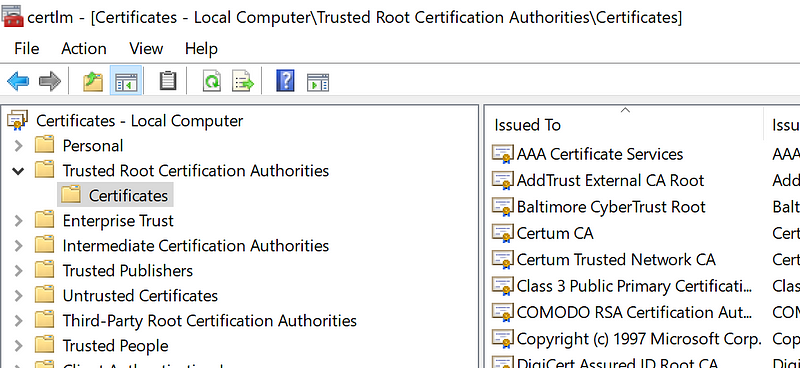
And at this point I’m stumped. This isn’t the first “what certs will your client trust” article I’ve written, but it is the first time I haven’t been able to find an actual answer. I think it’s a pretty safe assumption it uses the windows trusted root authorities store, but it would be great if Microsoft could tell us that explicitly
Any .NET nerds out there willing to tell me what I missed?
If you like my writing consider supporting me by joining medium.


