
Submission Guidelines | Polyglot Poetry
Polyglot Poetry Submission Guidelines
Let’s take a quick look at what we look for here at Polyglot Poetry
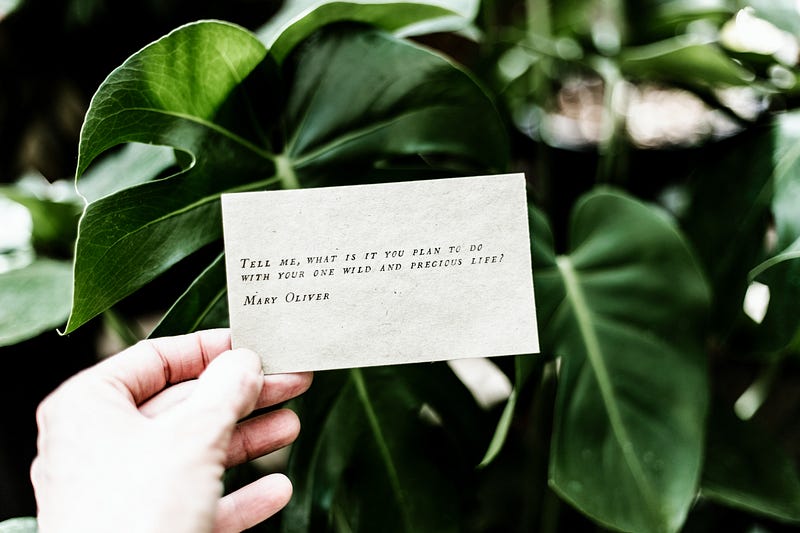
ポリグロット詩へようこそ! Willkommen bei Polyglot Poesie! Welcome to Polyglot Poetry!
Polyglot Poetry is a home for poets who can write in multiple languages. Many of us want to share the beauty of our stories in all languages, but most places only accept English. So we founded Polyglot Poetry. Here you can unfold your mind in all languages you know.
There won’t be many rules here. We just want to keep in mind the Medium rules and a little bit of cleanliness for a great presentation.
All Things Poetry
As the name suggests, we are mainly a platform to support poetry in multiple languages. We’d also like to help each other by offering to translate poetry in other languages, so each one of our entries can be enjoyed in as many languages as possible.
In some cases, we might also welcome non-poetry submissions. But our focus is on poetry. If you speak any other language besides English, feel free to submit a bilingual poem, Haiku, Lune, or any other form of poetry here.
Drafts only
Please only submit unpublished drafts to our publication.
You can add a draft to a publication by selecting the three dots next to the green “publish” button. The top option there reads “Add to publication”. Click on it, select Polyglot Poetry and click on “Select and continue”. Done. Your draft will now show as “Submitted to Polyglot Poetry” at the top of the page.
Images
Please make sure to use at least one image in your submission to be displayed as the title image of your entry. You’ll surely be able to find plenty of great images to visually support your poetry by using free sources such as Unsplash, Pixabay, or Pexels.
Unsplash can even be used directly from the Medium editor, just click the plus icon on the left side on an empty line and select the magnifier symbol. It will open up a handy search function to directly select an image from Unsplash. It will also automatically give credit to the owner of that image.
Please always make sure that there is a small citation line under each image. If it is an image you took from the internet, give proper credit to the artist for providing it, and make sure you have the right to use it commercially.
Sites like Pexels and Pixabay will always provide an easy to copy citation from an image you download there. Just copy the line and put it under the image (click on the image and a small grey line of text will appear at the bottom. Click on it and copy your citation into it)
If it is an image you took yourself, please write something along the lines of “Image courtesy of Author”. Medium does not like uncited images.
Formatting Tips
Poetry should not be constrained by rules. It is the free spirit of the artist manifesting in their words. So we won’t give you any rules on how to format your work. If it’s good for you, it’ll be good for us, too. But we want to share some tips and tricks on how to use different formatting for different effects.
Title and Subtitle
If your poetry has a proper Title and Subtitle, it will stand out better. Both title and subtitle use a specific format, being shown big and bold, overarching the rest of your poetry.
To create a proper title, highlight the first sentence in your article. A little menu will show on top. Click on the big T to format your highlighted text to title case.
While it’s not necessary, it will help your title with standing out, if you capitalize the first letter of every word in your title, just like I did here too.
For the subtitle, highlight the second line of text in your article (directly under the title), and this time, select the smaller T in the menu.
I personally use the subtitle to sort my entries and tell the reader in advance whether it’s a poem, a Haiku, or any other form of poetry. I often use a line like this:
“Poetry — About love and heartbreak”
but for Polyglot Poetry, I’ll mention the languages I’ll be presenting in my poetry.
“Haiku — German and English”
The subtitle is especially useful when you link to your poetry from another article, as the subtitle will be shown and thus tells the reader what to expect. But it needs to use the subtitle case for that to work. Else it will be treated as content text. So make sure you have a subtitle in the right format.
Stylistic choices
As for your poetry itself, you can format it in many ways. Let’s take a look at how they look. First, we’ll look at plain text with regular double spaces (hitting Enter for a line break):
From my poem “Queen”
On the road, in the dirt
You found me
Made me strong, when I was weak
You crowned me
Made me king, shared your love
You surround me
In the chambers, skin to skin
You aroused me
As you can see, the gaps between each line are quite big. We can keep it closer together by holding Shift while pressing Enter:
On the road, in the dirt You found me Made me strong, when I was weak You crowned me Made me king, shared your love You surround me In the chambers, skin to skin You aroused me
This will create a single line space and makes it much more compact and easy to read, especially when your poetry goes more into the vertical than the horizontal.
Another stylistic choice I often use is using italics for this type of poetry:
On the road, in the dirt You found me Made me strong, when I was weak You crowned me Made me king, shared your love You surround me In the chambers, skin to skin You aroused me
You can format text in italics by highlighting it and selecting the i from the menu. Just note that some people may have problems reading it.
You can also use a “big quote” for your poetry:
On the road, in the dirt You found me Made me strong, when I was weak You crowned me Made me king, shared your love You surround me In the chambers, skin to skin You aroused me
I often use this format for my Haiku, since they are quite short with only 17 syllables. So they make more use of the space. I also used it in one longer free-verse poem called “Silence”. You can format text like this by highlighting it and clicking on the quote marks twice.
The first time you click, it will use the quote line, like how I formatted the line “From my poem Queen” in this article. Click a second time, and it will become a big quote like above.
Separator
By holding Ctrl while pressing Enter, you’ll create a separator like this:
I often use that separator at the end of my articles, before I follow with a footer and links to my most recent articles.
Links to your other works
When you are done with your entry, you could simply submit it, but why not present some of your other works to your readers?
Maybe someone caught fire and would like to check out more from you. If you leave a few other entries at the bottom, they will have an easy time just clicking on the next one.
I recommend not using more than 2–3 links in your footer, so it won’t be too forced. Just pick 2 or 3 other articles you’ve written (doesn’t have to be poetry or articles submitted to Polyglot Poetry, just link to work you’re proud of) and put them on the bottom.
In order to do that, simply copy the URL from the article you’d like to link into your article. It will still show as an URL, but once you hit enter to jump to a new line, it will transform the link into a neat looking card, displaying the title, the subtitle, and the display image.
That’s it for our submission guidelines for now. We’ll update this article in future if anything changes or if someone points out to me that I forgot something important.
One Final Thought
I wouldn’t be on Medium if not for Salam Khan. And I wouldn’t have discovered my love for poetry if not for one of his pieces, which made me think. It was so simple, yet held a strong message that resonated deeply with me and showed me how powerful poetry can be used to criticize the flaws of our society.
I’d be just as happy as him if you could give it a read. It’s what got me where I am now:
Thank you.


