avatarWarren Brown

Free AI web copilot to create summaries, insights and extended knowledge, download it at here

3902

Abstract

only, some have video only, and some have both video and audio. And also they’re available in multiple formats. For video there is AVC (which is apparently H.254), VP09, and AV01. And for audio there’s Mp4a and Opus. I don’t know what Opus is but apparently it is noticeably better than Mp4a. So if you’ve ever gone to a YouTube download page and seen a million download options that’s why. Although I hide the redundant ones and just display the one with the lowest file size at that quality level (usually VP09 or AV01).</p><p id="b96b">It’s actually pretty cool to see AV01 as I talked about it <a href="https://readmedium.com/why-apple-adding-av1-support-is-a-big-deal-faa46a356f3c">here</a>. And it does compress videos a little better than VP09 and a lot better than AVC.</p><p id="d170">Also apparently YouTube does something called DRC, dynamic range compression (Not Democratic Republic of Congo). It makes the quiet sections louder and the loud sections quieter. Apparently people really hate it and I guess there must be a way to disable it because I have not been able to find a music video with DRC enabled. I’ve never heard anyone talk about this before though.</p><p id="e027">So now that we have the formats we can just download them. Each format has a download link oddly enough. I did not expect that. Just keep in mind that the YouTube download links expire in 6 hours.</p><p id="3fc9">Of course here we run into a problem. When I saw this I was like, “Great, let’s just download an audio-only track if we only want audio or a video+audio track if we want video.”</p> <figure id="dd49"> <div> <div> <img class="ratio" src="http://placehold.it/16x9"> <iframe class="" src="https://cdn.embedly.com/widgets/media.html?src=https%3A%2F%2Fgiphy.com%2Fembed%2FMvioOPqhOm6b4BI0FQ%2Ftwitter%2Fiframe&amp;display_name=Giphy&amp;url=https%3A%2F%2Fgiphy.com%2Fgifs%2Ffallontonight-jimmy-fallon-tonight-show-MvioOPqhOm6b4BI0FQ&amp;image=https%3A%2F%2Fmedia0.giphy.com%2Fmedia%2Fv1.Y2lkPTc5MGI3NjExa203NTd1dnVhNGpveHByMmxsOGRzZGxsejhsZzh2Zjk5N20xMTYwbSZlcD12MV9pbnRlcm5hbF9naWZfYnlfaWQmY3Q9Zw%2FMvioOPqhOm6b4BI0FQ%2Fgiphy.gif&amp;key=a19fcc184b9711e1b4764040d3dc5c07&amp;type=text%2Fhtml&amp;schema=giphy" allowfullscreen="" frameborder="0" height="435" width="435"> </div> </div> </figure></iframe></div></div></figure><p id="9eda">If you do that you’re restricted to at most 720p 30fps. Or so I’m told. I haven’t been able to find a file with both video and audio over 360p. And some videos don’t have any video+audio tracks at all. So that means we’re going to have to download a video file and an audio file (preferably without DRC) and merge them together.</p><p id="e01b">And this is perhaps the first really big problem I ran into. If I was doing this locally it would not be that big of a problem because there’s a nice command line package called <code>FFmpeg</code> that will just do it for you. Unfortunately it’s a bit more complicated when you’re working with Node.js because you have to do a bunch of file manipulation stuff.</p><p id="12d8">I ended up deciding to just download the files from Google’s servers separately and then merge them locally. Apparently Flutter has a package called <code>FFmpeg-kit</code> that will do this. Unfortunately it only works on Android, iOS, and MacOS.</p><p id="fdbf">Although Android will not be getting YouTube downloading because Google is really strict about that.</p> <figure id="eaa2"> <div> <div> <img class="ratio" src="http://placehold.it/16x9"> <iframe class="" src="https://cdn.embedly.com/widgets/media.html?type=text%2Fhtml&amp;key=a19fcc184b9711e1b4764040d3dc5c07&amp;schema=twitter&amp;url=https%3A//twitter.com/EzraDuown/status/1776352074449530961/&amp;image=" a

Options

llowfullscreen="" frameborder="0" height="281" width="500"> </div> </div> </figure></iframe></div></div></figure><p id="7c7c">In fact the app mentioned above, NewPipe, is not available on the Google Play store. So that means that the only platform able to benefit from YouTube downloading is iOS. There is no macOS version of the app but you can run the iOS app on an Apple Silicon Mac. Web users will be restricted to downloading audio or downloading 360p videos. Oh well. Maybe I’ll improve this feature in the future.</p><p id="cae5">And another problem. YouTube throttles some of the downloads. Not all of them though which is weird. I thought it was broken at first. Nope, it’s just that the downloads were really really slow.</p><p id="74fe">Although there’s a way around this too. Flutter has its own package for downloading YouTube videos called <code>youtube_explode_dart</code> and this one has gotten around the throttling issues. It’s listed as issue #180 and fixed in pull request 185.</p><figure id="c76e"><img src="https://cdn-images-1.readmedium.com/v2/resize:fit:800/1*R0QbSVVKcpNt1NDnlL-7Qg.png"><figcaption></figcaption></figure><p id="4a2c">And it works great now. Well, for the streams it supports. It doesn’t support all the streams. But it supports enough.</p><p id="7308">And, one more thing <code>youtube_explode_dart</code> doesn’t actually do everything <code>youtube-dl</code> does. <code>youtube-dl</code> actually gives you a lot more information on the actual files (such as if the audio is DRCed). So I’m still going to have to use it. But I can use <code>youtube_explode_dart</code> to actually download the files.</p><p id="8fe6">I do feel a little silly for wasting so much time on this feature. Like, I built an RSS reader to watch YouTube videos, not to download them. And the only people that can really take advantage of this feature are iOS users.</p><p id="9388">It’s funny. Everyone thinks iOS is the locked-down one. But in this one specific case Android is more locked down. Because if you look up YouTube downloaders on iOS there are pages and pages of them.</p><p id="0e6e">I could see myself taking advantage of this feature. Stratum 3.0.0 also introduces the ability to add external links. So I could find a YouTube video I like that I want to download and I could just download it.</p><p id="01c9">And this experience has taught me a lot about the inner workings of YouTube. Mostly the subtitles. I had no idea the method I was using to get subtitles before was so suboptimal. It works and there’s nothing wrong with it but it could be better.</p><p id="7e7d">I’m pretty happy with Stratum’s YouTube functionality now. I was happy with it before, to be honest, I just went down a ‘YouTube Rabbit Hole’. But I did have one more feature planned: automatic YouTube summary generation.</p><p id="5b0e">Because since adding YouTube summaries I’ve been watching a lot more YouTube. I mean summarizing a lot more YouTube. There are a lot of channels I’m interested in but can’t get to due to time restrictions. Like TED and DW News. Guess what? I follow both of those sources of news now and just read the summaries. But you know what I don’t like? Tapping on the button to generate the summaries.</p><p id="8a38">Well, those are some future plans. It will be expensive though, which is also why I’m planning to announce new pricing for Stratum soon.</p><p id="f6db">If you liked this post and would like to stay updated with my future articles consider using my RSS app Stratum on <a href="https://apple.co/3rZyh9B">iOS</a> and <a href="https://play.google.com/store/apps/details?id=com.amorfatite.keystone">Android</a>. Also check out my language learning app Litany (<a href="https://apple.co/45prCDA">iOS</a>, <a href="https://play.google.com/store/apps/details?id=com.amorfatite.litany">Android</a>).</p></article></body>

Plot and Outline Fiction in Minutes

Create your own resource with plots and outlines without stress
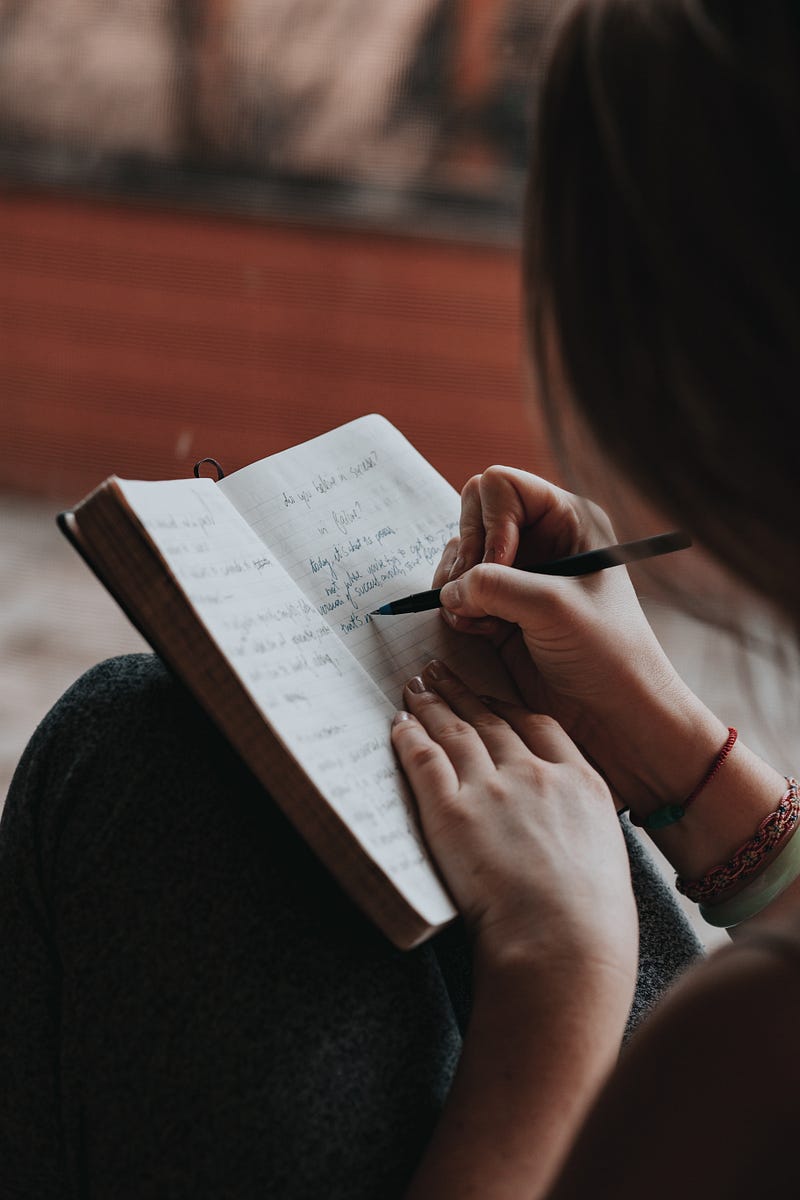
Photo by Marcos Paulo Prado on Unsplash

Almost every fiction writer would love to create outlines of a story, either a short story, a novella, or a novel. A story outline is a great guide for an author to know roughly the course the story will follow. Decide on the setting, place, and time of your story. An outline needs to be a single sentence narrative, which will serve as a template for every draft the author creates. The wants and desires of the protagonist need to be highlighted. Add a splash of conflict to keep the story moving.

A good plot needs to have a good premise, with characters both protagonists and antagonists, a storyline, with a progression of events, conflicts, a series of scenes, and a final climactic end to the story.

A plot outline is defined as a prose telling of a story that can be adapted into a screenplay. An outline needs to have a logical sequence of events for your story. Use plot devices to propel your story forward. A plot device is a storytelling tool or technique. An example of a plot device is a character’s simple flashback, which helps us know and understand the character.

The five types of plots are the Exposition where the story begins, the Rising Action where the main problem or conflict is revealed, the Climax of the story, the Falling action, and the Resolution when the story nears the end and the protagonist has undergone a transformation in their life and world.
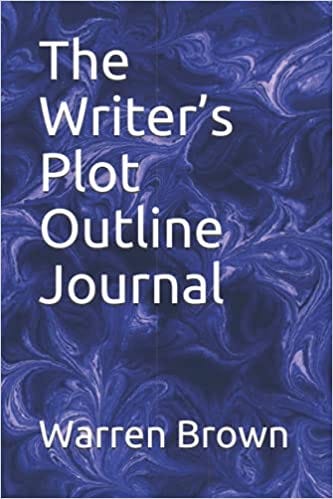
Image provided by Author

The Writer’s Plot Outline Journal comes in handy when you as a writer want to make outlines in minutes as you sip your cup of tea or coffee. Most writers need to make notes of their latest plot outlines, characters, conflicts, climaxes, scenes, and resolutions.

A writer’s journal is perfect for making quick notes on any new concepts that enter your mind as a writer. Most authors love nothing better than putting down a story with the plot points and additional information. A journal is an invaluable resource for every writer, poet, and journalist involved in creating any type of literary creative work.

The Writer’s Plot Outline Journal for every writer, plotter, and story creator is a resource that you create in your spare time.

Always keep in mind “The Magnificent Seven Plot Points” when creating your plots for stories. These are the Back Story, the Catalyst, the Big Event, the Mid-point, the Crisis, the Climax, and the Realization of the story.

As a writer, I always need my journal close at hand to write my ideas, plots, characters, conflicts, scenes, and storylines when I am relaxing in the evenings.

Inspiration can hit you when you least expect it. Create your plots and storylines whenever you want to, knowing that you will not be losing some great and unique ideas. Sometimes we need to write our ideas or they are forgotten by us, but picked up by some other great writer, who just happens to be jotting them down regularly.

Stories
Writing
Writers On Writing
Writers On Medium
Journal
Recommended from ReadMedium