
Fiction|Non-Fiction|AI-generated images
AI Image How-To— #1
Realistic AI images with Midjourney— what’s the secret?
There will be Monday publications to The Fictioneer’s Treasure Trove explaining how to create stunning AI images. Follow and subscribe to emails so you don’t miss out. Like the pages and leave comments of what you’d like to learn about!
I’ve spent my time reading, taking notes, and creating A LOT of images. I want to share some of the things I’ve learned through other people’s wisdom and trial and error.
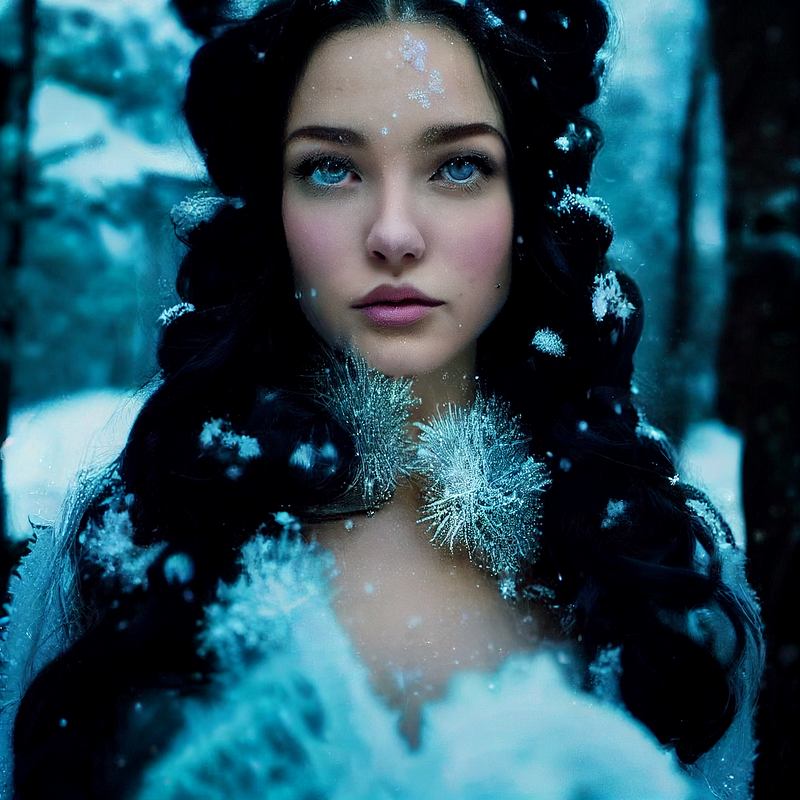
Keywords you may have seen in some pretty amazing images are key to picture-perfect images. Which keywords will result in a photo quality image (as above) or a ‘painted’ quality image. Let’s break it down.
For a regular quality image, using terms such as hyperrealistic, hyperrealism, realism, photorealistic, or photorealism contribute to painted styles of realism. They will still turn out amazing, just not photo-amazing.
Using keywords such as rendered, Octane Render, Unreal Engine, hd, 4k, 6k, 8k have proven to have a waxy appearance.
Here is the prompt I used for the Snow Goddess.
snow goddess with long curling black hair, updo hair, blue eyes, peaceful, gorgeous model, hourglass figure, symmetrical face, sparkling light blue gown, snowy forest, hyperdetailed, radiant light, cinematic still shot, 32k, by Mario Testino, by Albert Bierstad, Vogue
To create a stunning photo-realistic image, use real sources of photography (magazines and famous photographers’ names.) Use photography types such as cinematic still shot, portrait photography, or stock photography.
Be specific about what features you want such as hair color, long or short hair. Should it be straight, wavy, curled, braided, or tousled?
What color do you want the eyes? Or the skin?
Do you want a slender build or a muscular one? (Yes, your AI creation can rock some amazing abs!) Curvy or hourglass?
AI has trouble (at this time) with hands and teeth. Peaceful was a good solution for me for the teeth here. You can instill other emotions in your images as well.
Be creative with what they are wearing. What color is it? Is it tight or loose fitting?
After you describe the character in detail, add the background if you choose to have one. Then add the lighting and close with the photographer’s names/magazine name. You can use more than one, as I did!
You may need to refresh the images for new ones (maybe a few times), upscale them, or get new images based on one given before getting what you want. My final images were ‘Remastered.’
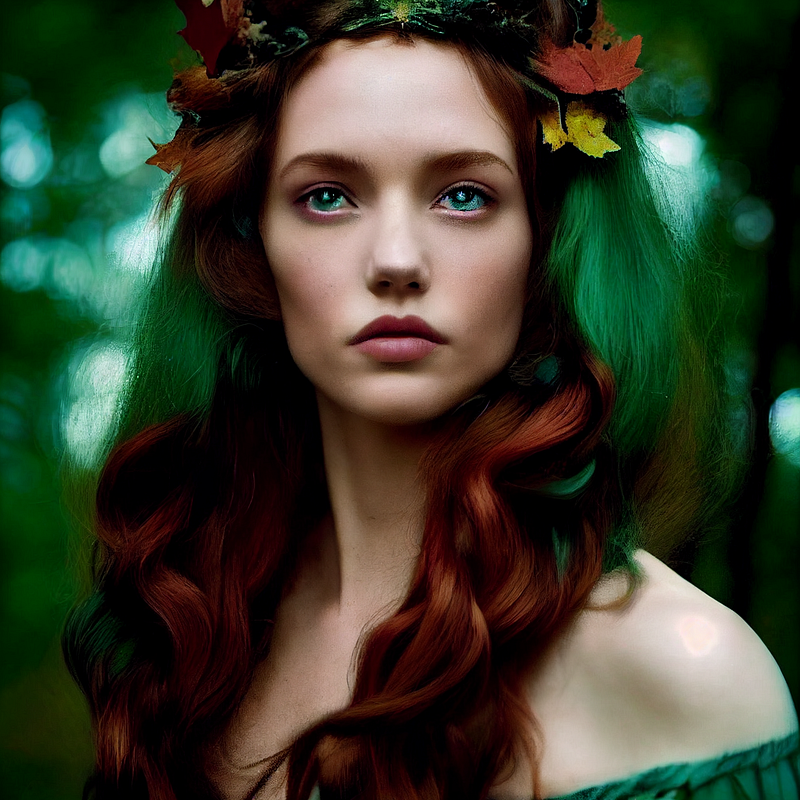
Here is the prompt I used to create the Forest Goddess.
forest goddess with long curling red hair, updo hair, green eyes, peaceful, gorgeous model, hourglass figure, symmetrical face, sparkling teal gown, autumn trees, hyperdetailed, radiant light, cinematic still shot, 32k, by Mario Testino, by Albert Bierstad, Vogue
Let me know what you think and what you’d like to learn!
Table of Contents|AI Images — #2
Sweet Chaos — Tickling your senses through fiction writing while shocking you with the outcome! Nothing is as it seems! Ready to read every addicting story leaving you on the edge of your seat?
Joining through my link gives me a smidge extra at no cost to you, and a treat for my dog!
Check out my publication — The Fictioneer’s Treasure Trove to raid and fill the library!


