
Phishing Attacks Drive Cybercrime Losses Higher

The phone rings. The branch manager at your bank is calling. She wants to know if you were in Peru recently. If so, do you recall having dinner and drinks in Machu Picchu? You laugh. You say you have never visited South America.
Your identity was stolen. Someone used the card without your knowledge. It is a small relief knowing a new card is in the mail. You hang up the phone and wonder how something like this could happen.
Cybercrime is any crime committed with a computer. Your details are at risk every time you log onto your computer. Criminals use email, text messages, and social channels to steal sensitive information. The most common type of attack is phishing. The aim of a phishing scam is to steal your sensitive information. Hackers want your details, bank account data, or credit card details. In some cases, phishing spreads malware rather than a request user action.
CONSIDER THIS
• Half of cybercrime occur on mobile devices
• 11% of 4 digit PINs begin 1–9-x-x
• 300 billion passwords are in use worldwide
• Americans open 30% of phishing emails
• 21% of computer files go unprotected
Hackers can buy a car or apply for a loan with what they steal from you. Companies can lose trade secrets. Even national security could be at risk.
Phishing attacks trick a person into giving up their personal information
Hackers pose as actual companies or legitimate people. The victim hears a compelling story to justify why they are asking for your information. Scammers use fake emails, websites, urgent text messages, phone calls, or social media. They play on your emotions. You feel compelled to act.
LEARN THE TELLTALE SIGNS
Learn how scammers work. You may get a call from someone threatening to take away your property due to unpaid federal taxes. The IRS does NOT contact taxpayers by phone. Hang up the phone. Block the number.
WILL YOU FALL INTO A SCAMMERS TRAP?
Never give out your username, password, or social security number. Do not share security question answers or account numbers.
300 billion passwords will be in use worldwide by 2020
TIPS TO CREATE YOUR NO PHISHING ZONE
Be your own best line of defense. Keep details to yourself. Never give your information over the phone or the internet. Remember that legitimate companies work around the clock to keep their data secure.
BE CREATIVE WHEN CREATING PASSWORDS AND USERNAMES!
Long and strong! When your password is difficult to guess, the stronger it is. It is not a good idea to use the same password for EVERYTHING. Avoid combining names, user IDs, or parts of words. Long passwords are strong passwords. For example, mATadoR*17Xr# is more secure than Matador1.
Avoid saving your passwords, usernames, or credit card numbers in your browser. Make it difficult for criminals to rip off your information. Check your password manager. You may have as many as 1,000 passwords and usernames stored in your browser.
IF YOU DO NOT RECOGNIZE IT, WHY CLICK?
Phishing attempts may come to you by email. It looks like a serious and urgent message from your bank or credit card company. Ask yourself, who is this person? Why do they need this information? Never click on links that request information. Delete email messages from senders you do not know. Do not answer anyone asking you for personal details.
30% of phishing emails get opened
IT IS EASIER TO UNCOVER A SCAM IF YOU KNOW WHAT TO LOOK FOR
Spoof emails or websites lure people into giving their details to scammers. Watch for subject lines that say URGENT or IMMEDIATE ACTION REQUIRED. Misspelled words or awkward grammar is also a red flag. Proceed with caution in handling these emails.
Phishing originated in early 1996. Unwitting AOL users received requests to verify their accounts and confirm billing information. Hackers sent bogus messages via AOL instant messenger and email systems. Users fell for it thinking it was a real request. Since there was nothing to compare the attack to, the messages looked legitimate. AOL had to place a warning saying NOT to share personal details while using the system.
Hackers use many of the same techniques as they did in the early days of AOL. They still register domains that look identical to the ones we know and use.
One example. The exact duplicate of a popular site urging you to update credit card information. Emails attempt to move you to act without thinking. Scammers are counting on you to not pay attention. Take your time!
TWO ATTACKS ARE MOST COMMON TODAY
Tricking a user to give their personal details on a fake site is common. You receive a compelling message that jolts you into action. Before you know it, you have entered your information. These details get used in fraudulent transactions. A second attack involves clicking a download link that installs malware.
How do you keep your personal details and financial data secure?
There are two key ways. First, prevent damaging emails from reaching you. Second, handle emails that do get through your defenses with care.
LEARN HOW TO SPOT FAKE WEBSITES AND EMAILS
HOVER!
Feel free to click around on trusted sites or ones you know well. Avoid clicking on links in random emails or instant messages. Make sure to hover over links that you are unsure of before clicking on them. Does the link take you to a strange site?
WATCH FOR WEIRD WORDINGS AND PUNCTUATION
Legitimate emails start with professional copy editors. They go to great lengths to produce quality messages. Their goal is to communicate with you and put the best foot forward for the company they are writing for. Expect well-written messages that flow. If you get the idea that something is wrong, look closer. Double-check the source before taking any action. Poor grammar is a red flag.
An email that asks for sensitive details via email is a red flag. Legitimate companies never do business that way.
You are prey to a hacker. Frantic messages are meant to upset the apple cart. Their best scenario involves a panicked user taking action without thinking. Beware of messages telling you to act now to prevent your account from expiring.
In one example, you learn by email you have inherited millions from a relative you did not know you had. To claim this money, you must provide bank details and even pay a fee. People who have received this type of message say the text is full of misspelled words and bad grammar. This is a dead giveaway. Delete! Don’t respond!
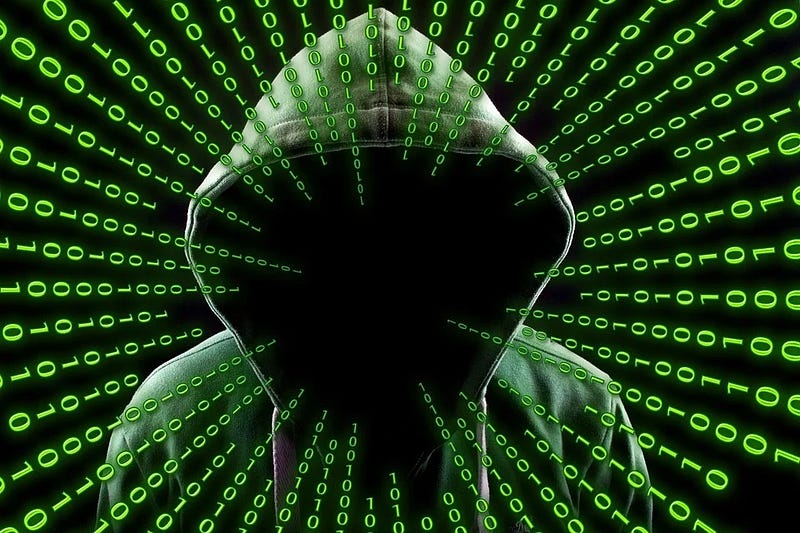
WHAT CAN YOU DO TO PREVENT PHISHING ATTACKS?
Read up on SSL credentials. SSL technology allows for encrypted transmission of data. Do not use passwords on sites without a valid SSL certificate. Verify SSL credentials before proceeding.
Secure sites have URLs that begin with “HTTPS” and have a closed lock icon near the address bar. Never open a page, click a link, or download anything after you get a warning message. Be aware that search engines send you links that offer incredible deals on top-line products. You may have landed on a phishing site poised to steal your credit card details. Slow down, double-check everything. Cybercriminals will ruin your internet experience.
HACKERS MAKE IT EASY TO RESPOND
Slow down when you see a shortened link. It hides a URL. It is easy for a hacker to send you to a look-alike website to capture your information. Place your cursor over the link and double-check the location before clicking.
POP-UP WINDOWS ARE NOT COMMONLY USED BY LEGITIMATE OPERATORS
It is rare for a reputable company to ask for your details in pop-ups. Do not enter your personal information in a pop-up even if the domain appears to have a valid SSL. Clicking cancel may have the opposite effect. Close the box. Go to your control panel and make sure to block pop-ups if you have not already.
BEWARE OF PUBLIC WI-FI!
Email messages sent over public networks lack encryption. Knowing this, hackers will try to get to steal your passwords. Hackers create fake hotspots in public to get to your information. Use a VPN to hide your online activity while in public. Public networks will not keep you safe.
LEARN ABOUT FIREWALLS, BROWSERS, AND TOOLBARS
A firewall acts as a buffer between you and outside intruders. You should use a desktop firewall and a network firewall.
KEEP UP WITH THE LATEST DEVELOPMENTS IN PHISHING
Make an effort to stay up to date about internet security. The more you know about phishing, the easier it is to stop cybercrime. Many employers offer cybersecurity training. What you learn in a workplace course applies to your home computing environment. Even a simple detail like changing passwords often can save you a headache later. New scams come out all the time. Lower your risk by being knowledgeable and prepared.
KEEP YOUR BROWSER UP TO DATE
Web browser plugins may be the secret door scammers use to get to your information. When an update is available, download and install it. Antivirus software can help you guard against attacks.
The average ransomware demand is $1,100
YOU WILL NEED MORE THAN ONE TECHNIQUE TO STOP PHISHING ATTACKS
As technology becomes more advanced, cybercriminals become more advanced. Users need to know what the bad guys are up to.
A PEEK INSIDE THE CYBERCRIMINALS TOOLBOX
Hackers attack in a variety of ways. The goal is always the same. Get to your personal details. They want your passwords, data, bank account numbers, and more. Take a closer look at the more well-known attacks you may face.
ACTIVE ATTACKS
TEXT MESSAGE PHISHING
This ploy starts with a text message. The idea is to entice you to click a link that leads to a phishing website.
MASS SPAM EMAIL
Spam email is an identical email that goes to millions of users over time. These emails are urgent requests to verify account ownership. Do not fill in a form or change a password. Twenty percent of users open emails like this! One in five emails!
SPECIFIC TARGET PHISHING
This is the mass mailing spam in reverse. Instead of using a spray and pray approach, cybercriminals target a specific person. The hacker identifies a person in a company and attempts to lure the person into their trap. An example would be moving the director of accounting to reveal financial information. These attempts are well researched, well-disguised, and constitute fraud.
SEARCH ENGINE RESULTS SCAMS
The user explores amazing deals presented by a search engine. The user ends up at a site offering low-prices on products, sweet credit card offers, or bank loans at a low rate. The user does not realize they are on a phishing site until it is too late.
THE MAN-IN-THE-MIDDLE HACK
The hacker places themselves between an original website and their own phishing system. While a legitimate transaction is in progress, the hacker intercepts your data. The user has no idea what is happening. This is also known as MITM.
FAKE CALLER ID PHISHING
A fake caller ID is a key here. This involves a phone call asking the person to dial a second number and enter their bank account details.
CONTENT INJECTION
Content injection occurs when hackers change part of the content on a page on a real web page. You enter your details on a fake site that looks real.
INVASIVE ATTACKS
KEYSTROKE LOGGING PROGRAMS
Hackers work to install malware software programs on your computer. Without you knowing it, the program records keystrokes as you type. With this information, hackers can decipher passwords. Secure websites provide options to thwart keystroke loggers.
DECEPTIVE LINKS
This technique involves a hacker sending you to a malicious website. You click on what you think is a legitimate link to a site. Once clicked, you go to a phisher’s website in the hopes you enter private information. Place your mouse over the link before clicking to reveal the link’s actual web address.
SESSION HIJACKING
Session hijacking is also referred to as cookie hijacking. The hacker uses the web session control mechanism to steal information. This is a more technical attack that finds its roots in computer science. The hacker’s goal here is to intercept your information and use it to access a server.
RANSOMWARE
Hackers lock your computer then force you to make a payment to regain access to your files. This is a social engineering attack that places malicious software on your hard disk. Users activate these attacks by clicking on a link or opening an attachment or ad. There is a version where the hacker threatens to publish the contents of your disk on the internet. Either way, once this attack is on, it is difficult to undo. There are instances where a user paid the ransom money but never regained access to their files.
TROJAN HORSE ATTACKS
A trojan horse attack lets a hacker gain access to a user’s account to collect credentials. This malware tricks the user who now believes the action they took is legitimate.
Phishing remains a significant threat to individuals and to companies large and small. Know how to protect your data assets.
HACKERS WILL FIND A WAY
Attacks show no signs of slowing down. If anything, hackers continue to find new ways to get what they want. Technology-based attacks continue to increase and the losses to individuals and businesses mount.
Use security software to identify and stop threats. Set the software to update and deal with any new security threats. Do this on all your computers, cell phones, tablets. Use multi-factor authentication to stop unwanted login attempts.
If you travel, hackers can scan your laptop or cell phone in an airport or hotel lobby. It is a good idea to look into a VPN service to hide your online activity. And of course, backing up your data is critical to recovering from losses due to scams.
Having a strategy to thwart hackers will give you peace of mind. Keep your applications up to date. Being prepared for what comes your way is smart thinking.
As in life, you never know what will happen next.
*** *** ^^*** ***
Douglas Pilarski is a writer/journalist living in Portland. He covers luxury goods, lifestyle, exotic cars, CJ-CX, workplace issues, food, horology, and tech. He is a regular contributor to medium.com
sawyertms.com \\ [email protected] \\ medium.com/@dpilarski
IG: sawyertms1 \\ @realsawyertms \\ @dpatlarge
Copyright © 2020 AstonBell Media
All rights reserved.
*** *** ^^*** ***