
Penetration Testing Series: Enumerating Metasploitable 2 with SMTP Port 25
Targeting Metasploitable 2’s SMTP service

This article continues my penetration testing series, exploring Metasploitable 2. In this project, we delve into penetration testing by exploring the different ways of enumerating SMTP (Simple Mail Transfer Protocol) on port 25 to determine what users reside on the Metasploitable 2 machine.
By targeting Metasploitable 2’s vulnerable SMTP service, we aim to provide an in-depth understanding of the techniques employed by ethical hackers and penetration testers to exploit and gain unauthorized access to systems.
SMTP is a widely used network protocol for sending email messages between servers. It operates on port 25 and provides communication between mail servers. While SMTP is a fundamental email transmission protocol, attackers can target it if not correctly configured.
It is important to emphasize that this article’s intent is solely educational and aimed at empowering security professionals and enthusiasts with knowledge on how to identify and secure their systems against potential threats. Understanding the tactics used by malicious actors is critical in developing robust defense mechanisms and implementing effective security measures.
Disclaimer:
All information, techniques, and tools described in this write-up are for educational purposes only. Use anything in this write-up at your discretion; I cannot be held responsible for any damages caused to any systems or yourselves legally. Using all tools and techniques described in this write-up for attacking individuals or organizations without their prior consent is highly illegal. You must obey all applicable local, state, and federal laws. I assume and accept no liability and will not be responsible for any misuse or damage caused by using the information herein.
Lab Setup
- VirtualBox
- Kali Linux Virtual Machine (VM)
- Metasploitable 2 VM
Part 1: Reconnaissance
NMAP
To begin, confirm the information about the target system. Follow these steps:
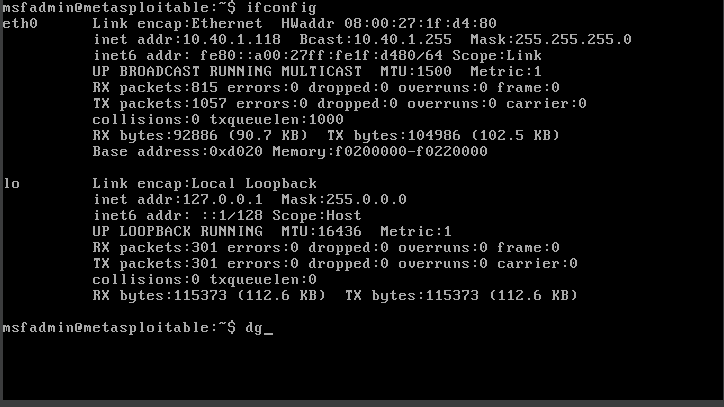
- Use the ifconfig command to get the IP address of the Metasploitable 2 VM: 10.40.1.118.
ifconfig
2. In the Kali Linux VM, execute the “nmap” command to perform a comprehensive port scan (-p-) with version detection (-sV) on the target IP address (10.40.1.118), and save the results to the output file “META3.txt”.
nmap -p- -sV -oN META3.txt 10.40.1.118
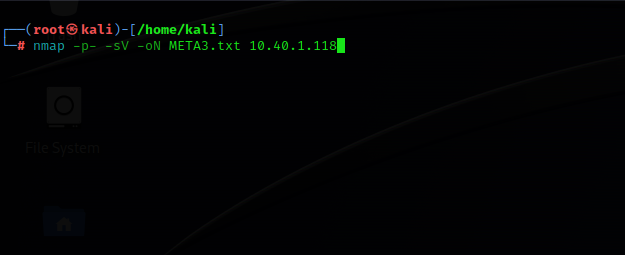
Our target system has SMTP on port 25 open.

Part 2: Enumeration
Metasploit Enumeration
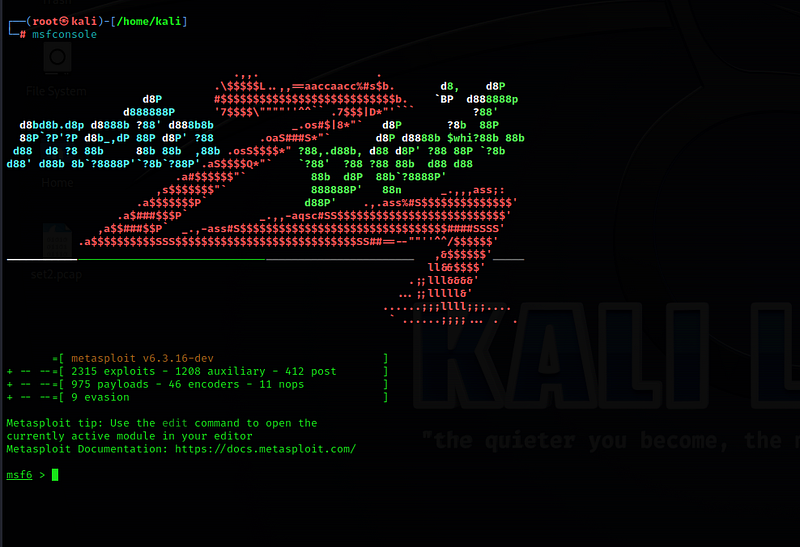
- Type “msfconsole” to launch the Metasploit Framework command-line interface in a new terminal.
msfconsole
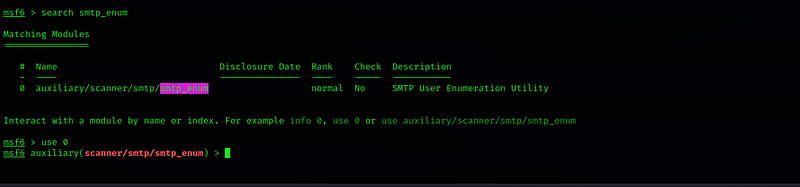
2. In Metasploit, use the command “search smtp_enum” to search and identify potential email addresses or usernames associated with a target SMTP server.
search smtp_enum
We found one exploit with “search smtp_enum”.
3. Type “use 0” to select and use the smtp_enum exploit.
use 0
Type “show options” to view the required parameters that need to be set for the exploit.
show options
4. Fill in the required parameters, such as setting the RHOSTS to the IP address of the target system (10.40.1.118) and setting the USER_FILE to /usr/share/metasploit-framework/data/wordlist/unix_users.txt.
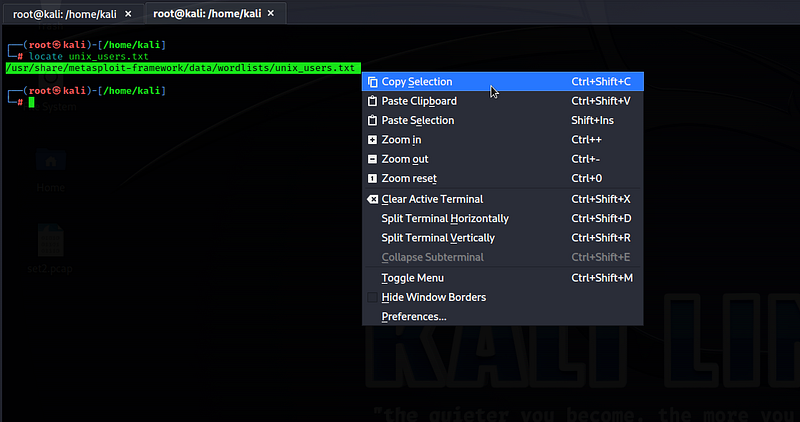
Use the “locate unix_users.txt” command to find the /usr/share/metasploit-framework/data/wordlist/unix_users.txt file in Kali Linux and copy it.
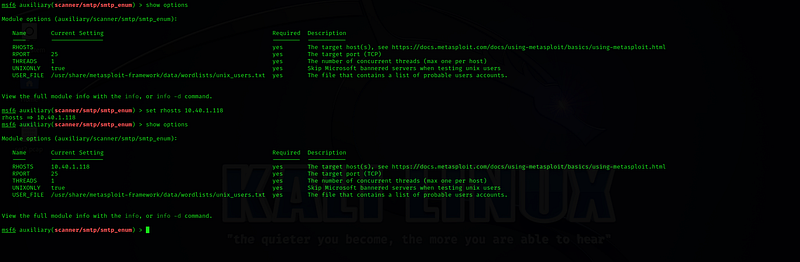
5. Again, Type “show options” to confirm that you correctly set the RHOSTS and USER_FILE.
set USER_FILE /usr/share/metasploit-framework/data/wordlist/unix_users.txtset RHOSTS 10.40.1.118show options
6. Type “run,” and what this will do is try to enumerate all the usernames in the “/usr/share/metasploit-framework/data/wordlist/unix_users.txt” file.
The “/usr/share/metasploit-framework/data/wordlist/unix_users.txt” file is a wordlist file commonly used in security testing and penetration testing. It contains a list of common Unix usernames that can be used for various purposes, such as user enumeration, password cracking, or testing the security of Unix-based systems.

Upon scanning, we can view the list of discovered users.

Netcat Enumeration
Open another terminal and type the netcat command “nc 10.40.1.118 25” to establish a network connection to the IP address 10.40.1.118 on port 25 for SMTP communication, allowing interaction with the SMTP server on that host.
nc 10.40.1.118 25
The VRFY (Verify) command is an SMTP command used to verify the existence of a specific User on the server. When a client sends a VRFY command followed by a username, the server responds with information about the validity of that User, confirming if it exists or providing an error message if it does not (Recipient address rejected). The VRFY command can also help check the availability of email addresses on mail servers.
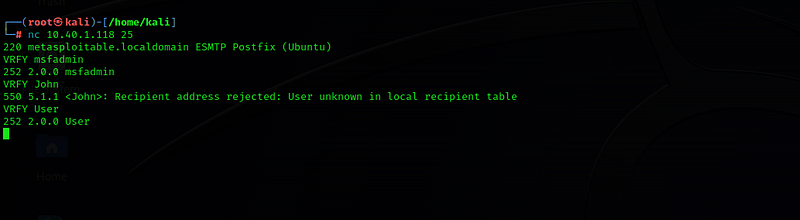
STMP User Enumeration
- Use the “smtp-user-enum” command to view the different options and how it can enumerate valid Users on the target SMTP server.
smtp-user-enum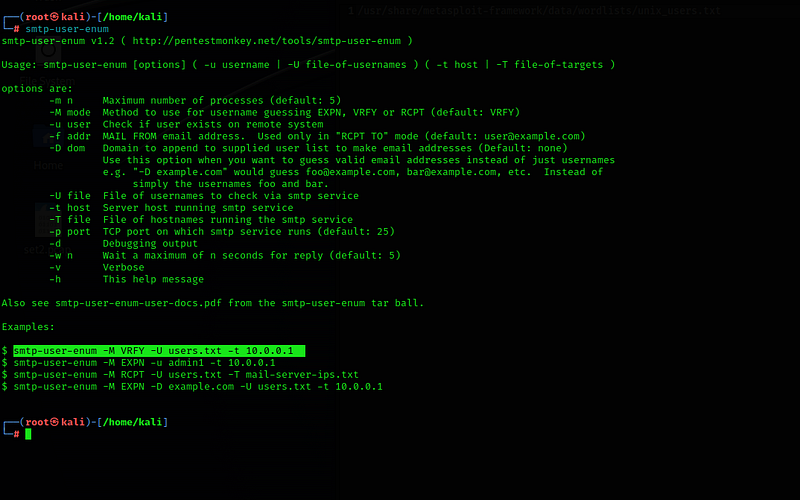
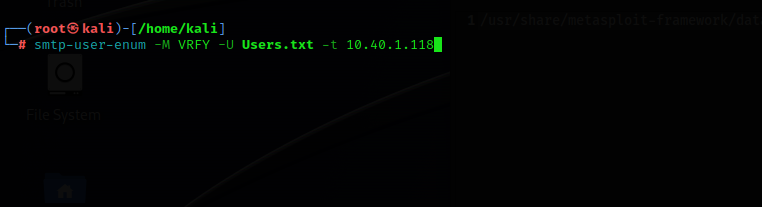
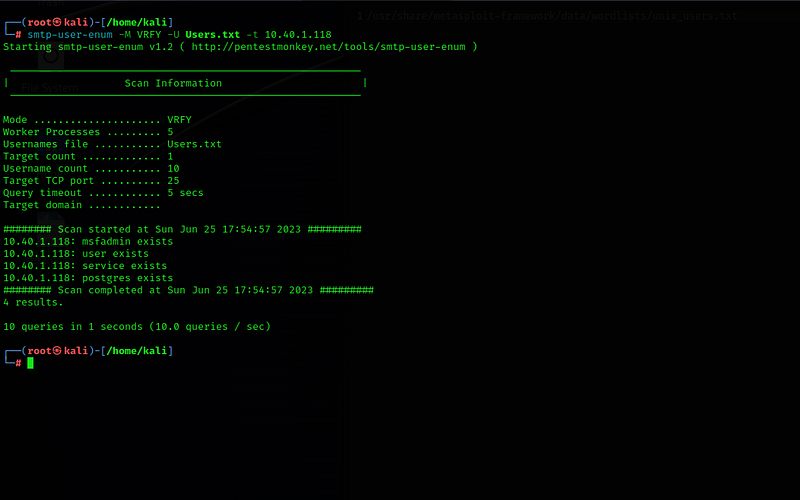
2. We’ll use the first command example, “smtp-user-enum -M VRFY -U Users.txt -t 10.40.1.118,” which is used to perform a user enumeration on the SMTP server located at IP address 10.40.1.118. It utilizes the VRFY method (-M VRFY) to verify the existence of user accounts by testing a list of usernames stored in the “Users.txt” file.
smtp-user-enum -M VRFY -U Users.txt -t 10.40.1.118
Based on the scan results, the mode of operation was verified, revealing five functioning processes. Using SMTP port 25, the scan targeted the Metasploitable 2 machine, identifying one target and finding ten usernames. The entire scanning process took approximately five seconds. Furthermore, the scan unveiled four specific usernames on the target system.
Conclusion
Upon finding out what users reside on the machine, you could further investigate these users and passwords if this was a real assessment.
I hope you have found this article informative and valuable. Your feedback and suggestions are always welcome as we continue to explore diverse topics in the field of cybersecurity. Thank you for your interest and support!
The Gray Area is a collection of great cybersecurity and computer science posts. Become a writer for The Gray Area by filling out this form! To get updates whenever The Gray Area publishes an article, check out our Twitter page, @TGAonMedium.


