
Patching Microsoft’s RDP service yourself
You probably arrived at this article looking for a way to allow multiple RDP sessions to you Windows Home or Professional machine. If you want the quick fix, read this article.
If you want to know a little bit more what you are doing, keep reading this ;-)
The original article describes 2 ways of patching your RDP service: running RDP Wrapper or patching termsrv.dll In this article I’ll be looking into patching the dll as I want to know what I’m doing.
Long story short, you need to look for the following bytes inside the dll:
39 81 3C 06 00 00 xx xx xx xx xx xxxx xx xx xx xx xx are bytes that change from Windows update to Windows update.
Replace all of those bytes with:
B8 00 01 00 00 89 81 38 06 00 00 90But what are we actually doing here?
Let’s load up termsrv.dll in x64dbg, that’s an open source debugger for Windows. Hit the play button so you’ll arrive at termsrv.dll .
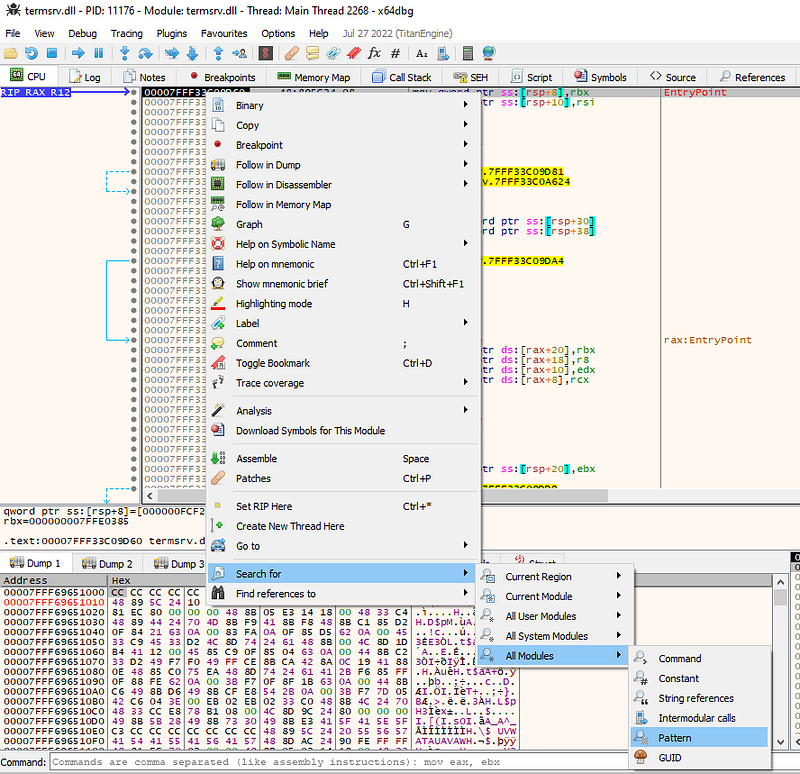
Next, let’s look for these mysterious set of bytes. Right click anywhere and select Search For, All Modules, Pattern:
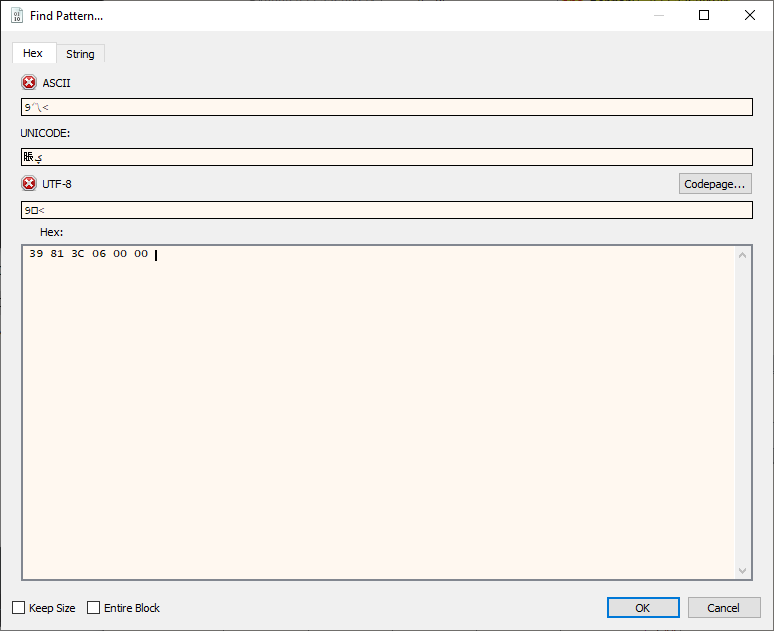
Enter the 6 bytes 39 81 3C 06 00 00 and hit OK to search:
You’ll end up on an address with 2 commands:

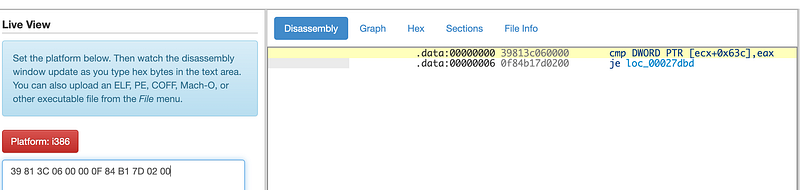
First, the content of some place in memory is compared to the content of eax . If the 2 values are the same, a jump is taken. je means jump if equal. If you follow the jump (double click it), you’ll end on a piece of code pointing to the following string:

I’m pretty sure that’s something we want to avoid :-)
When we have a look at the other examples in the original article, we see that the 2 commands are always a compare and a jump command. The only difference is the jump to address. That’s the thing changing between Windows updates. You can use https://onlinedisassembler.com/odaweb/ to do some online disassembling:
Ok, so let’s skip this jump command by replacing it with nop commands. A nop command is a no-operations command which basically does nothing. We can do this in x64dbg by selecting the jump command and hitting space.
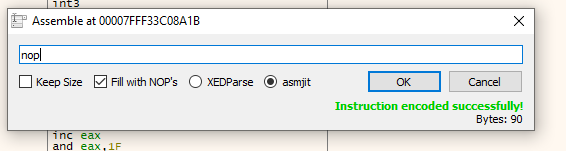
Type in NOP and check Fill with NOP’s. A NOP is only 1 byte and we want the other 5 bytes to be NOP‘s as well.
To save the file, click File, Patch and click Path File. In the Patches window, you can see the 6 bytes being changed into 0x90 which is hex for NOP.
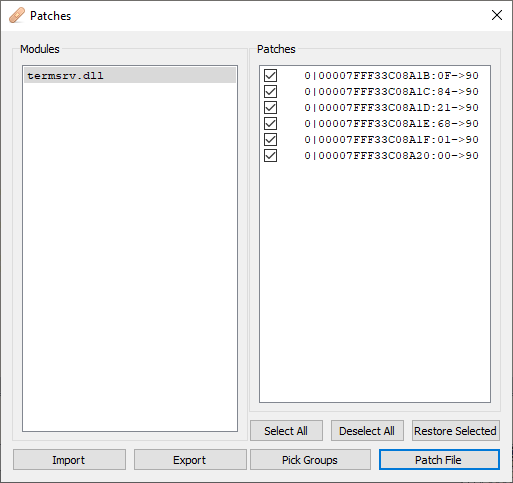
Save it your documents first, then replace it with c:\Windows\System32\termsrv.dll
Try connecting multiple users to your machine and you’ll see it works 🥳
So now we know what’s actually happening!


