
Passwordless Authentication with React and Auth0
Editor’s Note: For years now, I’ve been telling people that passwords are obsolete. When I wrote the password section for “Programming JavaScript Applications”, I strongly recommended password alternatives such as multi-factor authentication. In the time since, there have been many breaches that revealed millions upon millions of usernames and passwords. Chances are good that some of your passwords have been stolen.
Once in a while we find products or services that we highly recommend and invite the company behind them to participate in a sponsored post.
That’s why I’m very excited to bring you this sponsored post for Auth0 written by Ryan Chenkie. I strongly suggest you read it and incorporate passwordless authentication in your next app.
~ Eric Elliott
Learn how going password-free can benefit your users and your organization.
In today’s article we will be building a React application with passwordless authentication through Auth0. For brevity, we will use the Auth0 React Starter as the foundation for our application. We’ll examine the benefits of passwordless authentication and see how it can provide better security over traditional authentication methods.
What is Passwordless all About?
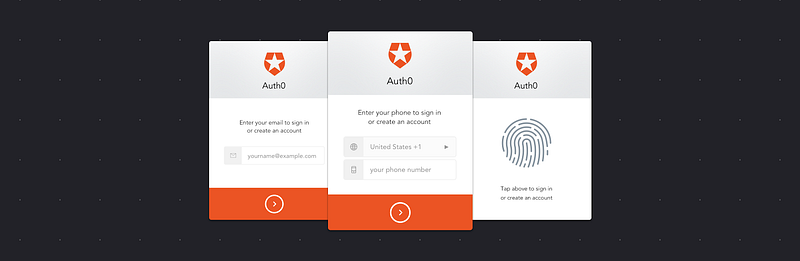
Passwordless authentication, as the name might imply, is an authentication system where the user does not enter a password. Instead, they provide an identifier such as an email address or telephone number, and the authentication system sends out a one-time passcode or link to this identifier that the user must then provide or click to successfully authenticate. The passcode or link is active for a limited time, often around five minutes. Each login request generates a new passcode or link and invalidates any previous passcodes or links. In a sense, passwordless authentication also provides two-factor authentication out-of-the-box, since a user must have access to either the email account or phone number they provide.
Passwordless authentication is beneficial for both users and developers. Users tend to choose weak passwords and reuse the same password for multiple services. From this, we can deduce that users tend to value convenience over security. Many developers make the logical decision to enforce stricter password requirements, but that often leads to user annoyance. From a developer standpoint, passwords have to be safely encrypted and stored, and even if all the best practices are followed, a user that reuses the password on a third party service that gets compromised is also vulnerable in your application.
Who is Using Passwordless?
Many companies have already embraced passwordless authentication including Medium, Slack, and WhatsApp. Passwordless authentication can be found in both web and mobile applications and is especially well-suited for mobile, as the user is commonly on their device which will receive the one-time passcode, making for a very intuitive workflow.
What We’ll Build
In this article, we’re going to get an introduction to passwordless and see how it provides an intuitive and secure workflow for user authentication. We’ll cover how passwordless authentication works, the benefits it provides, and to put theory into practice, we’ll implement passwordless authentication in a React application.
Going Passwordless with React and Auth0
To demonstrate how this all works, we’ll build a passwordless React application that uses Auth0’s Passwordless library. To get started, sign up for a free Auth0 account and check out the management dashboard. We’ll use the React seed project so we can save some time as we get going. It’s assumed that you have some basic knowledge of React, as we’ll be skipping over basic React idioms.
The seed project gives us a good starting point for our application. We have basic routing, a couple of components, some helpers, and most importantly the build process in place to transpile and serve our code. Run `npm install` to get the project dependencies. To make sure the seed project works with traditional authentication, edit the `.env` file with your Auth0 credentials:
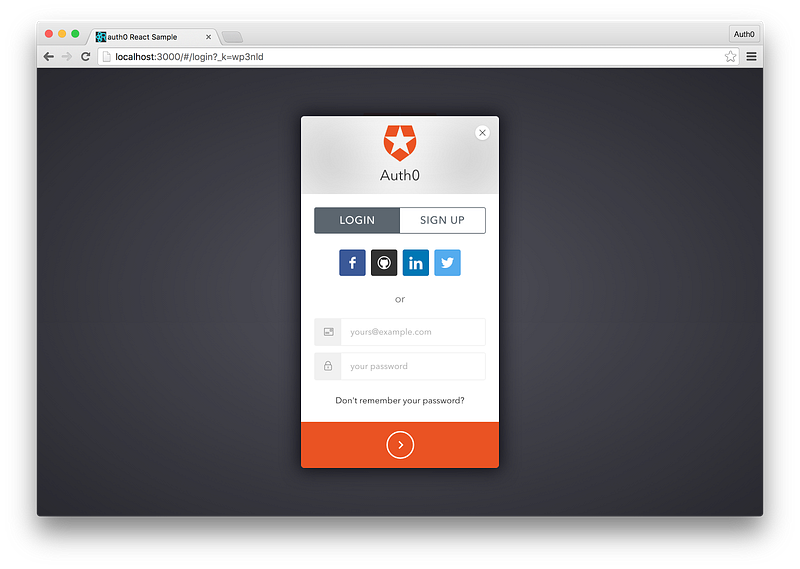
cp .env.example .envLaunch the app by running `npm start`. Next, navigate to `localhost:3000` to see the app in action. You should be able to login/register by providing an email and password.
Passwordless Authentication Service
Now let’s implement passwordless authentication. Stop the application and run:
npm install auth0-lock-passwordless --saveThis will pull down the Auth0 Passwordless library and save it in our `package.json` file. Next, open `AuthService.js` located in the utils directory. This is where the bulk of our passwordless implementation will take place.
Feel free to strip out all of the existing code here — we’ll reimplement the functionality and explain it line by line.
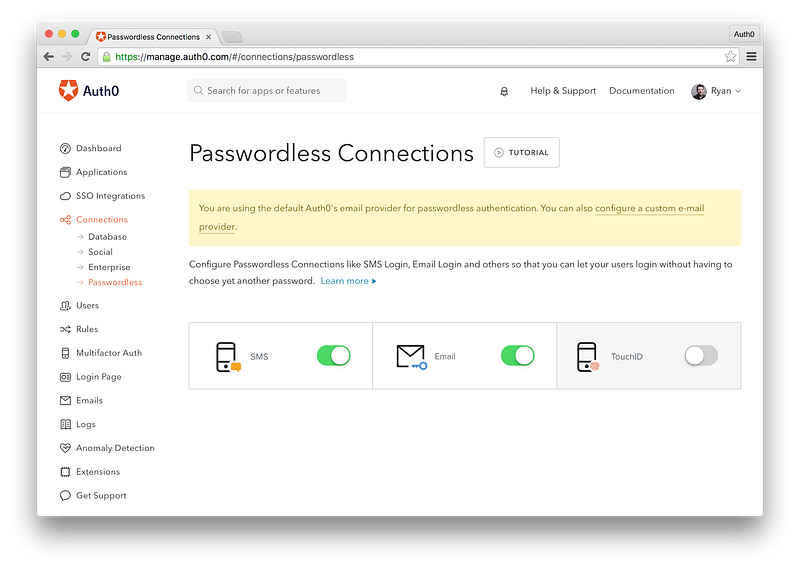
Our passwordless authentication service is complete, but before we can test our code, we’ll have to enable the passwordless feature from our Auth0 dashboard. Navigate to https://manage.auth0.com, then to Connections and finally Passwordless. There are three options here: SMS, Email and TouchID. SMS will require you to have a Twilio account and API keys so that you can send out SMS messages. The Email functionality allows you to send emails from Auth0’s default email provider, but you can also set up your own. Finally, the TouchID feature allows you to implement Apple’s passwordless solution for iOS devices. We will not be implementing TouchID here as this can only be done on mobile apps.
Flip the switch on SMS and Email. Clicking on either one will bring up a modal dialog allowing you to customize and edit a variety of settings. Some of these, such as the API key for Twilio, are required, while other like the message template or expiry time of one-time passcodes are optional. Feel free to edit these or leave the recommended defaults.
Updating the User Interface
With the passwordless feature turned on, let’s get back to our code. Open `Login.js` located under the `views/main/login/` directory. Here we will add a constructor to check for an existing account as well as add the user interface for the various login methods we created in the authentication service.
Understanding How Our Routing Works
Before we go and test our application, let’s take a brief look at `routes.js` located in the `/views` directory. We won’t be making any code changes from the seed project here, but we should note a few important things here. Have a look at the code and comments below.
Testing Our Passwordless App
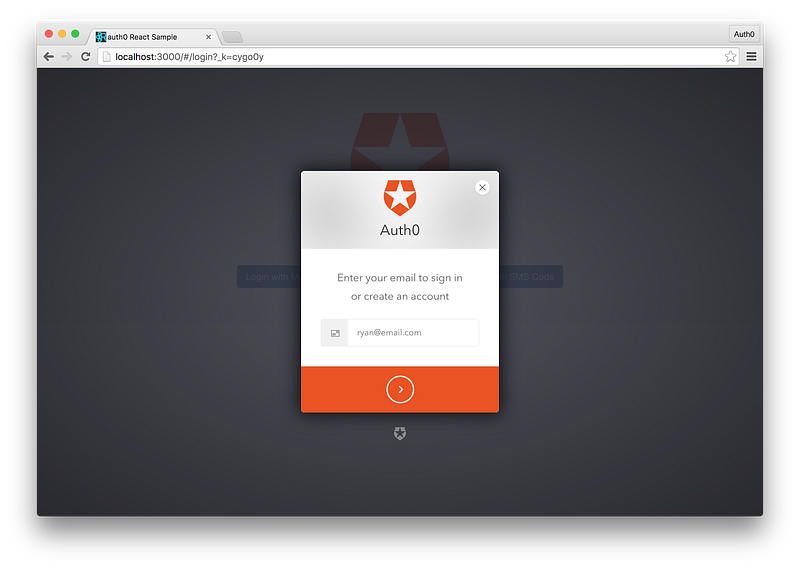
Let’s test our application. The webpack build system should have recompiled any changes you were making automatically, so navigate to `localhost:3000` to see your app in action. You will be greeted with the login page which will have three login options. Select one and follow the on-screen directions to either provide an email or phone number, depending on which option you chose.
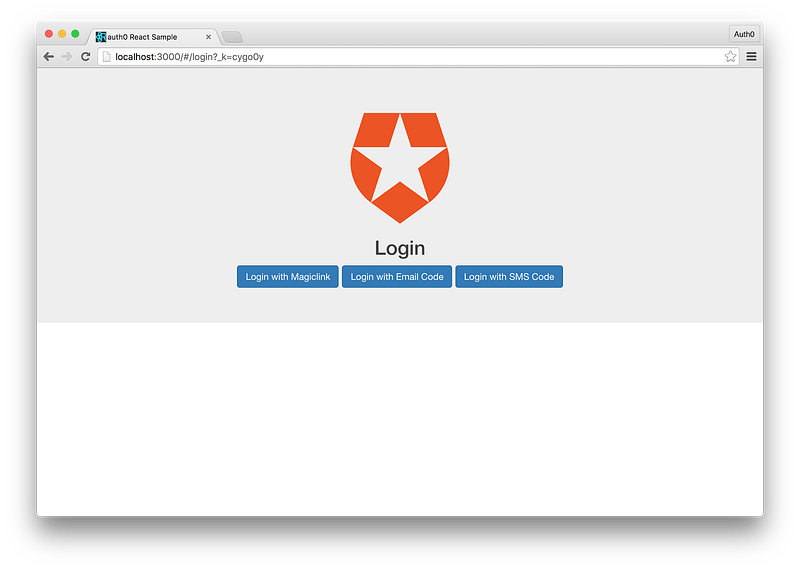
If we choose the “Login with Email Code” option, we can enter an email address.
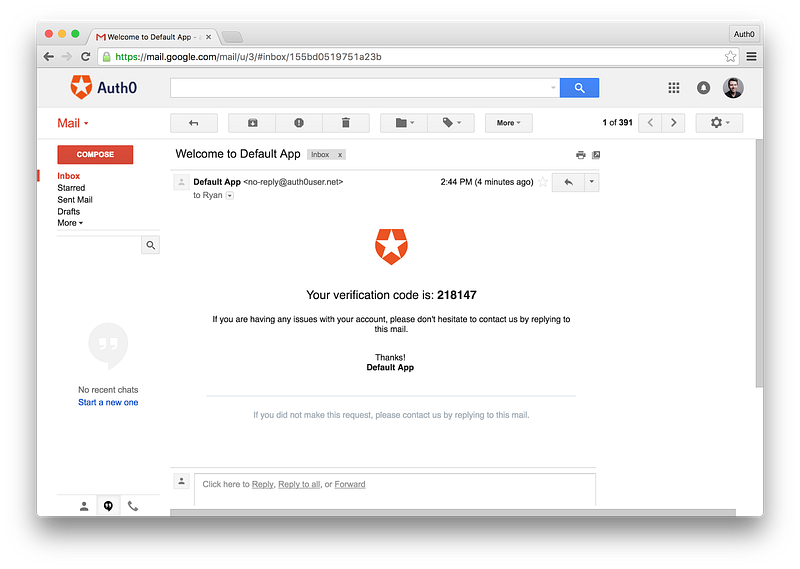
An email arrives at our inbox right away with a code we can use to authenticate.
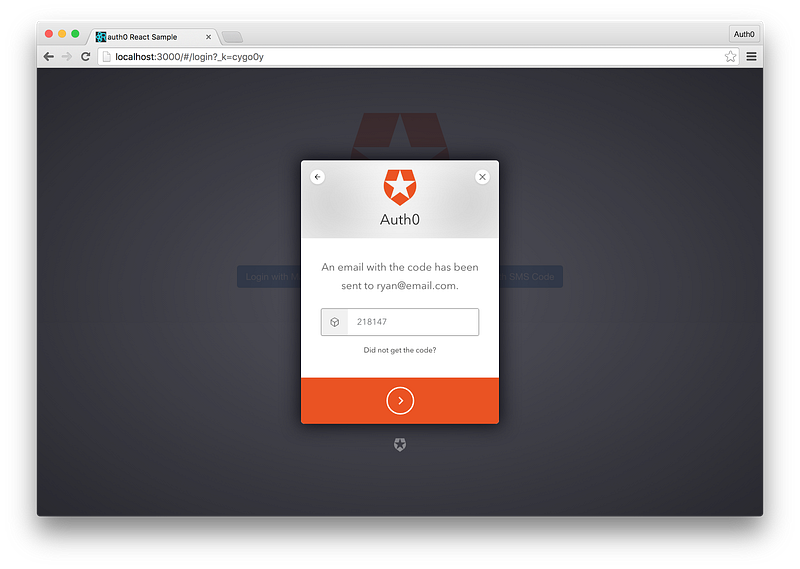
Back at the app, enter the code that came through in the email.
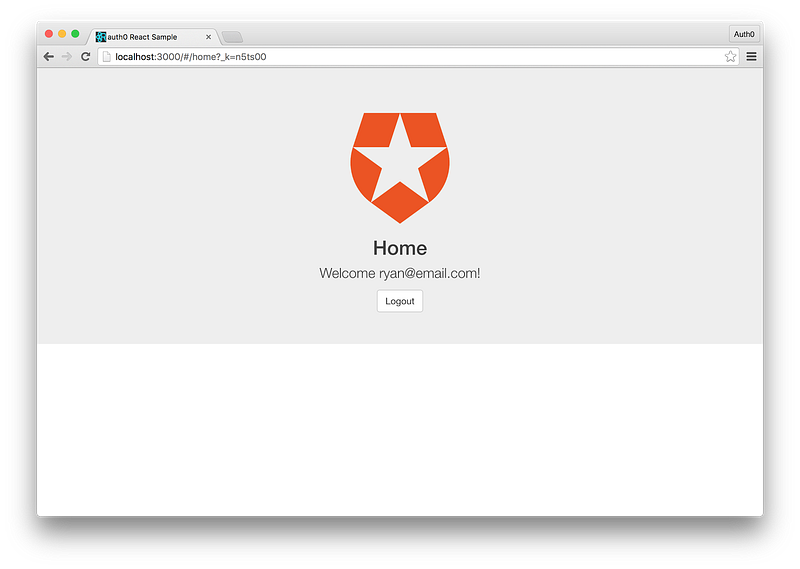
Once the code is validated, we’re taken to the home page which displays our email address.
Going Further
Passwordless authentication with Auth0 is easy and powerful. With just a couple lines of code we were able to build a React application that implements Auth0’s passwordless library and multiple types of passwordless authentication.
Passwordless is a great option, but Auth0 goes a step further and allows us to mix and match social authentication strategies with ease. We can use the same library to add social authentication with common social providers like Facebook, Twitter, or Google in addition to offering a passwordless option for users.
The documentation explains how to do this in much greater detail, but the simplest way to add social and passwordless in one login modal is to use one of the helper functions like `lock.socialOrMagiclink()`. If we wanted to extend this into our React app it would look like:
And the UI differences would instantly be reflected:
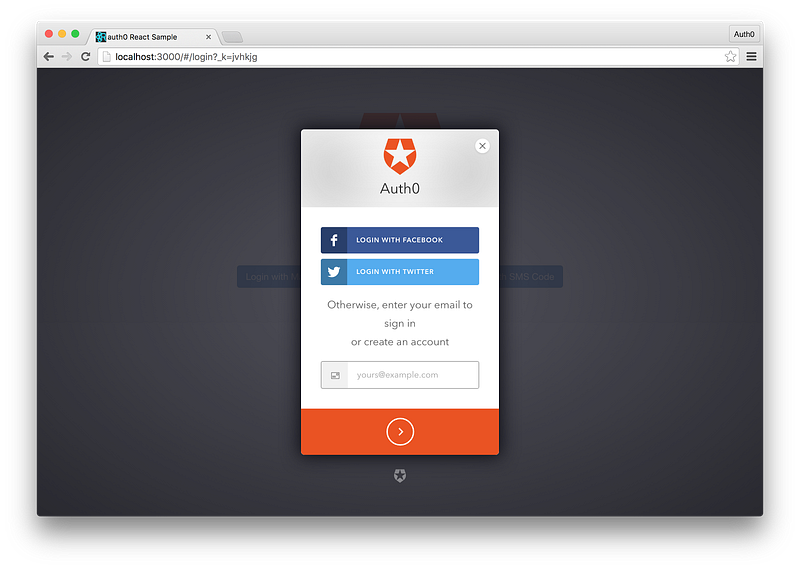
We’d just need to add our Facebook and Twitter secret keys in the Auth0 management dashboard and we’d be all set.
Wrapping Up
Passwordless authentication is a great alternative to traditional username and password auth because it makes it easier for users to login and can increase security overall. It can be tricky to build a passwordless authentication flow from scratch, but as we’ve seen through building a React app in this article, Auth0 makes it trivial. Auth0 also allows us to mix and match various authentication strategies to meet our organizational needs, offering us a lot of flexibility.
Ryan Chenkie is a full-stack developer from Canada who creates content for Auth0, including in-depth tutorials and seed projects for the newest frameworks and technologies such as Angular 2, React, and Aurelia. When not coding, he can be found hanging out with his wife, playing guitar, or nerding out about outer space.


