

OpenAI Text-to-Video AI Sora: All you need to know
Imagine a world where your wildest imaginations can come to life with just a few words. Where the boundaries between reality and fantasy blur, and your ideas take the form of breathtaking visual narratives. This is the power of OpenAI’s Sora, the groundbreaking Text-to-Video AI that is poised to revolutionize the way we create and consume visual content.
With its advanced deep learning algorithms and generative models, Sora can interpret natural language descriptions and transform them into stunning, realistic, and imaginative videos. Whether you envision a bustling city skyline or a mythical creature soaring through a fantastical universe, Sora has the ability to bring these visions to life with remarkable detail, fidelity, and creative expression.
By harnessing the power of deep learning and pushing the boundaries of what was previously thought possible, Sora opens up a world of possibilities for filmmakers, animators, storytellers, and visual content creators of all kinds. From dynamic narratives and compelling character interactions to intricate backgrounds and mind-bending visual effects, Sora’s capabilities are limited only by the imagination of its users.
Realistic and Imaginative Scene Generation

Realistic Scenes
OpenAI’s Text-to-Video AI, Sora, is a pioneering technology that can generate realistic scenes from natural language descriptions. With its advanced deep learning algorithms, Sora can accurately interpret textual prompts and create visually compelling representations of real-world scenarios. From bustling urban landscapes to tranquil natural environments, Sora’s output captures the essence of the described scenes with remarkable detail and fidelity.
Imaginative Scenes
Sora’s capabilities extend far beyond the realm of realism. Its powerful generative model allows it to bring imaginative and fantastical scenes to life, limited only by the creativity of the user’s prompts. Whether it’s a futuristic cityscape, a mythical creature, or a surreal dreamscape, Sora can transform even the most imaginative descriptions into captivating visual experiences.
Video Length and Quality
Up to a Minute
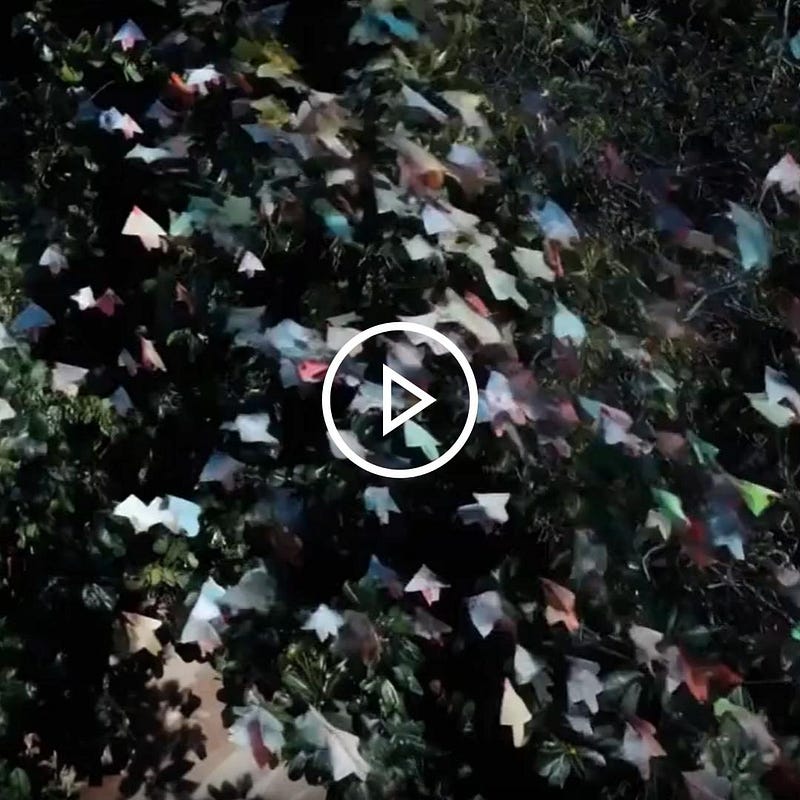
Sora is not just a static image generator; it can create high-quality videos up to a minute in length. This extended duration allows for the creation of dynamic narratives and storylines, making Sora a powerful tool for filmmakers, animators, and storytellers.
High Visual Quality
The videos generated by Sora boast exceptional visual quality, with resolutions reaching up to 1920x1080p. The level of detail and clarity in the images is truly remarkable, ensuring that the output is not only visually engaging but also suitable for professional-grade applications.
Complex Scene Composition
Multiple Characters
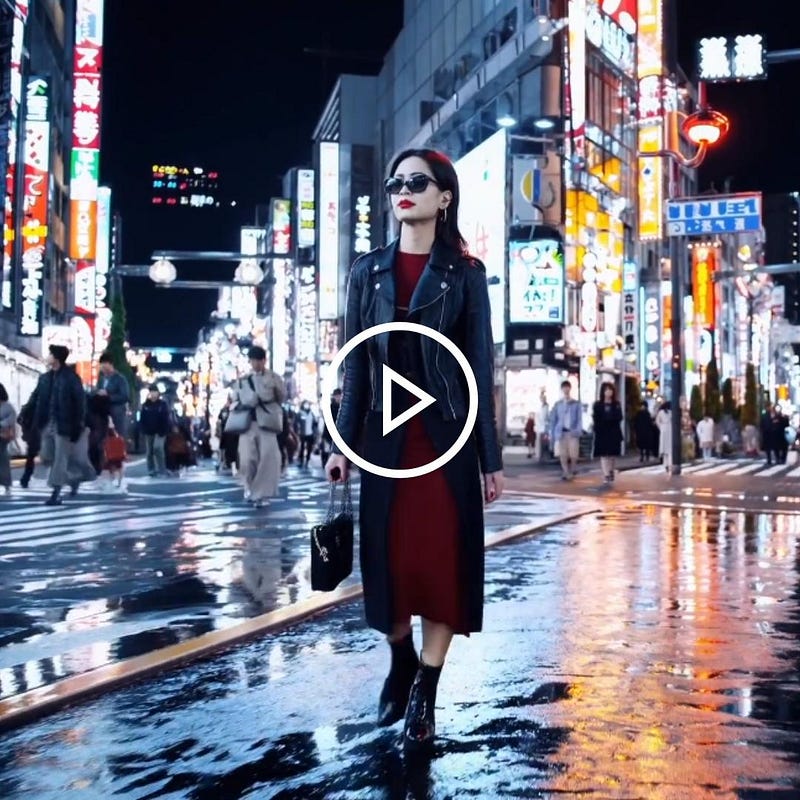
Sora can handle complex scene compositions, including the generation of multiple characters within a single frame. This capability allows for the creation of intricate narratives, where characters can interact with each other and their environment in meaningful ways.
Specific Types of Motion
Sora’s understanding of motion extends beyond simple character movement. It can interpret and generate specific types of motion, such as walking, running, jumping, or even more complex actions like dancing or fighting, giving the generated videos a sense of dynamic realism.
Accurate Background and Environmental Details
Sora’s attention to detail extends beyond the main subjects of the scene. It can accurately generate background and environmental elements, such as buildings, landscapes, and objects, ensuring that the overall composition is cohesive and believable.
Deep Language Understanding
Accurate Prompt Interpretation
Sora’s success lies in its ability to accurately interpret natural language prompts. Its deep language understanding model can parse complex textual descriptions, comprehending not only the literal meaning but also the nuances and contextual cues embedded within the text.
Vibrant Character Emotions
Sora can generate characters with a wide range of emotions, from joy and excitement to sadness and anger. This ability to capture the emotional essence of a scene further enhances the authenticity and impact of the generated videos.
Multi-shot Creation Within Videos
Accurate Character and Style Persistence
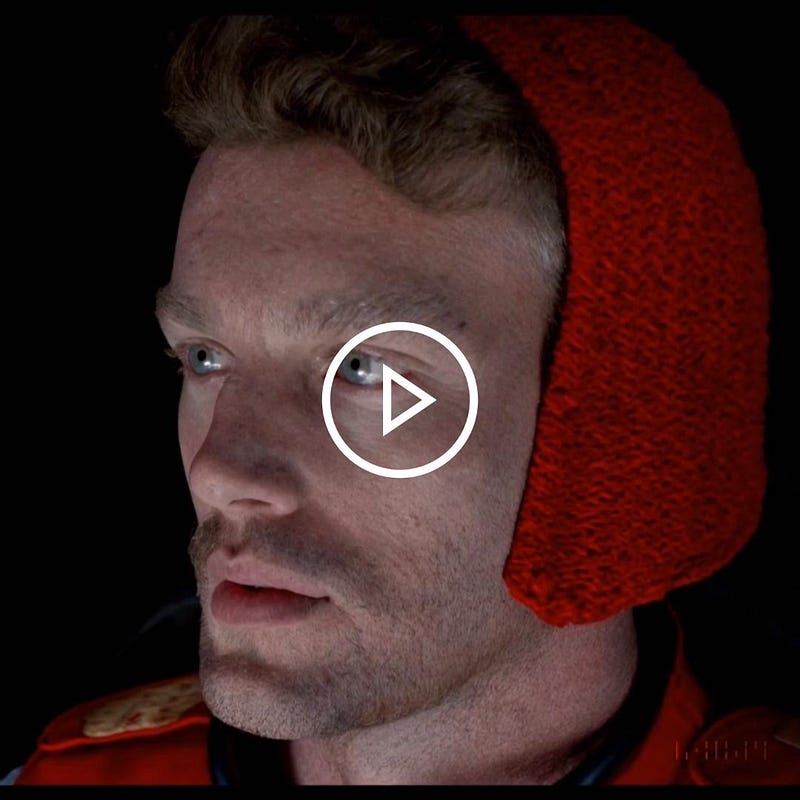
In videos with multiple shots or scenes, Sora maintains a consistent visual style and character representation throughout. This ensures that characters and environments look cohesive across different frames, providing a sense of continuity and immersion for the viewer.
Animation of Still Images
High Accuracy and Detail
Sora can animate static images, bringing them to life with realistic motion and detail. This functionality allows users to breathe new life into existing visual assets, expanding their creative possibilities and enabling the creation of dynamic content from previously static sources.
Video Extension and Frame Filling
Enhanced Continuity and Completeness
Sora can extend existing videos by generating additional frames, seamlessly integrating them into the original footage. This capability enables users to expand upon their existing content, enhancing continuity and completeness within their visual narratives.
Diffusion Model-Based Video Generation
Starts with Static-Noise-Like Video
Sora employs a diffusion model-based approach to video generation, starting with a static-noise-like video as its input. This initial noise serves as the foundation upon which the AI builds and refines the visual content.
Gradual Transformation into Clear Video
Through iterative refinement and conditioning on the textual prompt, Sora gradually transforms the initial noise into a clear and coherent video. This process allows for a smooth transition from random noise to a well-defined visual representation, capturing the essence of the described scene in a natural and organic manner.
Transformer Architecture Utilization
Superior Scaling Performance
Sora utilizes a transformer architecture, which has proven to be highly effective in various natural language processing tasks. This architecture allows for superior scaling performance, enabling Sora to handle increasingly complex prompts and generate increasingly intricate visual representations.
Patches as Data Units
Training on a Wide Range of Visual Data
Sora’s training process involves breaking down visual data into smaller patches, which serve as the fundamental units of learning. By training on a wide range of visual data, including images, videos, and 3D models, Sora has developed a comprehensive understanding of visual patterns and structures, enabling it to generate high-quality and diverse visual outputs.
Re-captioning Technique for Enhanced Fidelity
Faithful Adherence to Text Instructions
Sora employs a re-captioning technique to ensure faithful adherence to the text instructions provided in the prompts. This technique involves iteratively refining the generated video by comparing it to the original prompt, making adjustments to better align the visual output with the textual description.
Scalable Training on Diverse Visual Data
High-Definition Up to a Full Minute Long
Sora’s training process is highly scalable, allowing it to learn from a diverse range of visual data, including high-definition videos up to a full minute in length. This extensive training enables Sora to capture intricate details and nuances in its generated videos, ensuring that they are visually compelling and true to the provided prompts.
Variable Aspect Ratios and Resolutions
Widescreen (1920x1080p)
Sora can generate videos in a variety of aspect ratios and resolutions, including widescreen formats such as 1920x1080p. This flexibility allows users to create content tailored to specific viewing platforms and devices, ensuring optimal visual experiences across different screens and displays.
Vertical (1080x1920)
In addition to traditional widescreen formats, Sora can also generate videos in vertical aspect ratios, such as 1080x1920. This capability is particularly useful for creating content optimized for mobile devices, where vertical viewing is becoming increasingly popular.
Improved Framing and Composition
Better Composition and Framing
Sora’s advanced algorithms ensure that the generated videos have improved framing and composition, resulting in visually appealing and well-structured scenes. This attention to composition enhances the overall aesthetics of the output, making it more engaging and visually compelling.
Enhanced Language Understanding from Descriptive Captions
Improved Text Fidelity and Video Quality
Sora’s language understanding capabilities are further enhanced by its ability to learn from descriptive captions accompanying visual data. By analyzing the relationship between captions and visuals, Sora can better understand the nuances of language and how they map to visual representations, leading to improved text fidelity and higher-quality video generation.
Editing and Animating Pre-existing Visual Content
Creating Perfectly Looping Videos
Sora can create perfectly looping videos from existing visual content, enabling users to generate seamless and continuous animations for various applications, such as background visuals, screensavers, or motion graphics.
Animating Static Images
In addition to looping videos, Sora can animate static images, bringing them to life through realistic motion and transformation. This feature allows users to breathe new life into existing visual assets, expanding their creative possibilities and enabling the creation of dynamic content from previously static sources.
Extending Videos in Time
Sora can extend existing videos by generating additional frames, seamlessly integrating them into the original footage. This capability enables users to expand upon their existing content, enhancing continuity and completeness within their visual narratives.
Simulating Digital and Physical Worlds
Maintaining 3D Consistency
Sora’s advanced algorithms ensure that the generated videos maintain 3D consistency, ensuring that objects and environments behave realistically in a three-dimensional space. This attention to detail enhances the immersion and believability of the generated content.
Long-range Coherence
Sora’s generated videos exhibit long-range coherence, meaning that the visual elements remain consistent and logical across extended durations. This coherence enables the creation of narratives and storylines that unfold naturally and believably over time.
Object Permanence
Sora’s understanding of object permanence ensures that objects and characters maintain their integrity and identity throughout the generated videos. This feature prevents objects from disappearing or changing unexpectedly, further enhancing the realism and coherence of the generated content.
Simulating Actions Affecting the World State
Sora can simulate actions that affect the state of the world, such as objects moving, changing, or interacting with their environment. This capability allows for the creation of dynamic and interactive scenes, where the consequences of actions are visually represented and integrated into the generated content.
OpenAI’s Text-to-Video AI, Sora, is a groundbreaking technology that pushes the boundaries of what is possible in the realm of visual content creation. With its advanced deep learning algorithms, Sora can transform natural language descriptions into stunning visual narratives, blending realism and imagination in a seamless and captivating manner. As this technology continues to evolve, it will undoubtedly revolutionize the way we create and consume visual content, opening up new possibilities for storytelling, education, and creative expression.
Frequently Asked Questions
How to use Sora?
To use Sora, you’ll need to download the Sora app (apk) from the official OpenAI website. Once installed, you can open the app and start entering natural language prompts to generate videos. Sora’s user interface is intuitive and user-friendly, allowing you to customize various aspects of the video generation process, such as resolution, duration, and visual styles.
How to use Sora AI?
Using Sora AI is as simple as using the Sora app itself. Once you’ve downloaded and installed the Sora apk, open the app and start typing your prompts in the provided text box. Sora’s advanced AI algorithms will then interpret your natural language descriptions and generate visually stunning videos based on your input.
How can I use Sora?
To use Sora, follow these steps:
- Visit the official OpenAI website and download the Sora apk file.
- Install the Sora app on your compatible device.
- Open the Sora app and familiarize yourself with the user interface.
- Enter your natural language prompt, describing the scene or narrative you want to generate.
- Customize the video settings, such as resolution, duration, and visual styles, if desired.
- Click the “Generate” button to initiate the video generation process.
- Wait for Sora to interpret your prompt and generate the video.
- Once complete, you can preview the generated video and make any further adjustments if necessary.
- Save or share your stunning Sora-generated visual content.
If you like the article and would like to support me, make sure to:
👏 Clap for the story (100 Claps) and follow me 👉🏻 Mohammed Lubbad
📑 View more content on my Medium Profile
🔔 Follow Me: LinkedIn | Medium | GitHub | Twitter | Telegram
🚀 Help me reach a wider audience by sharing my content with your friends and colleagues.
🌐References:
[1] OpenAI. (2023). Introducing Sora: Text-to-Video AI. [Online]. Available: https://openai.com/blog/sora