
Omnivore: The Best Read-It-Later App For Serious Readers
The ultimate reading experience
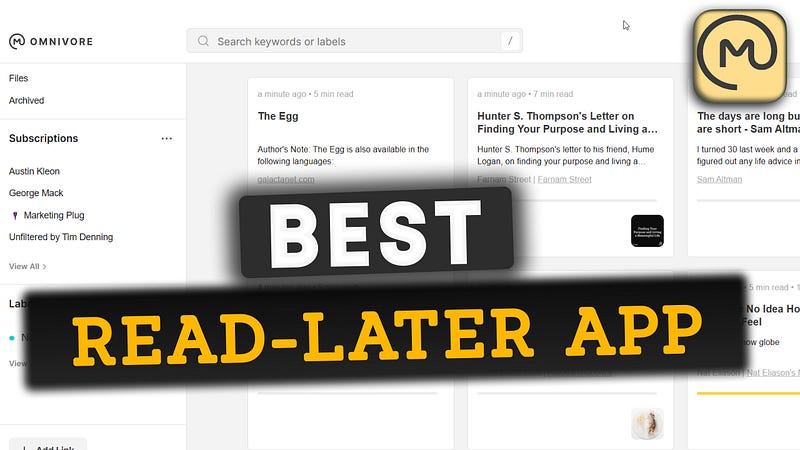
As an avid reader, finding a good read-later app is a must. Finding the perfect one can be hard.
My quest for the ideal app began with Pocket, took me through Instapaper, and led me to experiment with Readwise for a couple of months.
Readwise read was really good. I really enjoyed using it. It’s the best one out there if you don’t consider the price factor.
Recently, I discovered OmniVore, an app that truly meets all my reading needs without hurting my wallet. In a very short amount of time, Omnivore became my personal favorite tool.
In this article, We’ll explore the highlighting features of Omnivore that make it the best read-later app for serious readers like myself.
Easily Save to Omnivore Library
Omnivore allows you to save articles to its library in different ways. This ensures that you can build your reading list from anywhere at any time. Here are the key methods to save content to your Omnivore library:
- Directly adding links: Within the Omnivore library, you can use the “Add Link” button to manually input the URL of an article you’d like to save for later.
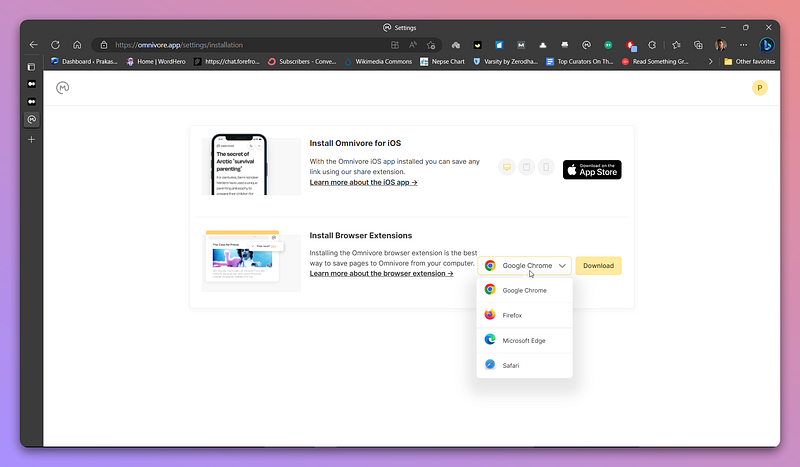
- Browser Extensions: Omnivore offers browser extensions for popular web browsers, including Chrome, Edge, Firefox, and Safari. These extensions enable you to save articles to your library with just one click as you browse the web.
- Mobile App Integration: With the mobile app available for both Android & iOS, you can use the share feature to send articles directly to Omnivore library.
Subscribe to Newsletters
I love newsletters. Some of my favorites are by Dan Koe, Tim Denning, George Mack & Nat Eliason. Reading newsletters on Gmail is not intuitive. You easily get lost.
But with Omnivore, I don’t have to.
It lets me manage subscriptions and declutter my inbox. Rather than having newsletters scattered in your Inbox, you can collect them in one dedicated place.
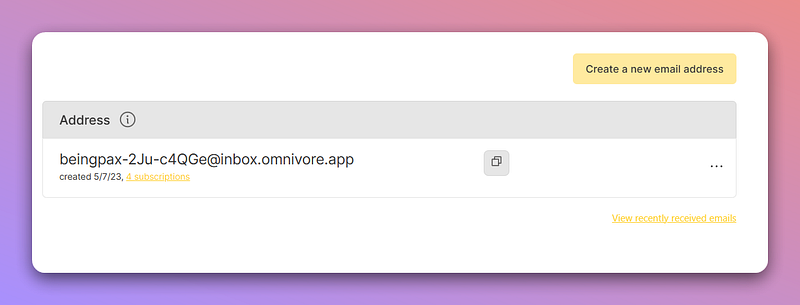
Omnivore creates a dedicated email address that you can use to sign up for your favorite newsletters. Once subscribed, they will be accessible under the ‘Newsletter’ label in your library.
This allows you to enjoy your newsletters in a reading-focused environment and enhance your reading experience.
Integrate PDFs
Omnivore goes the extra mile by allowing you to add PDF files. To add a PDF, email the file as an attachment to the dedicated email address provided by Omnivore.
The subject line of your email will be the name of the PDF file in your Omnivore library.
This integration makes it a good reading solution for serious readers.
Easy Organisation
Omnivore ensures that your reading materials remain fully organized. Features like labels, filters, rules, and fully indexed text search make it a breeze to find your next read.
Adding an article to the archive removes it from the default library view. Labels help you to organize the library by categorizing it into different criteria you choose.
All this makes it easy to navigate and enjoy a carefully curated reading library.
Read Better
Reading is not just about scanning through text and galloping information. It’s about comprehension. It’s about engaging with the material and having a conversation with the author.
With Omnivore’s highlights and notes features, you can achieve that.
It’s easy to highlight important ideas and information as you read through the material. In addition to highlighting, you can also add notes to jot down your thoughts, questions, or ideas as you read.
Easy Sync to Obsidian
Obsidian is my second brain tool. What initially drew me to Omnivore was its seamless integration with Obsidian.
Unlike my previous experience with Pocket and Instapaper which required Readwise to sync highlights and notes, Omnivore’s plugin for Obsidian allows for a direct synchronization.
This eliminates the need for third-party services, simplifying the entire process.
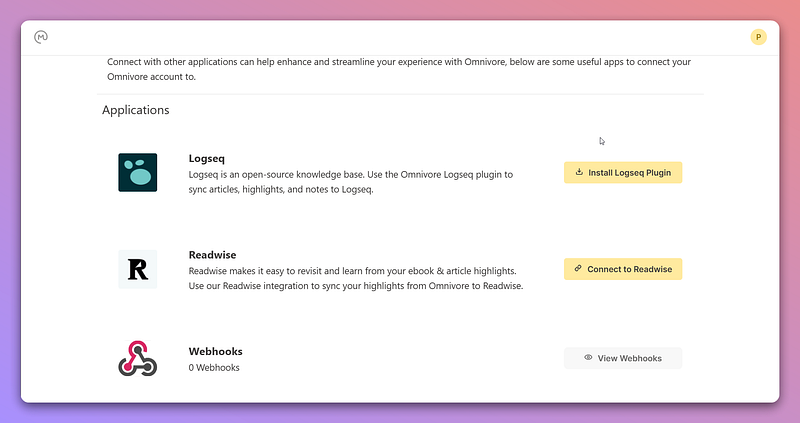
Furthermore, Omnivore extends its compatibility to other tools like Logseq and Readwise for better integration with your favorite second brain tool.
Text-to-Speech
Omnivore’s text-to-speech is another plus. With natural and realistic AI voice, you can enjoy your material even when you’re unable to focus on the text such as during commutes, or while multi-tasking.
Currently, this feature is only available for iOS devices. Android support is in development.
Powerful Keyboard Commands
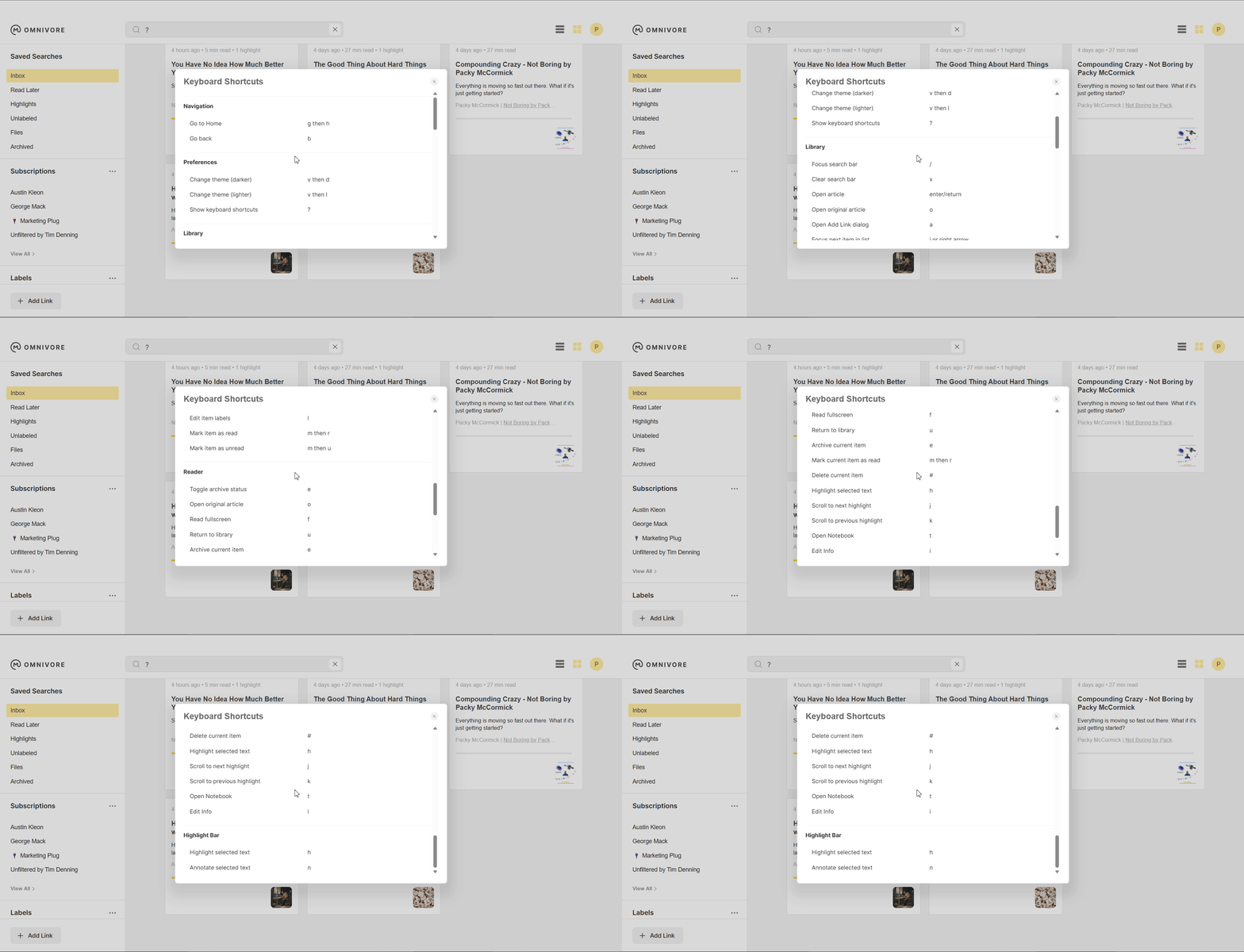
For those who prefer using Omnivore on their computers, the app offers a selection of powerful keyboard commands that enable you to access all major functionalities without lifting a finger.
This streamlined approach to navigation allows you to efficiently browse and manage your library, ensuring a seamless reading experience.
Privacy-focused & Open-source
While privacy and transparency might not be top priorities for everyone, many users highly value these aspects when choosing a read-later app. Omnivore checks this option too, as it is both open-source and privacy-focused.
Moreover, Omnivore offers the option to self-host the app, giving users even greater control over their data and privacy. This flexibility and transparency differentiate Omnivore from other read-later apps.
Free Forever Plan
You get all of these features without any financial commitment, forever. But if you want to support them in building a product you care about, you can sponsor them.
In a recent Reddit post, the Omnivore team shared their plans to keep all basic features available on the free plan. They also mentioned the introduction of a paid plan for users interested in additional features, such as collaboration, AI capabilities, and premium text-to-speech options.
This is a huge plus point when compared to competitors like Pocket, Instapaper, Readwise, Matter, and other similar tools.
The Bottomline
Omnivore’s minimalistic reading experience is something you have to check out. It is the best read-later app out there. It’s no wonder why it has become a favorite app among avid readers.


