avatarCA Amit Singh

Summary

The undefined website provides a step-by-step guide on how to install the Ollama Windows Preview for running large language models on Windows 10/11, along with links to the GitHub repository, website, Docker images, and libraries for Python and JavaScript.

Abstract

The undefined website's content is focused on instructing users on installing the Ollama Windows Preview, which is a tool designed to facilitate the execution of large language models on Windows 10 and 11 operating systems. It begins by directing users to the official GitHub repository where they can find the installer. The guide then walks through seven detailed steps, complete with screenshots, from downloading the installer to verifying the successful operation of Ollama on the local machine by accessing localhost:11434. Additionally, the website provides access to Ollama's Docker images, Python and JavaScript libraries, and a models library. The article concludes with a recommendation for an AI service, ZAI.chat, positioned as a cost-effective alternative to ChatGPT Plus (GPT-4).

Opinions

  • The author assumes familiarity with using command-line interfaces and Docker, as they provide links to resources without elaborating on their use.
  • The recommendation for ZAI.chat as an AI service suggests the author's endorsement of its value proposition compared to more expensive alternatives like ChatGPT Plus.
  • The inclusion of a YouTube video implies that visual aids are considered beneficial for understanding the installation process.
  • The article's tone suggests that the installation process is straightforward and user-friendly, suitable for individuals with basic technical skills.
  • By providing multiple resource links, the author conveys a commitment to comprehensive support for users engaging with Ollama.

Ollama Windows preview : How to Install Ollama Windows Preview to run Large Language Models on Windows 10/11

Learn to Install Ollama Windows Preview on Windows 10/11

Where I can find the Github Repository?

Here is Github repository link

Where I can find website?

Here is Website link

Where I can find Docker Images?

Here is link for Docker hub Images

Where I can find detail about Ollama python Library details?

Here is link for Ollama-Python

Where I can find link for Ollama Javascript Library?

Here is link for Ollama Javascript Library

Where is Ollama Models Library?

Here is link for Ollama Models library.

How to Install Ollama Windows preview in Windows 10/11

Step 01: Visit the Ollama Github Repository and click on Ollama Windows Preview

Step 02: Double click on Installer in folder where you have downloaded the installer.
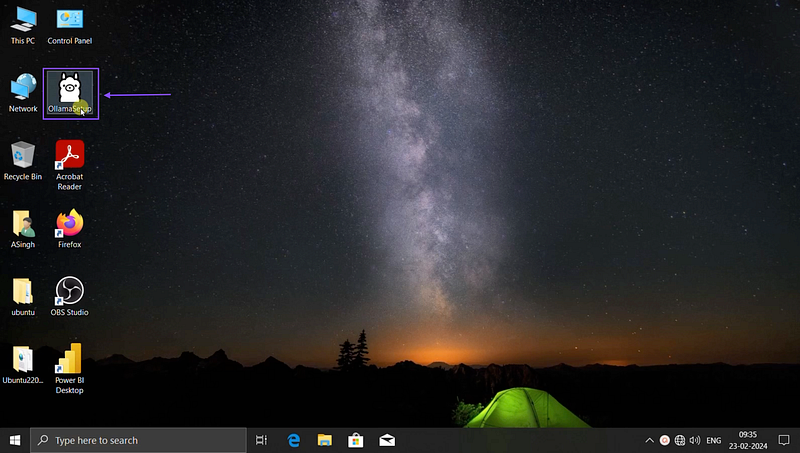
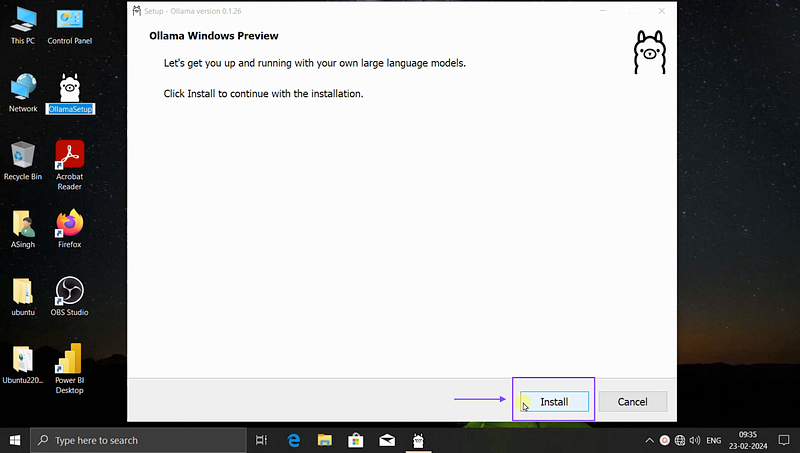
Step 03: Click on Install and proceed further.
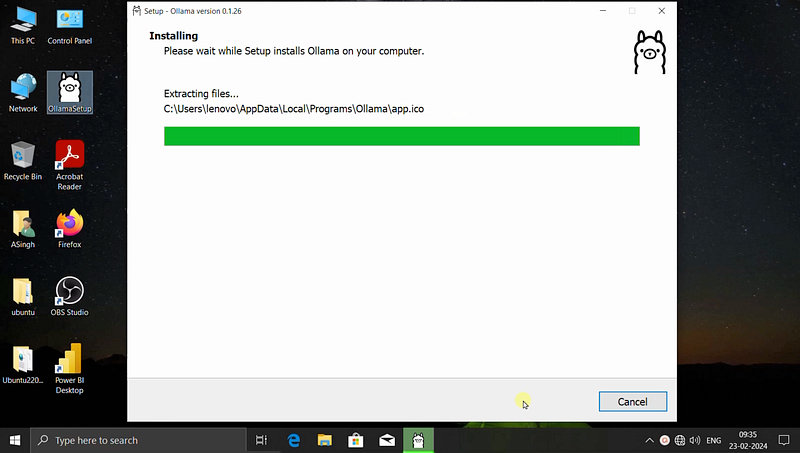
Step 04: It will take few minutes to Install, Kindly note that it will not give finish button and after installion this screen will disappear.
Step 05: Open CMD in windows and type Ollama help to see if installation is ok.

Step 06: Now open the browser and type localhost:11434 to check is Ollama is up and running or not.
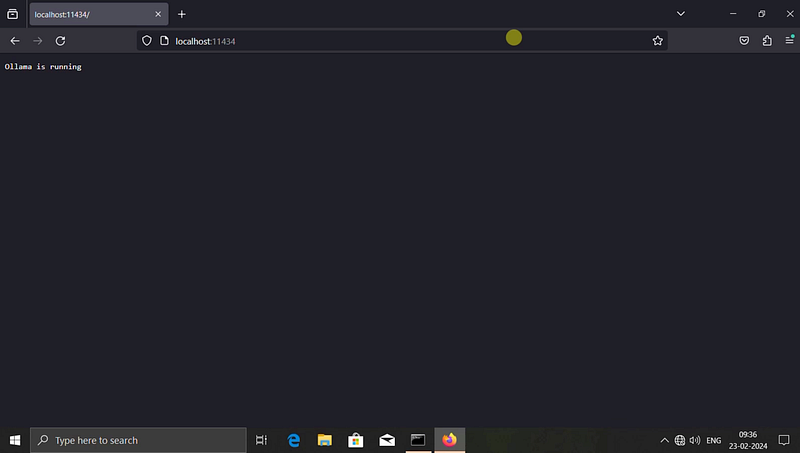
Step 07: Now Ollama is up and running, you can type ollama run phi or ollama run starcoder or ollama run llama2 to download the models and start asking questions in terminal.

Ollama
Ollama Windows
Large Language Models
Open Source
Ai Assistant
Recommended from ReadMedium