
Obsidian Showcases: Movie Catalogue, Sticky Notes, Homepage, & More
New setups and showcases to inspire you
Welcome to another edition of the Obsidian Community Plugin series. Here, we bring you the newest and most useful plugins for the Obsidian.
As the Obsidian community continues to expand, new plugins are constantly being developed, adding to the tool’s already impressive functionality.
In this article, we will be highlighting some of the latest and most noteworthy plugins added to Obsidian. So, let’s jump right in and explore the new & useful Obsdian plugin.
Movie catalogue
This is a showcase shared by Massimo.
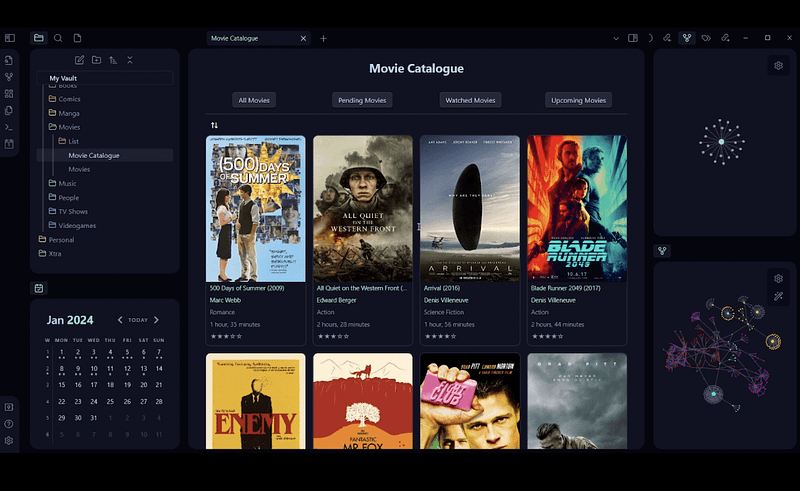
This is a movie database created with Dataview and Minimal theme’s cards CSS.
I’ve shared this previously as well. But this is a little advanced version of what I shared.
In this setup, you have a top header that allows you to easily switch different views.
In this showcase, you can easily navigate between the views: All Movies, Pending Movies, Watched Movies, and Upcoming Movies.
The creator shared he replaced the Obsidian buttons plugin’s “Replace” function with templates for each dataview query. And the buttons are lined up with Obsidian columns.
You can watch the video of the setup, it's really cool.
Note gallery with Buttons
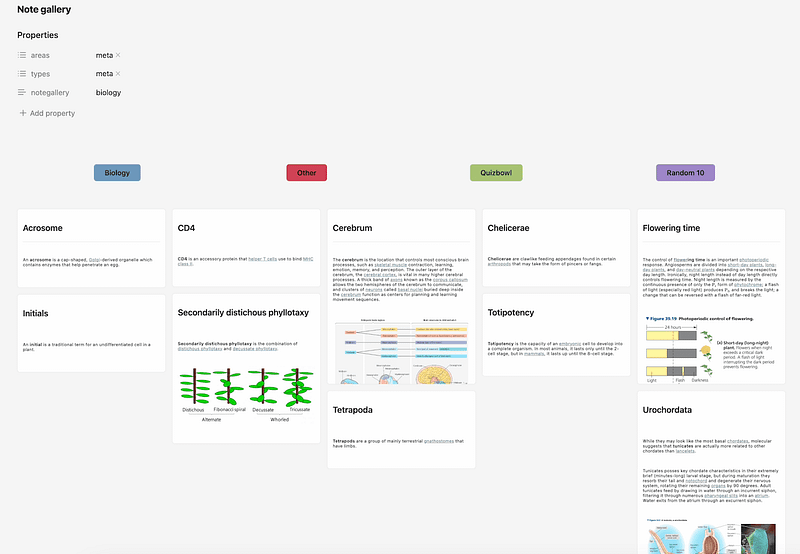
This showcase is shared by ᳆᳇᳅. Don’t even know what the username means. But this is a great one.
This is similar to the one I shared above. But uses the note gallery plugin to display notes in a single view instead of the dataview plugin.
Sticky Note Callout
This is a showcase shared by Daniel Hansen.
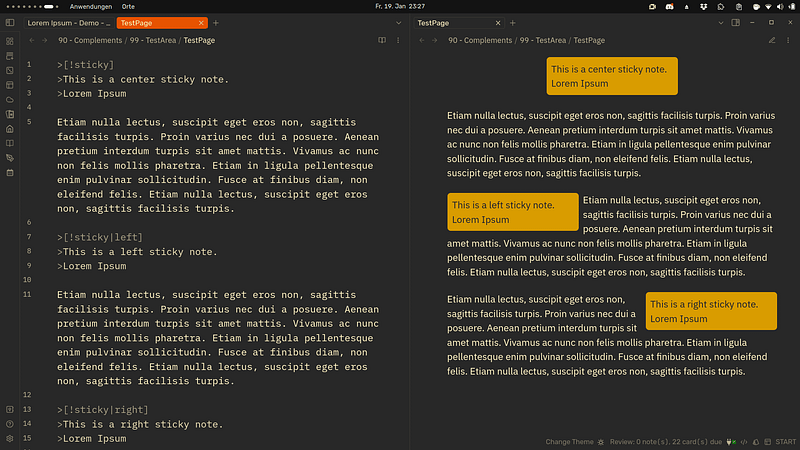
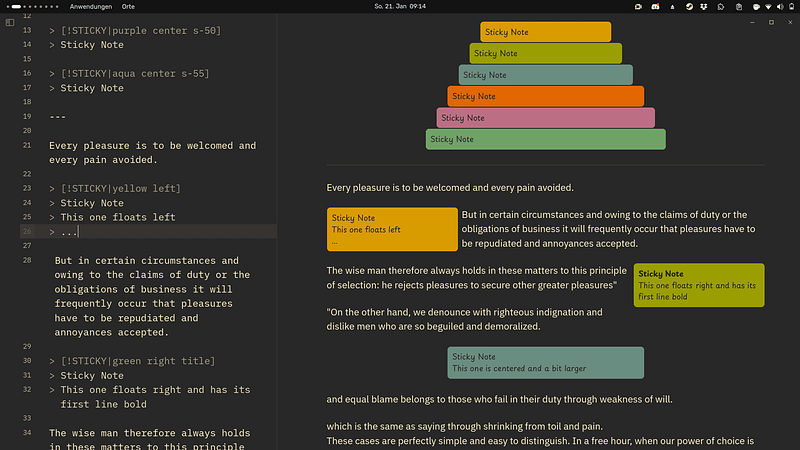
This is nothing new. It’s just a customized callout. With this callout, you’ll be able to place a section to the right or left of your notes.
> [!STICKY|yellow left]
> Sticky Note
> This one floats left

---
> [!STICKY|green right title]
> Sticky Note
> This one floats right and has its first line bold
Initially, the user derived this custom CSS from ITS callout CSS
It can be useful in multiple times.
Here’s a link to the GitHub repo, in case you want this custom callout CSS.
NovaDust Theme
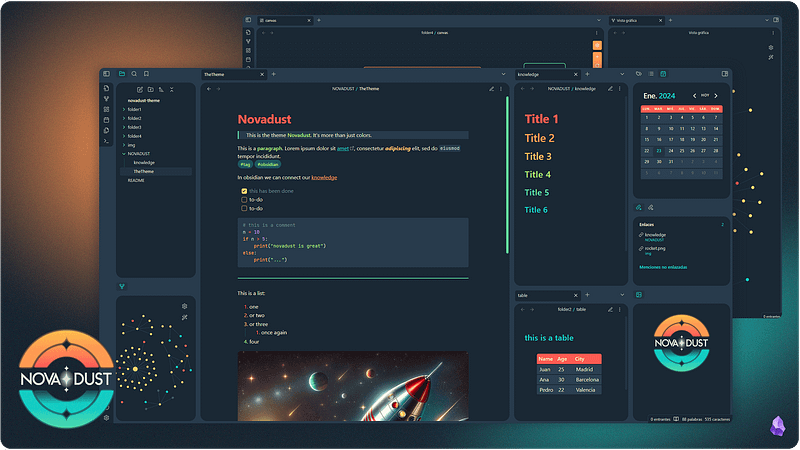
This is a new theme by MartaM. I don’t talk about themes a lot in this series. But I love this.
Color Palettes, cards layout view, tables, code blocks, are some appearance styles that stood out to me.
Dashboard Setup
This is a showcase shared by HiroMike.
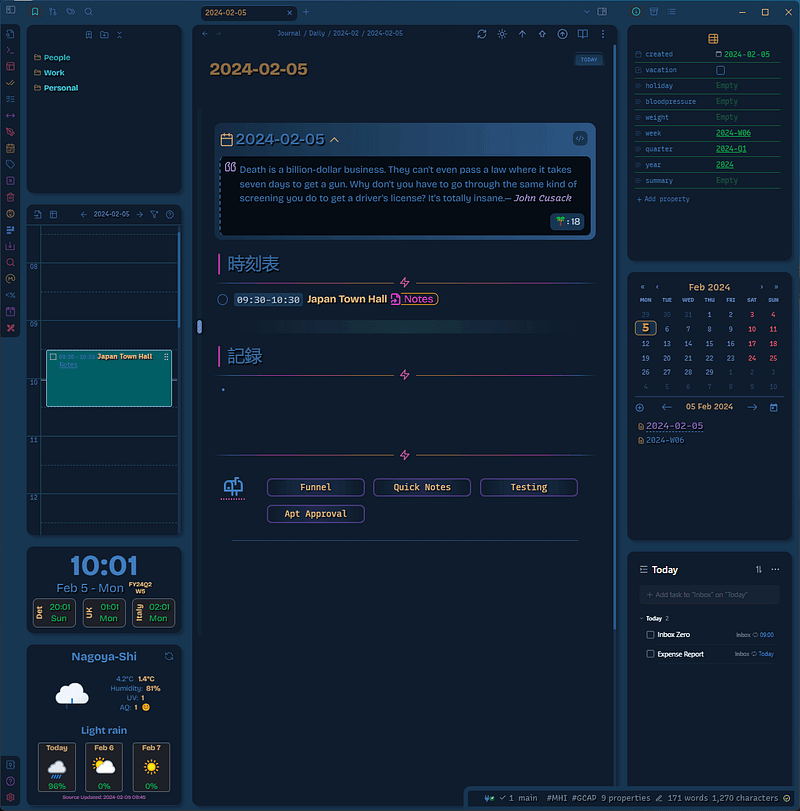
This is a showcase of his daily note with a thoughtful quote on the top. He shared he uses Espanso to fill out the meeting time duration and topic.
On the left sidebar, we have bookmarks, then a daily timeline view(probably a time ruler plugin), followed by some weather widgets.
On the right, we have file properties view, calendar, and ticktick tasks embedded with custom frames.
Profile Note
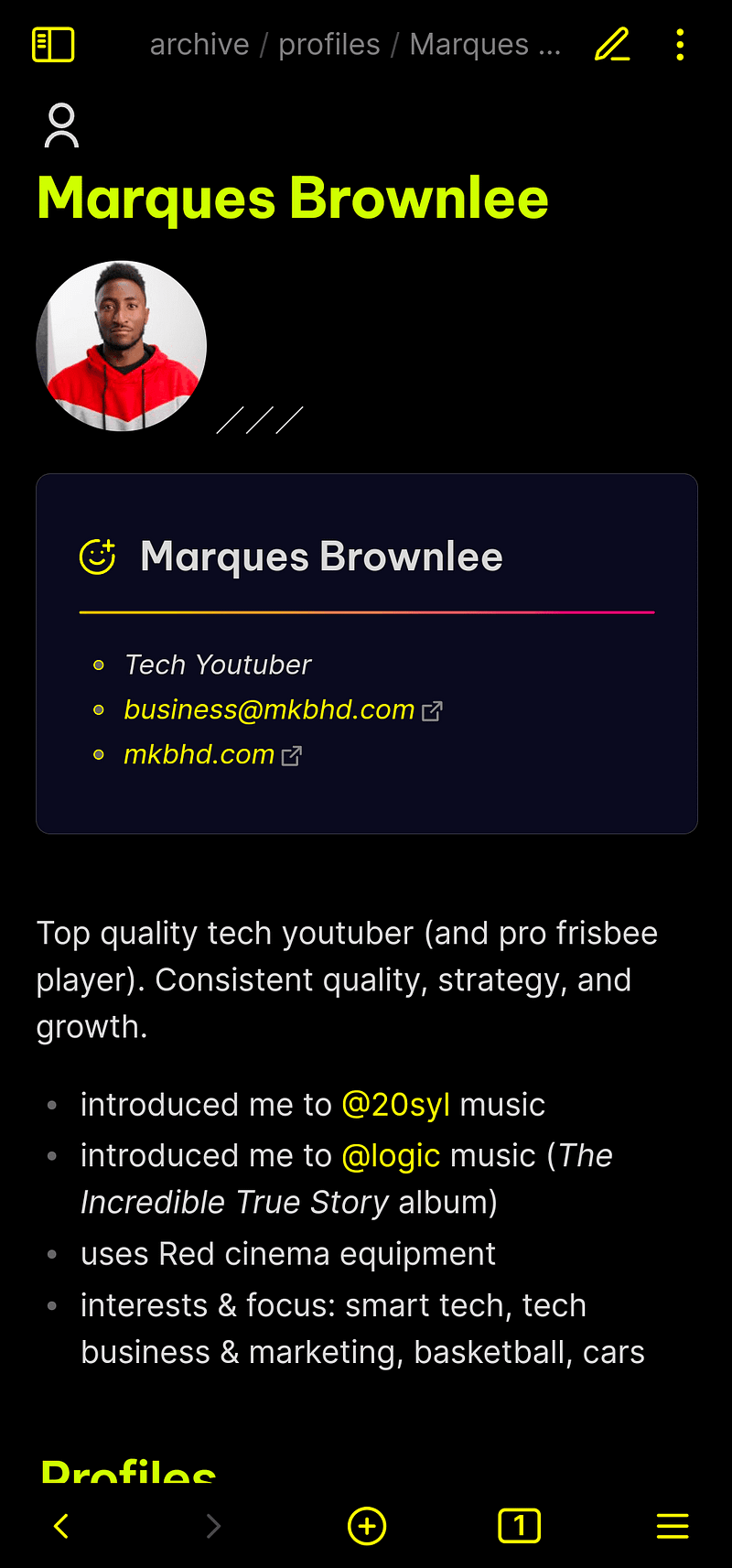
This is a showcase shared by Oddward.
You can use this. as a people note template or something similar.
Calendar Callout
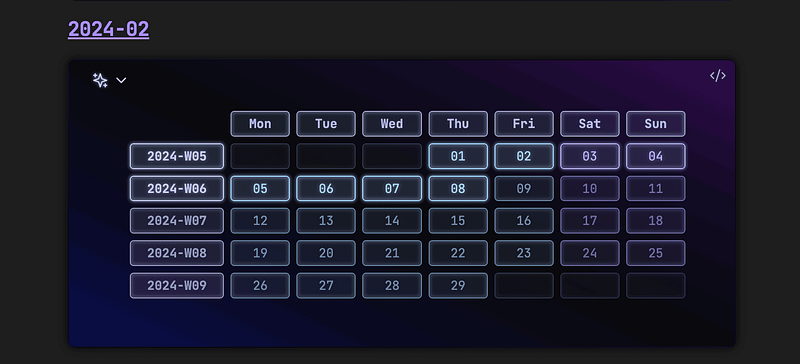
This is a calendar callout showcase shared by Pch.
You can navigate to all of your weekly and daily notes using this callout. You can also do a similar thing using the calendar plugin btw.
If you enable the option to show week numbers in the plugin’s settings, you are good to go.
Vault Visualizer Concept
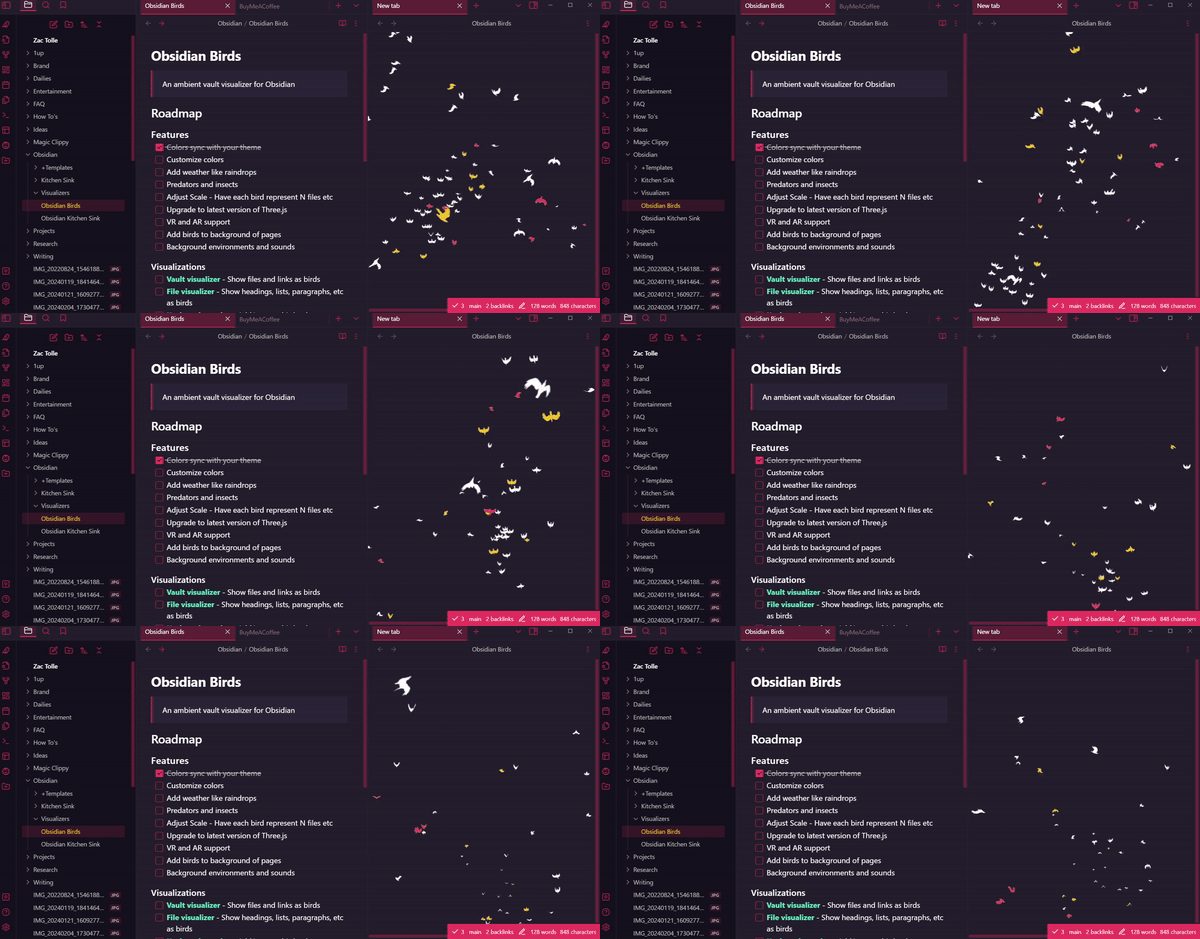
This is a showcase shared by tollezac.
This is a concept of visualizing your vault. Each page here is a page, attachment, or unresolved link. Just like in the graph view but with the birds moving around.
Cool to play around in break time.
Home Note Setup
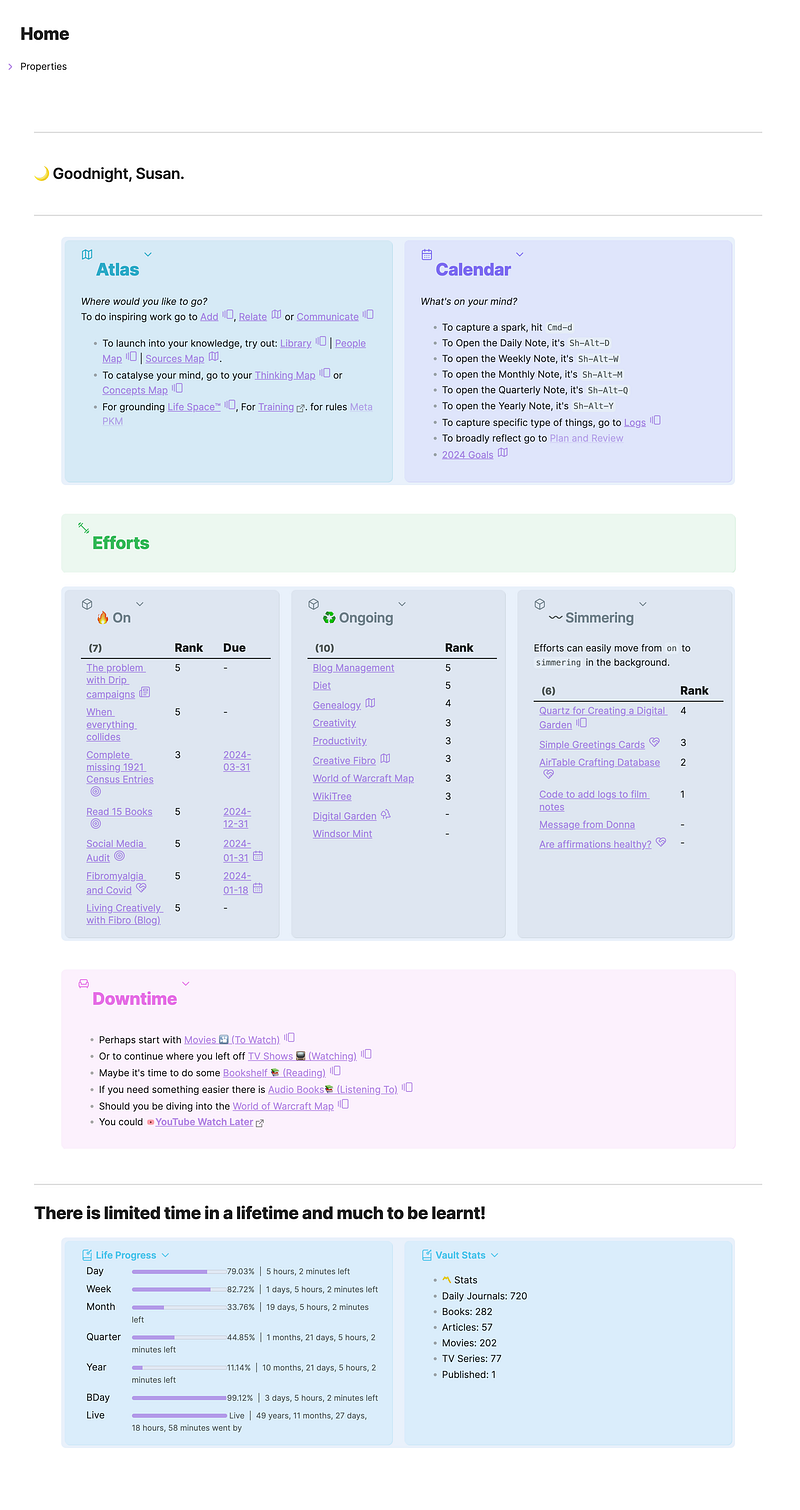
This is a showcase shared by Susan Pearson.
A beautifully crafted home note with multiple columns. The multi-column layout is possible in Obsidian with a few CSS tweaks. MCL is a popular one.
I created a similar setup a while back. Not exactly the same but it also has the multi-columns, you can check it out.
That’s all for this edition of Obsidian showcases.
If you enjoyed the article, you’d love Obsidian Ninja.


