
Obsidian Plugins Review — 46
Elevate Your Obsidian Experience: Discover the Best New Plugins for Enhanced Note-Taking and Boost Productivity

In this Obsidian Plugins Review, we delve into a curated selection of the newest plugins that promise to revolutionize your note-taking experience. From seamless organization with Consecutive Lists to the convenience of Alt-Click to Copy, and from helpful hotkey with Keyshots to the integration of iCloud Contacts, these plugins offer a spectrum of functionalities tailored to elevate your workflow. Join us as we navigate through the realms of Dynamic Text Concealer, the revamped Timelines, Canvas Daily Note, Contribution Graph, Journals, and Seafile integration, uncovering how each plugin adds layers of versatility and efficiency to the Obsidian ecosystem. Whether you’re a seasoned user or just embarking on your Obsidian journey, prepare to be inspired by the possibilities that these innovative plugins bring to your digital workspace.
This week, in Obsidian Plugins Review:
- Consecutive Lists
- Alt-Click to Copy
- Keyshots
- iCloud Contacts
- Dynamic Text Concealer
- Timelines (Revamped)
- Canvas Daily Note
- Contribution Graph
- Journals
- Seafile
Consecutive Lists
This plugin modifies how lists are displayed in Obsidian’s reading mode. It changes list characters in consecutive lists for correct separation. The resulting markdown remains compatible with other parsers.
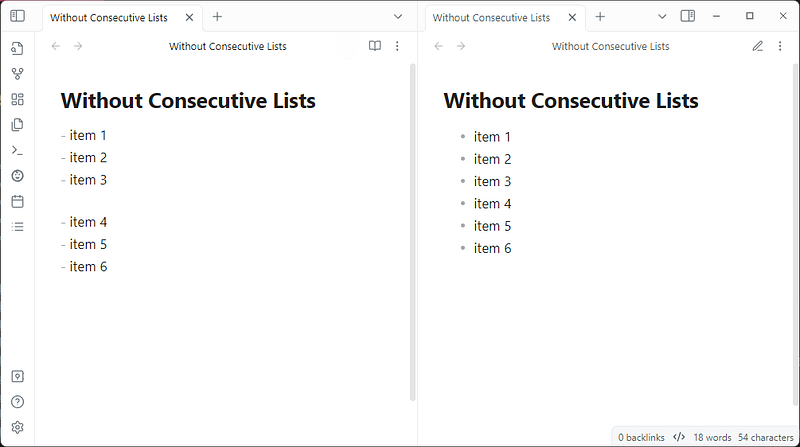
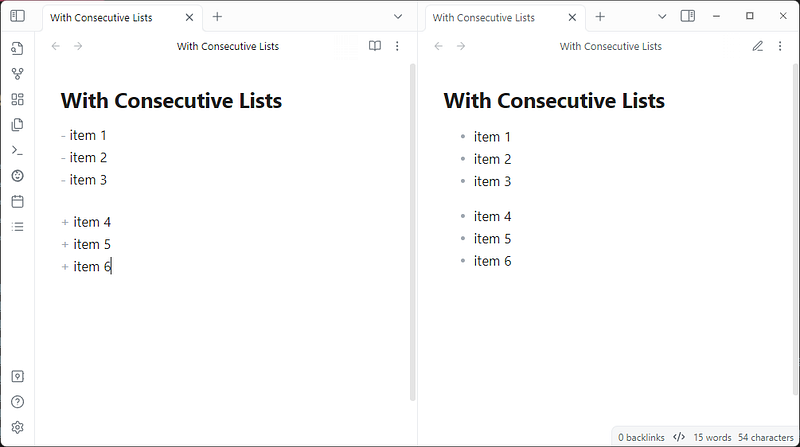
Notice, in the above image, that the plugin changed the list character for the second list, resulting in correct separation.
Alt-Click to Copy
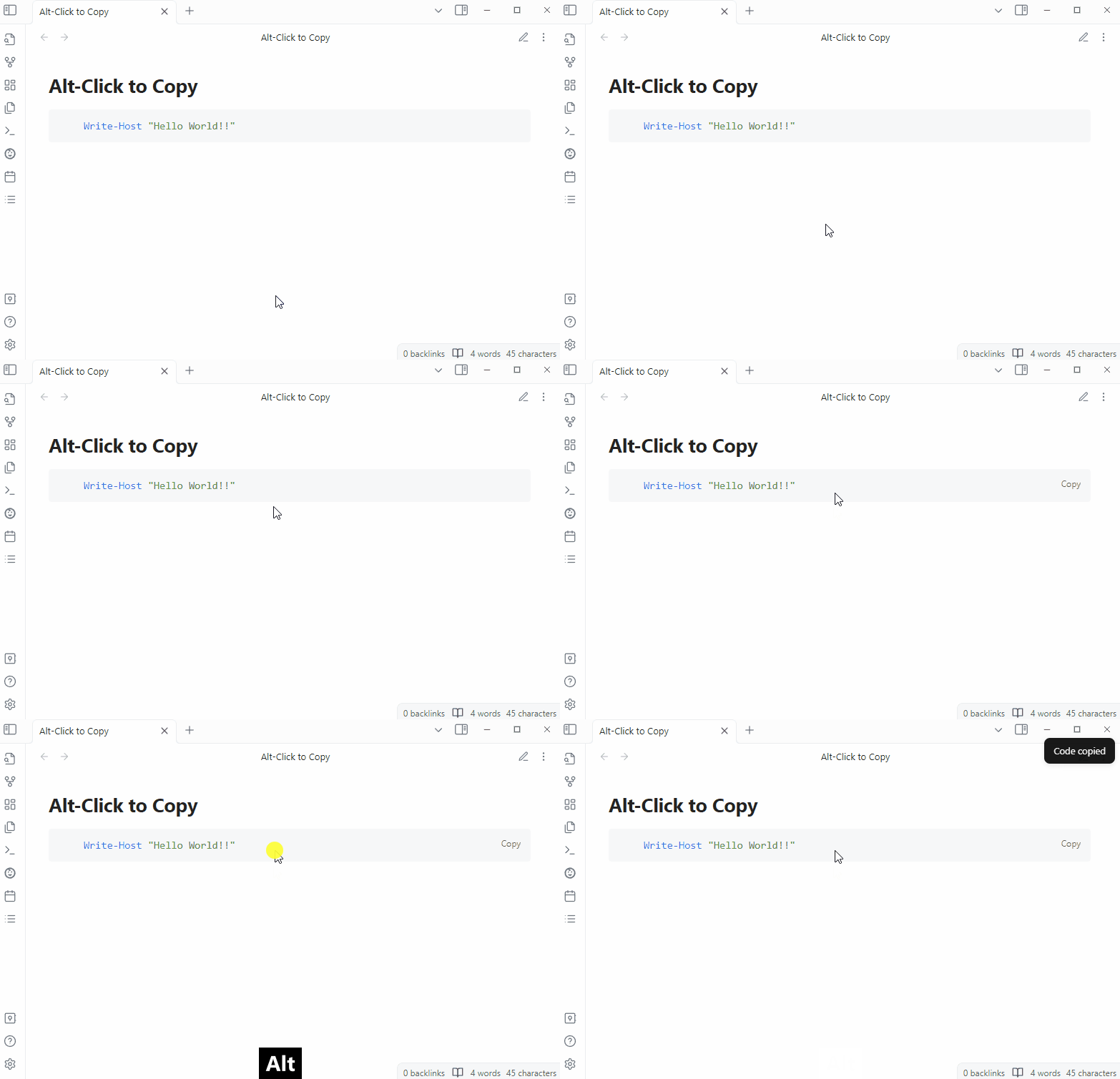
A simple plugin that allows users to copy data from codeblocks by using the alt-click shortcut. This function only works in the “reading view”.
Keyshots
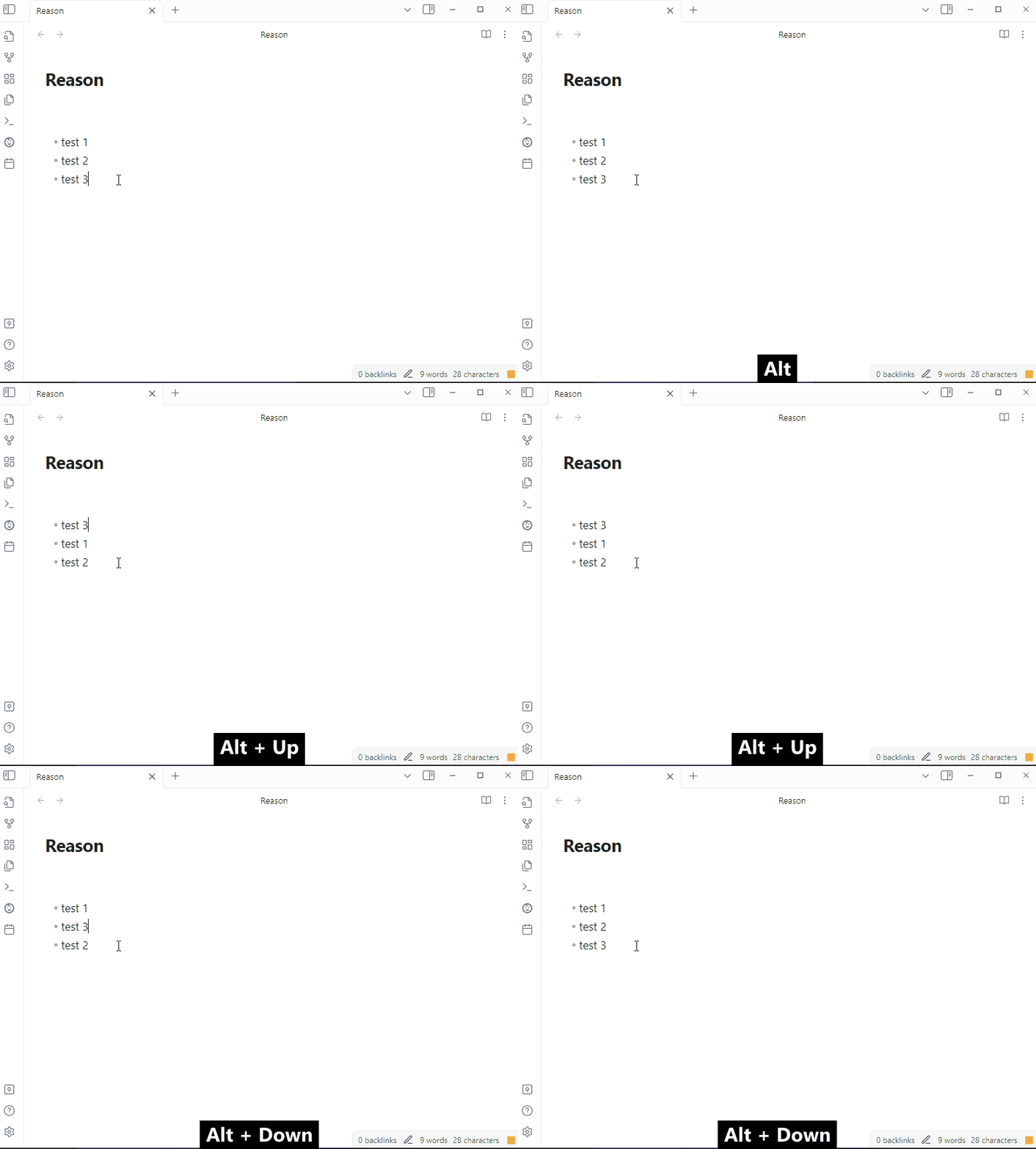
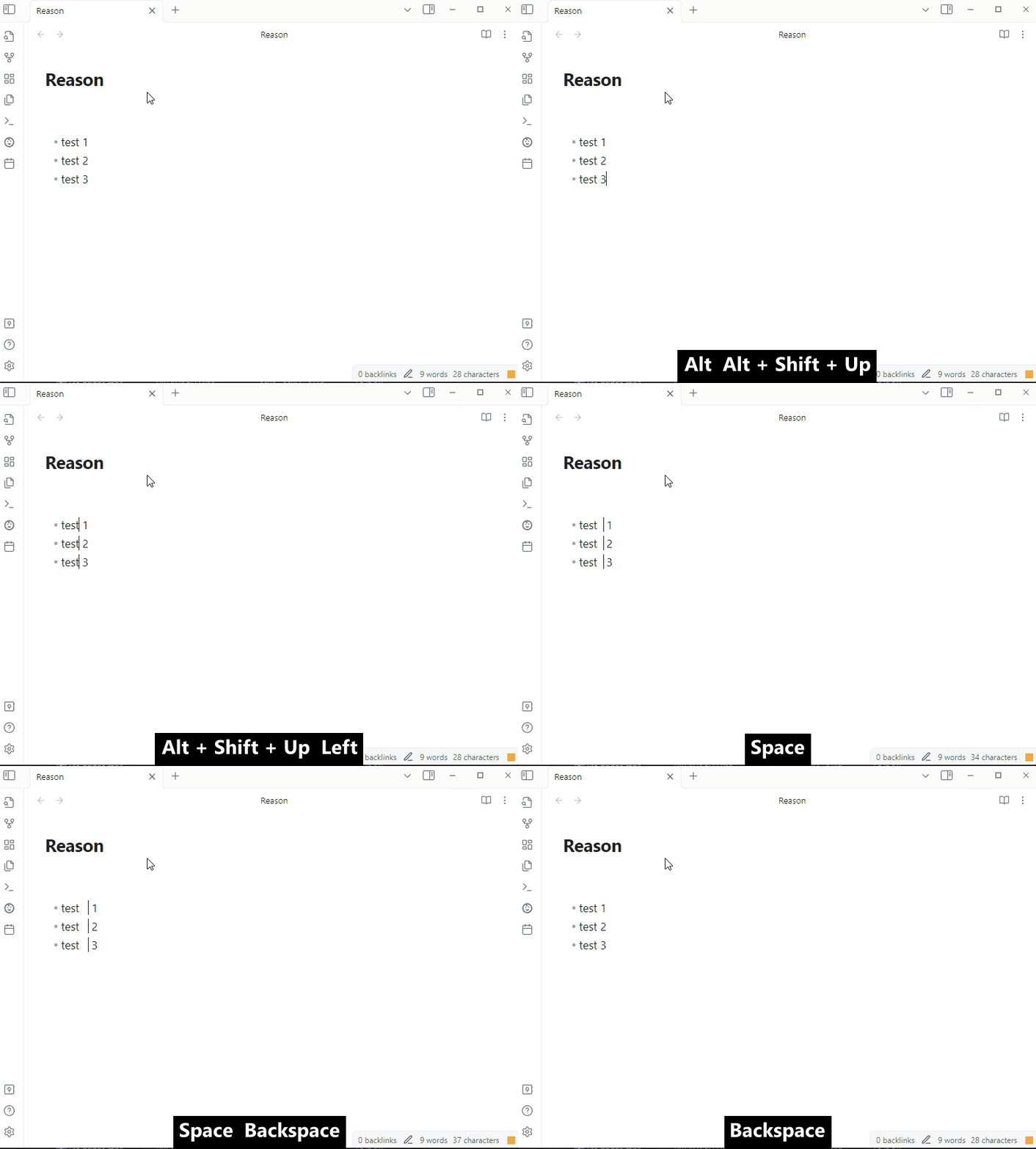
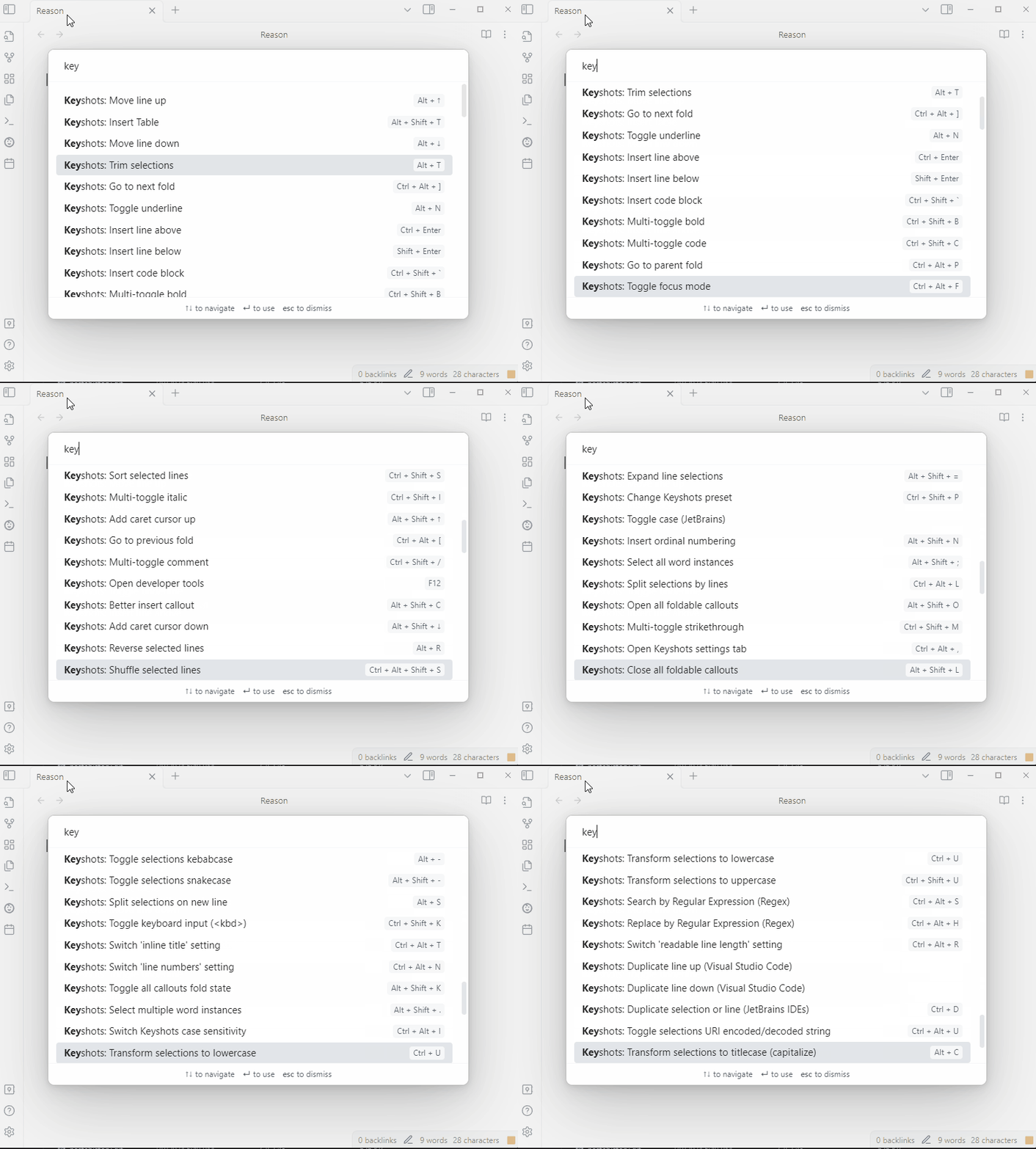
Keyshots is a plugin that adds popular IDE hotkey commands, such as move line up/down, insert lines, and toggle readable line length. Keyshots also provide double-key commands, which are actions performed after a specific key is pressed twice and can be enabled/disabled in settings.
iCloud Contacts
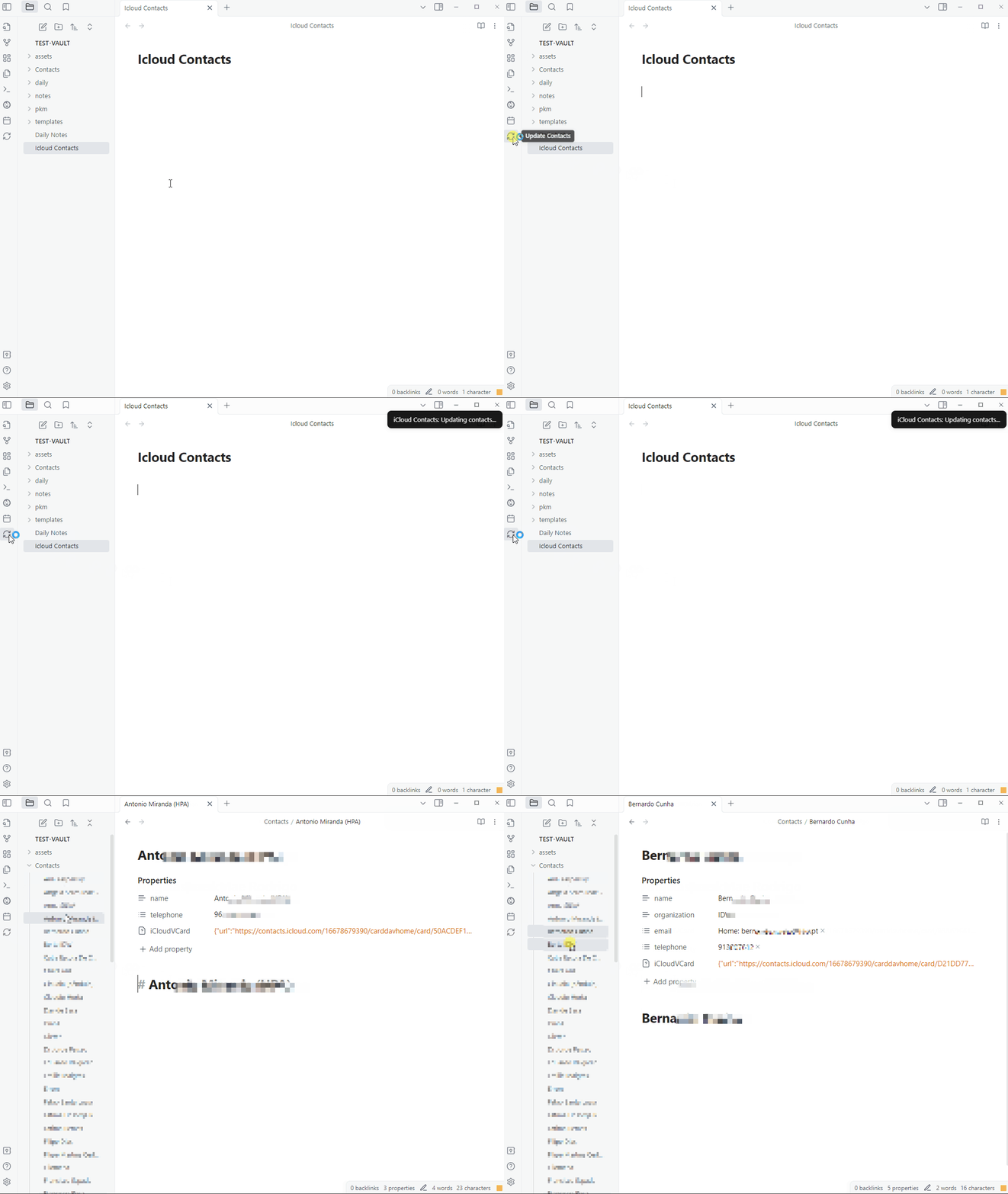
This plugin allows users to sync contacts from their iCloud account to a folder in their Obsidian vault.
Dynamic Text Concealer
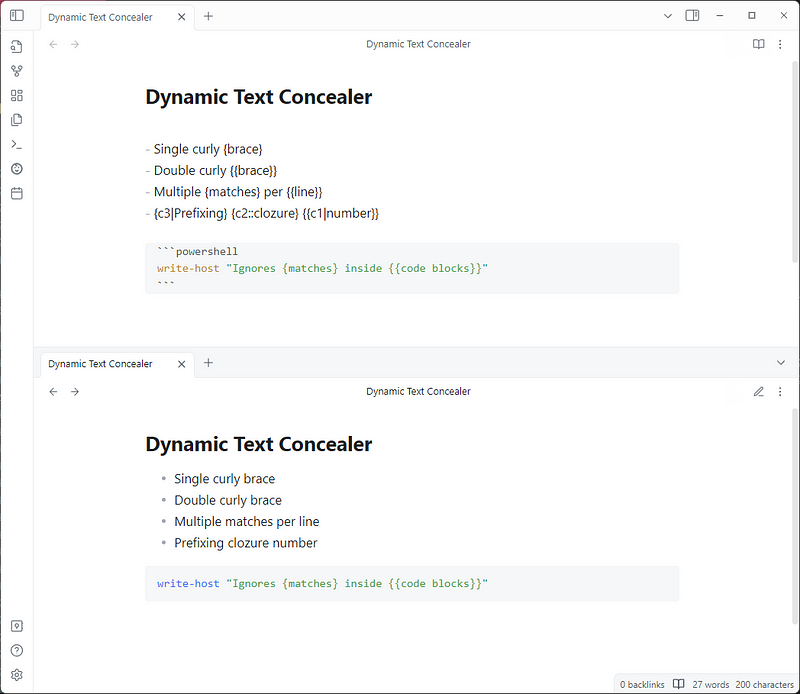
Dynamic Text Concealer allows users to hide specific text in their notes using custom regular expressions. It’s useful for concealing metadata used by other plugins. It supports both Live Preview and Read Mode.
Timelines (Revamped)
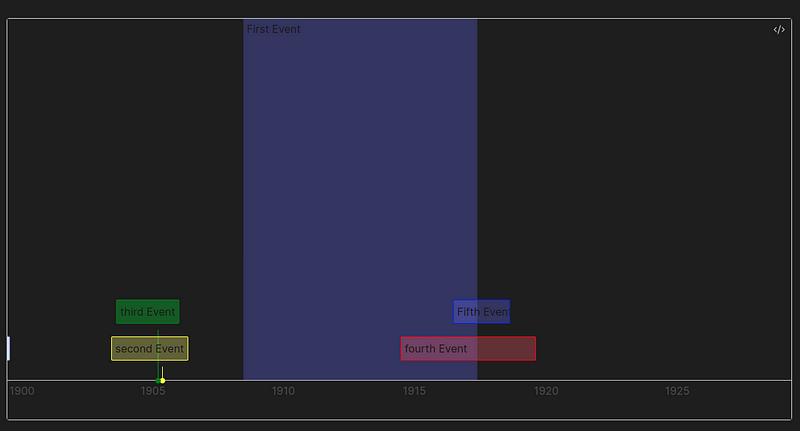
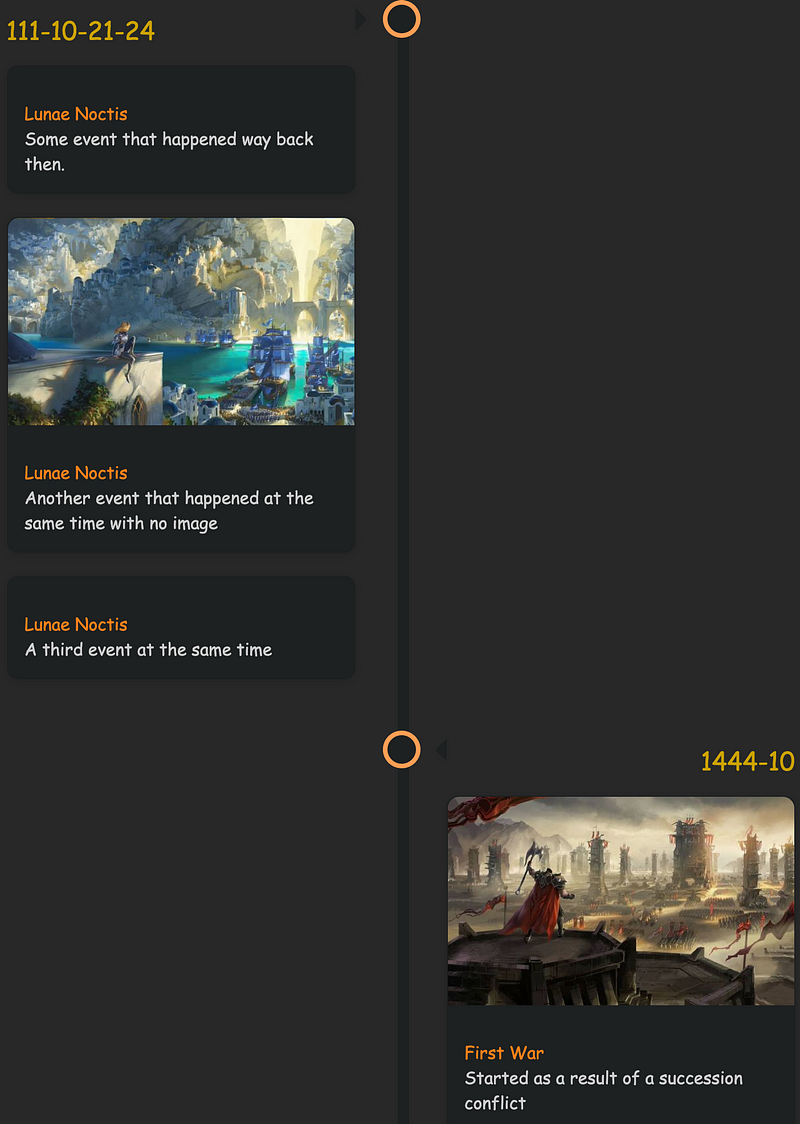
Timelines (Revamped) is a revised version of Darakah’s Timelines plugin. This plugin allows users to generate a timeline based on notes with specific tags, using a dynamic or static rendering method.
To include a note in a timeline, it must have the required tags and contain valid frontmatter or HTML tags. Timeline events must have a date, title, and other optional fields, with various ways to insert and customize events. Date formats are flexible, with customizable padding for event sorting, and date normalization for sorting even fantasy dates.
Canvas Daily Note
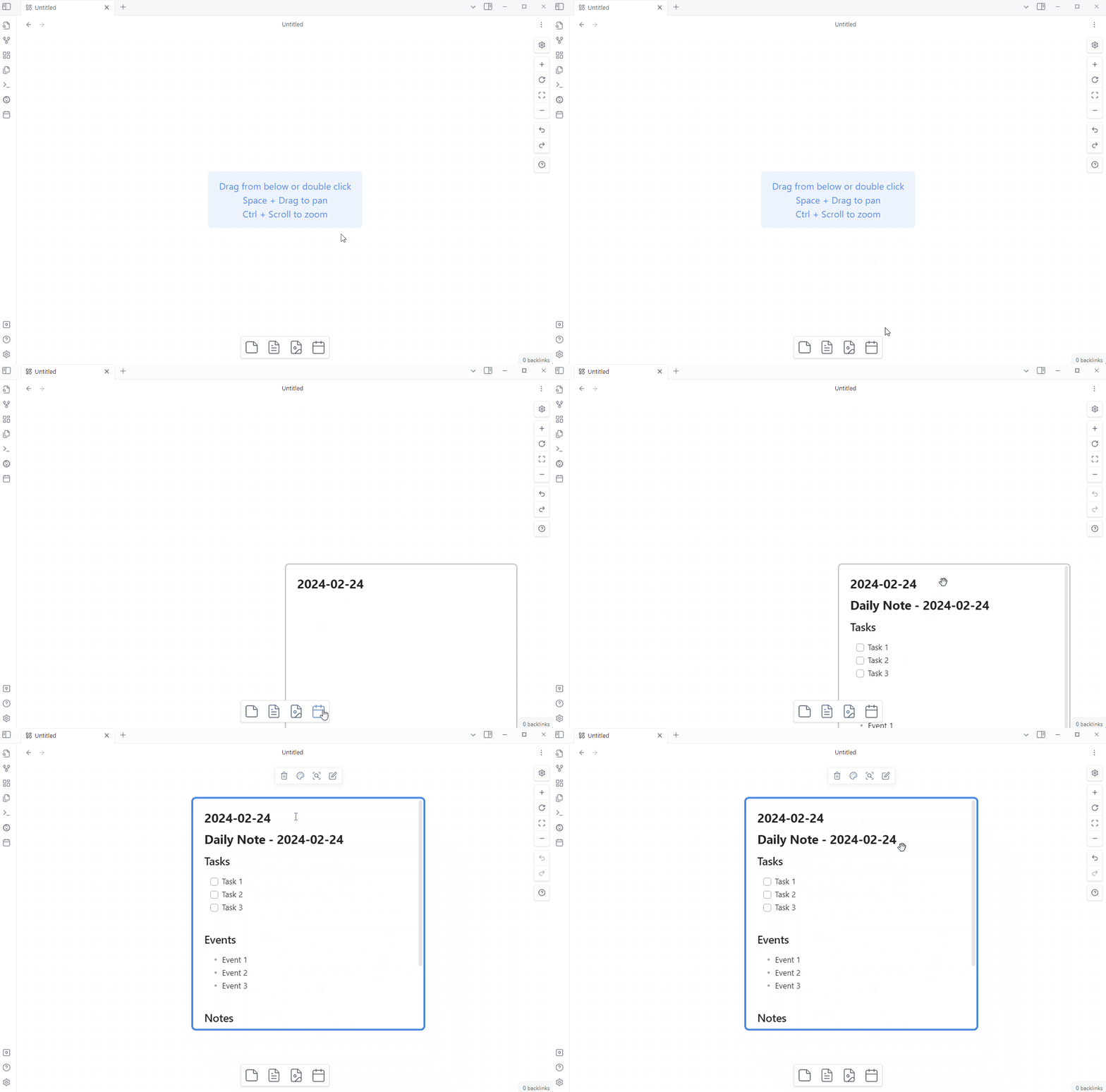
Canvas Daily Note is a plugin that adds a daily note node to the canvas. A new button is added to the canvas view; clicking it adds a new file node for the daily note. It automatically updates the daily note to today’s date when opening the canvas. Customization of the daily note node appearance is possible using CSS.
Contribution Graph
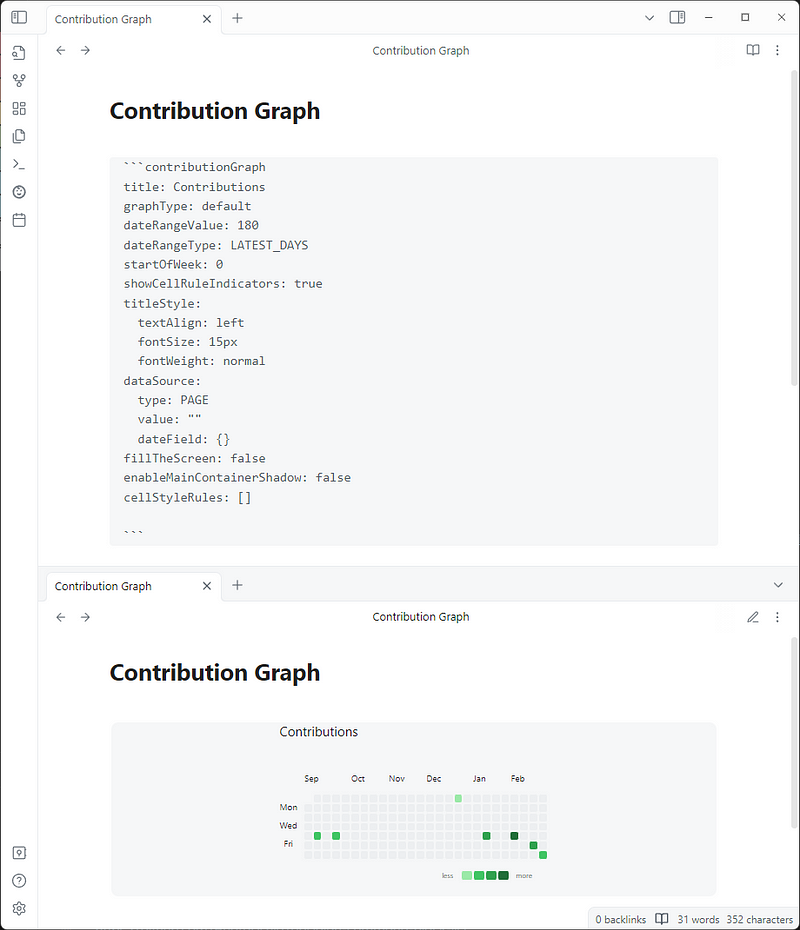
Contribution Graph allows users to generate interactive heatmap graphs. It can be used to track notes, habits, activity, and more. The graph can be easily modified by clicking the edit button at the top right corner. You can choose from Git Style graph, Monthly Track, or Calendar.
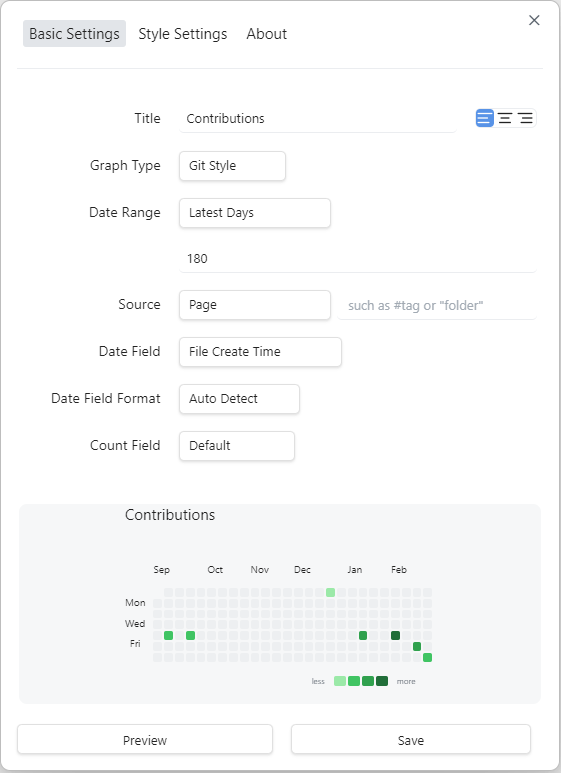
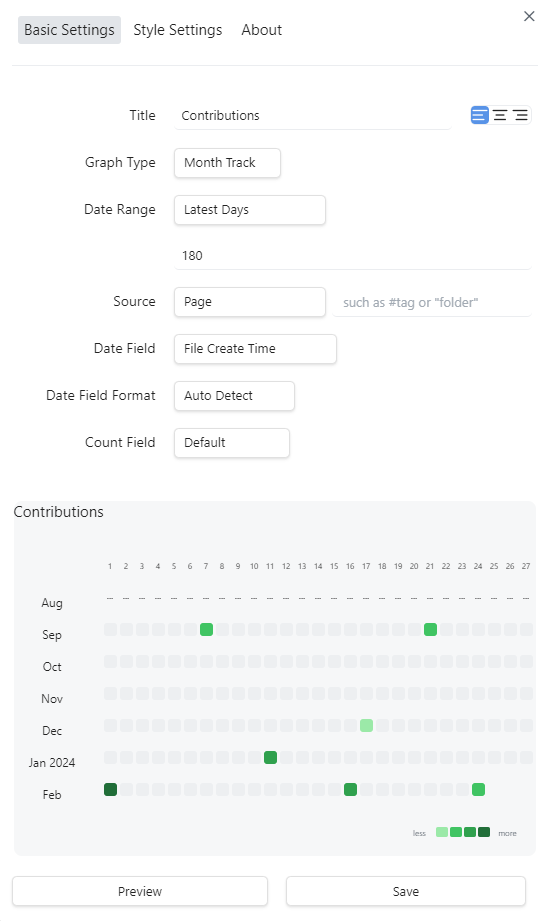
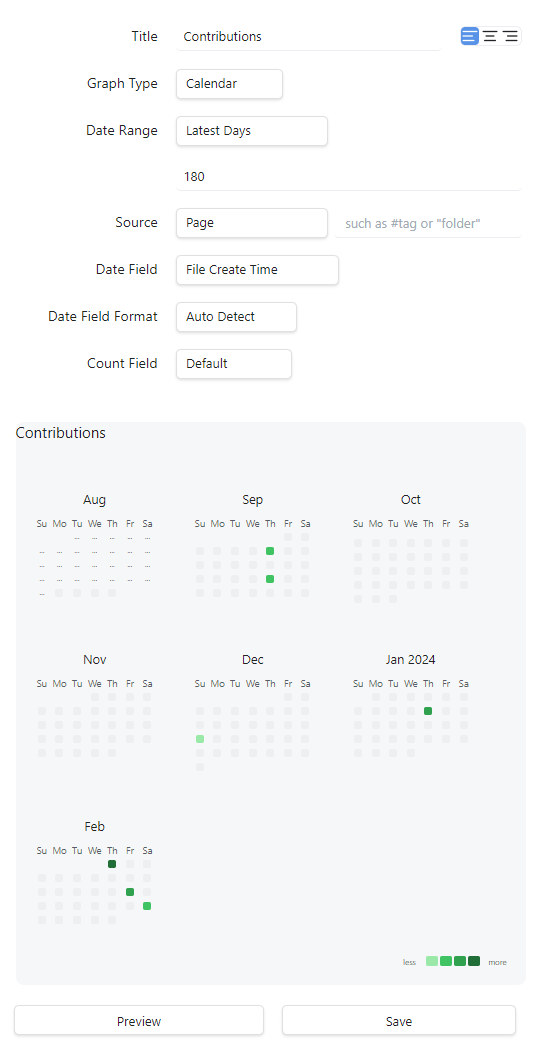
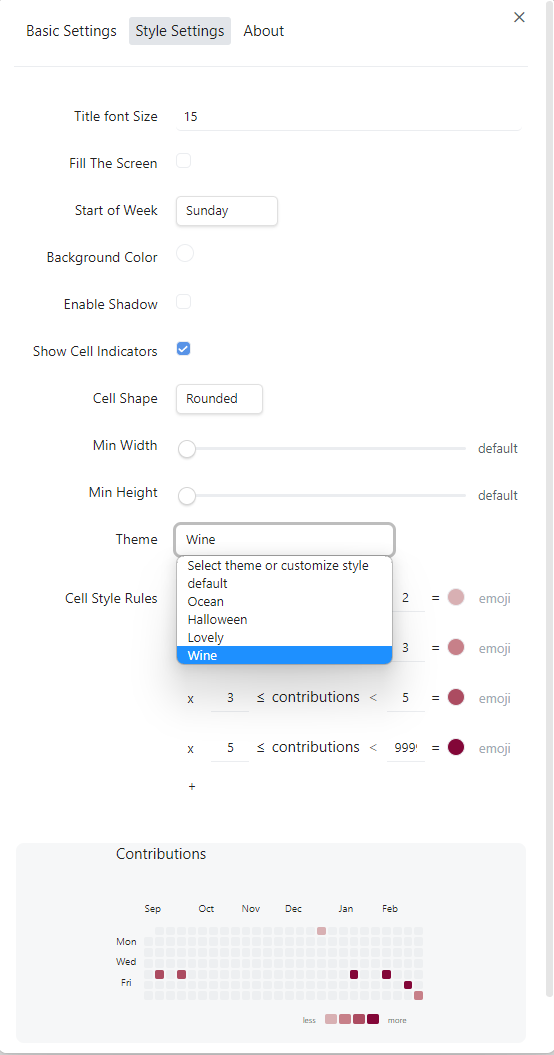
You can further customize your graph with font size, background color, shadow, cell indicator style and size, or a theme.
Journals
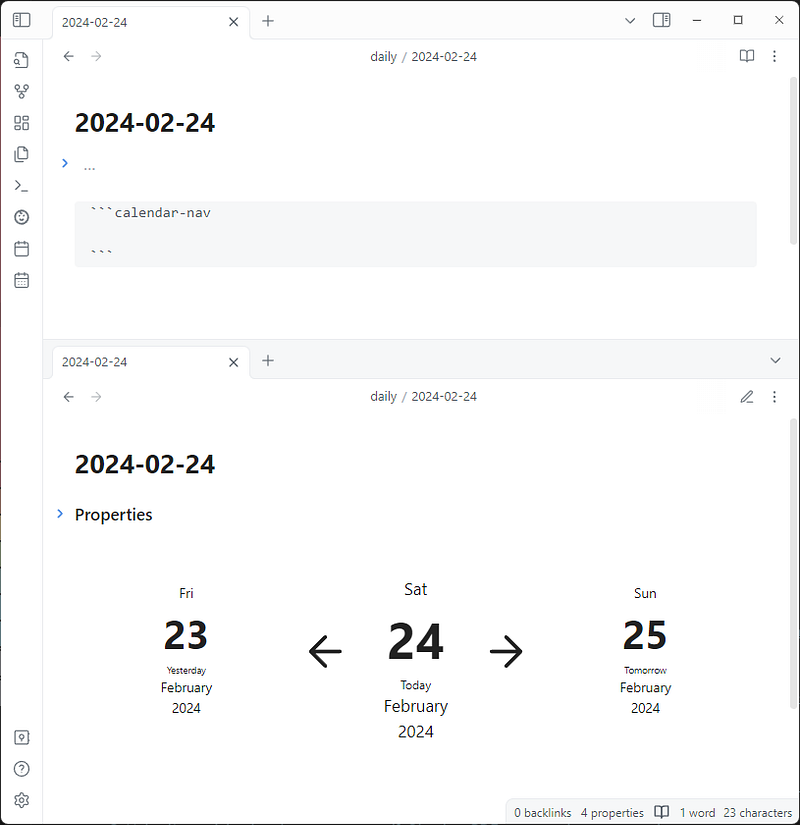
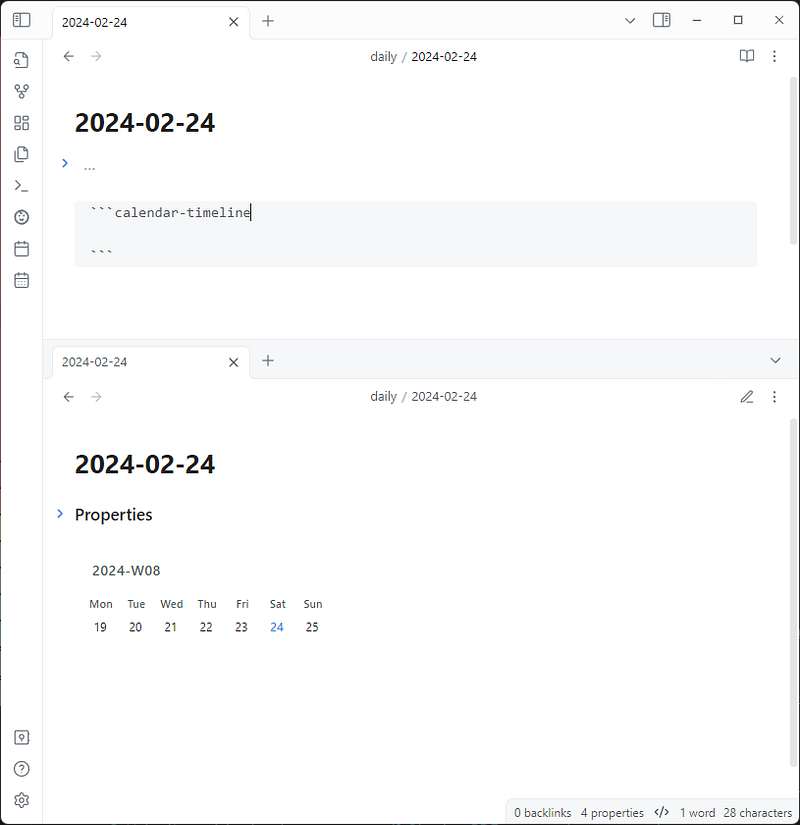
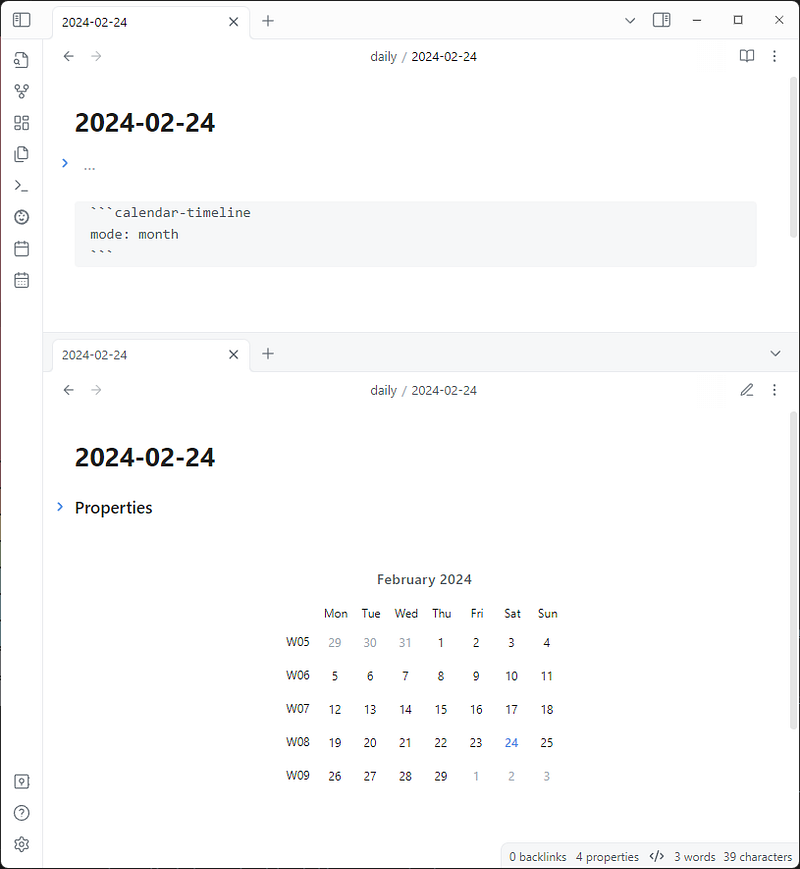
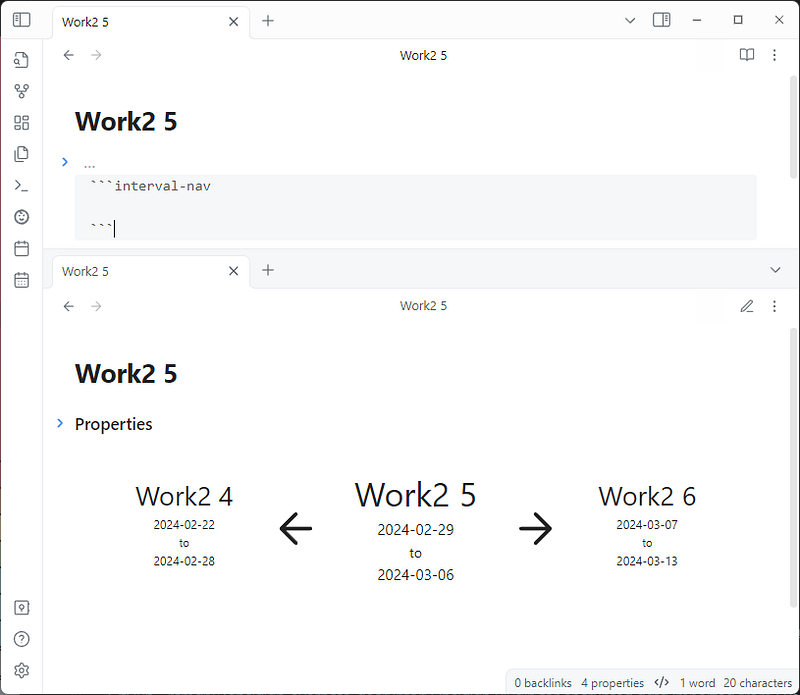
Journals helps users manage journals in their vault. Journals can be calendar-based journals (daily, weekly, monthly, quarterly, and yearly notes) or interval-based journals (like financial quarters or sprints). The plugin supports the use of variables in note names, storage paths, and template content. It also supports the use of navigation, interval, and timeline code blocks for easier navigation.
This plugin intends to be a replacement for Daily Notes core plugin, or Periodic Notes community plugin. It provides the following code blocks for easier navigation:
Seafile
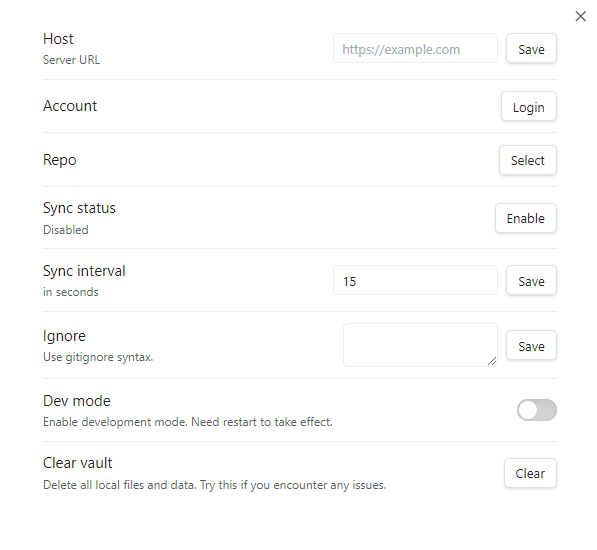
Seafile is a plugin for Obsidian that uses Seafile as a backend to synchronize notes across devices. Seafile is an open-source file sync and share platform, focusing on reliability and performance.
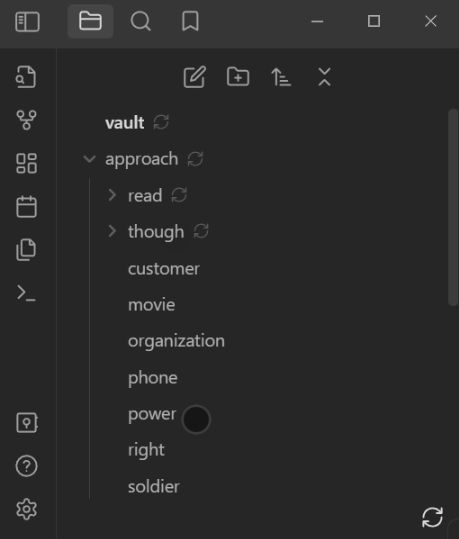
The syncing status for each individual file is displayed, with a sync icon in the bottom right corner of the File Explorer. Clicking the sync icon initiates the syncing process immediately, without waiting for the next interval.
You can read the previous Obsidian articles here:
Click here to be notified every time I publish a new story 😉.


