
Obsidian Plugins Review — 45
Elevate Your Obsidian Experience: Discover the Best New Plugins for Enhanced Note-Taking and Boost Productivity

Welcome to this week’s review of Obsidian plugins, where we explore a diverse range of tools designed to enhance your note-taking and knowledge management experience. In this edition, we delve into a selection of dynamic plugins that promise to streamline your workflow, boost productivity, and elevate your Obsidian usage to new heights.
From fine-tuning your font size with Font Size Adjuster to effortlessly managing timelines with Timeline Schedule, and from seamlessly switching between tasks states with Multi State CheckBox Switcher to transforming your YouTube consumption with Youtube Summarizer, this week’s lineup offers a plethora of functionalities catering to various needs and preferences.
Whether you’re seeking enhanced organization with Nested Daily Todos and Daily Note Creator, efficient information gathering with RSS Copyist, or a visually appealing interface with Beautitab, this diverse collection of plugins has something for everyone.
Join us as we explore the features, benefits, and potential applications of each plugin, empowering you to optimize your Obsidian workspace and revolutionize the way you interact with your notes and knowledge. Let’s dive in!
Font Size Adjuster
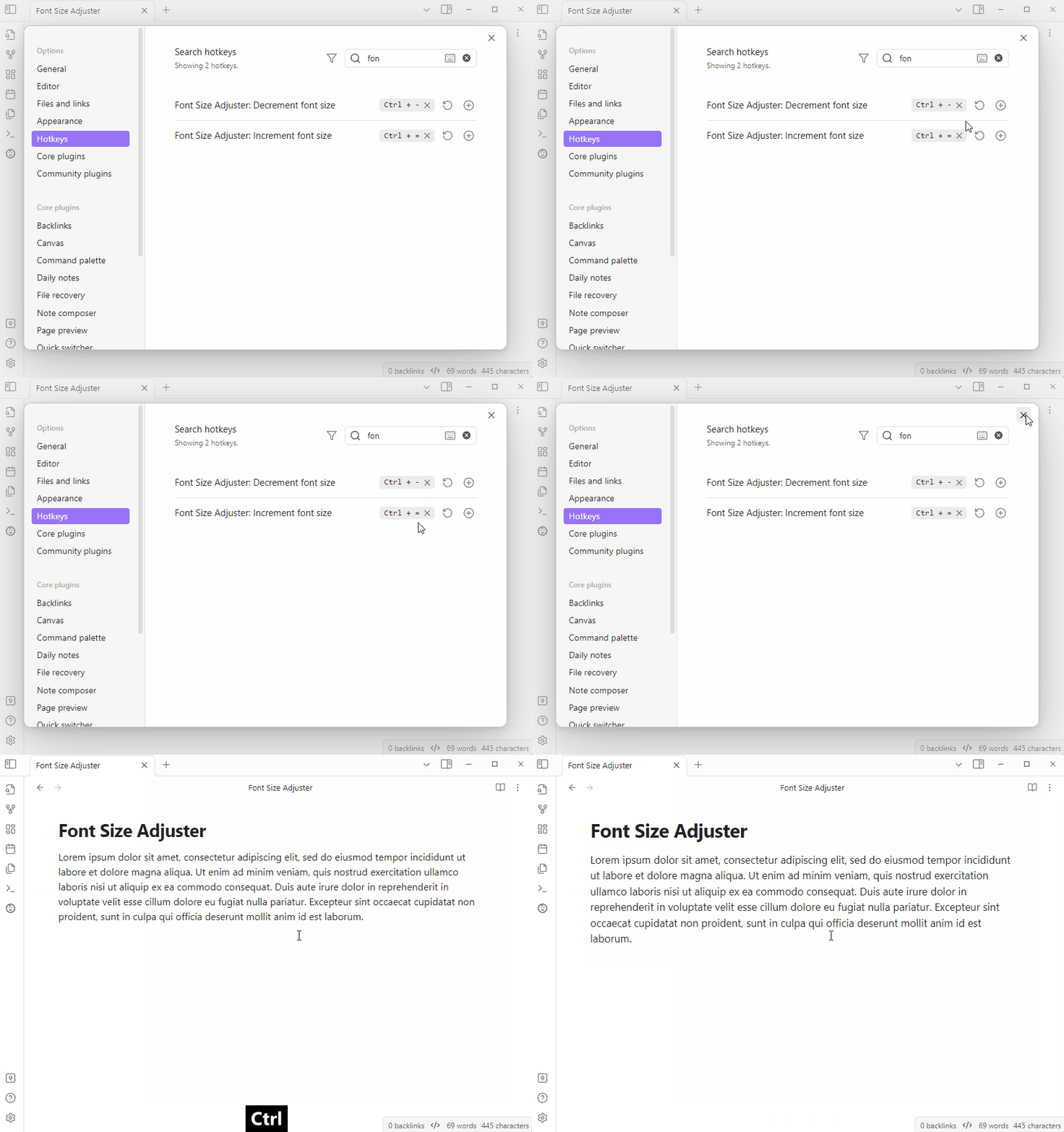
This plugin adds the Increment font size and Decrement font size commands, which allow you to adjust the font size from hotkeys or the command palette without opening the appearance settings.
Timeline Schedule
This plugin allows users to create inline timelines from human-readable time strings in a ```schedule codeblock.
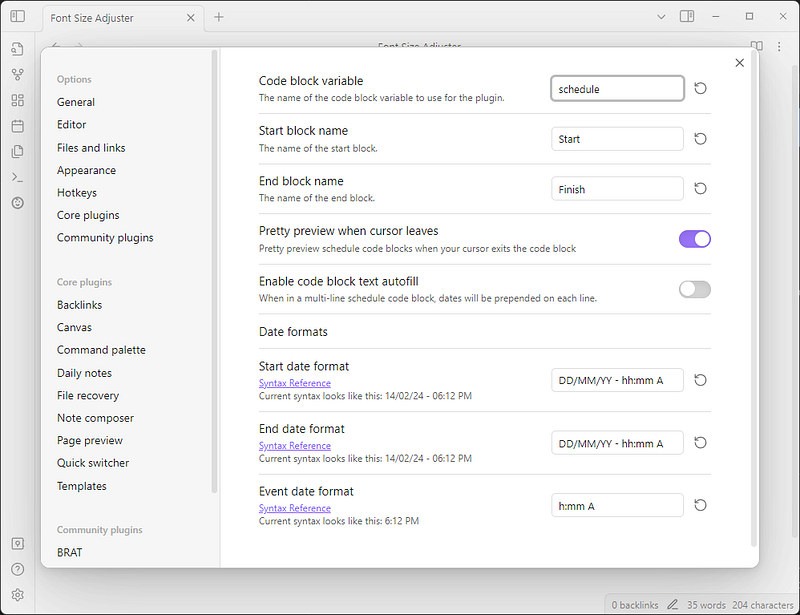
The plugin supports pretty preview, autofill, and custom formats for the start, finish, and event dates. Users can also change the name for Start and Finish blocks.
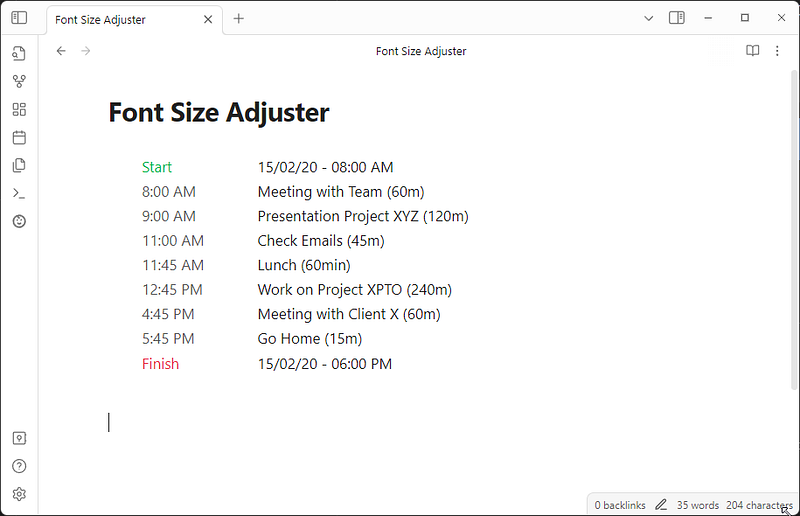
Here’s an example of a timeline created using the Obsidian Timeline Schedule plugin:
```schedule
Start 15/02/2024 - 08:00 AM
Meeting with Team (60m)
Presentation Project XYZ (120m)
Check Emails (45m)
Lunch (60min)
Work on Project XPTO (240m)
Meeting with Client X (60m)
Go Home (15m)
```
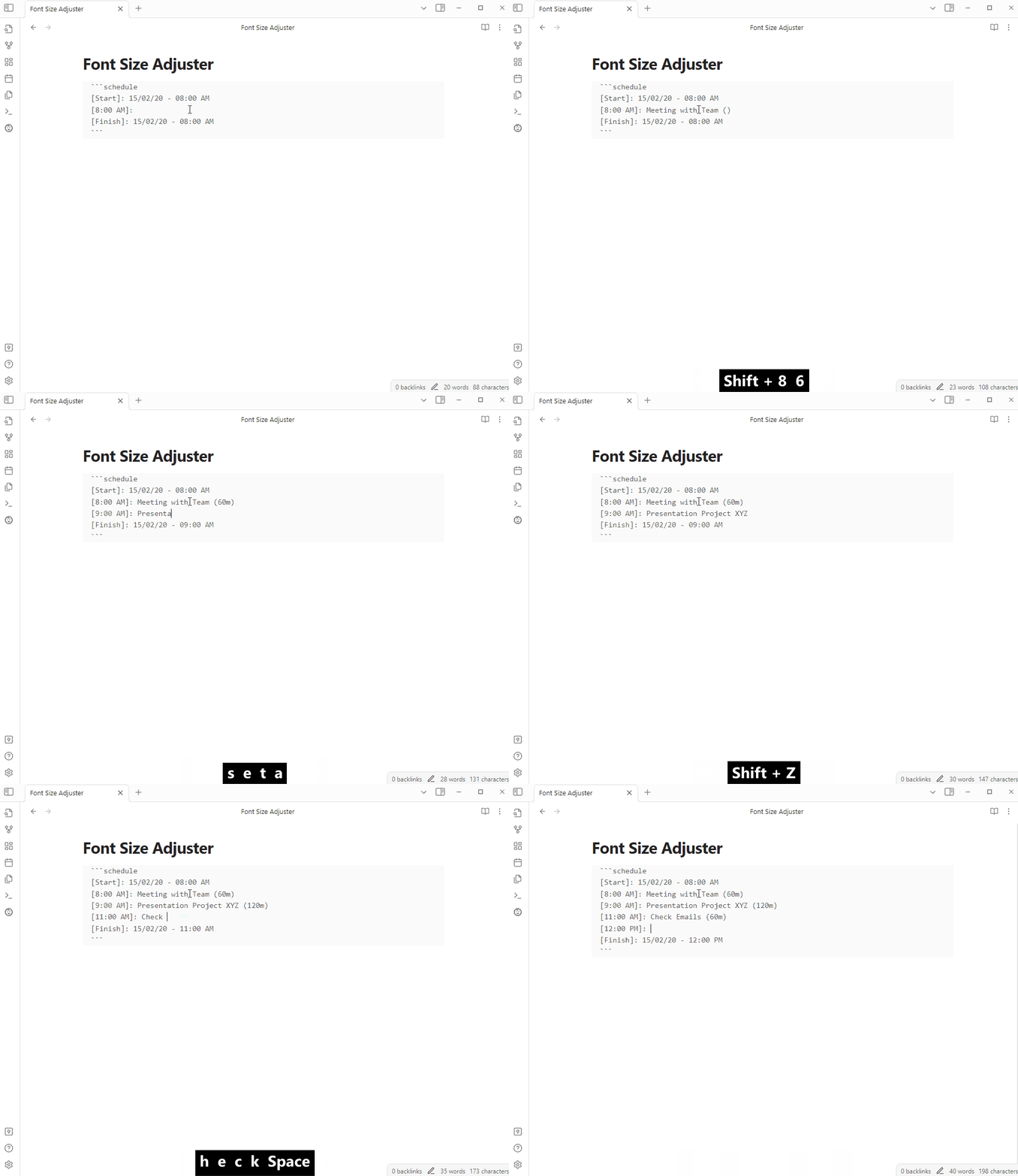
When using autofill, you’ll have a [Start] and [Finish] block in your timeline. Each line between these blocks will be prepended with a time block, such as [9:30 AM]:. Any human-readable time strings you add to the end of a line will be automatically converted into time blocks.
Continuous Mode
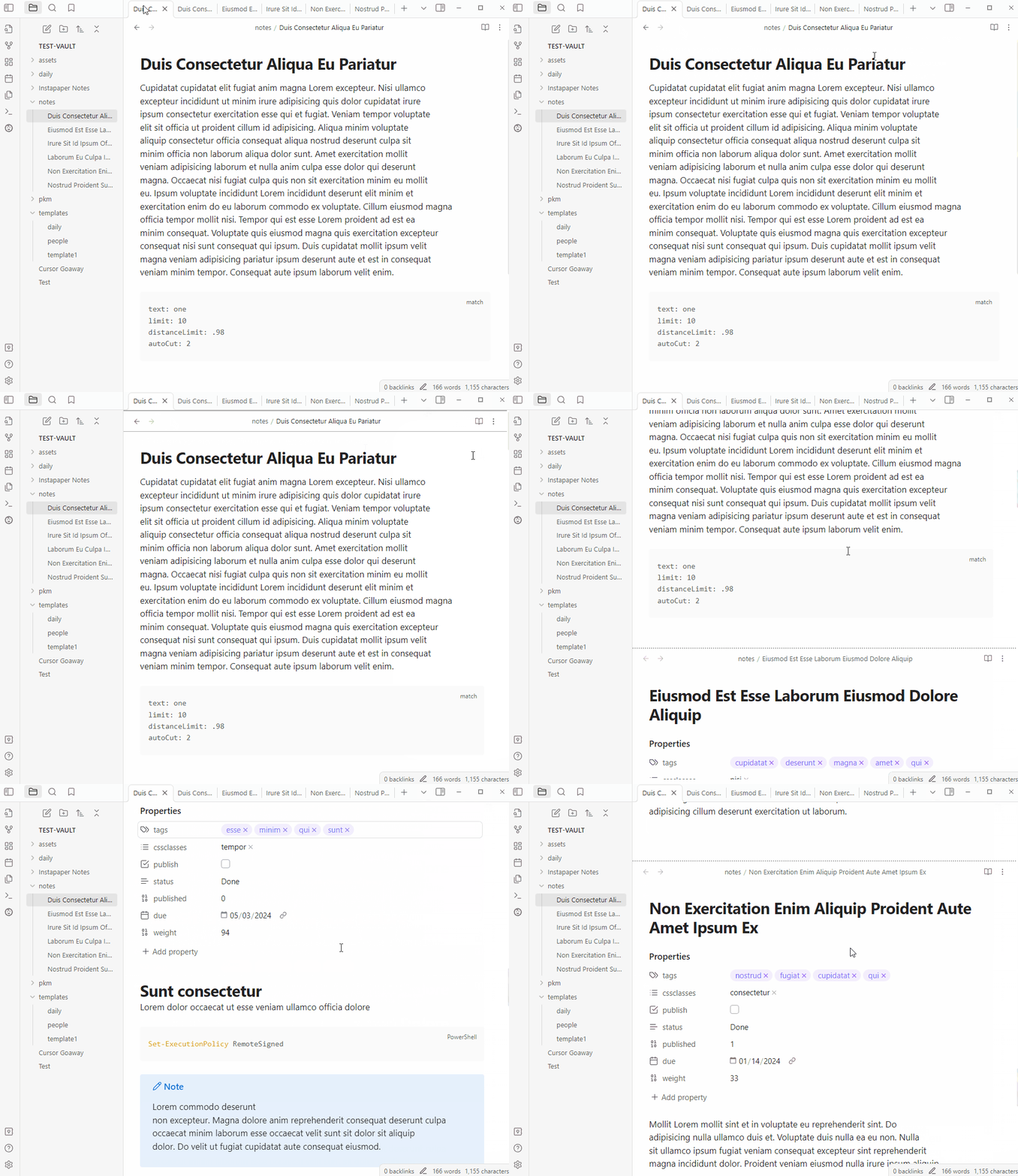
An Obsidian plugin that shows all open notes as a continuous document (also called “Scrivenings mode”).
Multi State Check Box Switcher
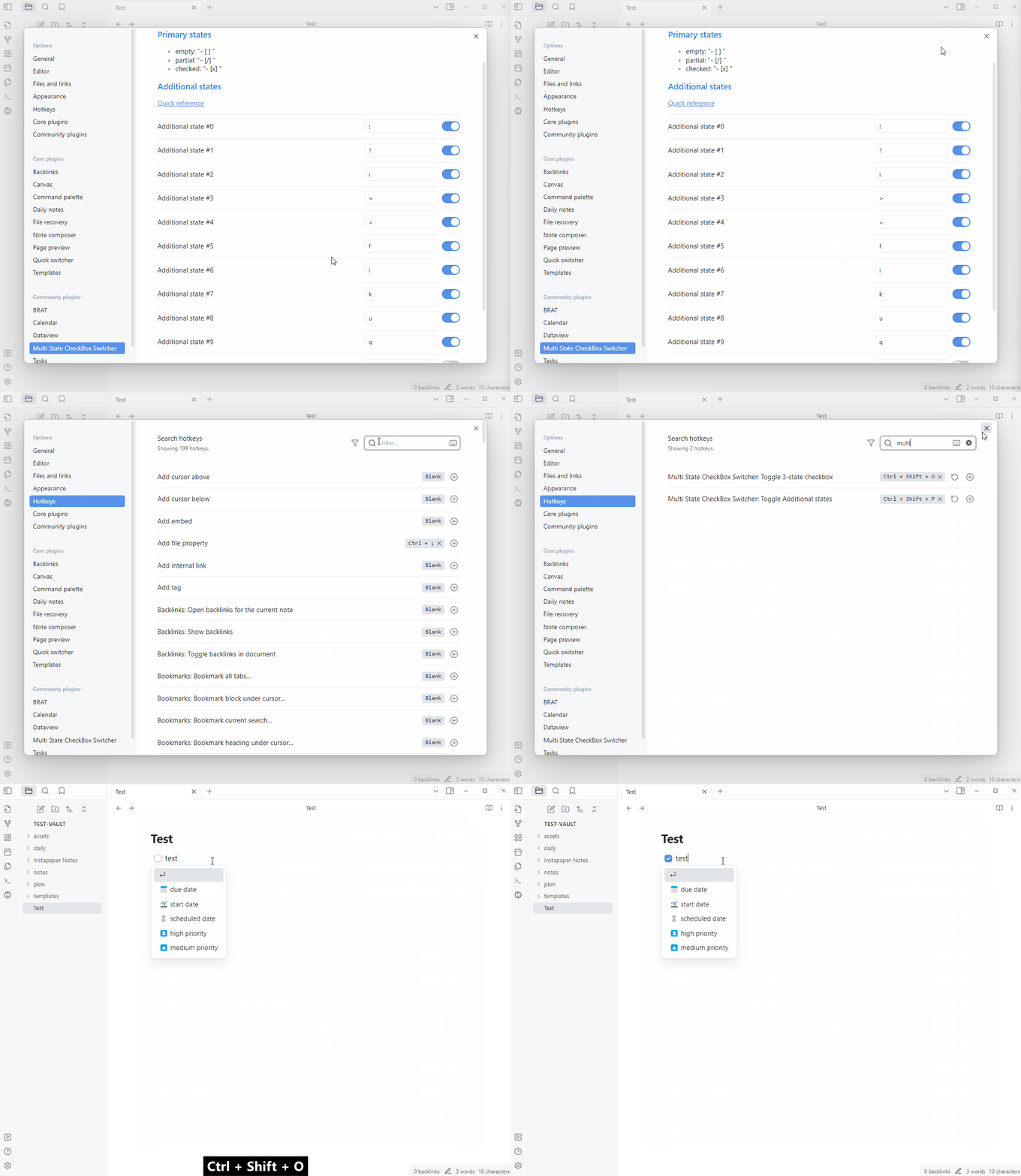
This plugin adds a command to toggle checkboxes with multiple states, such as partially done, important, or urgent, and another to toggle multistate checkboxes (customizable). The plugin can toggle empty lines, handle multiline selection, and work with themes that present states with icons.
RSS Copyist
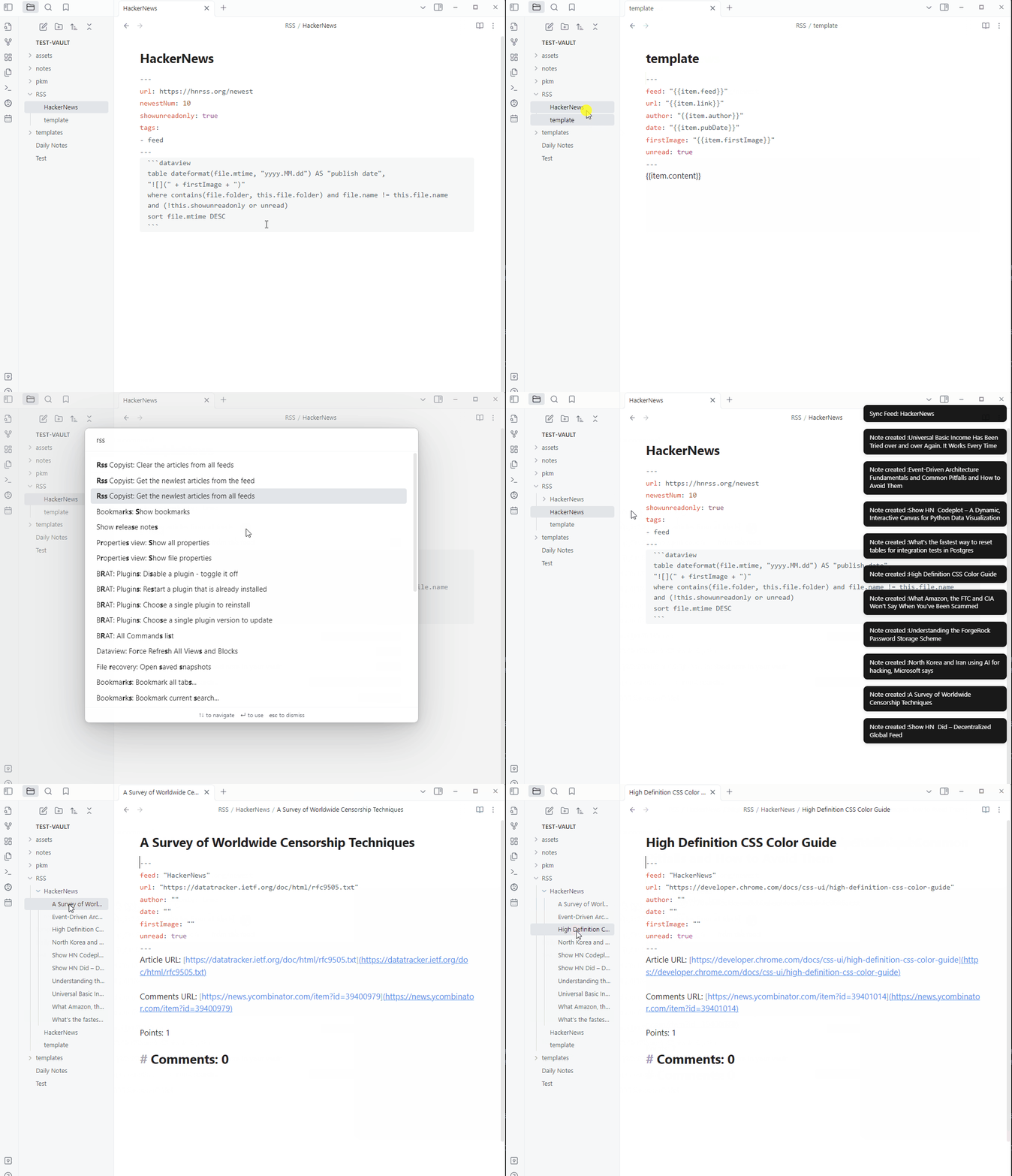
RSS Copyist allows you to get RSS articles as notes in Obsidian.
You need to create a note with the feed tag and the RSS url, and place a template.md file to provide a format for the articles. Then you can run a command to get the latest articles in a folder with the same name as the feed note.
Markline
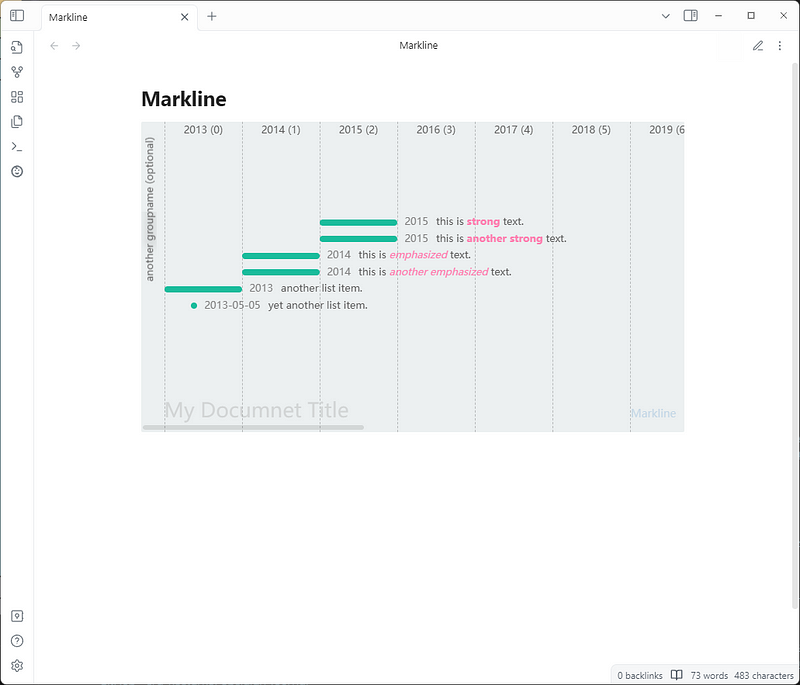
This is a fork of the Markline plugin for Obsidian. It allows you to display a timeline graph using subsets of markdown. Meta data can be set in markdown for various features such as age, mention, hashtags, and colors. The plugin supports horizontal layout for anonymous groups and various date types.
```markline
# My Documnet Title
## group name (optional)
- 2023 A full year event.
  - 2023-01~2023-03 subevent
  - 2023-05~2023-08 subevent 2
- 2023-01 month event name.
- 2023-01-02 event name with [link](https://github.com/hotoo/obsidian-markline).
## another group
* 2015 this is **strong** text.
* 2015 this is __another strong__ text.
* 2014 this is _emphasized_ text.
* 2014 this is *another emphasized* text.
- 2013 another list item.
- 2013-05-05 yet another list item.
```
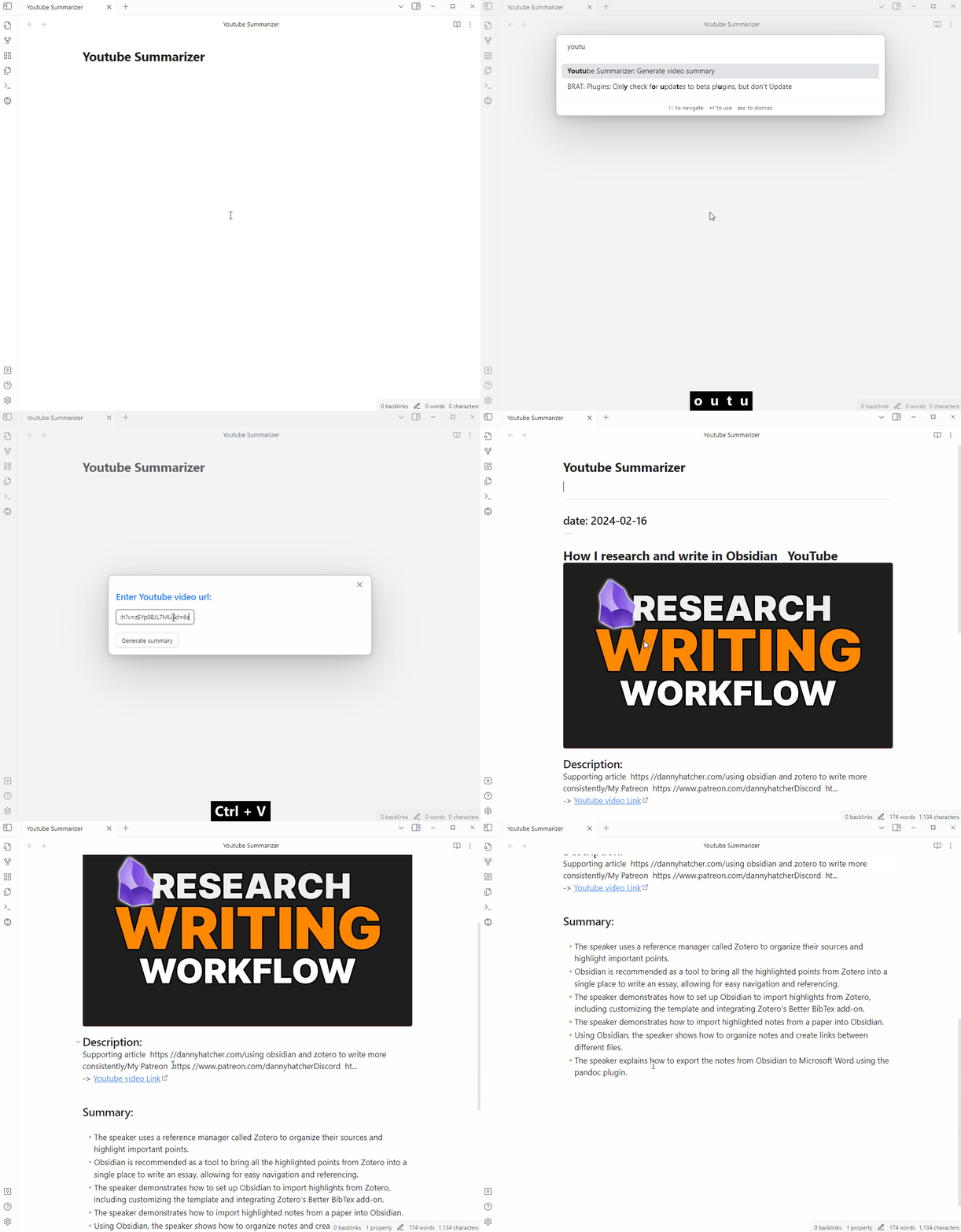
Youtube Summarizer
Youtube Summarizer is a plugin that distills key points from YouTube video transcripts into concise Obsidian notes. It uses OpenAI’s ChatGPT3.5 to extract key points and break the transcript into chunks. The plugin is designed to make knowledge curation more efficient by turning hours of video into concise summaries.
Nested Daily Todos
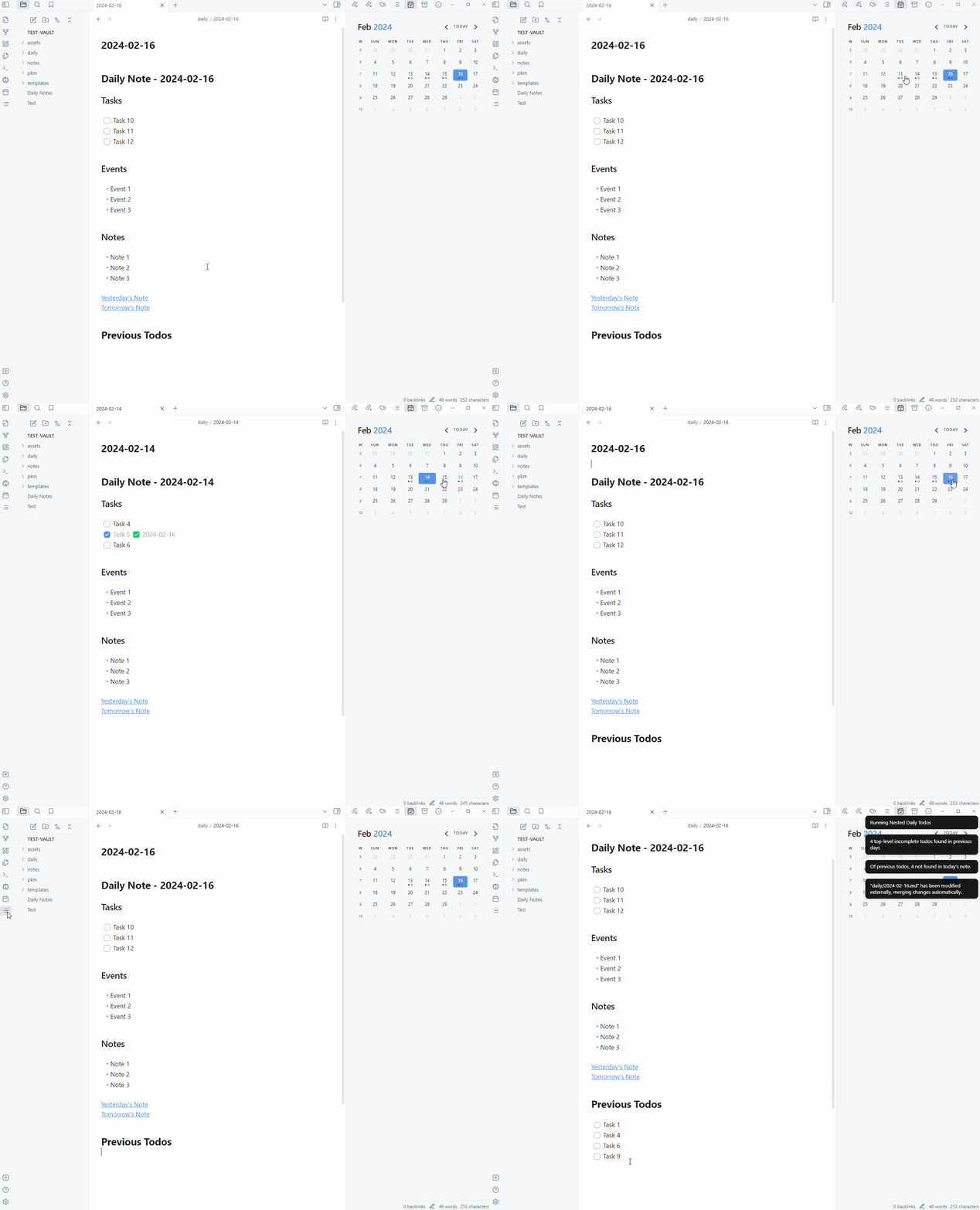
Nested Daily Todos allows you to add incomplete tasks from previous Daily Notes to the current one. It supports grouping tasks by section and various checkbox states, as well as nested todos.
Daily Note Creator
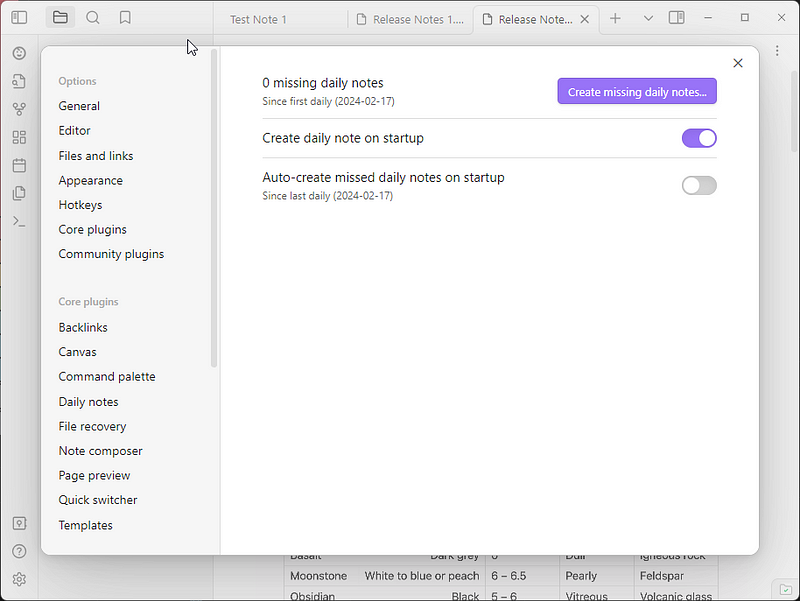
The Daily Note Creator plugin automatically creates missing daily notes in your vault, without opening the daily note on startup. It is designed to be an add-on to the daily notes core plugin, rather than a replacement. Features include creating daily notes on startup, filling in missed notes for any range of time, and disabling the built-in open daily note on startup option.
Fastimer
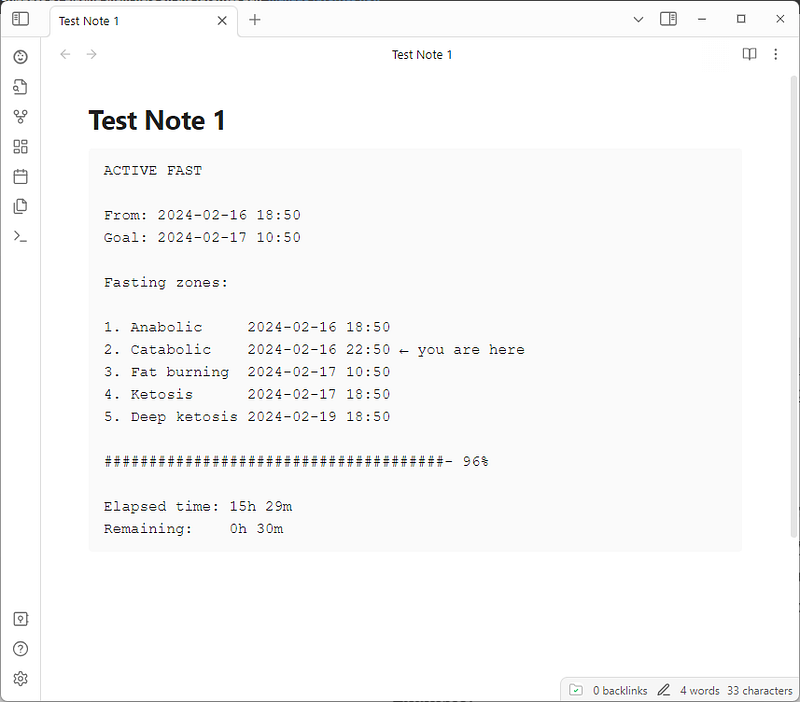
Fastimer allows you to track fasting intervals. To use, add a fastimercode block and set start date/time. The plugin displays elapsed/remaining time and a progress bar. To mark a fast as finished, add the end date/time to the block. The default fasting interval is 16 hours, but can be changed in settings.
Example:
```fastimer
2024-02-16 18:50
```
Beautitab
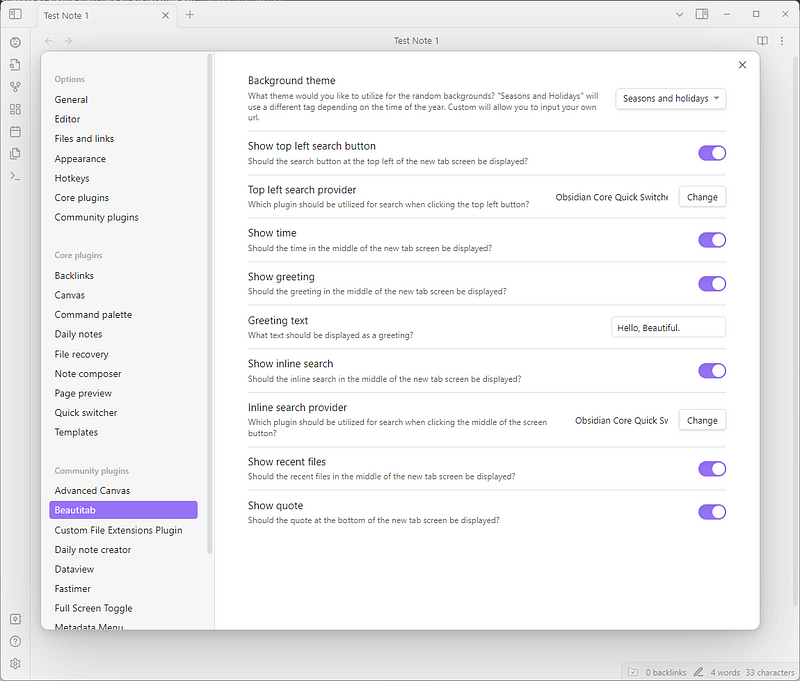
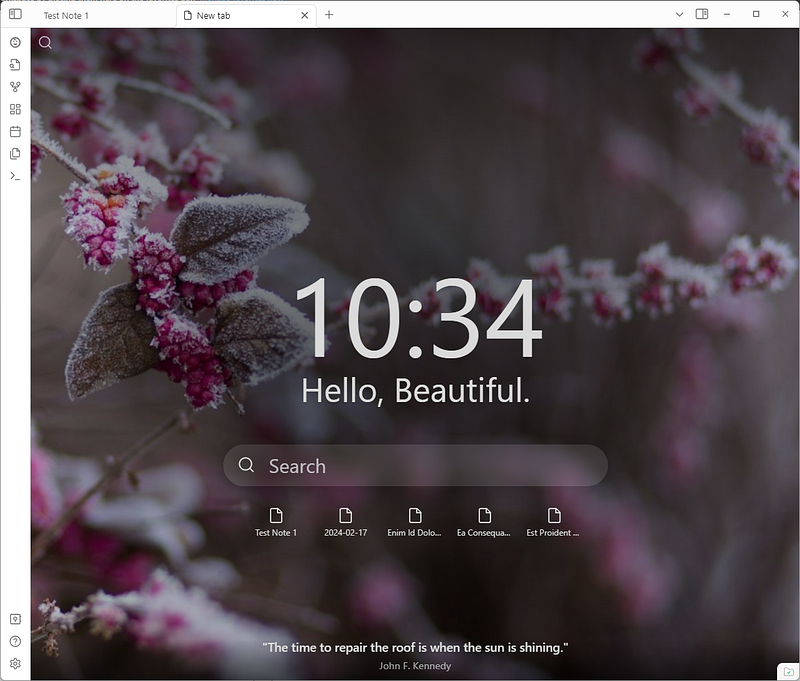
Beautitab is a customizable new tab view plugin for Obsidian. It features a time display, greeting, search function, and random quote generator. Users can choose from various background themes, including a seasonal theme.
You can read the previous Obsidian articles here:
Click here to be notified every time I publish a new story 😉.


