
Obsidian Plugins Review — 43
Elevate Your Obsidian Experience: Discover the Best New Plugins for Enhanced Note-Taking and Boost Productivity

Greetings, devoted Obsidian enthusiasts and digital trailblazers! Get ready to buckle up, for we are about to embark on an electrifying journey through the dazzling galaxy of this week’s latest Obsidian plugins.
This week, in Obsidian Plugins Review:
- YouTube Template
- Copy Image
- Widgets
- Metadata Hider
- Reference Generator
- Additional Icons
- Augmented Canvas
- Extended Task Lists
- Git File Explorer
- Quiz Generator
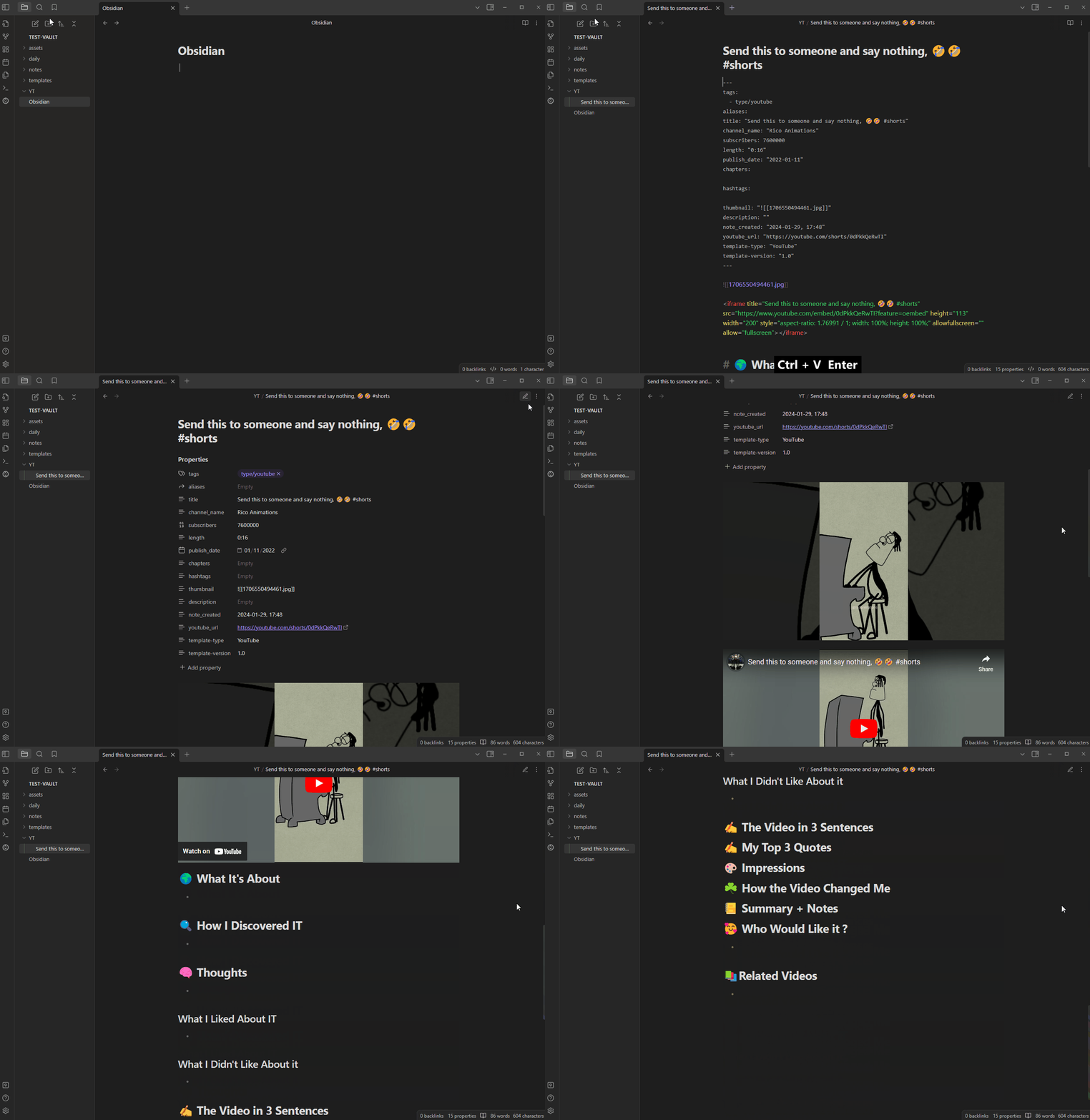
YouTube Template
This is a plugin for taking notes on YouTube videos using a configurable template. You’ll need a Google Cloud API key to access the YouTube Data. You can choose the template folder, template, and format for chapters and hashtags.
Copy Image
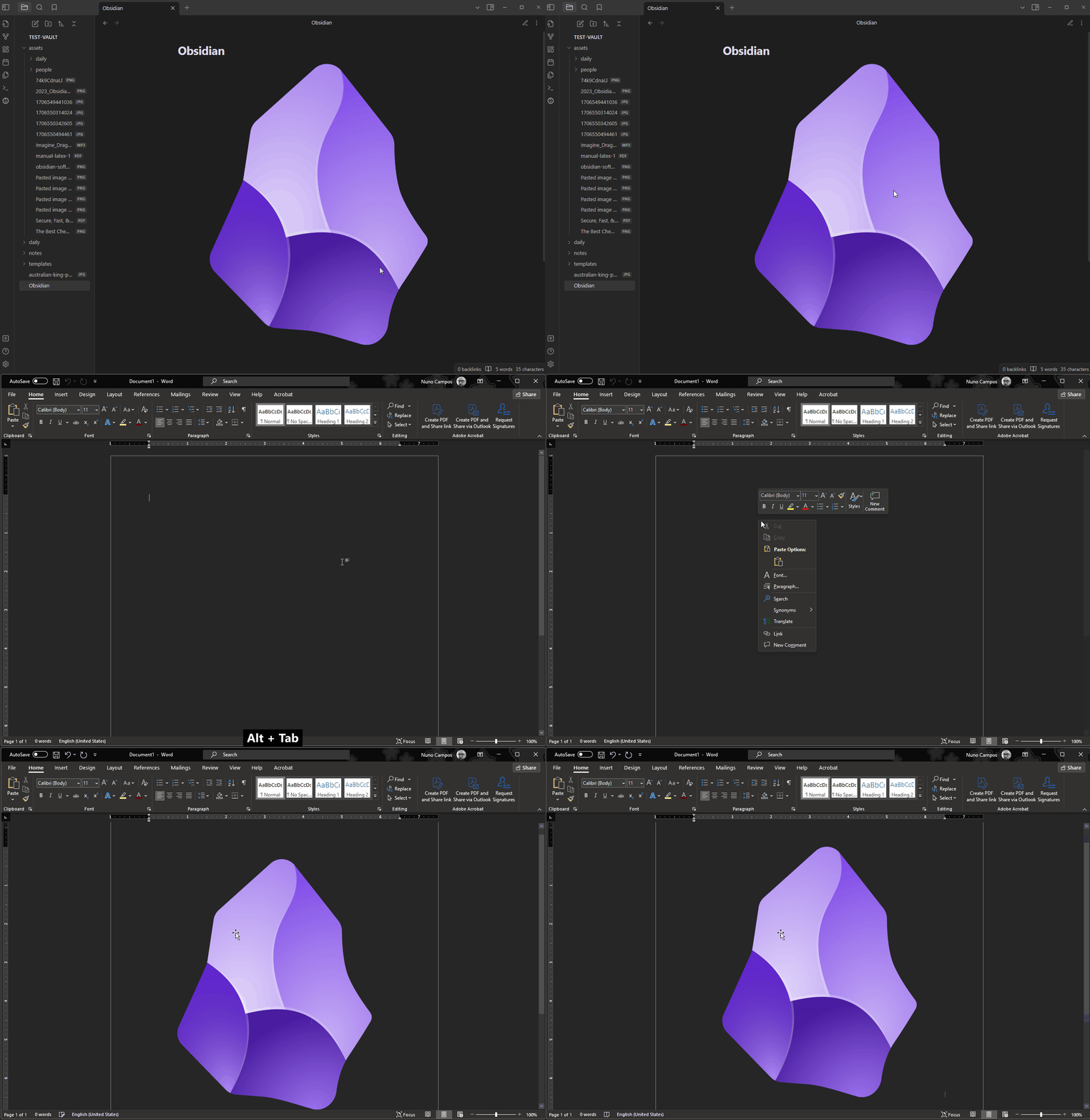
Copy Image plugin allows you to to easily copy images from Obsidian to clipboard by right-clicking.
Widgets
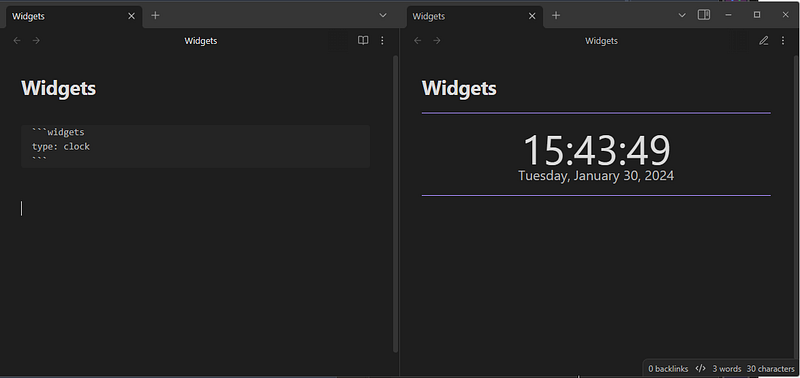
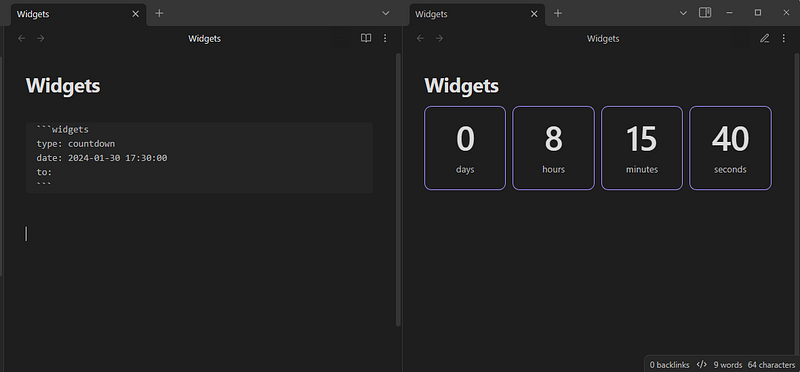
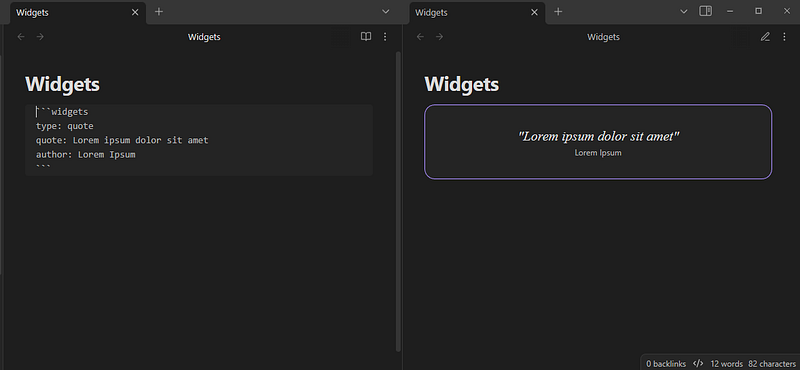
Widgets is a plugin that adds widgets to your Obsidian notes. It currently offers 3 widget types: Clock, Configuration, and Countdown. To insert a widget, add a code block with the language “widgets” and add options. You can also use command Widgets: add widget.
```widgets
<OPTIONS>
```
Each widget respects your theme’s colors, but you can customize the look via CSS snippets.
Metadata Hider
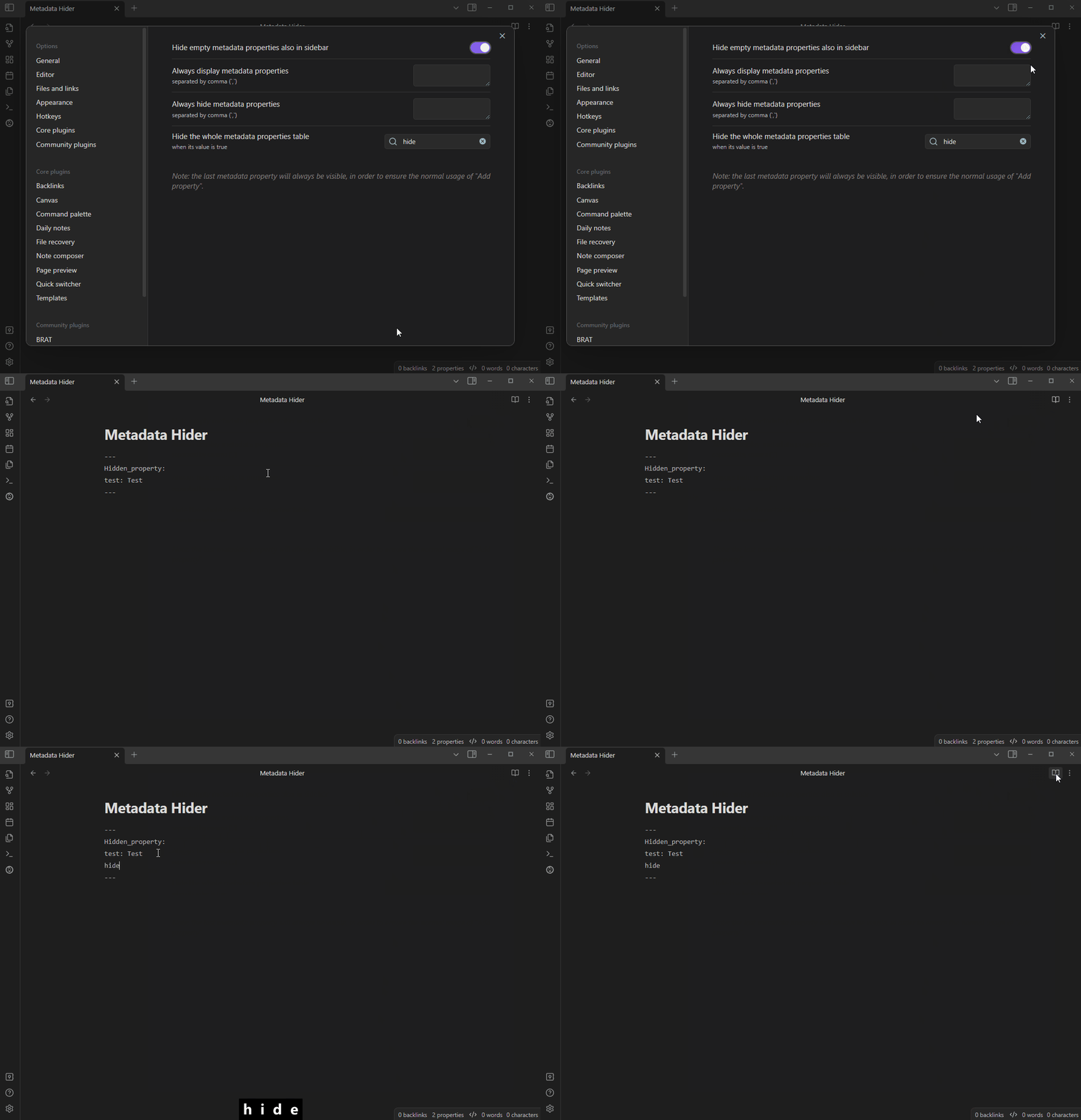
Metadata Hider is a plugin that hides metadata properties if their value is empty. Users can set which metadata properties to always hide or always show in the plugin settings. You can also set a property name to hide all properties.
Reference Generator
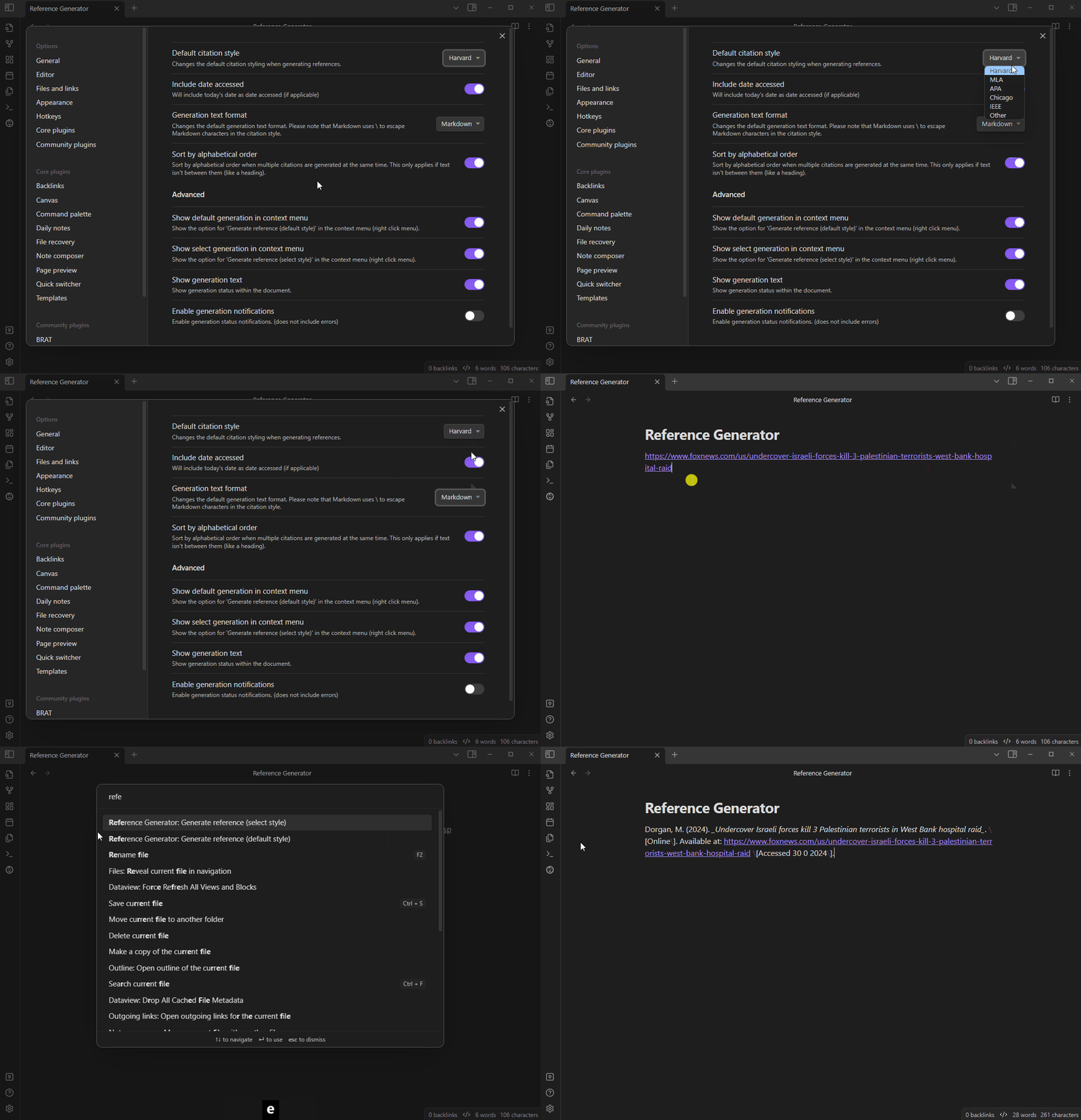
Reference Generator turns links into bibliographies in various styles like Harvard, MLA, and APA. The plugin requires internet access to use and offers a default citation style that can be selected in the settings.
To generate a reference, right-click on a link and select a style or use the default; multiple references can be generated at once. Text in between links is saved, but links will be treated as a bibliography regardless of the text.
Additional Icons
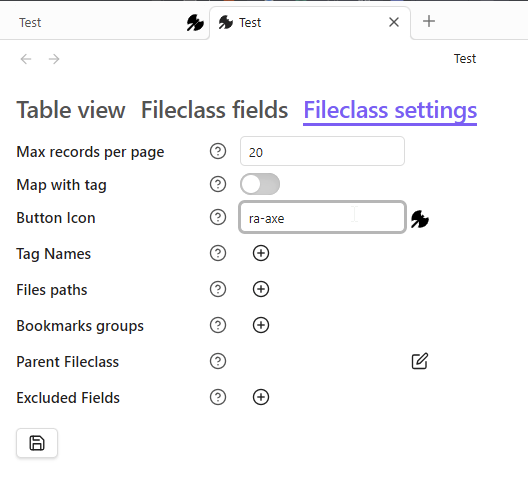
This plugin adds additional icons to use where Obsidian allows only Lucide icons. It includes RPG Awesome, GovIcons and Weather Icons.
Augmented Canvas
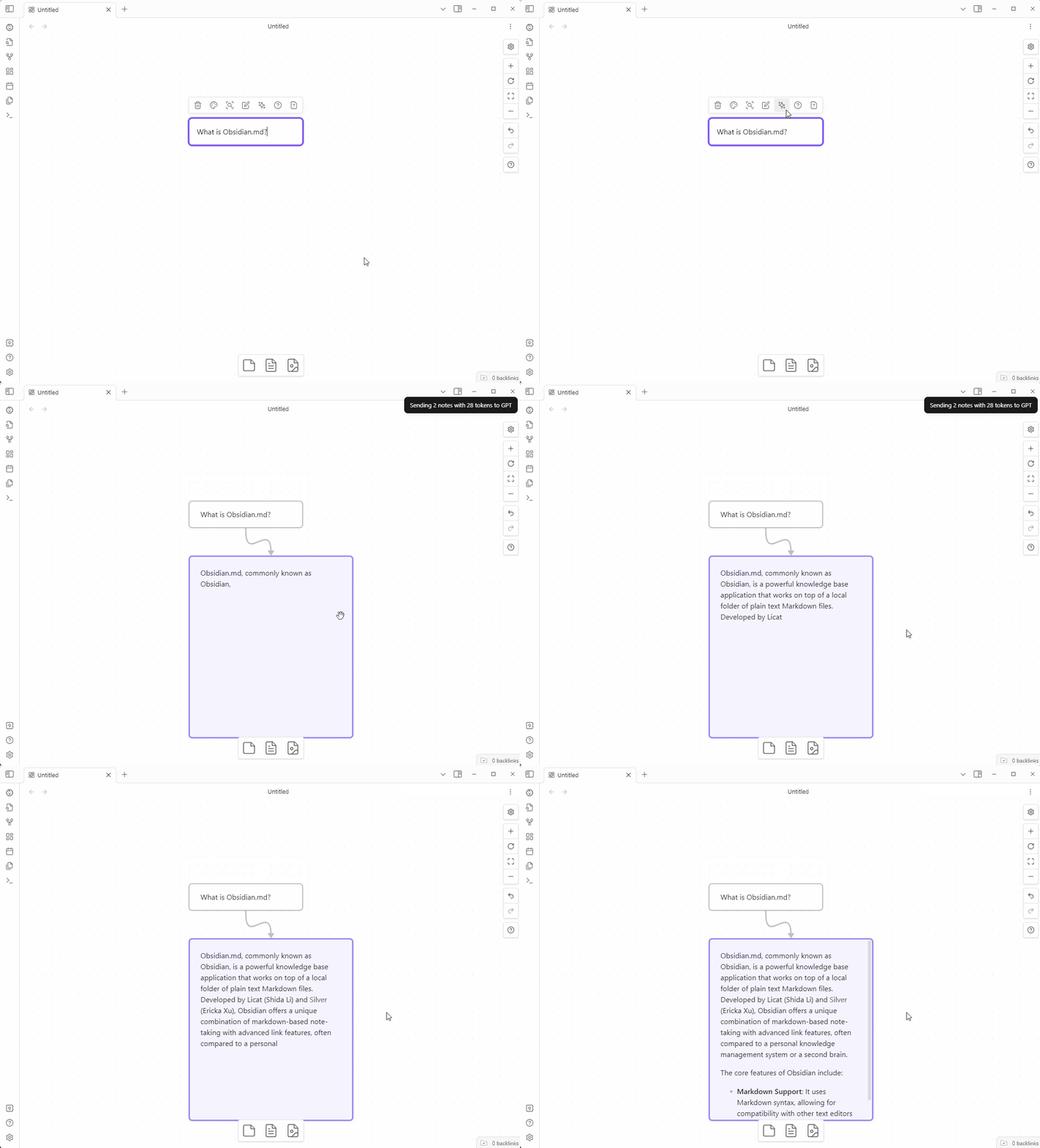
This plugin for Obsidian that adds AI features using the OpenAI API. 2. To use the plugin, you need an OpenAI API key which can be input in the settings. 3. The plugin adds three actions to the Menu of a note in the Canvas View. 4. The links between notes are used to create the chat history sent to GPT. 5. The plugin only works with OpenAI’s latest model: gpt-4–1106-preview.
Extended Task Lists
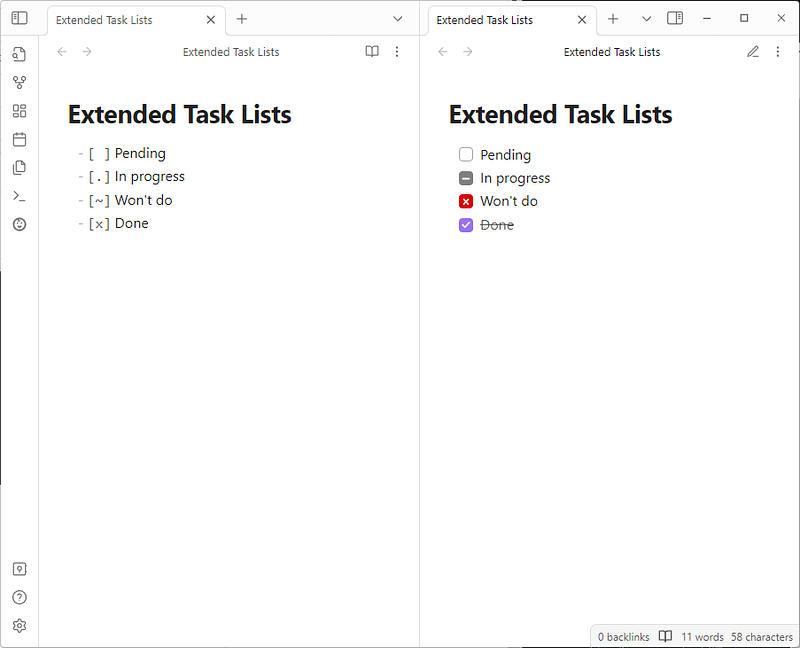
This plugin allows users to add and manage both “in-progress” and “won’t do” task items:
- in-progress syntax:
- [.] In progress - won’t do syntax:
- [~] Won't do
Git File Explorer
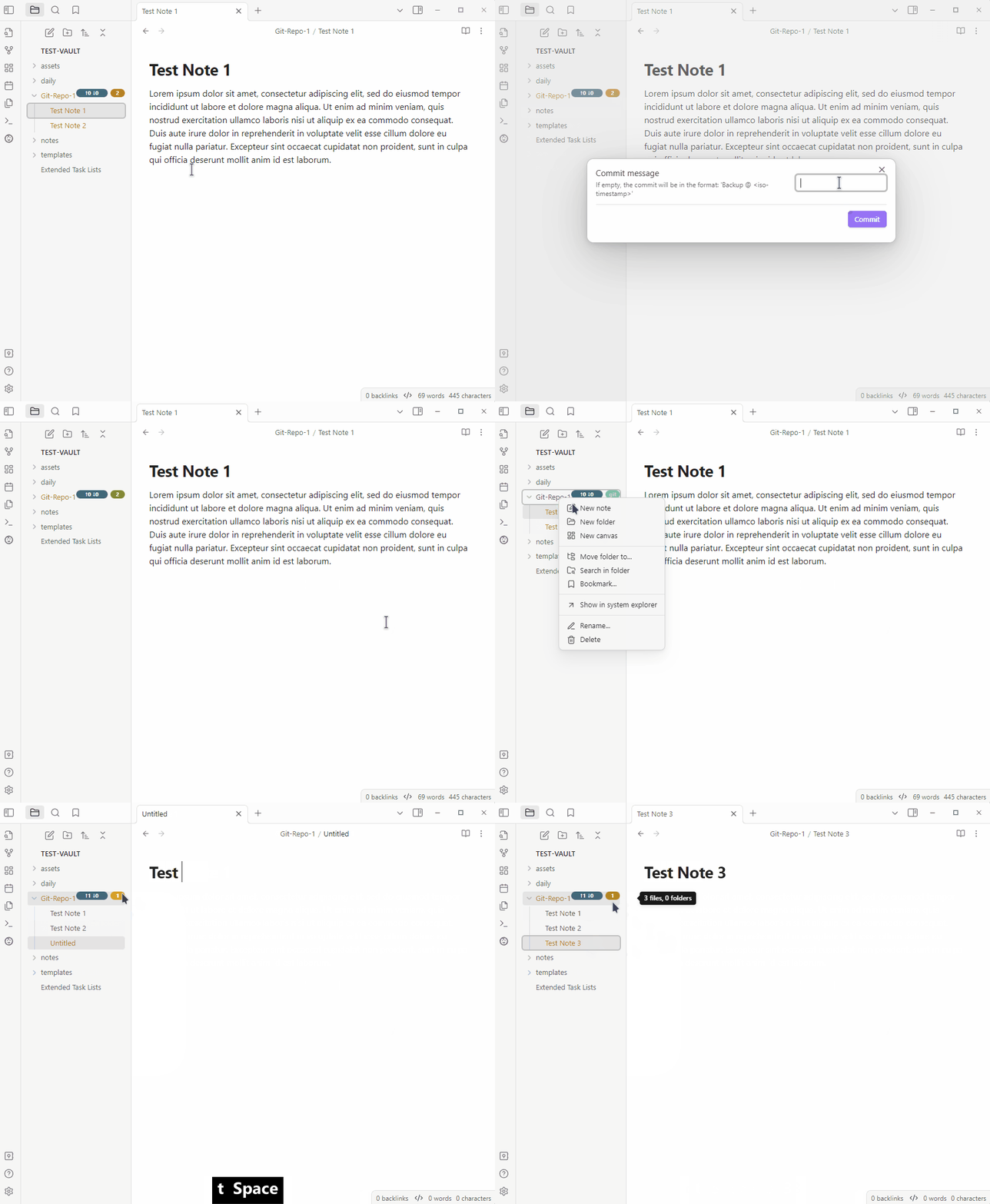
This plugin integrates Git information into Obsidian’s file explorer. Git data will be displayed next to repositories in the user’s vault within the file explorer.
Quiz Generator
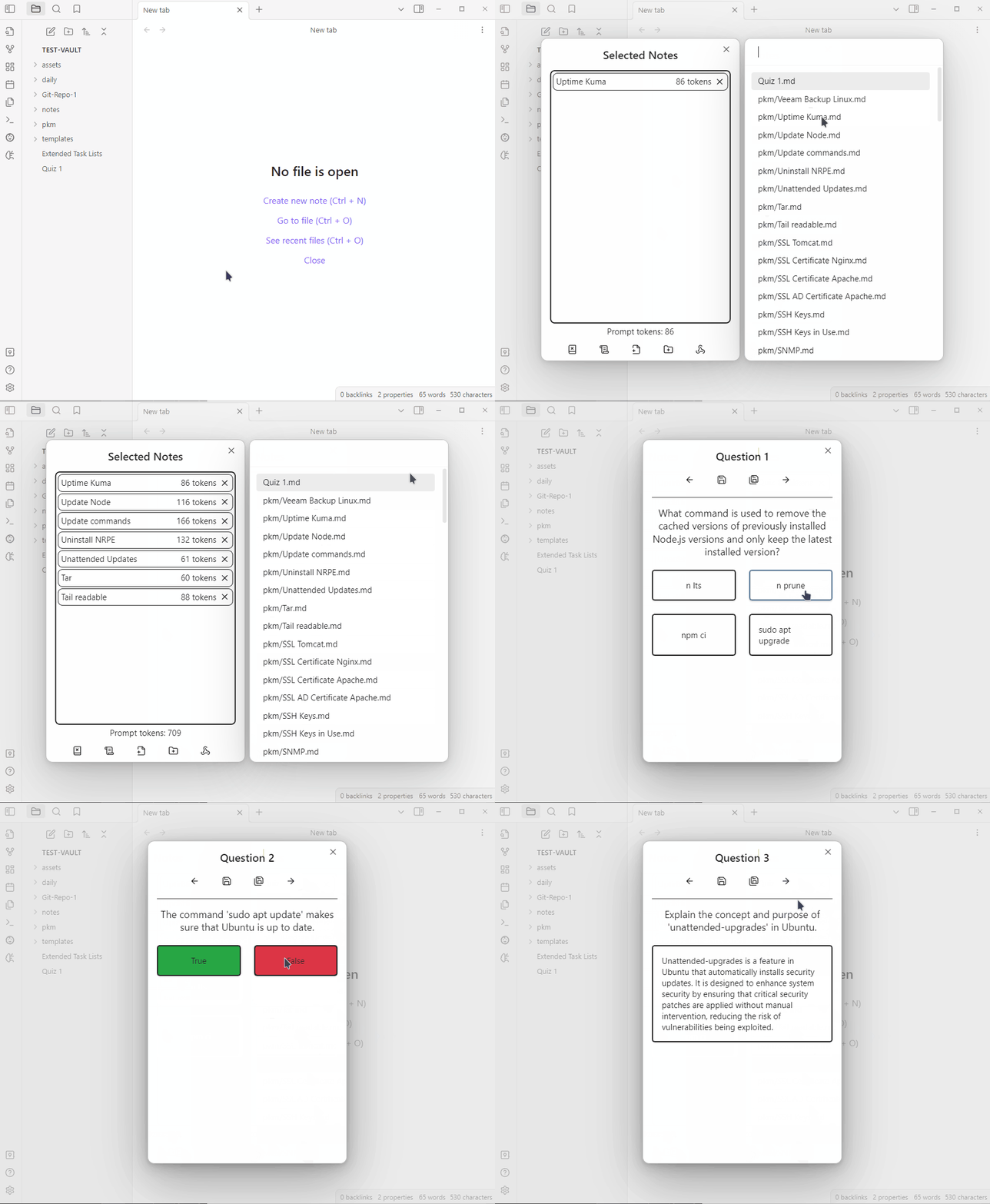
Quiz Generator is a plugin that uses OpenAI’s GPT-3.5 and GPT-4 models to create interactive, exam-style questions from notes. It allows you to select folders or specific notes to include, the type and number of questions to generate and to save the answers in either inline and multiline flashcards to review with obsidian-spaced-repetition or markdown callouts.
You can read the previous Obsidian articles here:
Click here to be notified every time I publish a new story 😉.


