
Obsidian Plugins Review — 13
Weekly Obsidian plugins review
This week, in my Obsidian Plugins Review:
- Callout Integrator
- HR Code Block
- OpenWeather Plugin for Obsidian
- Optimize Canvas Connections
- Reading View Enhancer plugin for Obsidian
- Gene AI Assistant
- ChatGPT-md
- Vault Chat
- Obsidian AI Commander Plugin
Callout Integrator
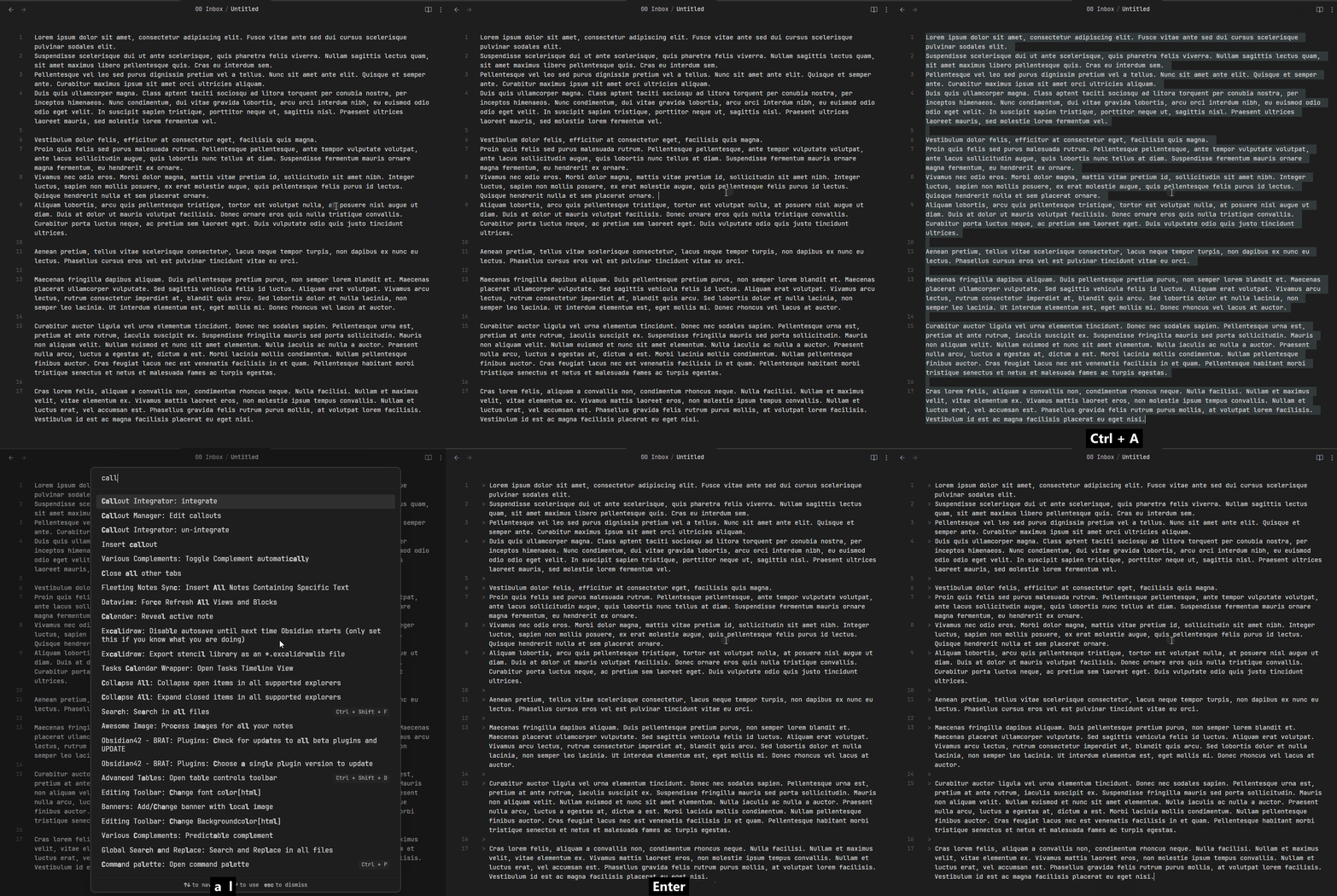
This plugin allows you to select long blocks of text and integrate them into a callout.
HK Code Block
This plugin enhances the options for code blocks.
Adding a title:
```powershell title:"This is a code block"
write-output "Hello World!"
```
Making it collapsible:
```powershell title:"This is a code block" collapse
write-output "Hello World!"
```
Showing line numbers:
```powershell linenos
write-output "Hello World!"
```
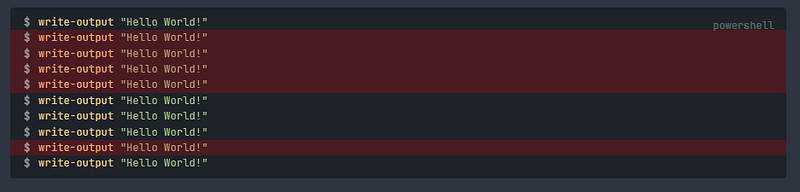
Highlighting lines:
```powershell highlight:"2-5,9"
write-output "Hello World!"
write-output "Hello World!"
write-output "Hello World!"
write-output "Hello World!"
write-output "Hello World!"
write-output "Hello World!"
write-output "Hello World!"
write-output "Hello World!"
write-output "Hello World!"
write-output "Hello World!"
```
Showing result:
```powershell
write-output "Hello World!"
```
```result
Hello World!
```
You can also show/hide the language indicator with language:true/false, show/hide copy button with copybtn:true/false, and add a prompt with prompt:”$”. You can make all these settings default in the plugin settings.
OpenWeather Plugin for Obsidian
This plugin allows you to display the weather conditions in the statusbar and to insert them in your notes.

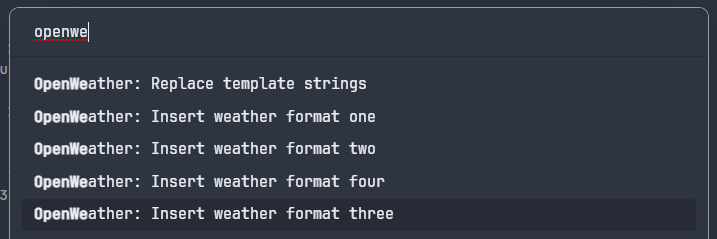
You have already 4 template strings available as insert commands in the command paletteto insert in your notes, but you can customize those strings in settings.
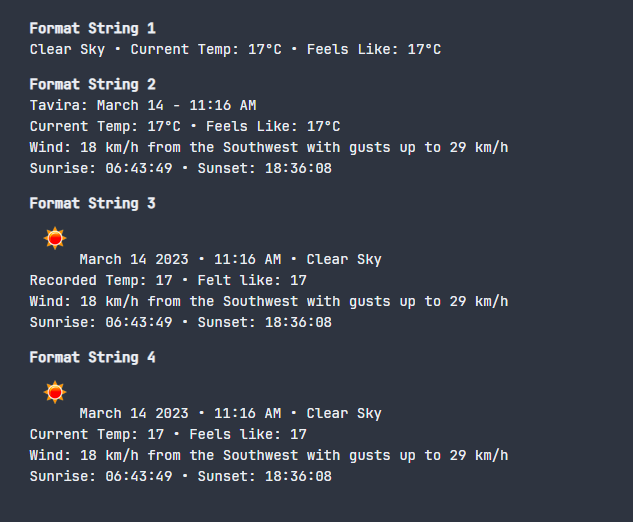
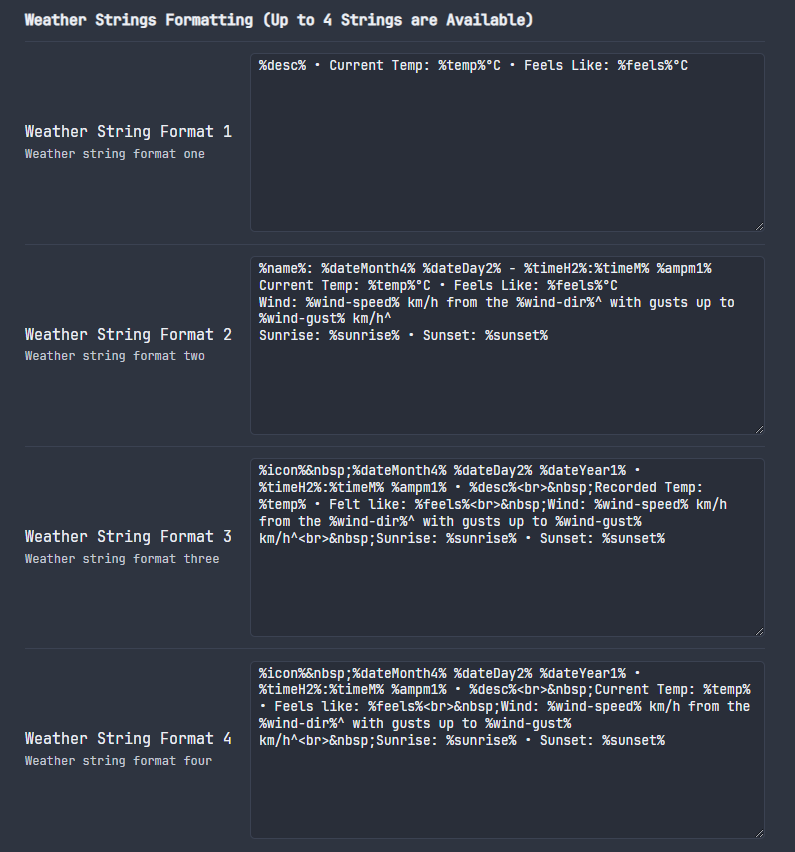
On the plugin’s GitHub page, you can find a pretty cool way to display the weather on your daily note using this plugin. I’ve adapted it to my Daily Note. It basically inserts today’s weather condition, which remains unchanged. But while you mouse hover it, it will fetch and display the current weather.
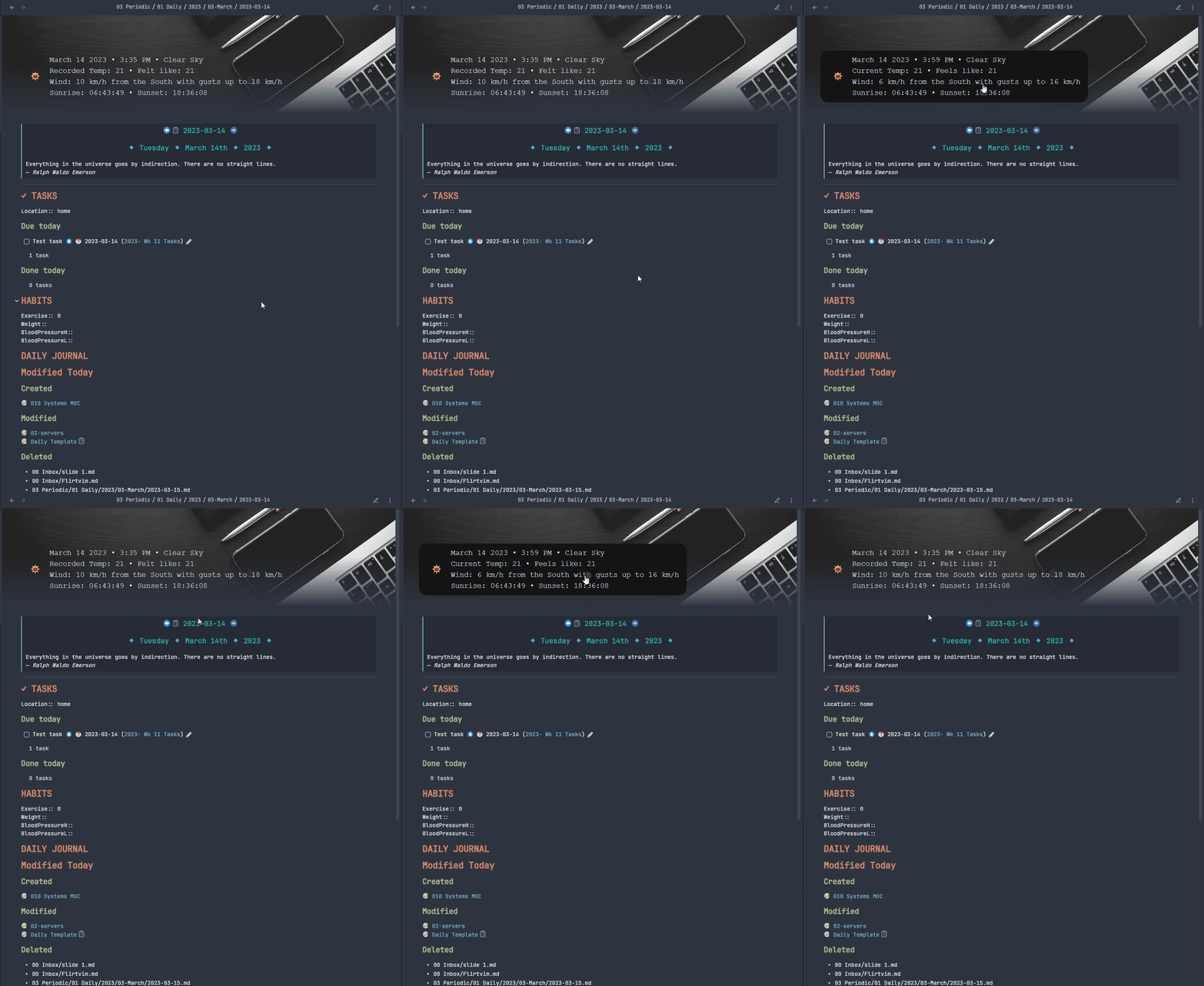
<div class="weather_historical_3">%weather3%</div>
<div class="weather_current_4"></div>
<%* app.commands.executeCommandById("obsidian-open-weather:replace-template-string")%>
Get the full code here.
Optimize Canvas Connections
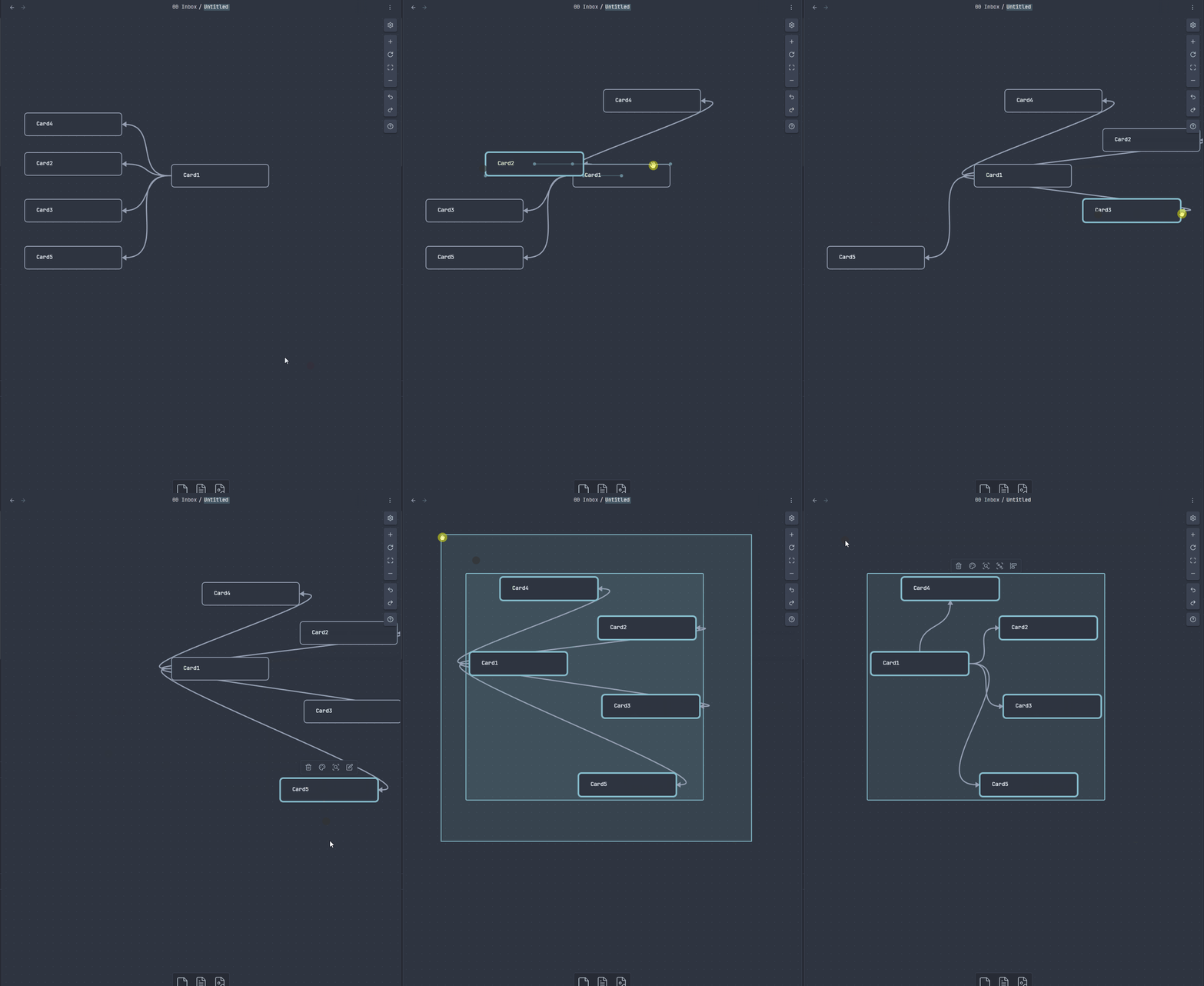
This plugin helps you reorganize your canvas connections moving your cards around. You can optimize the connection preserving axes or use the shortest path. Check it out:
Reading View Enhancer plugin for Obsidian
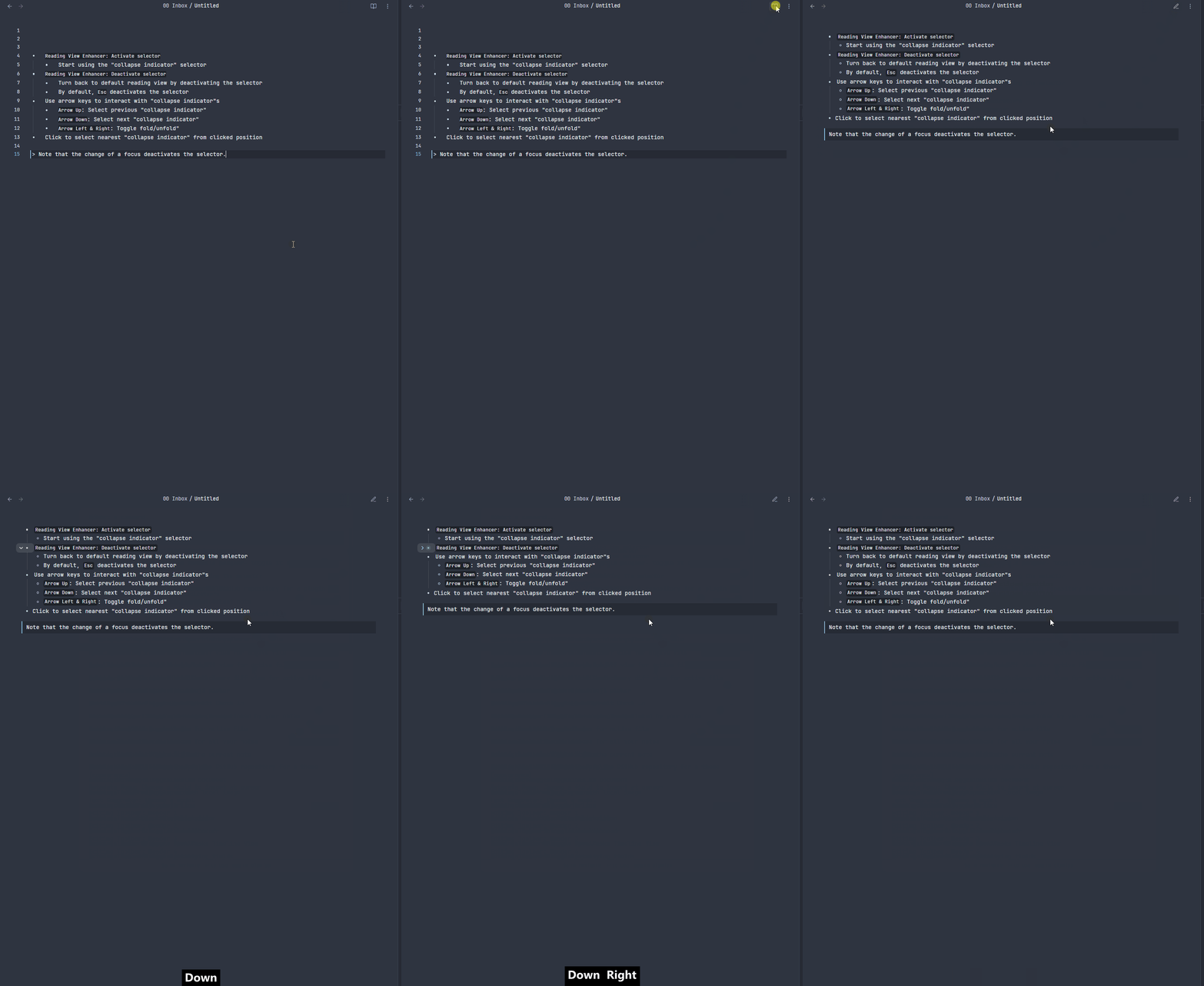
This plugin makes it easier no navigate your notes in the reading view by adding multiple collapse indicators which you can use to navigate using arrow upand arrow down. Use arrow leftand arrow rightto toggle fold/unfold.
AI Plugins
This week we got a bunch of new AI-powered plugins that make use of ChatGPT API.
Gene AI Assistant
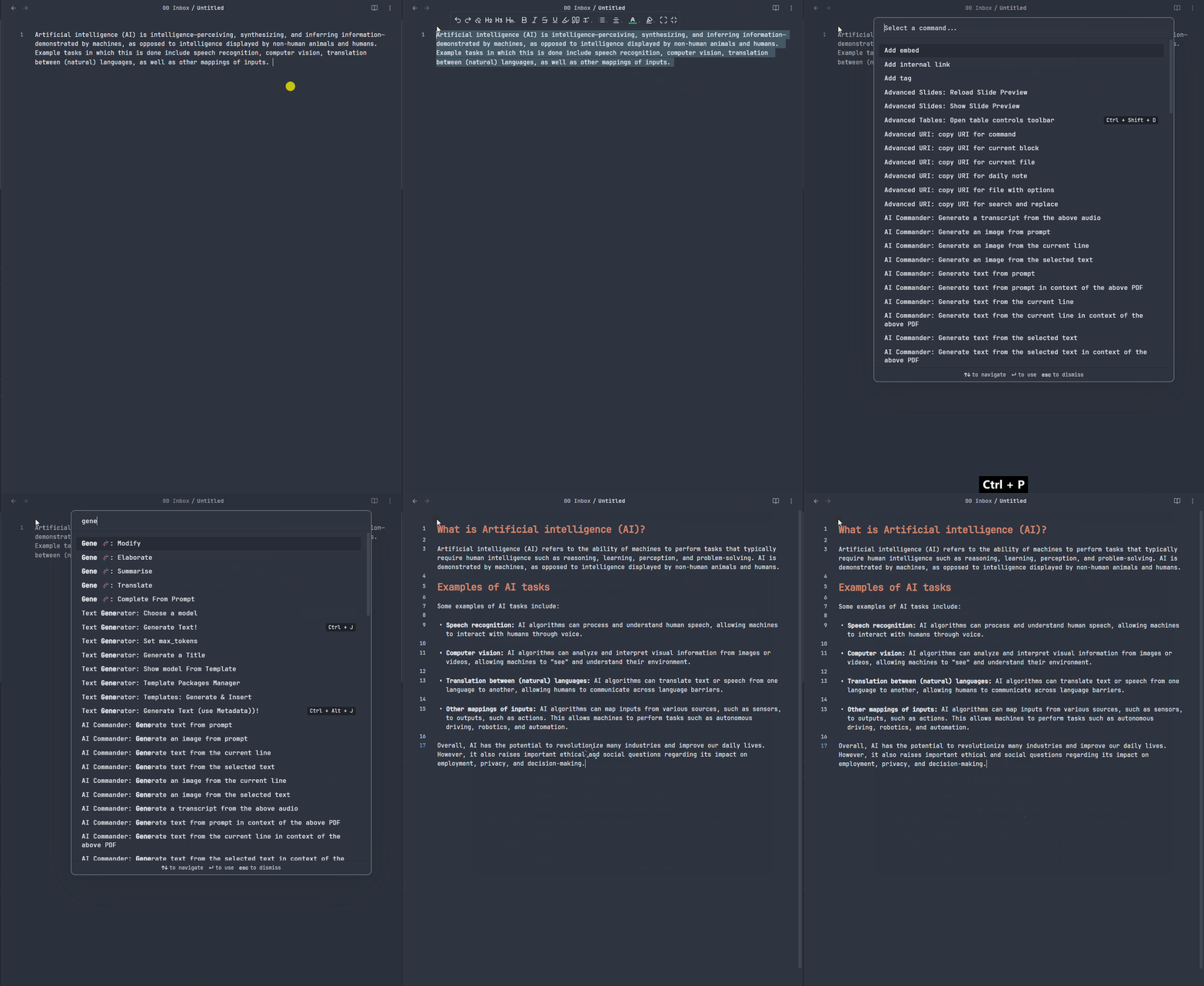
Allows you to create, modify and enhance your notes. You’ll have the option to modify, elaborate, summarise, and translate from selected text.
ChatGPT-md
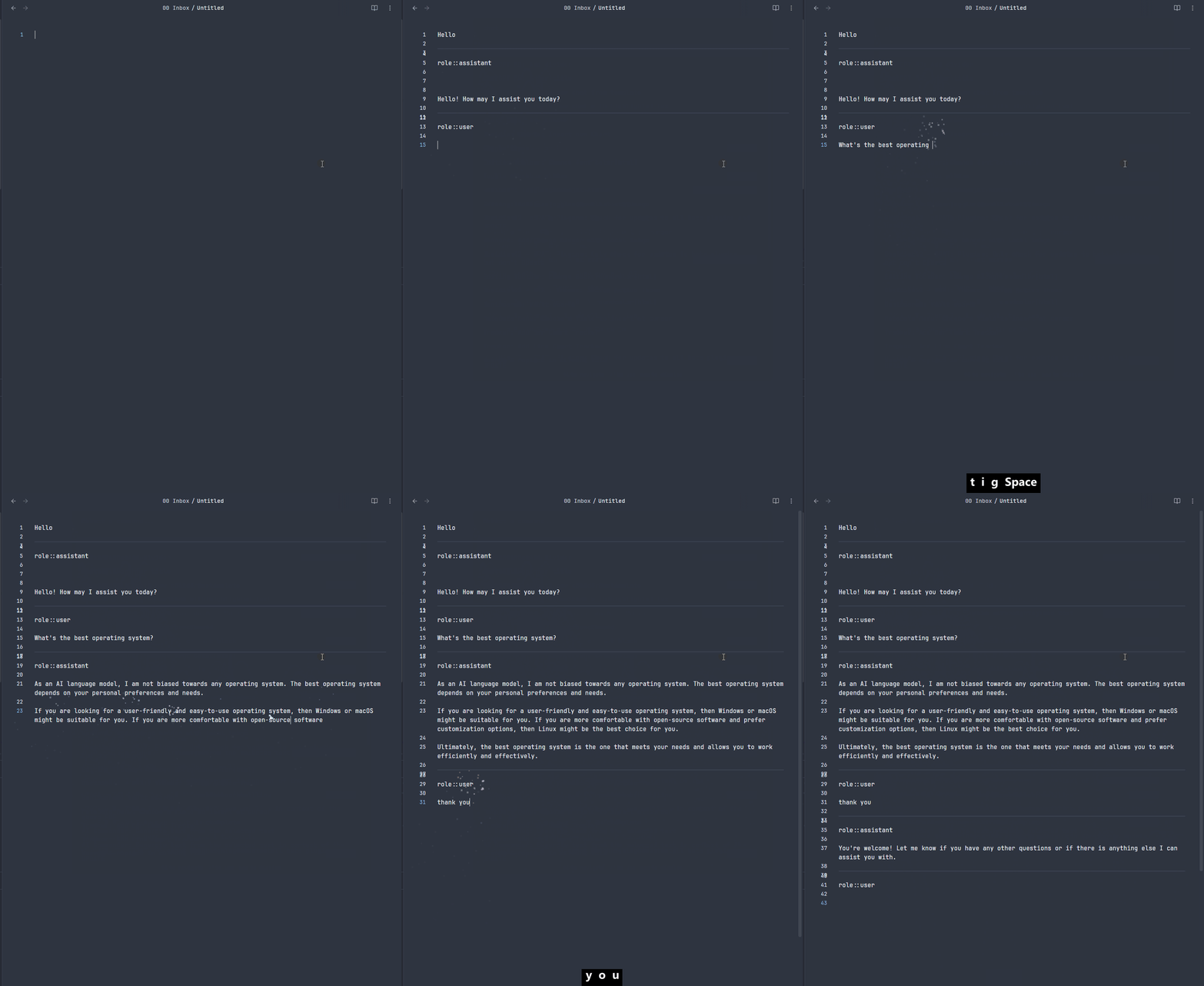
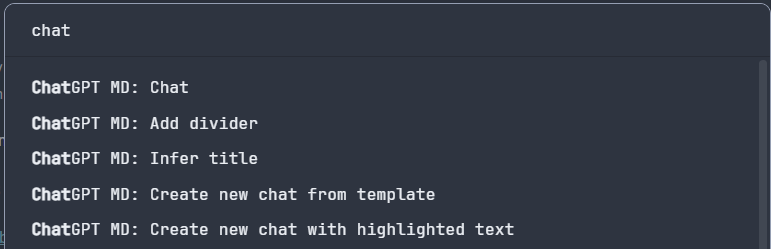
Allows you to chat from any note. You can create chat templates or use one from the repo. You can also use frontmatter to finetune ChatGPT API settings.
Vault Chat
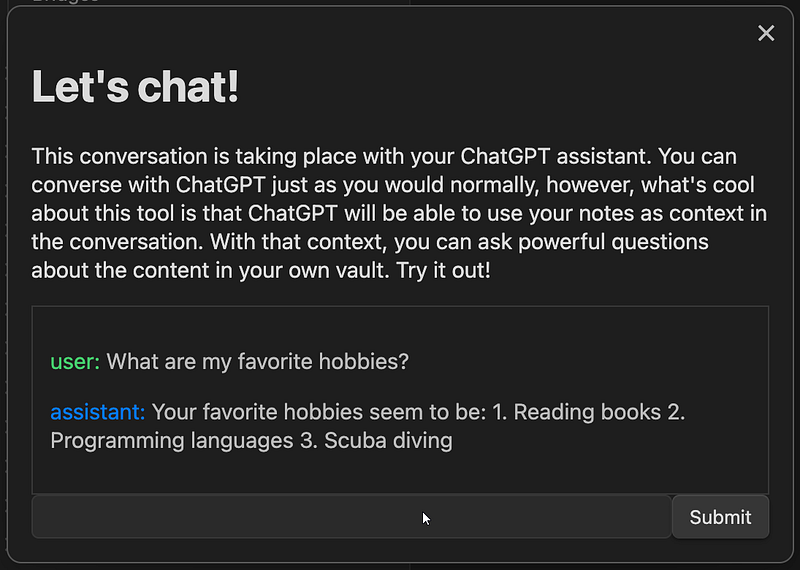
This plugin creates a chatbot in your vault, so you can ask questions and chat with your virtual assistant.
Obsidian AI Commander Plugin
Generate text or image from prompt, selected lines, current line, and audio transcripts. Use Bing search engine results to generate text. You can also generate text in the context of the attached PDF file, and use PrompPerfect to optimize your prompts.
Available commands:
- AI Commander: Generate text from prompt
- AI Commander: Generate image from prompt
- AI Commander: Generate text from the current line
- AI Commander: Generate an image from the current line
- AI Commander: Generate text from the selected text
- AI Commander: Generate an image from the selected text
- AI Commander: Generate a transcript from the above audio
- AI Commander: Generate text from a prompt in the context of the above PDF
- AI Commander: Generate text from the current line in the context of the above PDF
- AI Commander: Generate text from the selected text in the context of the above PDF
You can read the previous Obsidian articles here:
Click here to be notified every time I publish a new story 😉.
If you’re not a Medium member yet and wish to support me or get access to all my stories, click here.


