
Obsidian Plugin Review — Meta Bind Plugin
Create input fields inside your notes that are bound to metadata fields
This is another very useful plugin. Meta Bind allows you to create input fields like text, select, slider, or toggle, inside your notes and bind the value to metadata fields.
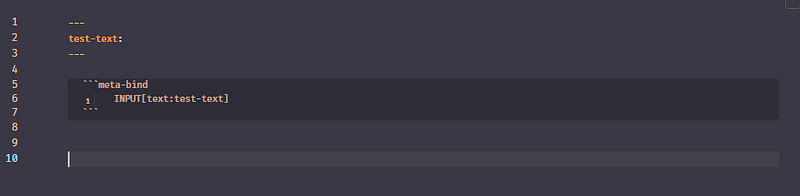
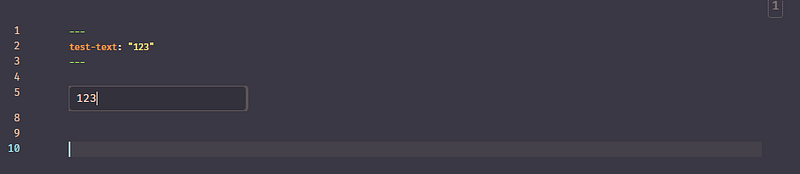
You bind an input field to a metadata field by adding the binding target after the input type, separated by a colon.
```meta-bind
INPUT[input_type:bind_target]
```
You can also bind to a field in another file:
```meta-bind
INPUT[input_type:path/to/file_name#bind_target]
```
Arguments
Some input types support arguments to add extra options.
```meta-bind
INPUT[input_type(argument_name, argument_name_2):bind_target]
```
```meta-bind
INPUT[input_type(argument_name(value)):bind_target]
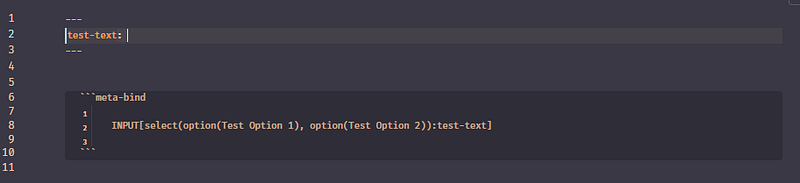
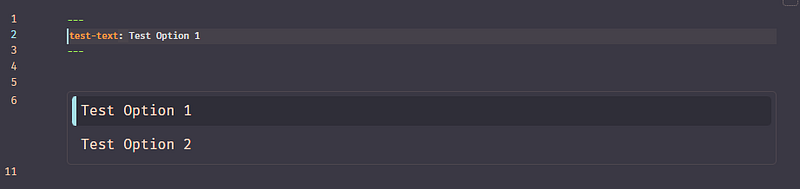
```For example, to add options to selector multiselectinput field we can use the option argument.
```meta-bind
INPUT[select(option(option_name_1), option(option_name_2)):bind_target]
```
Another handy use case is adding a custom CSS class to an input field:
```meta-bind
INPUT[input_type(class(class_name_1), class(class_name_2):bind_target]
```
Allowed input fields
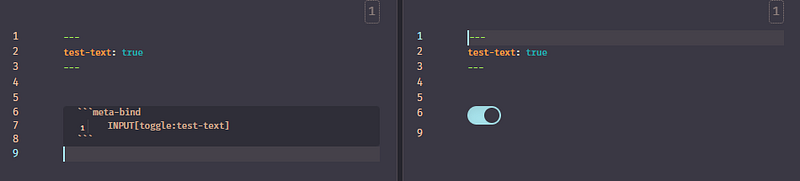
Toggle
INPUT[toggle:toggle1]
Slider
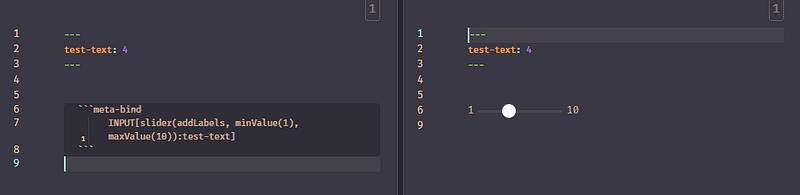
Slider INPUT[slider:slider1]
Slider with labelsINPUT[slider(addLabels):slider1]
Slider with custom rangeINPUT[slider(addLabels, minValue(1), maxValue(10)):slider2]
Text and text area
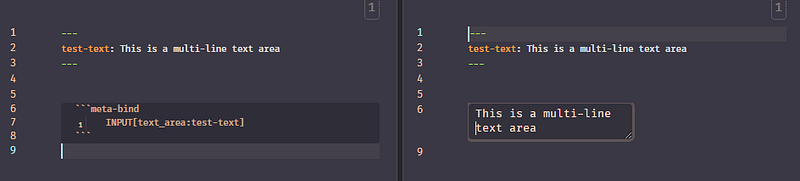
TextINPUT[text:text1]
Text AreaINPUT[text_area:text_area1]
Select and Multi-select
Select:
INPUT[select(
option(option a),
option(option b),
option(option c),
option(option d)
):select]
Multi-select with title:
INPUT[multi_select(
title(some title),
option(option a),
option(option b),
option(option c),
option(option d)
):multi_select]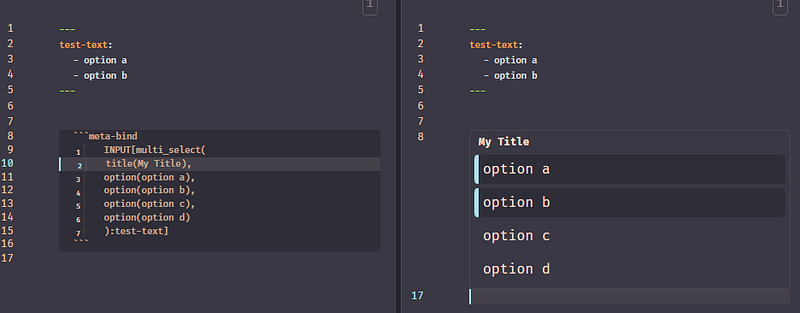
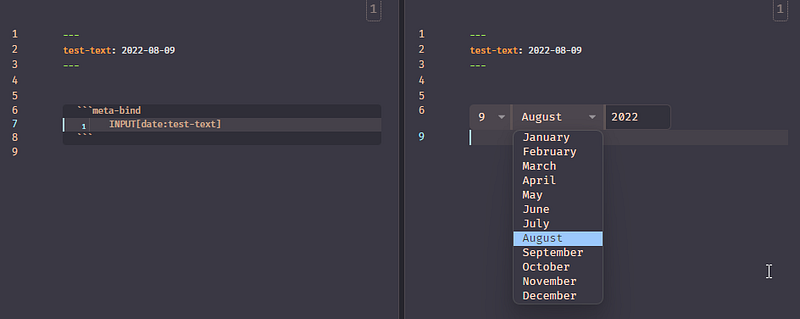
Date
INPUT[date:date1]
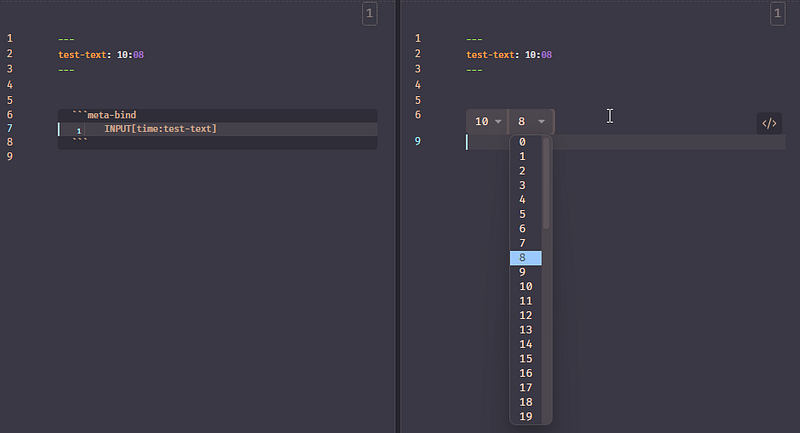
Time
INPUT[time:time1]
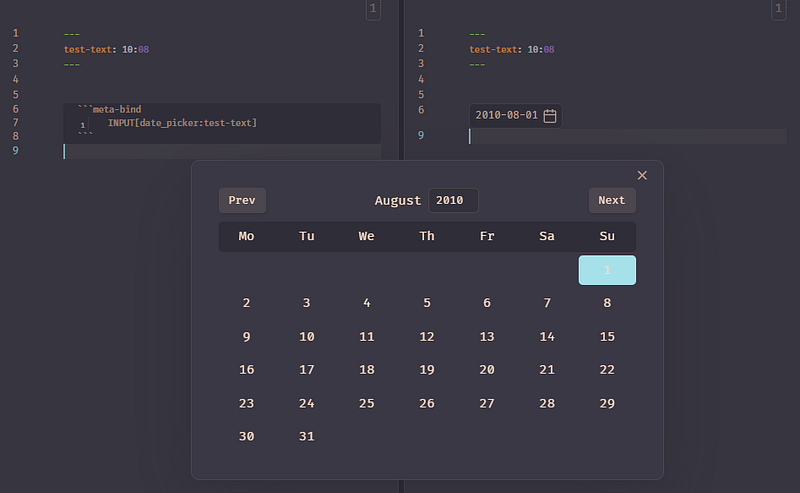
Date-picker
INPUT[Date-picker:date-picker1]
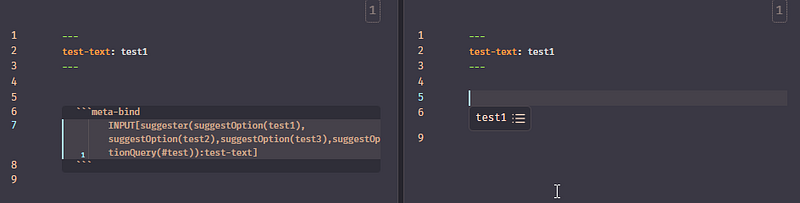
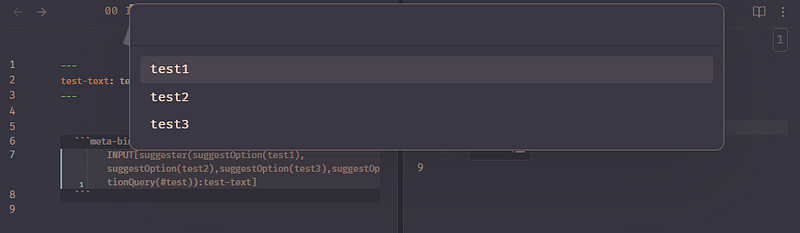
Suggester
INPUT[suggester(option(SuggestionText1),option...,option(#test):suggester1]
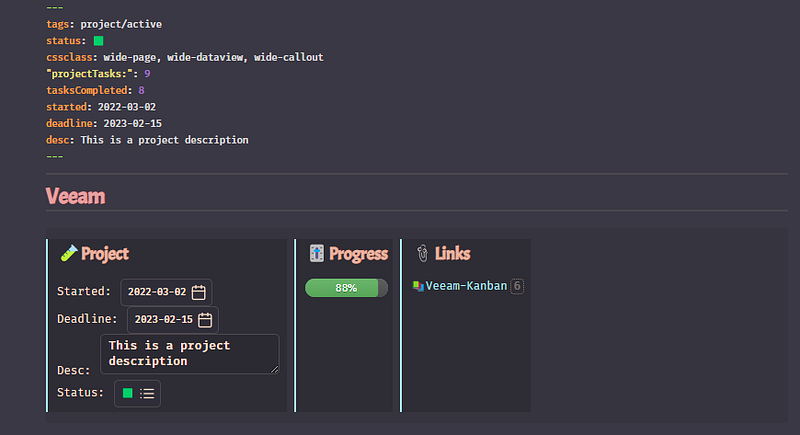
With this plugin, I can move all data fields to the front matter and have the inline fields replaced by input fields, making updating fields much easier.
Check out the documentation here and the project’s GitHub repository here.
You can read the previous parts of My Obsidian Setup series here:
Click here to be notified every time I publish a new story 😉.
If you’re not a Medium member yet and wish to support me or get access to all my stories, click here.


