
Tips, Snippets, and Hyper-Specific Examples
Obsidian Gem: Linking Map Coordinates to an Online Map
Using inline Dataview functions to convert lat/long values into a clickable link
I collect things while I’m out on walks and hikes: branches, cones, rocks, seeds, etc. I take a note on each specimen. Within those notes, I include keys for the latitude and longitude coordinates (I drop a pin on google maps when I pick something up) of where each specimen was collected.
Something like this:
# Specimen 1
Latitude:: 45.5015342
Longitude:: -73.592479
I then use the following inline Dataview function to convert these coordinates into an external link, which leads to an online map with a pin dropped at the coordinates:
`=join(list("[", this.latitude, ",", this.longitude, "](https://gps-coordinates.org/my-location.php?lat=", this.latitude, "&lng=", this.longitude, ")"), "")`This function joins the latitude and longitude within single brackets to create the external link followed by the URL in parenthesis, in which the latitude and longitude are inserted where necessary. This list of items is joined with no spaces ("").
The result, in this example, is this link: 45.5015342,-73.592479
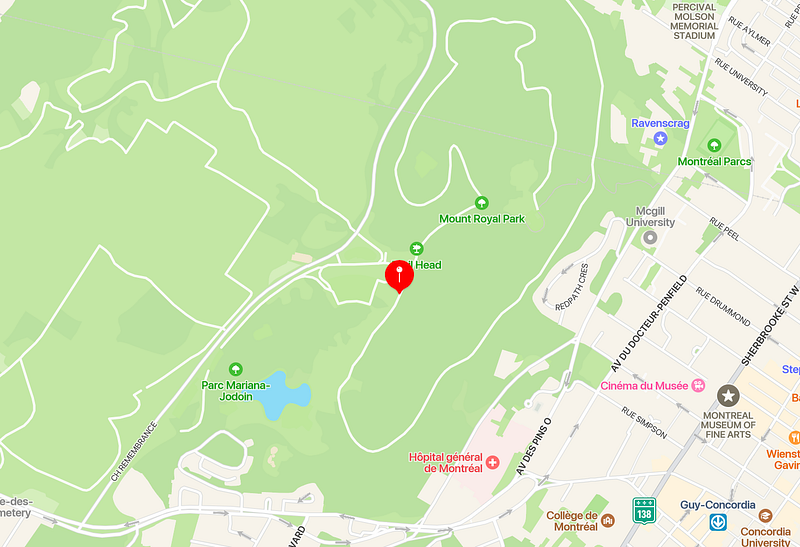
Which brings us to a site with this map:
I used gps-coordinates.org because:
- It drops a pin on the map at the coordinates (Google Maps doesn’t seem to do this.)
- It automatically zooms in on the pin.
- The URL is fairly simple with a clear place for the latitude and longitude coordinates, and it accepts the coordinates in the format in which I store them.
Using this inline function, I can hide the actual lat/long keys and values in the frontmatter or in a callout. Then, my note can look like:
# Specimen 1
This specimen was collected at `=join(list("[", this.latitude, ",", this.longitude, "](https://gps-coordinates.org/my-location.php?lat=", this.latitude, "&lng=", this.longitude, ")"), "")`.
With the link being generated automatically:
# Specimen 1
This specimen was collected at [45.5015342,-73.592479](https://gps-coordinates.org/my-location.php?lat=45.5015342&lng=-73.592479).
Welcome to an Obsidian Gem! These are short little articles where I quickly detail an Obsidian tip or trick, or just something that I’m doing in my vault. I’ll provide brief explanations and context, but won’t go into too much detail (feel free to drop questions in the comments!).
Some examples will be more general, but others might be very specific to my own use-cases. Hopefully you can glean something from them regardless! I won’t be publishing these notes in any publication, but you can follow me and sign up to receive email notifications if you want to be updated about my new posts. Otherwise, here’s a list where I’ll compile these gems:


