
Obsidian Daily Notes Template(Journal Edition)
Set goals, track your habits, and reflect on your day
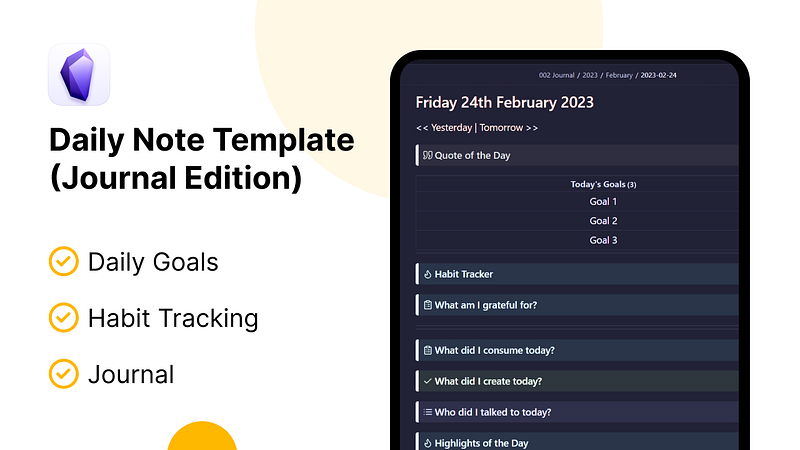
Daily notes in obsidian are robust. You can use them anyhow you like. This flexibility comes with a major drawback. You don’t know where to start or how to start.
This daily notes template is designed to help you stay focused, motivated, and accountable. This template incorporates the power of different obsidian plugins to create features such as setting goals, tracking habits to keep you accountable, and helping you reflect on your day.
Here’s a screenshot of what this daily note template looks like:
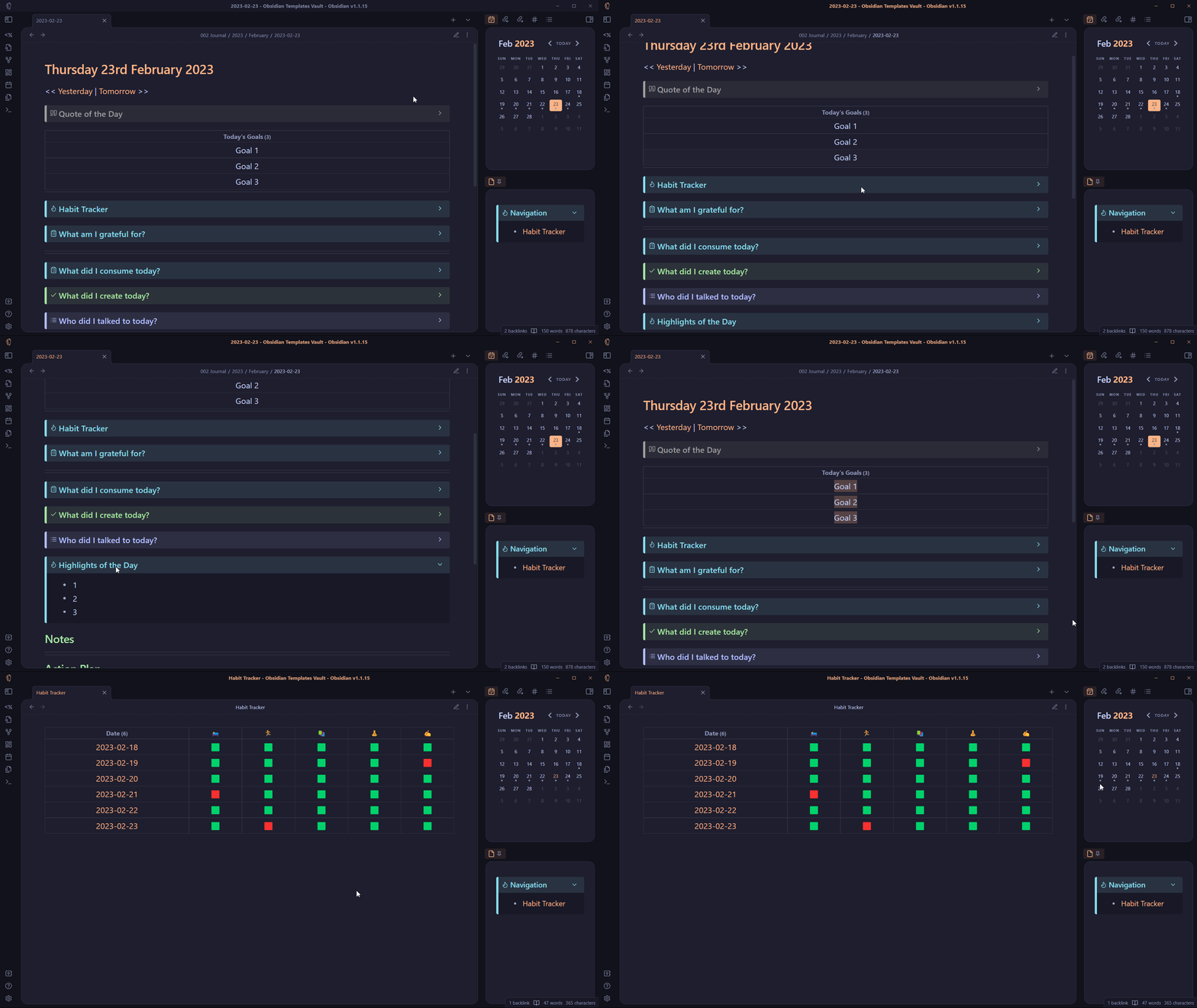
Let’s begin the tutorial on how I created this template. This will help make it easier to implement this template in your workflow.
Plugins We Need
Before we begin the tutorial, let’s talk about the plugins we need.
- Daily Notes(obviously)
- Dataview: To create a habit tracker and advanced queries
- Calendar: Makes it easier to go through the process of creating daily notes
- Templater: Create functions to automate your daily notes.
Configuring templater plugin
Create a template file called ‘daily note’ in your vault under a folder named Templates.
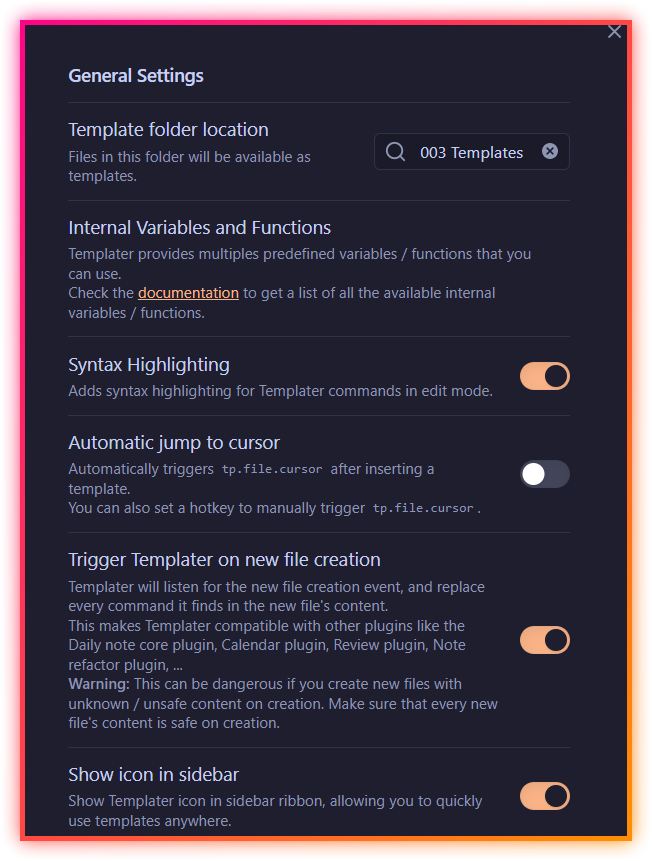
Now install templater plugin from community plugins and add the template folder location. Also, enable the ‘Trigger templater on new file creation’.
Configuring the daily notes plugin
First, create a folder where you want all of your daily notes to be saved. Then, configure the daily notes plugin.
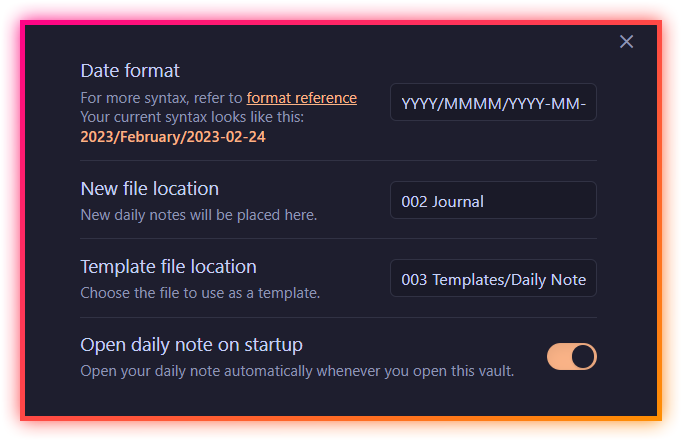
Add the date format as:
YYYY/MMMM/YYYY-MM-DDThis will group your daily notes into year and month folders.
Set the new file location as well as template file location. Also, enable the option to open the daily note on startup.
Install the calendar plugin & dataview plugin
Install the calendar plugin by Liam Cain & dataview plugin by Michael Brenan. Enable the following options in the dataview plugins options.
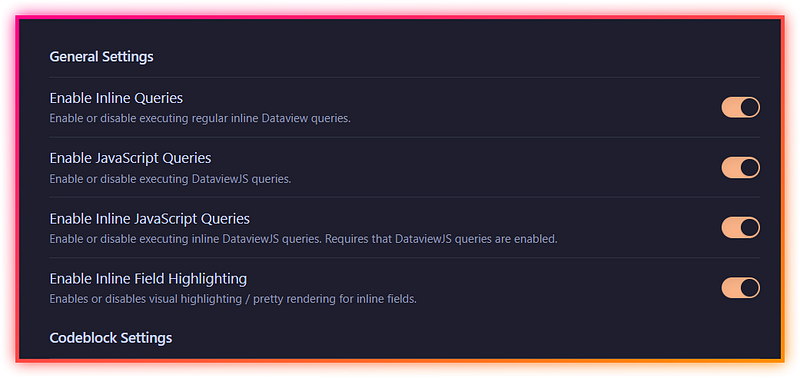
That’s all. We have finished the first part of adding the necessary plugins and configurations for our daily note.
Creating a Daily Note Template
Adding YAML Frontmatter
We’ll add a tag in the YAML frontmatter.
---
tag: dailies
---
Today’s Date
We’ll use the templater function in order to automatically create the title of a note in our daily note. As we have enabled the option ‘Trigger templater on new file creation’, whenever a new file is created with a templater function, it will be executed.
Add the following templater function.
## <% moment(tp.file.title, "YYYY-MM-DD").format("dddd Do MMMM YYYY") %>Link to yesterday’s and tomorrow’s daily note
We’ll again be using templater to automatically create links to yesterday’s and tomorrow’s daily note.
Add the following template function to your daily note template.
<< [[<% fileDate = moment(tp.file.title, 'YYYY-MM-DD').subtract(1, 'd').format('YYYY-MM-DD') %>|Yesterday]] | [[<% fileDate = moment(tp.file.title, 'YYYY-MM-DD').add(1, 'd').format('YYYY-MM-DD') %>|Tomorrow]] >>Quote of the day
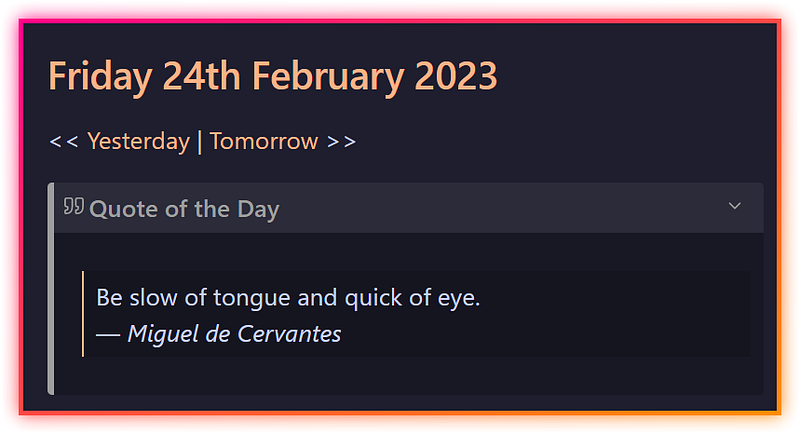
If you love quotes, and you want a dose of inspiration when you start your day, this can be helpful. An inspiring quote on your daily note. The following templater function is used to add a quote.
<% tp.web.daily_quote() %>If you want the quote to look better or want it inside a callout format, do this:
> [!Quote]+ Quote of the Day
> <% tp.web.daily_quote() %>
Here’s what our daily note template looks like right now:
Plan your day in advance
At the end of our daily note, we create a section called ‘Action Plan’. Here we’ll write our goals for tomorrow. We plan our the day before. This helps to directly jump into action the next day instead of spending time on planning.
On today’s daily note, we’ll query these goals or tasks from the previous day’s ‘Action Plan’ section. And they will render on your today’s note.
For this, we’ll be using dataview in combination with templater. Here’s what the query looks like:
```dataview
Table without ID L.text As "Today's Goals"
From #dailies
FLATTEN file.lists As L
WHERE meta(L.section).subpath="Action Plan" and file.name= "<% fileDate = moment(tp.file.title, 'YYYY-MM-DD').add(1, 'd').format('YYYY-MM-DD') %>"
```
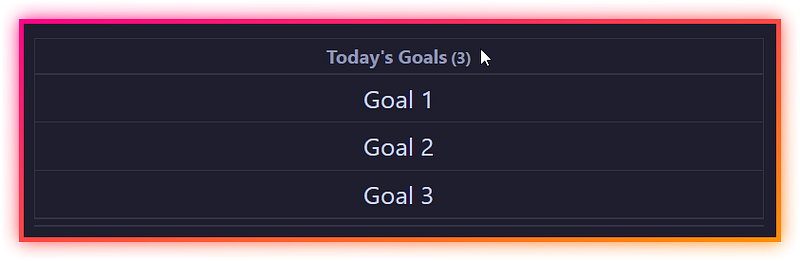
This will query lists from the ‘Action Plan’ section of the previous day’s note and display them in today’s note.
Result:
Habit Tracker
We’ll use dataview in order to track our habits. For this, we use our habits as metadata. We can do that either in the YAML frontmatter or we can add inline metadata in our notes with ‘::’. Here’s a simple Habit tracker metadata.
> [!tip]+ Habit Tracker
> Sleep:: 0
> Reading:: 0
> Exercise:: 0
> Meditation:: 0
> Writing:: 0
These metadata are all placed inside callouts.
In your daily notes, you can add habits of your choice and start tracking them. You can use numbers for tracking.
For example, how many minutes you read? or how many pages? How many minutes did you exercise? How many words did you write? What are your daily goals for these habits?
Based on your daily goals and your daily achievement, we’ll create a habit tracker.
We’ll create a new note called habit tracker and add the following dataview query:
```dataview
TABLE WITHOUT ID
file.link as Date,
choice(Sleep > 7, "🟩", "🟥") as 🛌,
choice(Exercise > 30, "🟩", "🟥") as 🏃,
choice(Reading > 30, "🟩", "🟥") as 📚,
choice(Meditation > 10, "🟩", "🟥") as 🧘,
choice(Writing > 750, "🟩", "🟥") as ✍️
FROM #dailies
WHERE file.day <= date(now) AND file.day >= date(now) - dur(7days)
SORT file.day ASC
```
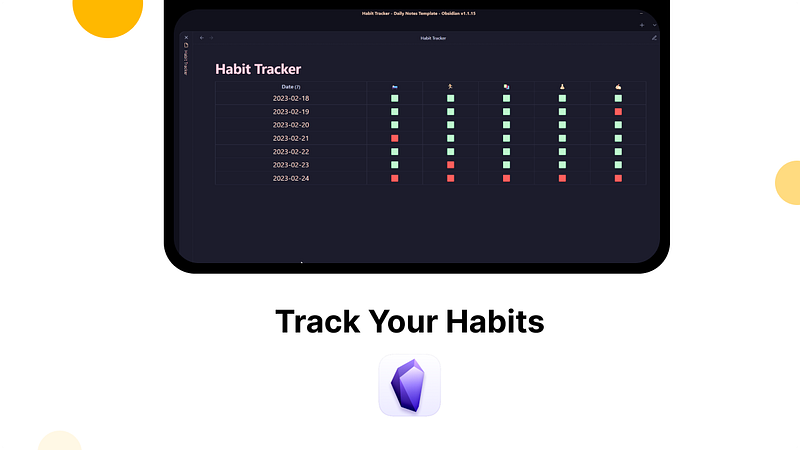
This will show your habits for the past 7 days. You can change that by adding different duration time in the query.
Here’s what’s happening in the data view query.
A dataview table is created from the notes with the #dailies note. Let’s take an example of Writing query.
Suppose your goal is to write 750 words every day. This is the habit you are trying to build. If your writing data in your daily note is less than 750, the dataview table will show as a red box(not done). If it's higher than that, you completed your habit.
You can similarly add other habits as well as use different data for setting goals for these habits based on your personal preferences.
Here’s what the habit tracker looks like.
Gratitude
Gratitude brings happiness and peace. It shifts your focus from the negative side to the positive one. So, why not start your day with a simple prompt for gratitude?
> [!abstract]+ What am I grateful for?
> - 1
> - 2
> - 3
Till now, the template was all about planning. What you do in the morning to start your day. Now let’s ask some questions for reflecting on our day.
Here are simple prompts to reflect on your day in callouts format.
> [!abstract]+ What did I consume today?
> - 1
> - 2
> - 3

> [!success]+ What did I create today?
> - 1
> - 2
> - 3

> [!example]+ Who did I talked to today?
> - 1
> - 2
> - 3

>[!Important]+ Highlights of the Day
>- 1
>- 2
>- 3
A section for Notes
Under this heading, you can add your thoughts and ideas that you get throughout your day.
Planning your day in advance
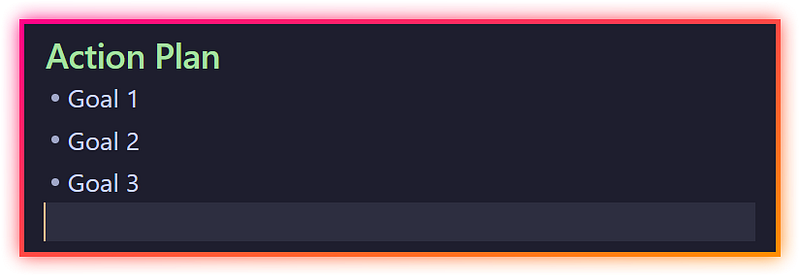
The final section of our daily notes template is ‘Action Plan’. This is where you write your goals for tomorrow. What are the tasks that need to be completed tomorrow? Planning your day in advance is one of the biggest productivity hacks and can help you quickly achieve your goals.
‘Action plan’ is where we list our goals for tomorrow. These goals will be queried by dataview at the top of our next day’s daily note.
That’s all. This is the Journal edition of the daily note. I hope you found this article helpful and that it adds value to your own workflow. I will be creating more obsidian templates for obsidian, so keep an eye out.
If you want this template, you get it either on Gumroad or from Buy me a coffee.
Thanks for reading. Become a Medium member with my affiliate link.


