
Notion — Learning Productivity and Taming Chaos
Notion — Learning the Program #1
First Steps
Habits are good. That’s what I keep telling myself. I’m assuming you know I’m talking about good habits. Habits like taking a really deep breath now and again. Habits like straightening up from my habitual slouch. Just a reminder to sit up straight. It’s what people used to tell me as a kid. I’m sure it’s just as helpful now that I’m 68.
I am in the midst of learning about a program called Notion. I heard about it the other day from another writer here at Medium. Her name is Abena. She said she uses it extensively with all the projects she’s got going on. I need help, too, with my own projects.
My process is that I determine I want to do something new. I end up doing whatever it is for three or four days, and then something interferes with the new routine, and I quickly forget about it. Maybe three days later, I say to myself, “Oh, shoot. I was going to do that, and I didn’t”
I’m sure you probably do the same thing.
Don’t fret. I’ll put links to all these things I’m talking about at the bottom of this article. I want you to read at least 30 seconds of this article so I can get paid before you go haring off all over the internet in search of other interesting places to go.
Maybe I’ll make a series of articles about my learning how to use the program Notion. This will be the first in a series of articles detailing what I’m learning about how to use Notion. Evidently, it’s a powerful program, but people say it also has a long learning curve.
Notion is also very flexible, which is what I wanted for myself. A tailor-made program to help me keep track of the stuff I do where I can make it as simple or as complex as it needs to be. A program that’s going to work from the beginning as well as it works six months into the future.
Right now, I’ve got this handy dandy piece of paper propped up on an easel to my side full of boxes and columns. Along the side going down on the left, there are the numbered days of any given month. They are blank without the days written in, just the numbers. It would be more helpful to me if I had at least Sundays highlighted, but I didn’t do that.
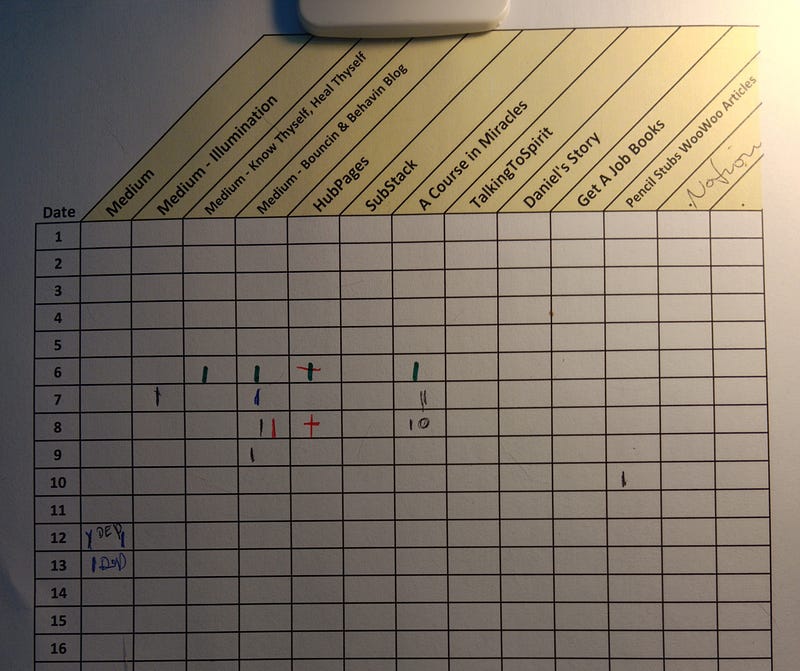
Consequently, my eyes cross as I try to zero in on the right square to tick off a task. My first four columns are different publications I’ve been writing for on Medium, along with a generic column. Then, there is HubPages, which I also just started learning about, thanks to Abena. Then, I’ve got my daily lessons for ACIM (A Course in Miracles) that I’ve neglected to do for a few days. Not good since I’m supposed to be doing them each day. I’ve got other things going on too, which I haven’t been paying a lot of attention to lately that need to be addressed. Like clearing my clutter, working on my Get a Job books, working on Daniel’s Story and my website, Talking to Spirit.
My resolution to organize my life is meeting with failure. Once again.
So, I thought maybe I could get better organized with Notion.
I began by watching a SkillShare video class about the program. I chose the one class that had 28,642 students in it. Hey, with that many students, the teacher must be good. And he is. The only downside is with a class as large as it is, there is some freezing of the video. I’m using that time to review my notes. I get two screens going side by side. One side of the screen shows my notes, and the other side of the screen shows the class video.
I can’t tell you how much the SkillShare class is because I bought access to all the classes for a year. That was $168, and I’m sure it will be worth it. If you don’t know about SkillShare they’ve got over 27,000 classes. 2000 of them are free. The first month’s membership is free, and after that, it’s $32 a month. Sure, you could probably find similar classes on YouTube, but these are definitely quality classes with handouts, feedback, and assignments.
I have to interrupt the regularly scheduled article to note something funny that just happened. I wanted to stretch my legs. My feet are starting to get numb and tingly, which is my cue to move around some. As I left the study to go see what my husband was doing, someone in Spirit said to me, “What about prayer? You should put prayer on the list.” They said some more stuff about me not praying enough, but I thought it was funny. See, I speak to folk in Spirit. I’m a psychic channel. I don’t know who that was talking to me, but it was just funny. Yeah, okay, I’ll put prayer on the list too.
So, what I learned yesterday about Notion was how to start with a blank page. There are scads of doo-dads you can include on your page, like calendars and to-do lists. When you first fire up the program, your first page comes equipped with a bunch of stuff. However, the instructor had us start with a blank page. He wanted us to see how easy it was to customize your own workspace. Presumably, this is going to be the first thing you do every day on your computer.
Ali, the instructor, explained how the command structure works, so if you are looking to bold something or italicize something, you can get that done quickly and without any interruption to your productivity. There is a quick way to get to all the shortcut keys with a little question mark down in the lower right-hand corner. When you click on it, about mid-way down on the menu that pops up is a ctrl/cmd key shortcut list. That is going to be invaluable no matter where I go in the program.
These are pretty much the same commands you’re probably familiar with other programs you use, like a ctrl B to make things BOLD. I was also interested in learning how to put a link on something. You highlight the words that you want to be linked to and then do a ctrl k. I do that in everything that I write, whether it is for Medium or my own personal stuff. I’d like to go back to the original source of whatever it is to check something or to learn something new. Or, just because the website is cool as grits.
I have always maintained that with a few commands, you can make anything dance.
Thanks for reading. Please clap, comment, follow, and subscribe.
➳༻❀ Pauline ❀༺➳
Here are the links I mentioned in the article you might be interested in visiting:
Abena Talks — Abena is a powerhouse. I am in awe of the level of productivity she shows. I want some.
ACIM — A Course in Miracles (I’m on lesson 7)
Ali Abdaal — my instructor for Notion at Skillshare.
HubPages — Where I’m thinking about publishing in addition to Medium. Harder to use than Medium, but there is no membership fee. Not sure how useful this website is going to be, but I’m going to try it out. Just to see.
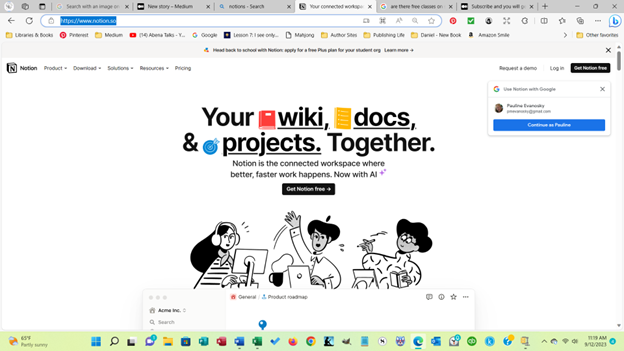
Notion — The program on the web. Free for individual use. $8 per month for ten folks and more if you’ve got more than ten.
SkillShare — $168 for a year, $32 for a month. 2,000 classes are free — everything under the sun to learn about.
Talking to Spirit — My website that was started in 2001.