
Notion: Initial Thoughts On This Wildly Popular Application
I can see why it gets such positive reviews
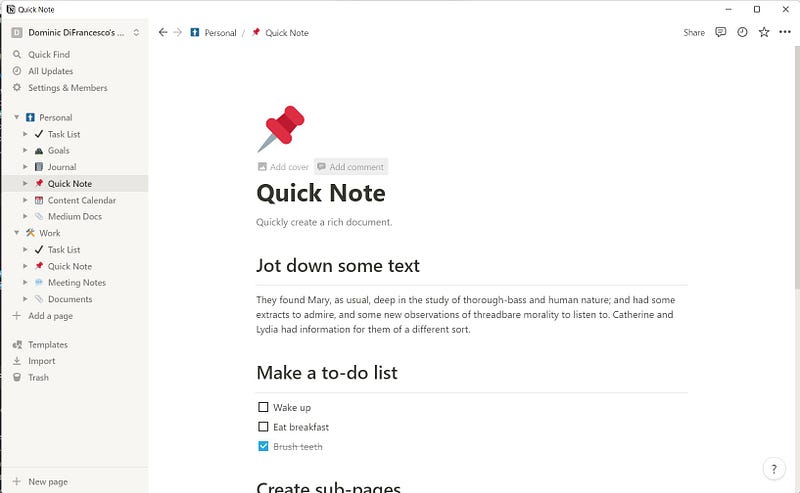
After months of hesitation I finally decided to install Notion on my MacBook Air, iPad Air, iPhone and on my Windows laptop at work.
For those unfamiliar with Notion, Notion is, well it’s pretty much anything you want it to be. Notion seems to want to be your go to place for everything, and to be honest, I think it might do a terrific job.
Some of the basic things you can do with Notion are keep a task list, track your goals, keep a calendar, keep a notebook, and write meeting notes. These are by no means all the things you can do with this application, but instead these are just some of the templates included with Notion.
As I’ve only just installed Notion, my time so far has been spent customizing it for both my personal and work uses. The layout I show in the screenshots is fluid since I’m sure I will be making changes for some time come.
Basically, I don’t really know what I’m going to need until I need it.
What do I hope to get out of using Notion
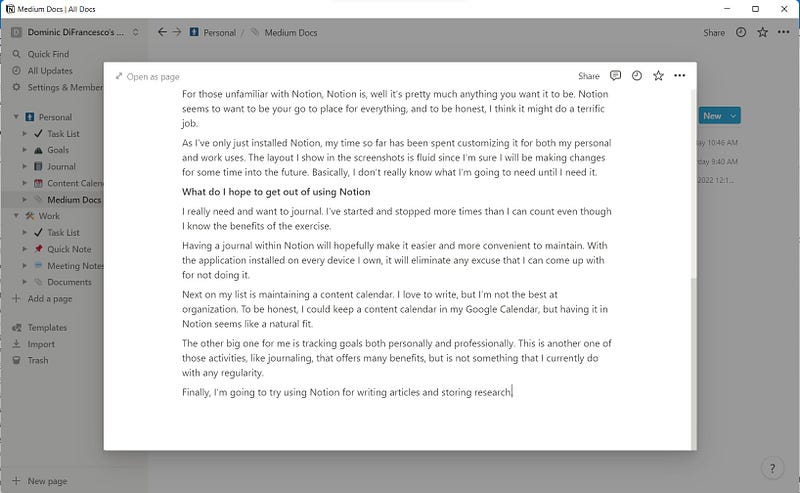
I really need and want to journal. I’ve started and stopped more times than I can count even though I know the benefits of the exercise.
Having a journal within Notion will hopefully make it easier and more convenient to maintain. With the application installed on every device I own, it will eliminate any excuse that I can come up with for not doing it.
Next on my list is maintaining a content calendar. I love to write, but I’m not the best at organization. To be honest, I could keep a content calendar in my Google Calendar, but having it in Notion seems like a natural fit.
The other big one for me is tracking goals both personally and professionally. This is another one of those activities, like journaling, that offers many benefits, but is not something that I currently do with any regularity.
Finally, I’m going to try using Notion for writing articles and storing research. This is the third Medium article I’ve written in Notion, and I must say, it isn’t an unpleasant experience.
Notion offers decent editing tools. Some of the standard editing options available include adding links, bold, italic, and underlining of text along with some options that aren’t quite so standard such as the ability to create equations and add “@” mentions within the text.
There are more advanced editing features available that allow you to format text as various heading sizes, bulleted lists, numbered lists, and quoted text to name just a few of the options.
My needs are not very complex, so I think writing in Notion will prove to be excellent, but I will reserve that decision until I’ve had more time to work with the application.
Is Notion expensive
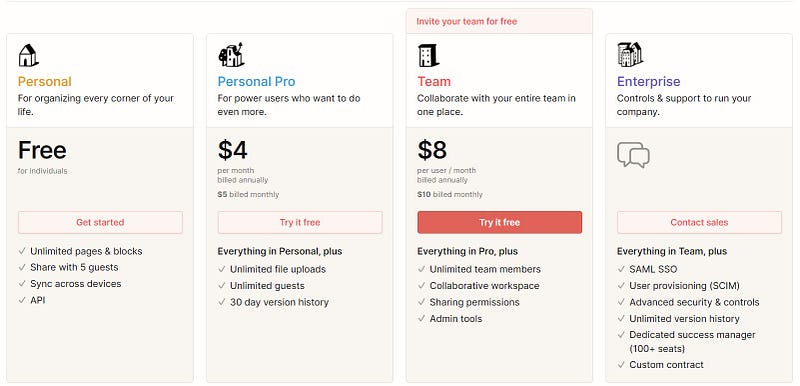
I’m using the Personal version which is free for individuals. Until I find I have a need to upload files larger than 5 MB or that I need to work with team members, the Personal version should serve me well.
I’ve only scratched the surface of what Notion is capable of, and even based on that it is well worth spending $4, or even $8 per month per user if you need the additional features. What you get for free though is extremely generous and full featured.
The obvious answer to the question, “Is Notion expensive?” would be a resounding no.
Final thoughts
While I am extremely new to Notion, I like what I see so far. Notion can truly be whatever you want it to be.
If you take advantage of the available templates, both the included ones and the templates created by the community, you have in your hands the ability to design a powerful system tailored to your specific needs. Not to mention, the use of templates also makes setting up Notion far easier than it would have been otherwise.
I will test Notion for a month and report back on my likes, dislikes, and overall opinion of the software to see if all those positive reviews were true or not.
My guess is that the reviews were positive for good reason, and I look forward to confirming that.
If you use Notion, how do you use it? I’d really like to know.
Until next time…
If you enjoyed this article, or maybe hated it, and would still like to read everything that Medium has to offer, then I would appreciate it if you would subscribe using my referral link below.


