Quick Tip
Noticed an Error in Your Title?
Here’s a quick tip to correct it.
Editors at ILLUMINATION know you are excited and very eager to share your words with the world. We’d like to help you make them look their best.
The value of checking your work, even after you’ve published, is the knowledge that nobody else will find your mistakes. Plus, it looks professional.
Reading as many articles and having read as many books as I have in my lifetime, as well as having done a creative writing course for nearly five years and a short proofreading and copy editing course you would have thought I’d be an expert at not leaving typos, forgetting to format, and not reading out loud to find the obvious mistakes that Grammarly didn’t pick up.
An experienced professional proofreader, reading a copyedited typescript, should be able to spot and deal appropriately with at least 80% of all errors but at least 90% of typos — other things being equal. ~CIEP
I’ve done it, you’ve done it, we all do it.
The need to publish is overpowering, the pull too great, we hit the publish button and walk away. Or maybe go to make a cup of tea or visit the powder room. But then I’ll plonk myself back down at my desk and the glaring mistake will be there taunting me.
The quick tips I’m sharing here are ones that took precious time and effort to discover. And then I had to figure out how to use the information to fix my mistakes using the Medium editor tools.
Sometimes, I’ll immediately realise I’ve forgotten to highlight the subtitle and click the little t. I’ll hit edit from the gear symbol at the top right of the screen and do it there and then.
Other times, it’s not until I see my article on the front page of ILLUMINATION and notice the title is not capitalised.
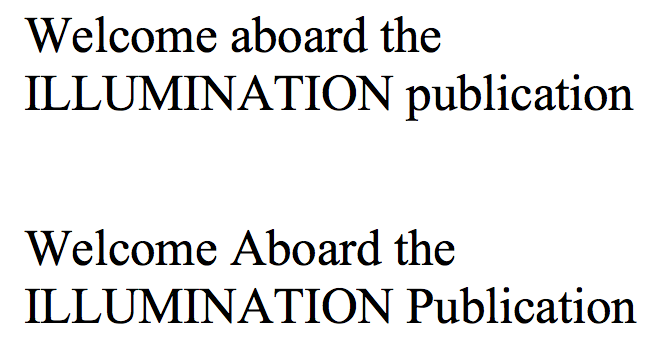
Changing Welcome aboard the ILLUMINATION publication to Welcome Aboard the ILLUMINATION Publication is not such a simple fix as just changing the title in the editor. Well, it can be if you are interested only in the cosmetics of your headline.
Should you choose to correct the display permanently you have to go to the gear symbol and click on change title/display. Amend the lowercase a and p to upper, click done. This is a superficial change.
You might not think or care much about marketing at first, I know I didn’t. But since the advent of this amazing publication, we all have the opportunity to promote our work and we really need to make sure Google gets the correct information. I’d be sad to think you or I have missed a chance to improve our stats.
Making sure the URL changes involves going to the gear symbol and selecting more settings, and from the menu on the left selecting SEO settings. You can then type or copy and paste the amended title into the second row under the title you want to change but can’t because the system doesn’t let you. Click Save. Go to the top of the page to click on return to editor.
Click the green Save and publish button at the top of the page. It might take a while for the URL to change but it will.
For more information about formatting your work using the Medium editing tools, here are some more articles with lots more detail.