
New Obsidian plugins: HomeTab, Automatic Daily Notes, Tasks Creation, & More
Useful plugins to enhance your obsidian experience

Welcome to another edition of the Obsidian Community Plugin series. Here, we bring you the newest and most useful plugins for the Obsidian.
As the Obsidian community continues to expand, new plugins are constantly being developed, adding to the tool’s already impressive functionality.
In this article, we will be highlighting some of the latest and most noteworthy plugins added to Obsidian. So, let’s jump right in and explore the new & useful Obsdian plugin.
Settings Profile
This plugin allows you to create different global settings profiles. You can choose what settings you want to save.
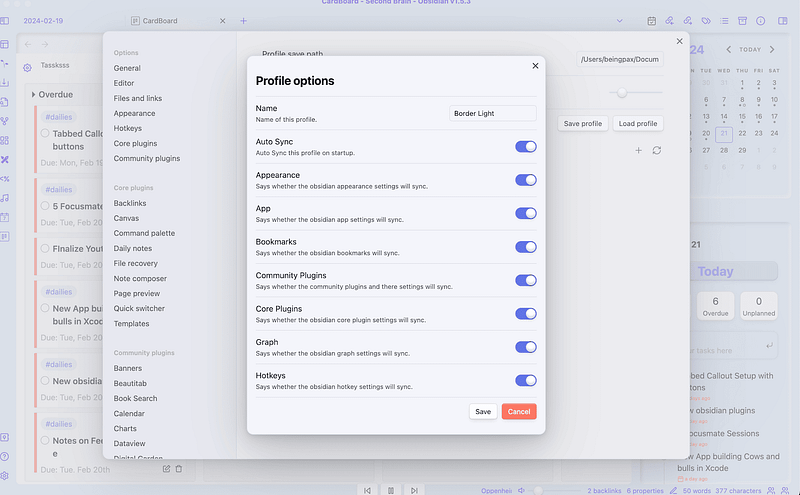
All of these settings will be stored in a given folder. By default, its \Documents\Obsidian\Profiles.
Then you can load the profile whenever you want.
This can be helpful when you use multiple vaults and want to sync all the settings such as hotkeys, plugins, appearance, etc.
Or when you want to make certain changes and want to go back to the previous version of your vault.
Create Task
Create task plugin makes the process of adding tasks simple. This plugin gives you a modal to seamlessly add a task.
You will have to select the note path where you want to save all of your tasks by default.
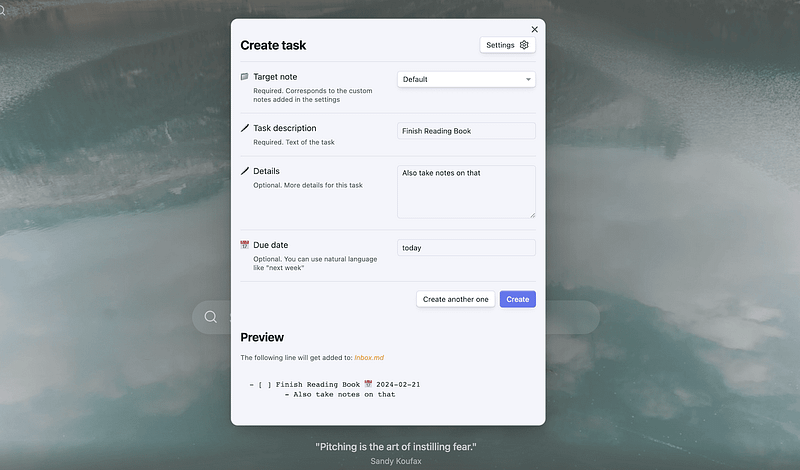
What I love about this plugin is that the due date section supports natural language processing.
You don’t have to manually write the date. instead, you can write the due date as today, tomorrow, 3 days, etc. and it will automatically process that.
Continuous Mode
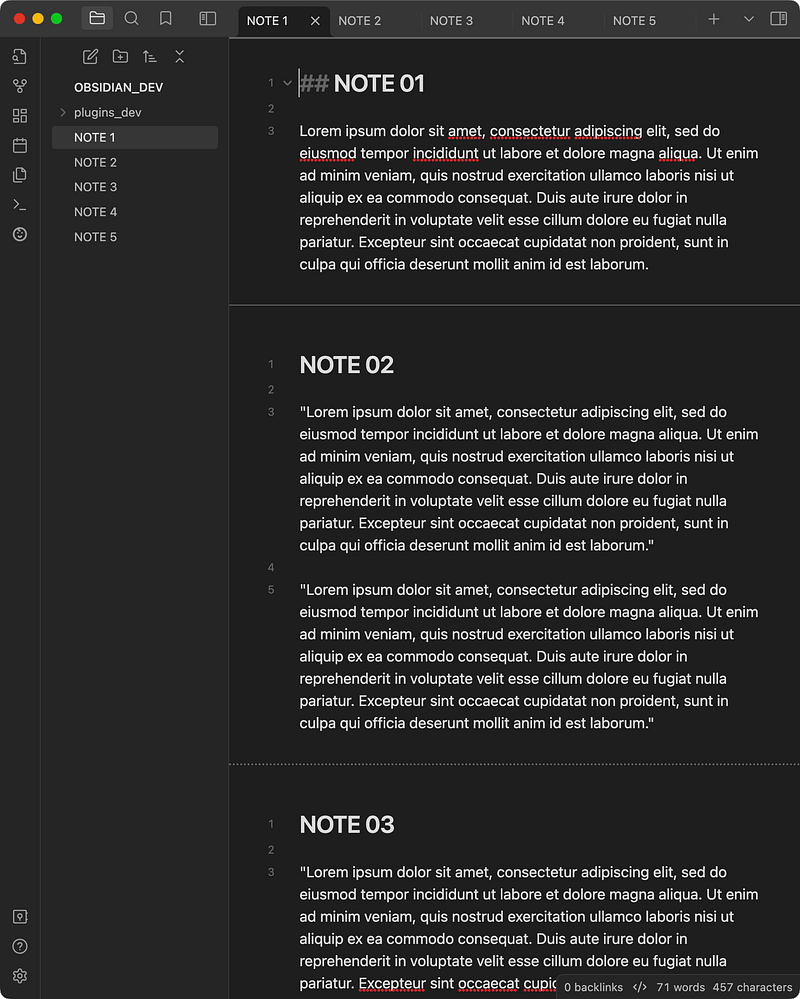
This plugin creates a continuous scrollable document for all the open notes in your tab group. This makes reading and editing multiple notes easier.
You don’t have to navigate through different tabs searching for the notes. Open the notes in multiple tabs and enable the continuous mode from the command palette.
This plugin has other useful features like:
- Navigate between notes with arrow keys
- Toggle the headers in the active tab group for a more “seamless” experience
- Notes scroll automatically into view when tab is clicked
Single File Daily Note
This is somehow similar to the previous plugin's continuous mode. But works differently.
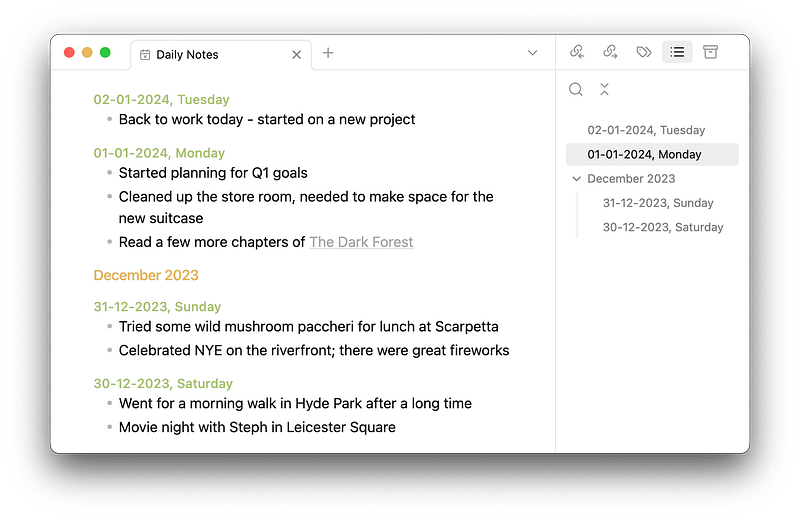
With this plugin, you create a single markdown note for all of your daily notes. This gives you one benefit i.e. you won’t have your vault cluttered with all the daily notes.
You’ll be able to see all of your daily notes in one file without having to navigate back and forth.
But also, you won’t be able to use the tracking feature such as adding properties to every day and using dataview or any other plugin to track those properties.
That’s a tradeoff you have to make.
Enhance Youtube Links
This is a simple plugin that takes your YouTube link and gets the title, channel name, channel URL, and thumbnail URL into Obsidian note.
If you take a lot of notes from YouTube videos, this can be helpful.

Daily Note Creator
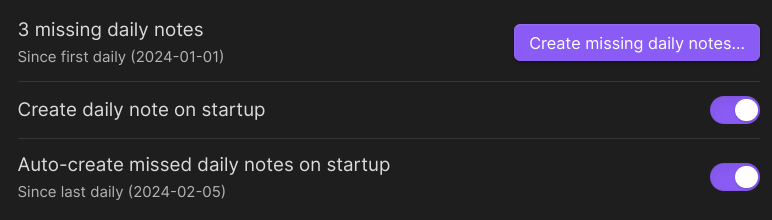
This plugin automatically creates a daily note for you. Even for the days when you don’t open your vault, it will create a note for that day.
It works without you having to enable the open daily note on startup.
BeautiTab
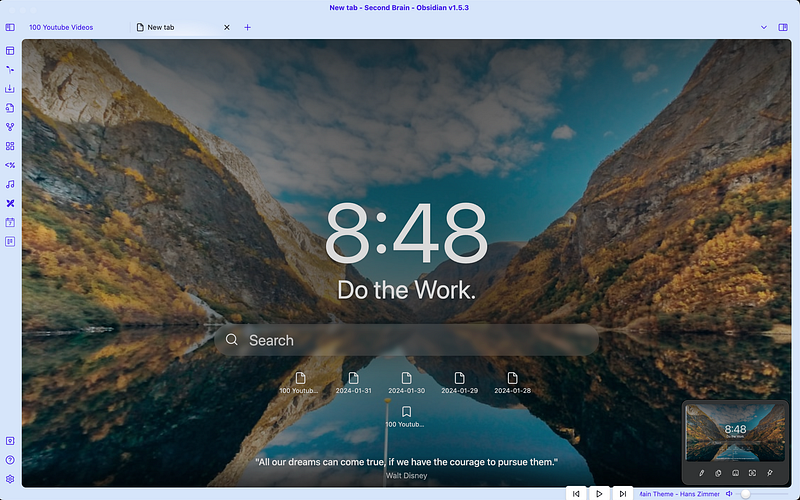
BeautiTab is my favorite plugin from this series. It is similar to the hometab plugin which has not been updated for the past 1 year.
This plugin revives the spirit of hometab with additional functionalities. The best one: support for background images.
Does this make you remember something?
It is inspired by the popular Momentum browser extension.
Looks amazing. No?
You can add different background images. Enable the option to view recently opened files. Also, you have the option to display bookmarks.
The hometab plugin had this feature to display starred notes. But with Obsidian’s bookmarks update, it broke. And I missed that feature badly.
BeautiTab is now back with support for bookmarks on the homepage. And I love it.
I’ve replaced my new tab with this plugin. It makes it easy to navigate to important and recent notes right from the new tab without using extra keystrokes.
That’s all for this edition of the new Obsidian plugins.
If you enjoyed this article, you’d love Obsidian Ninja.


