
New Obsidian Plugins: Crossbow, AI Mentor, File Diff, Personal Assistant & More
New additions to the Obsidian plugin library
Welcome to another edition of the Obsidian Community Plugin series. Here, we bring you the newest and most useful plugins for the Obsidian.
As the Obsidian community continues to expand, new plugins are constantly being developed, adding to the tool’s already impressive functionality.
In this article, we will be highlighting some of the latest and most noteworthy plugins added to Obsidian. So, let’s jump right in and explore the new & useful Obsdian plugin.
Link Range
This plugin brings the concept of ranged wiki links to Obsidian.
What is a ranged wiki link, you might wonder? Traditionally, wiki links have been used to connect one digital note to another. But link range takes it one step further and allows you to link to a specific part of your note.
For example: If you want to link a particular section of a note, you can do that by specifying the header range with a separator string(..).
For example, If i want to link from “Heading 1” to “Heading 2” in a note ‘Title’, I can write the link as:
[[Title#Heading1..Heading 2]]Smart Rename
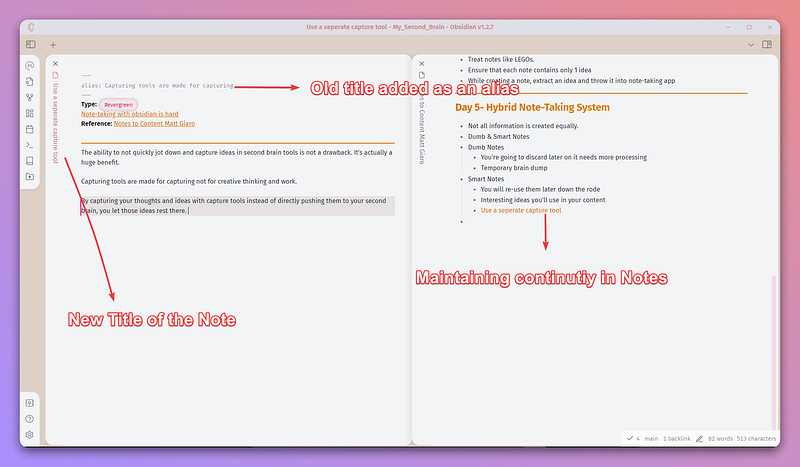
Smart Rename plugin provides a smart solution for maintaining continuity in your notes. When renaming a note, this plugin retains the previous note title as an alias.
This preserves past titles. And it ensures that all backlinks using the old title as displayed text are not lost in the renaming process.
You don’t have to worry about breaking the connection between notes due to title changes anymore.
Folder Notes
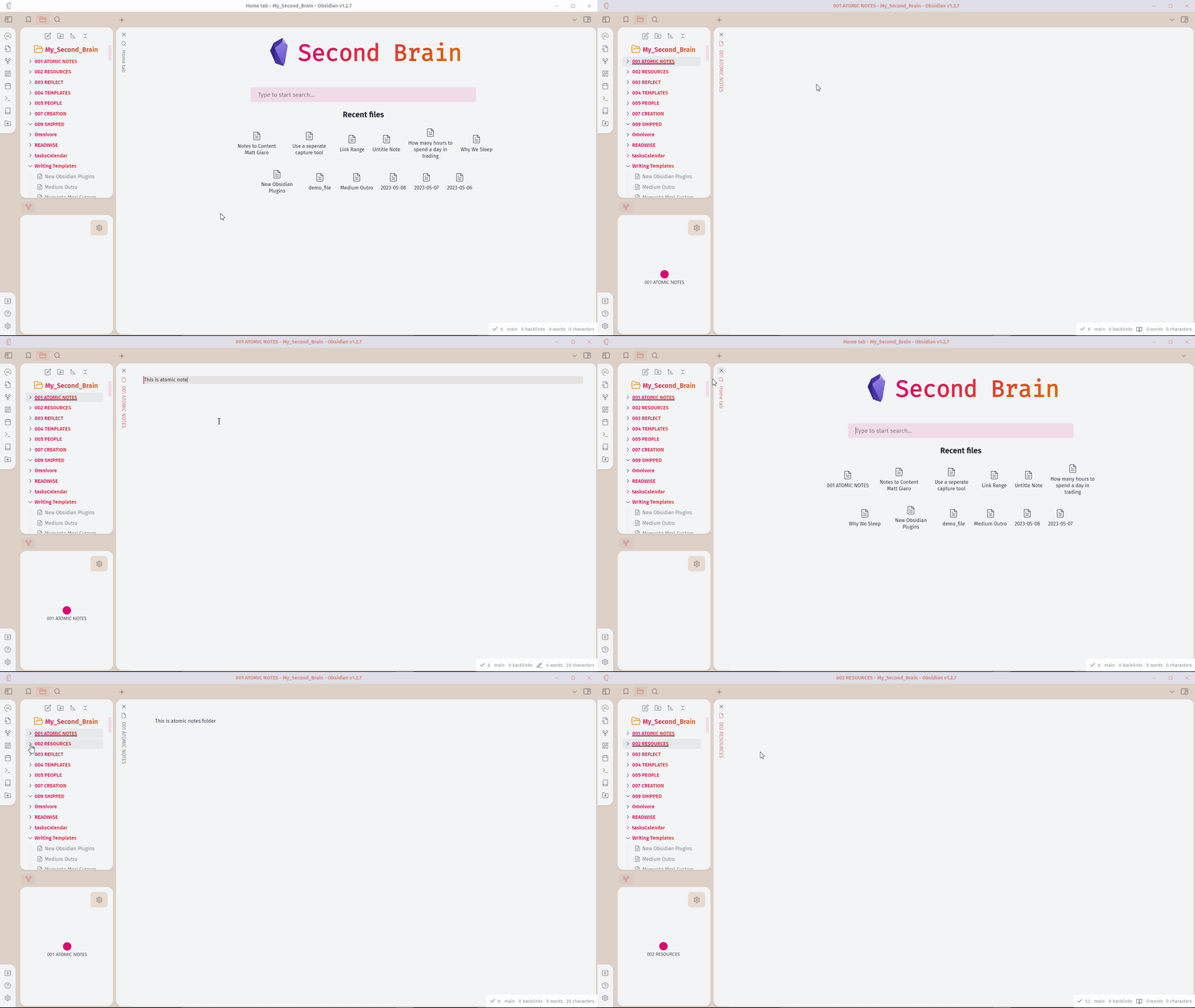
This plugin allows you to create a note for a specific folder, providing an additional layer of information and organization for your notes.
With Folder Note, clicking on a folder name no longer just collapses or expands the folder. Instead, it opens a dedicated note for that folder. This feature can be particularly useful for providing summaries, overviews, or specific details related to the contents of the folder.
In addition, Folder Note also supports the use of templates and integrates well with the Templater plugin. This means you can easily populate your folder notes with pre-defined content, making the process of note creation faster and more streamlined.
File Diff
The “File Diff” plugin for Obsidian is useful for those who sync their vaults across multiple devices using Syncthing. Occasionally, sync conflicts may arise due to simultaneous edits or other synchronization issues.
File Diff is designed to tackle these conflicts effectively. It allows you to compare different versions of your notes, highlighting the differences between them. And you can also merge the notes together.
Crossbow
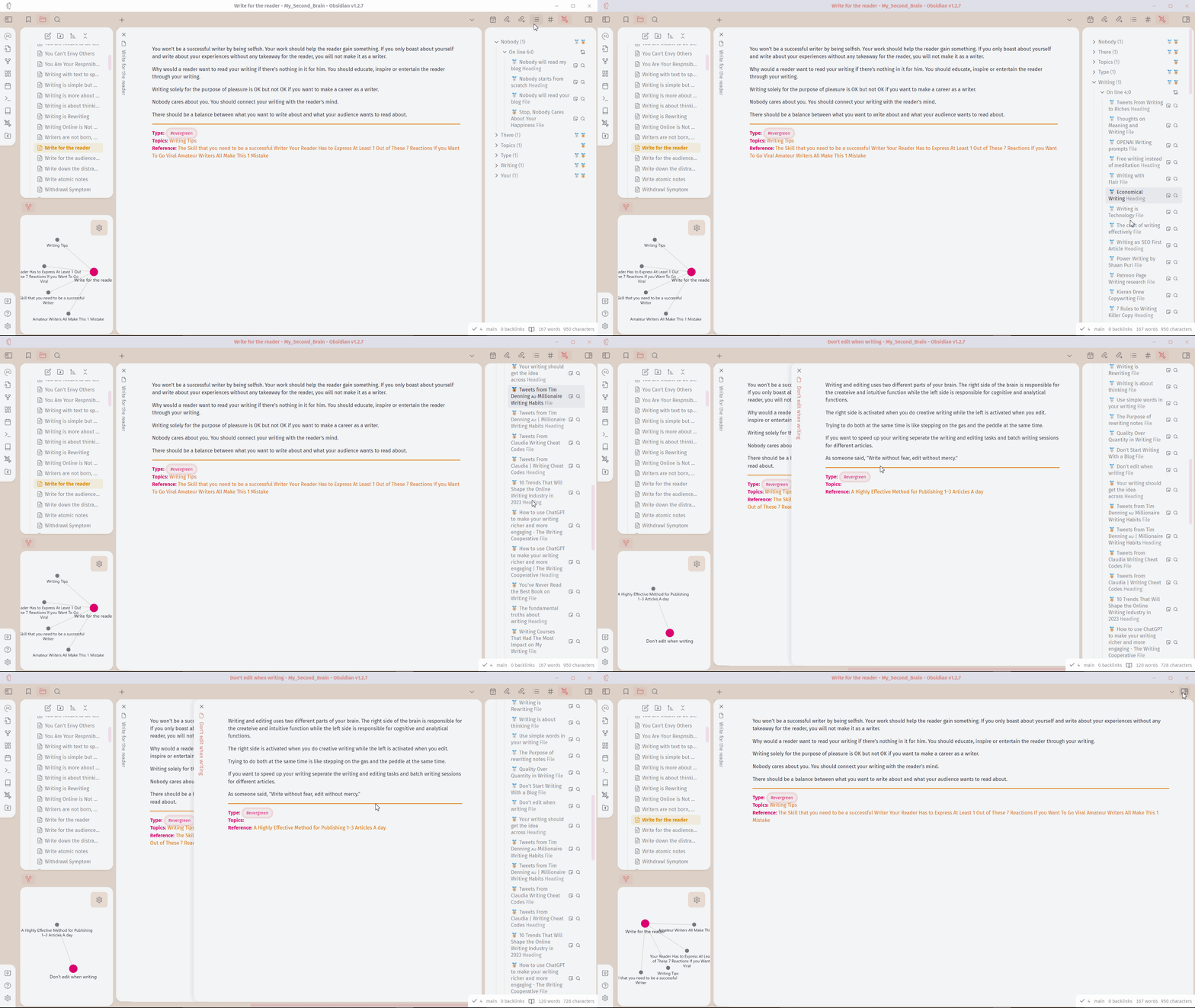
Crossbow plugin improves your note-taking experience with an easy way to add backlinks to your notes. It takes backlinking to the next level by offering handy suggestions for potential links to various headings and files.
It essentially assists you in creating a more interconnected and navigable knowledge base, simplifying the process of finding and linking related content.
GPT-liteInquirer
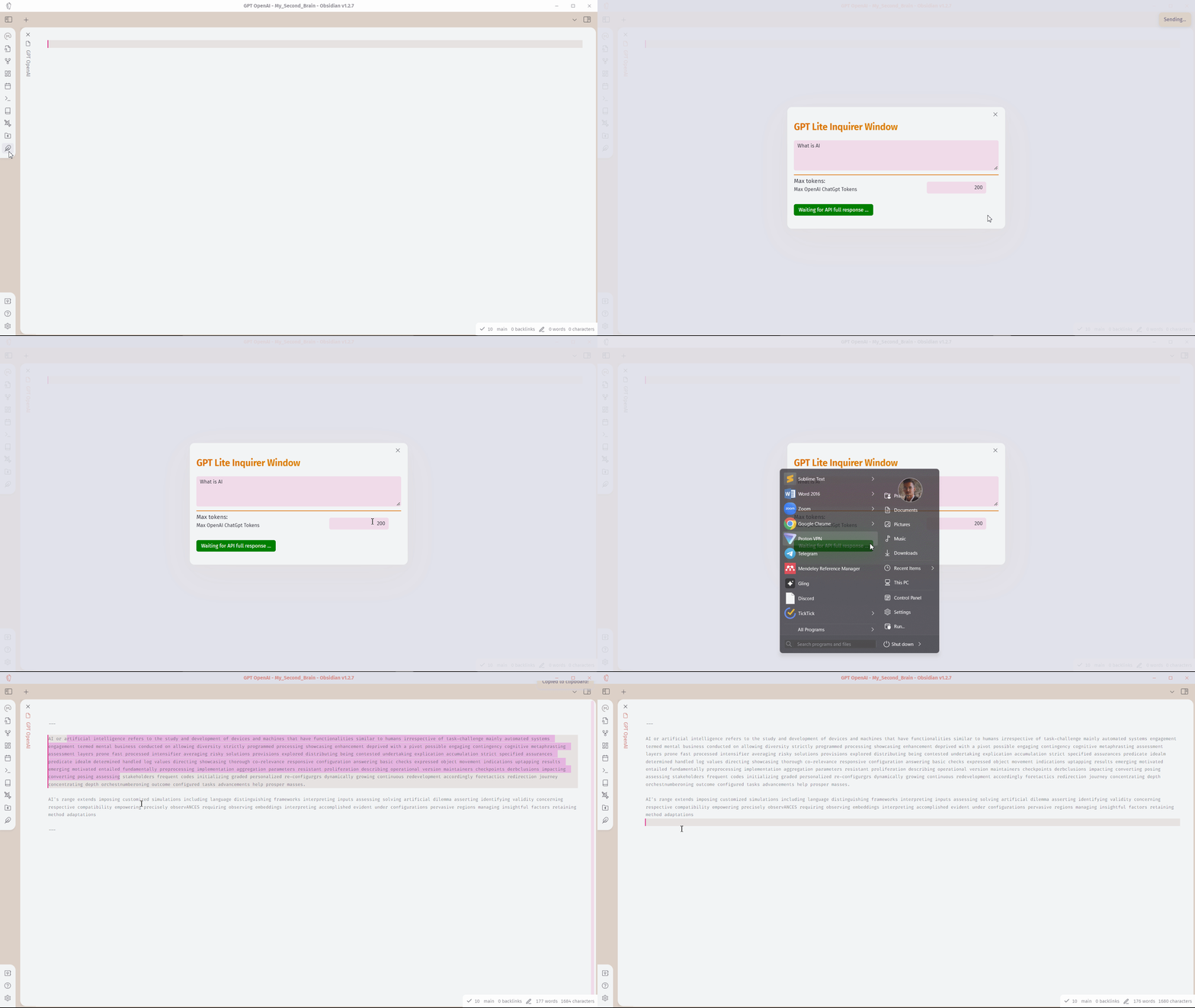
This plugin integrates with OpenAI. And you can easily talk to AI. It integrates with ChatGPT API. This can help to talk with AI.
It’s not nearly as good and functional as other plugins. I will mention a few other plugins below which are better than this.
CoPilot
This is similar to the previous plugin, I mentioned. I also wrote about it previously before it was released on the plugin library.
This plugin can help emulate a ChatGPT-like interface Obsidian, allowing you multiple features such as talking to previous notes, saving chats as notes, copying individual messages, and more.
Personal Assistant
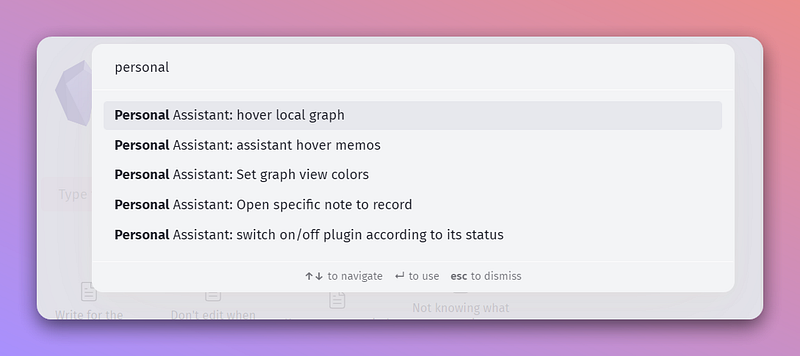
This plugin offers an array of automation features designed to streamline your note-taking and management processes.
Some of the current features of the Personal Assistant plugin include:
- Automatic Note Creation: The plugin can create notes in a specified directory with a configured file name, saving you the initial setup time.
- Open Note-Related Graph View: Whenever you open a note, the plugin can automatically display a graph view related to the current note, providing an instant visual representation of the note’s connections within your knowledge base.
- Automatic Theme and Plugin Updates: No more manual checking for theme or plugin updates. The Personal Assistant plugin can handle this for you, ensuring your Obsidian workspace is always up to date.
And more.
AI Mentor
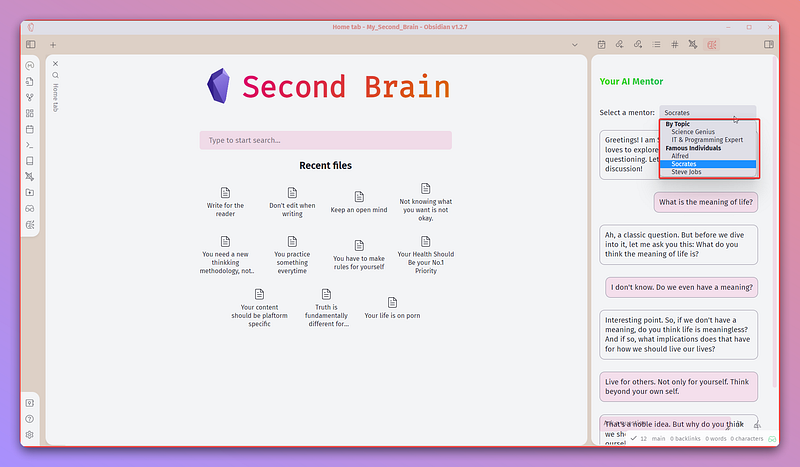
AI mentor makes it easy to interact with the GPT model. You can leverage AI to refine your ideas, enhance your thoughts, and improve your writing skills within Obsidian.
This plugin comes with a twist as well. It emulates the perspective of some of history’s greatest minds such as Steve Jobs, Socrates, and more. This can offer you unique insights and ideas to enrich your notes and broaden your perspectives.
Colored text
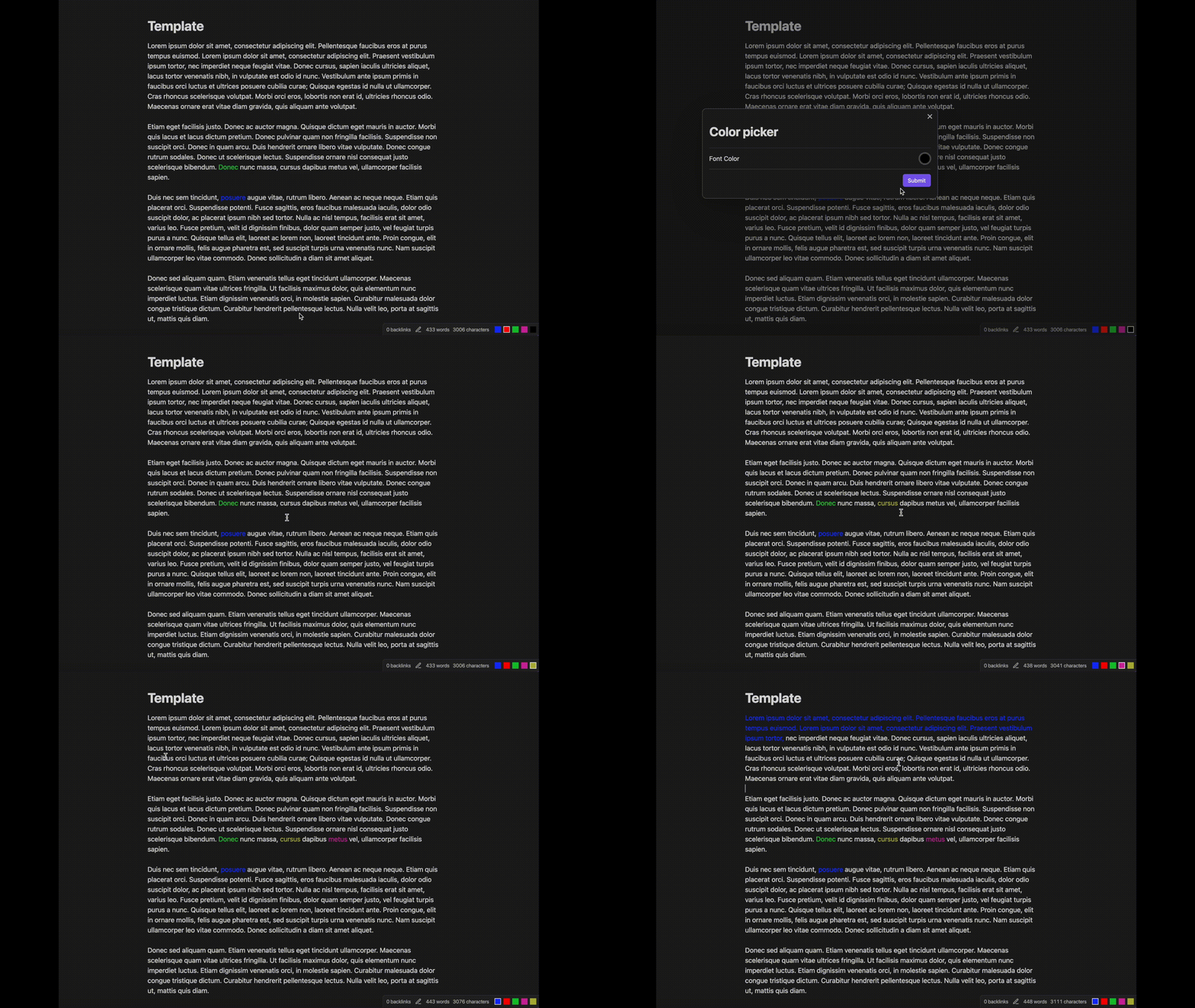
This plugin introduces the ability to color texts within your notes. This makes it easy to differentiate, highlight, and make notes visually appealing.
Use obsidian for Note-taking. Join my email list.
Love reading? Join Medium(affiliate).


