
New Monetisation Idea of Selling Your Midjourney AI Art Style! 💰
Turn your Artistic Talents into Income with Wirestock’s Theme!
Wirestock has been a go-to platform for me to generate, publish, and sell AI images. Now, there is even more potential for creators to leverage their unique styles to earn money!
Wirestock has recently launched a new feature, Theme which lets users create and share personalized image collections with a cohesive style.
Let’s take it a step further with Monetization!💰
These can be used by others to generate AI images, and the creator earns a commission each time their Theme is used. Today, I will guide you in creating and monetizing your own themes.

What is Wirestock?
For people wanting to sell AI-generated art, Wirestock offers AI artists and visual creators a platform to exhibit, connect with potential buyers and monetize their creations within the digital domain.
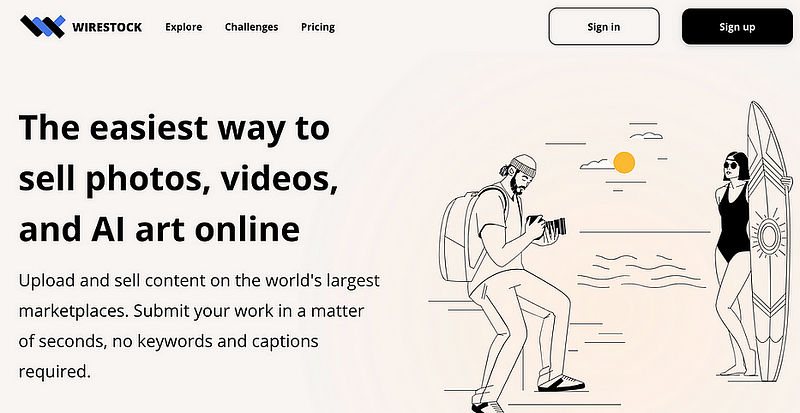
The Best One-Stop Platform for Making Money Selling AI Art 💰
They provide creators with a single gateway to the most extensive marketplaces available, including iStock, Adobe Stock, Freepik and more.
As an AI art creator and educator, I have found Wirestock to be the top choice for monetizing my Midjourney creations.
Now, you can even sell “Theme” created with Midjourney Style Tuner! 🎨
👉🏻 Step-to-Step Guide
If you are new to Wirestock, follow my step-by-step guide here to making money selling your AI art :

🎨 What is Theme
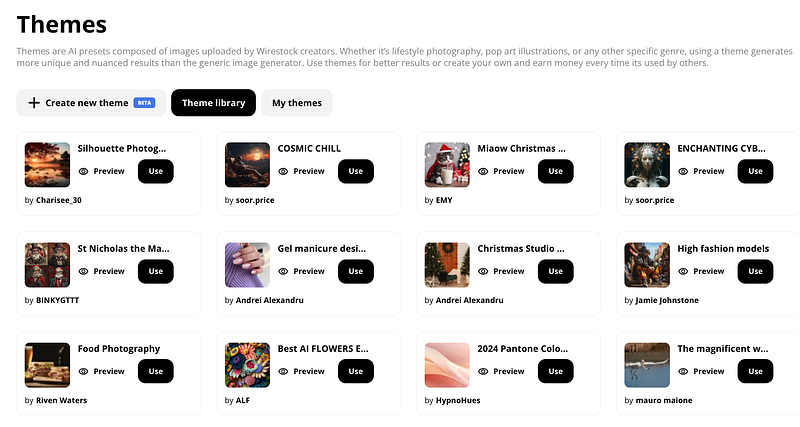
Themes is Wirestock’s latest creation that allows users to publish a personalized collection of images with a cohesive style or theme.
These themes cover various genres such as lifestyle photography, pop art illustrations, and more.
Much like Midjourney’s Style Tuner, it taps into the platform’s image generation capabilities while enabling you to share your distinctive aesthetic with others.
💰New Earning Potential with Themes
But here’s where it gets fascinating — your curated Themes can be published for other users to utilize when generating their own AI images.
And each time someone uses your Theme, you earn a commission!

How to Create and Share Your Themes
This is your chance to make money with your creativity! Getting set up with your income-generating Theme is simple.
Here’s a quick tutorial on how Themes work:
Step 1: Create a New Theme
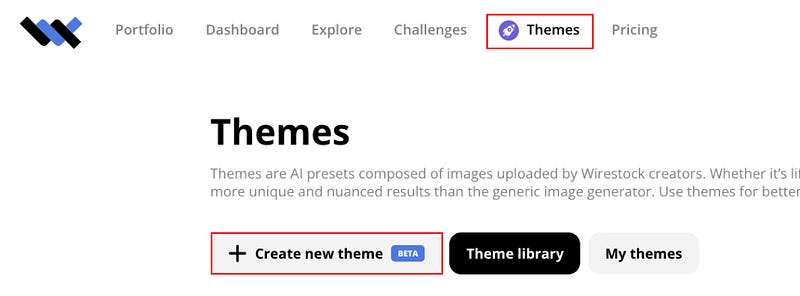
Head over to Wirestock. Select “ Themes” from the navigation bar on the top left-hand corner. Select “ + Create New Theme”
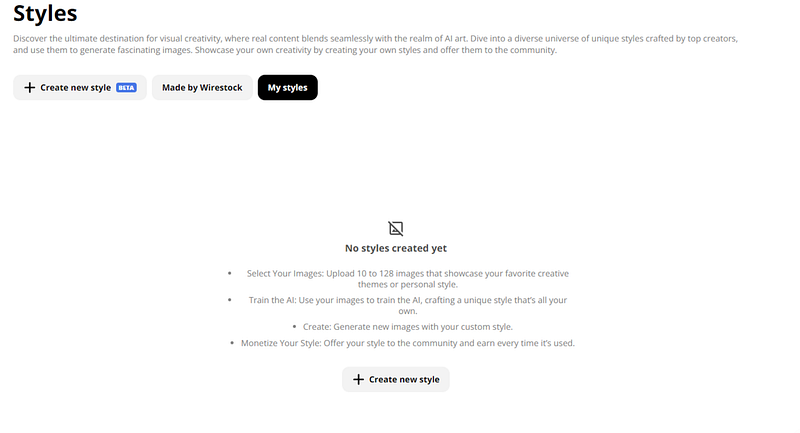
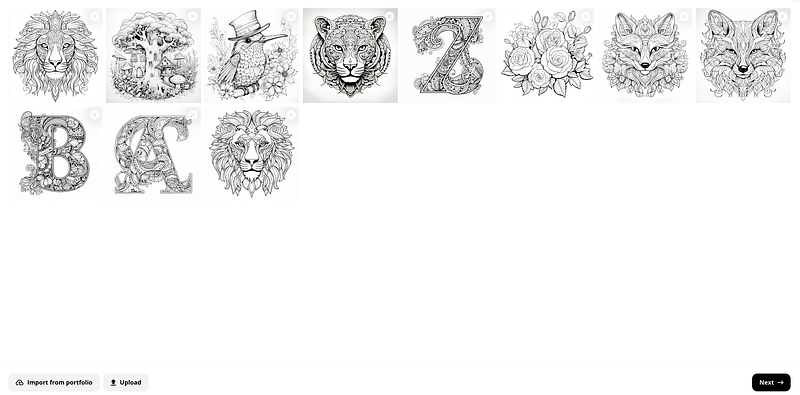
Step 2: Choose your images
Upload or select at least 10 images from your Midjourney creation or portfolio reflecting a consistent theme or style.
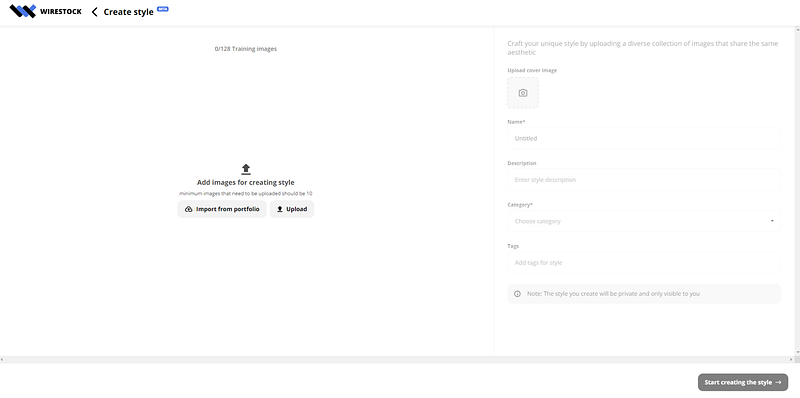
This trains the AI on your aesthetic.
📌 You’re free to select or upload up to 128 images for training — more images you use to train, the better! Wirestock recommend using at least 50 for great results!
Here I uploaded a set of coloring page images created with Midjourney.
Step 3: Name Your Theme
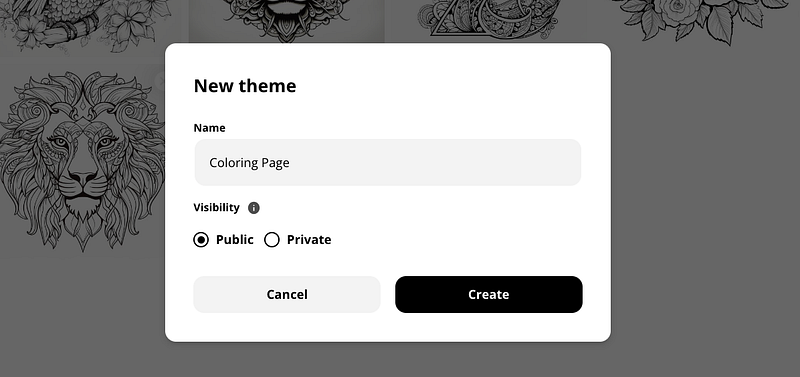
Give your Theme a name that conveys the style, then hit “Create.”
Step 4: Publish your theme
Wait for 10 to 20 minutes until your unique theme is ready.
Step 5: Create and earn
The Theme goes into review.
When it’s approved, it will be available in the public library of different styles created by different creators.
Once your created styles pass the review process they will be available for other creators to use them as well and each time a creator uses your style — You will earn from it!💰
Midjourney Style Tuner
Not long ago, Midjourney released Style Tuner which allows you to personalize the appearance of your Midjourney images. With ”Style Tuner”, you can create a set of images in your style.
Next, you can then upload it to Wirestock to create a theme that sells.
Don’t miss out on your opportunity to generate, create, and monetize your unique theme!💰
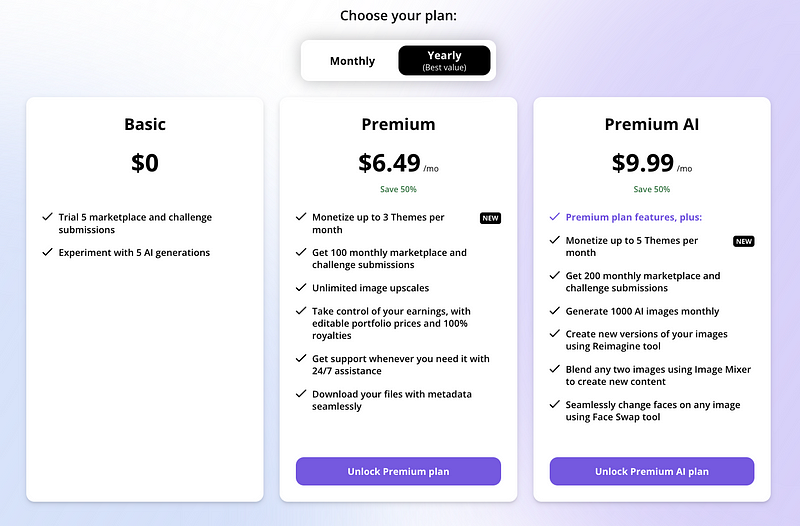
📌 Note that theme monetisation is only available for premium users
Premium Users
Non-premium users have the opportunity to submit 5 images or videos for marketplaces or challenges as a one-time offer.
The premium plan unlocks more features including:
- Monetize your Themes
- Expanded presence — Get 200 monthly marketplace and challenge submissions
- Generate 1000 AI images monthly
- Unlimited Image upscaling
- Reimagine: Create new versions of your images
- Image Mixer: Blend any two images to create new content
- Face Swapping: Seamlessly change faces on any image
🌟 Use my code “ CHRISTIE” for 20% OFF as you upgrade 🎁
Common Questions
Should I use only my images to create a theme?
Yes, for your theme to be approved for public use and monetization, all images must belong to you, the theme creator. Otherwise, the theme will only be available for private use.
How can I track the usage and engagement of my theme?
Theme usage stats will be updated and displayed at the end of each month on your Theme page.
How are Wirestock theme creators compensated?
Theme creators are compensated monthly from the Wirestock Creator Fund, based on the level of engagement your theme receives from subscribers and the total size of the fund. The fund’s size is linked to Wirestock’s subscription revenues and the total usage of themes by Premium members.
Can my theme earnings fluctuate each month?
Yes, since earnings are based on monthly user engagement with your themes and the size of the creator fund, they can vary.
Final Thoughts
Themes’ earning potential marks a major step forward in empowering users to leverage their signature styles.
As the only platform allowing creators to directly monetize their aesthetic sensibilities through AI image generation capabilities, Wirestock is once again leading the way with innovative features.
Don’t miss your chance to Turn your Artistic Talents into Income!💰

👉🏻Digital Guide: Master Midjourney 🎨🚀
If you want to enhance your skills and explore advanced techniques for creating captivating AI Art with Midjourney, I have created a “Master Midjourney: Beginner to Pro” digital guide.
It comes with:
- 🎨 1,000+ expert prompts to inspire your creativity
- 💡 Advanced Midjourney prompt writing, structure and core techniques
- 🖼 Specialized commercial guidance for graphic design, branding, logo, UI, photography, mockup and more
- 🚀 Pro tips to recreate styles, make avatars, generate anime artwork, and more
- 💰 AI Arts Monetisation Strategies
- 💼 Top AI tools to edit Midjourney creations


📚 Continuous education
This guide is designed for continuous education, new tutorials are added regularly so you stay ahead. With lifetime access for a single purchase, it’s the gift that keeps giving.
I’ve poured my heart into creating this guide. I hope you enjoy it ❤️
Hi👋 I am Christie — AI Art Creator and Educator 😊
I hope you found value in this article on tapping into AI or unlimited creativity. If you’re craving more insider tips, prompts and tricks for tools like Midjourney, I’d love for you to join me on this journey.
🎨 Hit that “Follow” button to stay in the loop for more AI wisdom 💌 Stay tuned for future updates
Let’s explore the limitless possibilities of AI together.🚀


