
2024, 2025 & Beyond Social Media Editorial Calendar (Free Google Sheets Template)
The final update to your favorite social media content calendar in Google Sheets
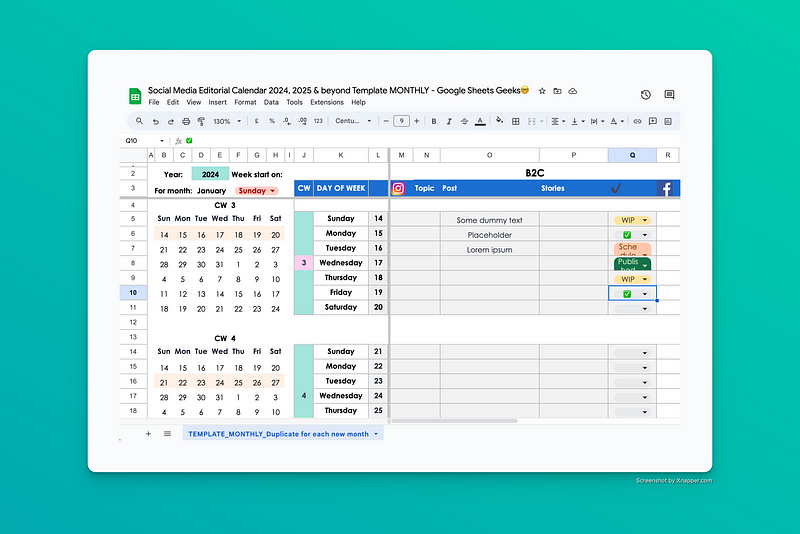
Need a social media editorial calendar for your small biz or freelance client? Consider this free Google Sheets template.
Once per year, I’d manually update the different versions for the new year.
That stops now.
From 2024 onward, I won’t be doing that anymore, so this is the final update.
How to get the Free Social Media Calendar Template
You know the drill.
Make sure you’re logged into your Google account. Then, click this link to make a copy of the template.
You’ll be taken to the copy, which is saved directly to your Google Drive. You can start planning out your content in the template immediately.
Per always, all edit requests will be ✨ignored and deleted✨. Just click the link above.
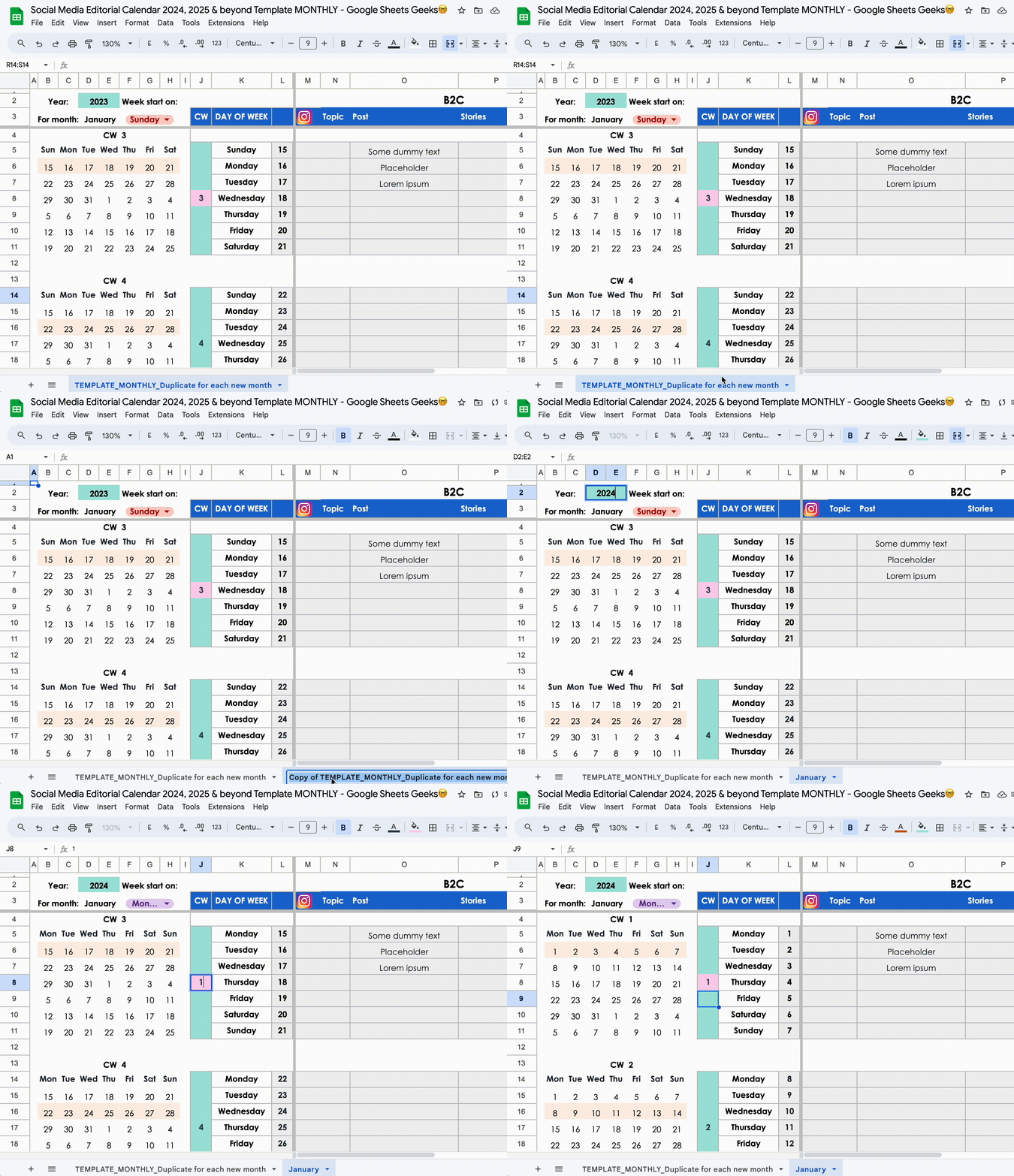
What’s new in the 2024 & beyond Social Media Calendar Template?
Before, I manually updated the templates with week starts on Monday or Sunday to cater to different audiences across the globe. This takes ages, it’s boring, tedious, and I just don’t want to do this anymore.
So, I simplified the product and added a “toggle” button for users.
Now you can select whether you’d like the weeks to start on Sunday or Monday, all in the same template. Everything else updates according to your settings.
5 easy steps on how to use the 2024 & beyond Social Media Calendar Template
You’ll see there’s only one base template.
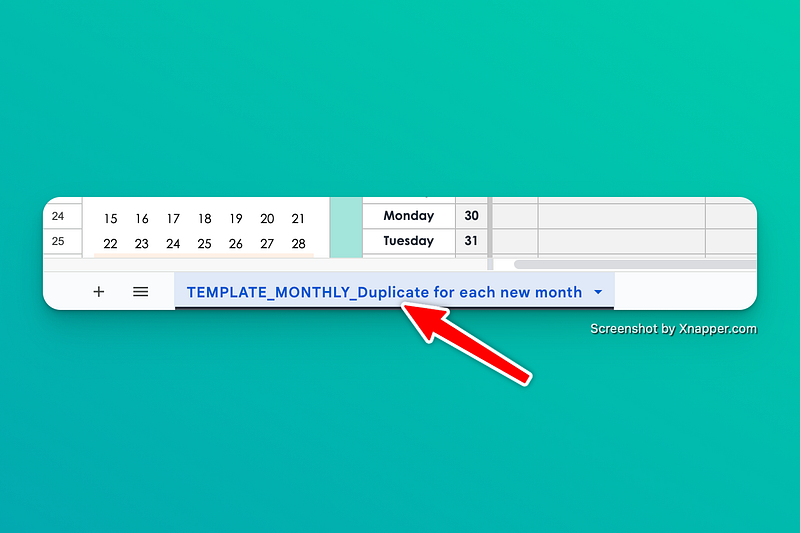
- For each new month, right-click on the tab > Duplicate
- Rename the tab from “Copy of xxx” to “Jan,” “January,” or whichever month you’re working on.
- In D2, write out the year, for example, “2024”
- In F3, select whether you want your weeks to start on Sundays or Mondays
- In the pink box in J8, write out the calendar week of the month you want to start tracking in, for example, “1” for January, calendar week “5” for February, etc. Just grab your Google calendar to check what the calendar week is.
Everything else in the template will update according to your settings.
Here’s a YouTube video showing you how.
You’re free to resize columns and rows as you like. However, I’d refrain from inserting extra rows, since this messes with the formulas.
By taking my interference out of the equation, you, as the user, can use the template “eternally” (or, until one of the formulas breaks because Google implemented some changes).
Happy post planning!
If you’d like to support me, feel free to purchase the template for the symbolic price of $1 on Etsy.


