
Neovim for Beginners — Database Explorer
Set up a database explorer with LSP completion for Neovim.

In this article, let’s explore plugins that can turn Neovim into a database browser or explorer.
This article is part of the Neovim for Beginners series.
The Neovim configuration files are available in this repository.
Getting Started
As Neovim users, we want to do all our development from within Neovim, including managing the databases.
In this article, let’s explore plugins that provide an interface to interact with databases. We will also explore the built-in SQL completion, a feature provided by Vim/Neovim.
vim-dadbod
Using the vim-dadbod plugin and the following plugins provide us with a very user-friendly database explorer.
In the lua/plugins.lua file, we install these plugins.
Create the lua/config/dadbod.lua file to configure the plugins.
We configure the key mappings in the lua/config/whichkey.lua file.
Now we can use Neovim as a database explorer!

vim-dadbod supports a modern array of backends, including NoSQL databases:
- ClickHouse
- Impala
- jq
- MongoDB
- MySQL
- Oracle
- osquery
- PostgreSQL
- Presto
- Redis
- SQL Server
- SQLite
- Your own easily implemented adapter
Check out these articles for more details!
Notes:
vim-dadbod.
sqls.nvim
sqls.nvim is another Neovim plugin we can use to interact with databases.
Configuration
In the lua/plugins.lua file, we install the plugin.
This plugin needs the sqls language server. In the lsp/config/init.lua file, we configure mason.nvim to install the language server (line 3).
In the same file, we also add the code to attach the language server to the buffer (line 12 — line 14).
Check out this article related to mason.nvim.
We are going to use an SQLite database for demonstration purposes. Let’s install the SQLite driver for sqls.
go get github.com/mattn/go-sqlite3We define the connection string in $XDG_CONFIG_HOME/sqls/config.yml.
Testing
We are ready to test now. Create a file with the .sql extension and run the :SqlsShowConnections command.

We can use the command :SqlsExecuteQuery to run a query.

vim-database
vim-database is another plugin that enables database management from within Neovim.
In the lua/plugins.lua file, we install this plugin.
We also need to install the Python libraries.
pip install pynvim pyyaml Now we can use this plugin to manage the databases.

Built-in SQL Completion
Vim/Neovim also comes with a built-in filetype SQL plugin (:h ft_sql.txt).
Type :e $VIMRUNTIME/ftplugin/sql.vim and we can see the code of the plugin.

There is also a tutorial (:h sql-completion-tutorial) that shows how the omni-completion works for tables, columns, procedures, and views.
Let’s create a file with an .sql extension to test, e.g., test.sql.

We use the :SQLSetType command to set the SQL dialect. In the above screenshot, we configure the current dialect to MySQL.
This plugin defines the following omni-completion key mappings.
The g:ftplugin_sql_omni_key is <C-C>.
if !exists('g:ftplugin_sql_omni_key')
    let g:ftplugin_sql_omni_key = '<C-C>'
endif
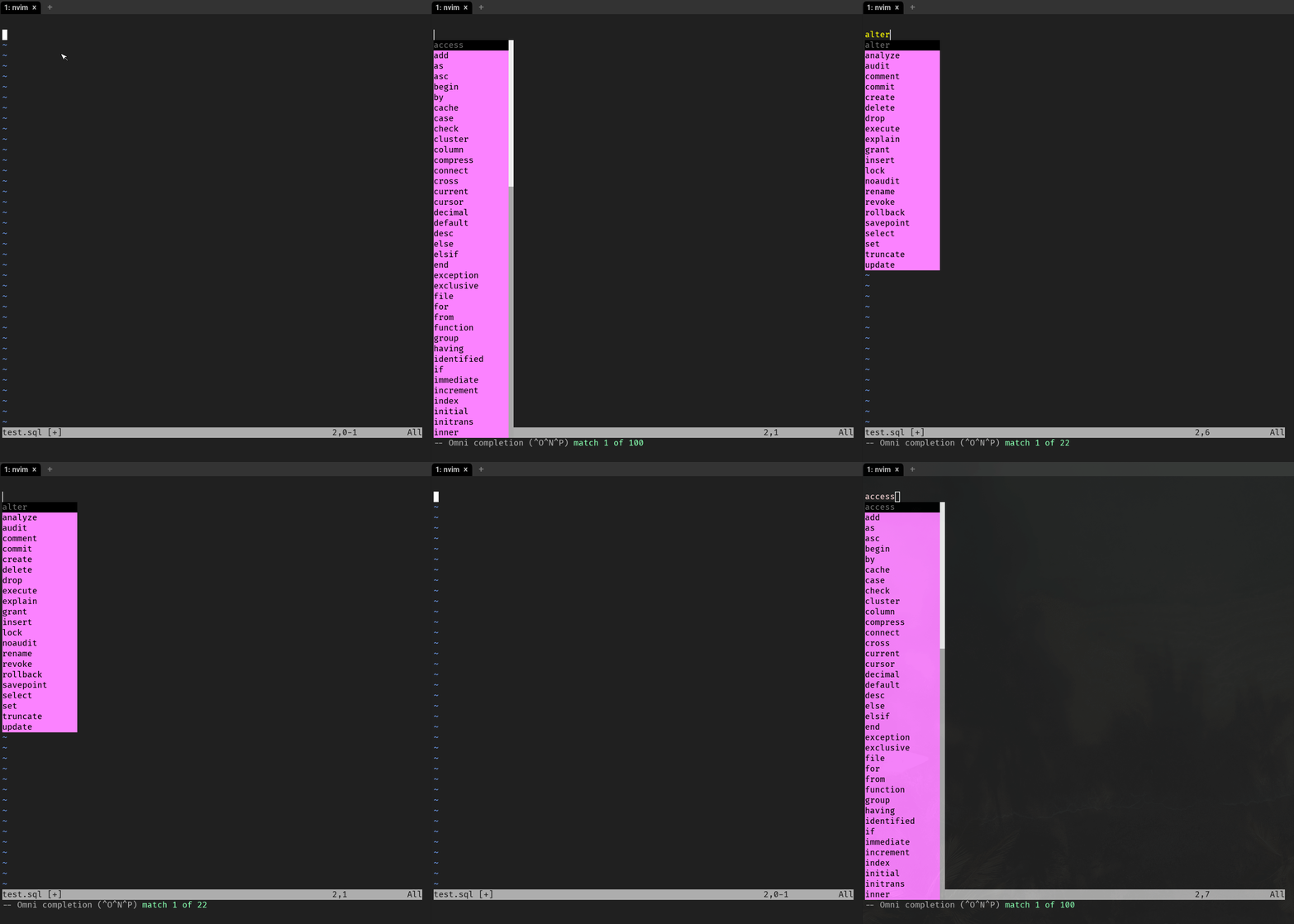
Omni-completion should work now using MySQL dialect. E.g.,
<C-C>afor syntax<C-C>kfor keywords<C-C>ffor functions<C-C>Tfor types<C-C>sfor statements<C-C>tfor tables<C-C>pfor procedures<C-C>vfor views<C-C>cfor columns
Check out the article Learn Neovim The Practical Way for all the Vim/Neovim articles!
If you are not a Medium member yet and want to become one, click here. You will gain unlimited access to all Medium articles and support my work directly.


