
Neovim 101 - Macros and Registers
Manage Neovim macros and registers using Lua.
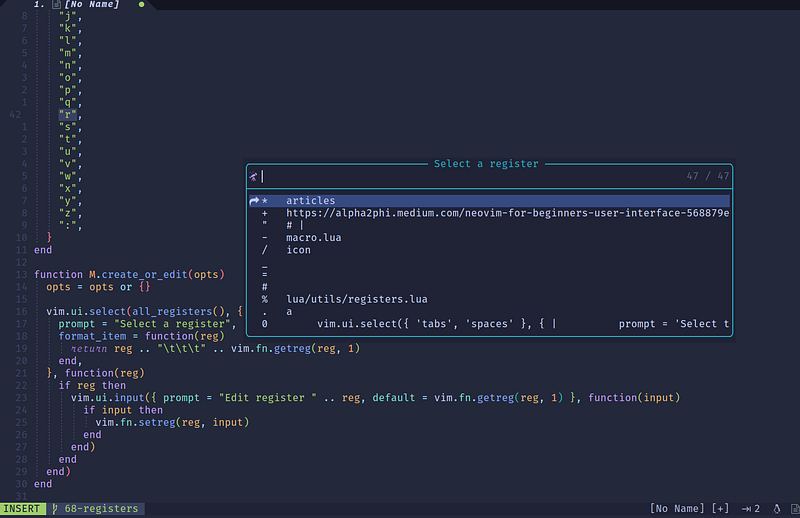
In this article, we will learn the basics of macros and registers, Lua APIs to manipulate registers, and plugins to help us manage macros and registers.
This article is part of the Neovim 101 series.
The Neovim configuration files are available in this repository.
Getting Started
Let’s get started with the basics.
Registers
There are 10 types of registers (:h registers).
- The unnamed register
“ - 10 numbered registers
0to9 - The small delete register
- - 26 named registers
atozorAtoZ - 3 read-only registers :
,,.and% - Alternate buffer register
# - The expression register
= - The selection registers
*and+ - The black hole register
_ - Last search pattern register
/
We can use the :registers command to display the type and contents of all numbered and named registers.
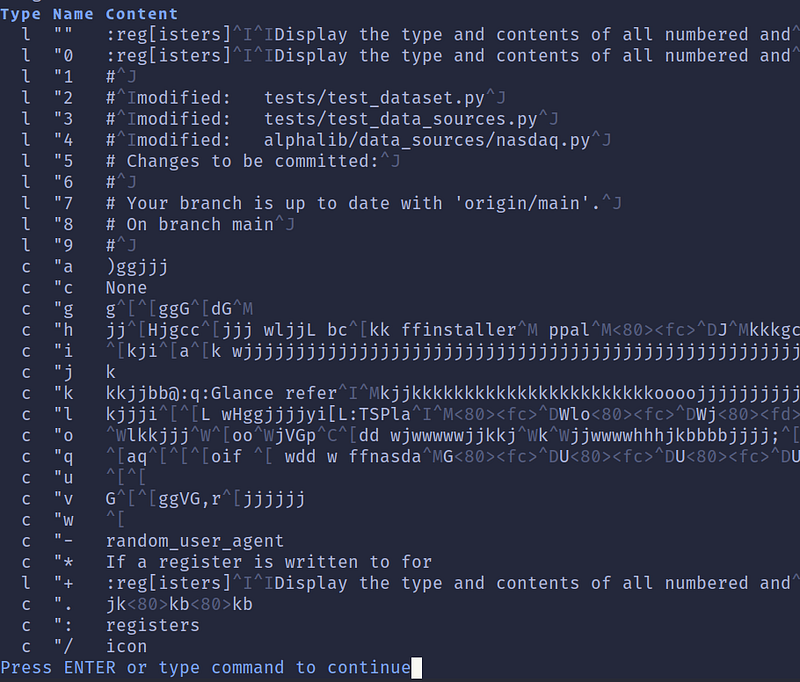
The type can be c for character-wise text, l for line-wise text, and b for block-wise visual text.
For beginners, do go through the built-in documentation to understand them.
Macro
In the context of this article, a macro is a sequence of commands recorded to a register.
In summary,
- We record a macro (
:h recording) into a register by using the commandq{0–9a-zA-Z”}(uppercase to append). - To stop recording, we press
qagain. - To execute the contents of the register
{0–9a-z”.=*+} [count]times, we use the command@{0–9a-z”.=*+. - To repeat the last macro, we use
@@. - To repeat the last recorded register
[count]times, we useQ - To execute the contents of a register
{0–9a-z”.=*+}as an Ex command, we use the:[addr]@{0–9a-z”.=*+}command.
Macro Editing
To edit a macro, we can
- manipulate the macro register in a buffer
- manipulate the macro register from the command-line
In Insert Mode, we can enter
<CTRL-r>to insert the contents of a register (:h i_CTRL-R).<CTRL-r><CTRL-r>to insert the contents of a register literally. E.g., if the registeracontainsab^Hc,<CTRL-r> aresults in “ac”,<CTRL-r><CTRL-r> aresults in “ab^Hc” (:h i_CTRL-R_CTRL-R).<CTRL-r><CTRL-o>to insert the contents of a register literally and don’t auto-indent (:h i_CTRL-R_CTRL-O).<CTRL-r><CTRL-p>to insert the contents of a register literally and fix the indent (:h i_CTRL-R_CTRL-P).
Manipulate Macro in a Buffer
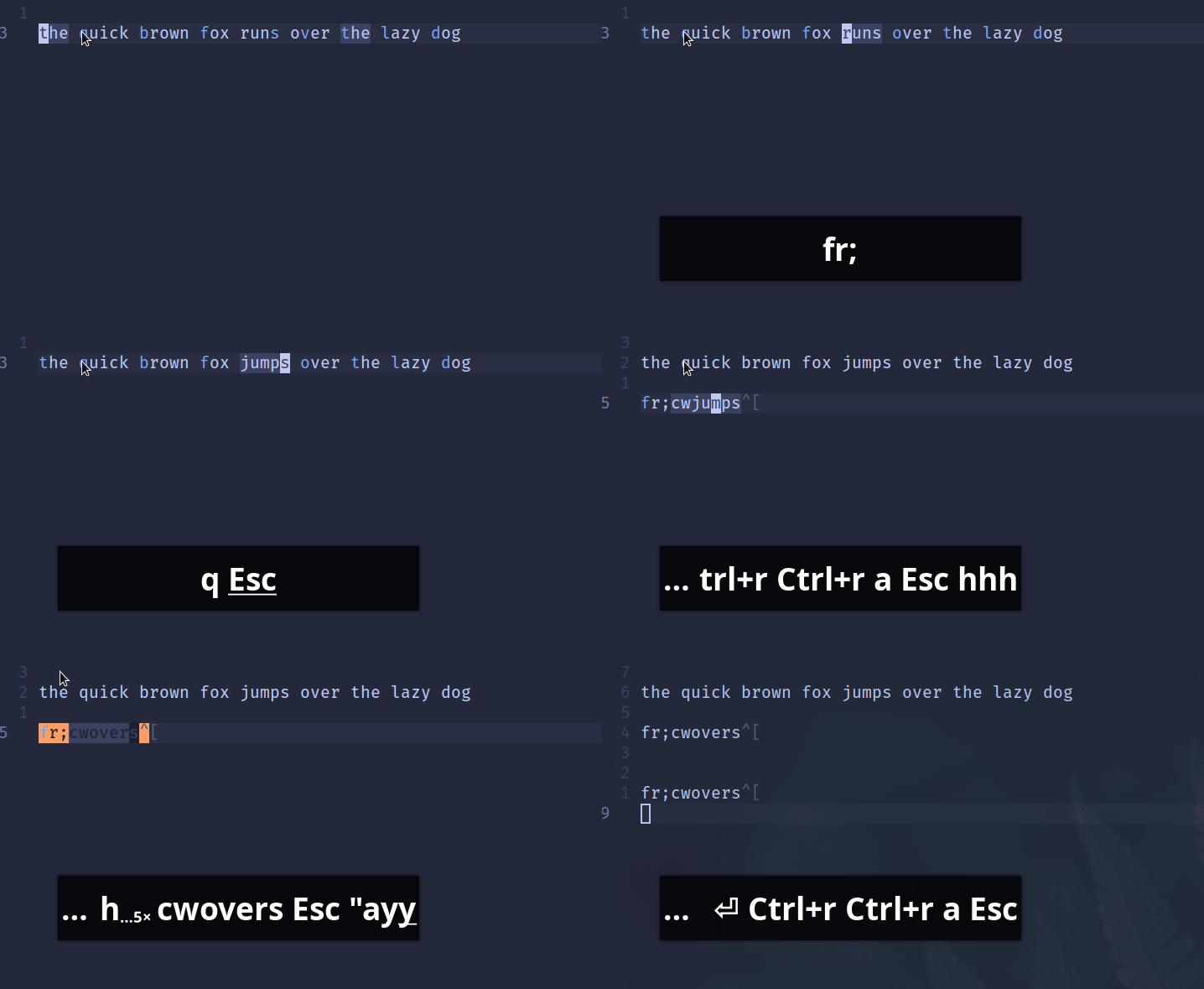
In the screenshot below,
- We record a macro into the register
a. - In the buffer, we use
<CTRL-r><CTRL-r>ato insert the content of the register. - We edit the macro.
- We copy the macro back to the same register.
Manipulate Macro from the Command-Line
From the screenshot below,
- We type
:let @a=” - we use
<CTRL-r><CTRL-r>ato insert the content of the register. - We edit the macro.
- We enter
“to finish the editing, and pressEnter. - We enter
:reg ato view the edited macro.

Manipulate Macro using Lua
We can develop a Lua module to edit the registers.

- We use the
vim.ui.selectAPI to select a register - We use the
vim.fn.getregfunction to get the content of a register - We use the
vim.ui.inputAPI to edit the register - We use the
vim.fn.setregto set the register
Check out this article for these APIs!
Plugins
Here are several plugins that can help us manage macros and registers.
vim-peekaboo
vim-peekaboo shows us the contents of the registers on the sidebar when we hit " or @ in normal mode or <CTRL-R> in insert mode. The sidebar is automatically closed on subsequent keystrokes.

registers.nvim
registers.nvim is another similar plugin developed in Lua to show the contents of registers when we hit " or @ in normal mode or <CTRL-R> in insert mode.

which-key.nvim
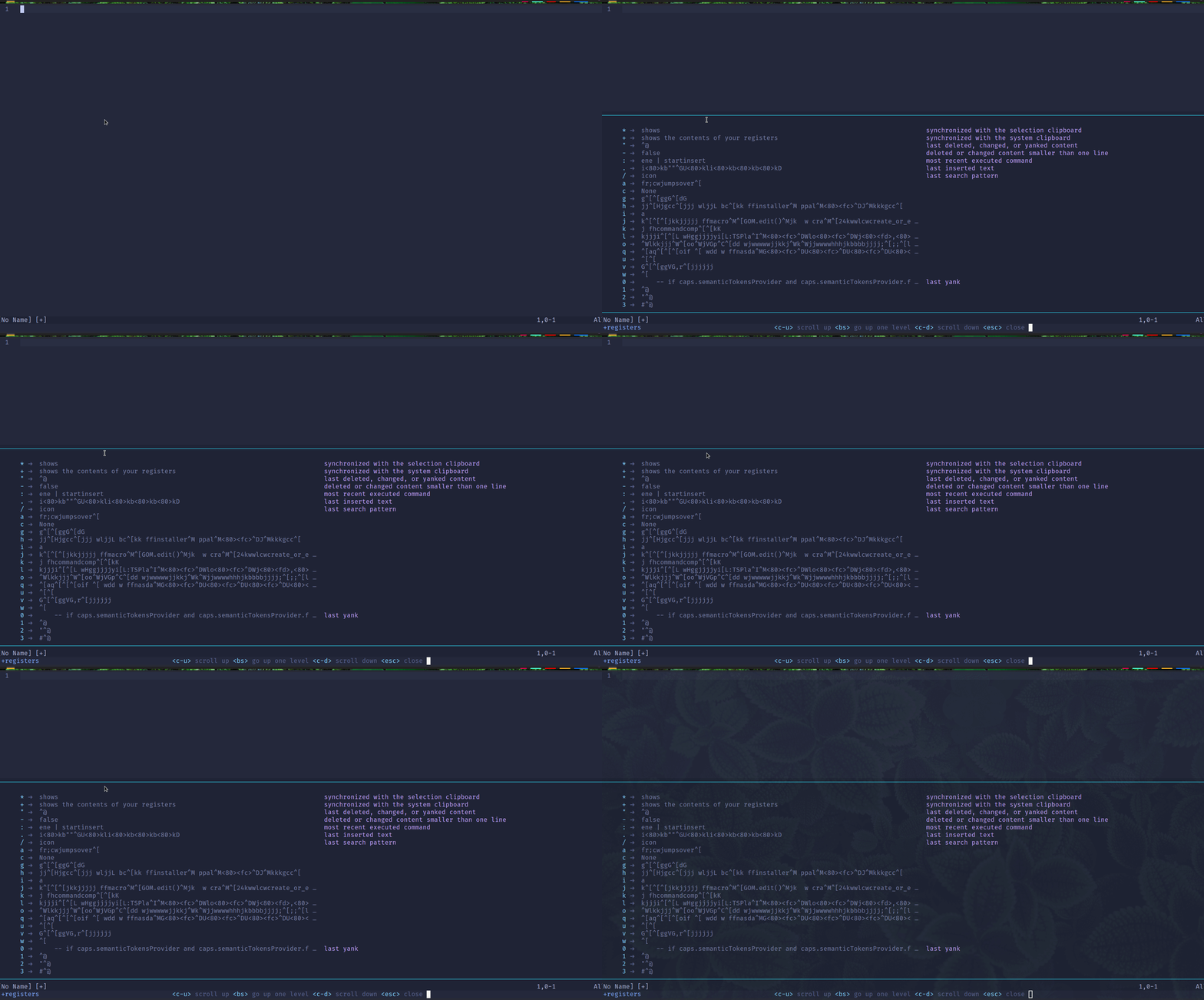
whickh-key.nvim can show us the contents of the registers.
nvim-neoclip.lua
nvim-neoclip.lua is a clipboard manager. It records everything that gets yanked in the Vim session (up to a limit which is by default 1000 entries but can be configured).
We can then select an entry in the history using telescope or fzf-lua which then gets populated in a register of our choice.
In the screenshot below, we use the command :Telescope neoclip a to set the content of the register a from the yanked history.

We can also access recorded macros using the :Telescope macroscope command.

nvim-peekup
nvim-peekup provides a different way to interact with registers.
- We use
“”to open a floating peek window - We select a register
- The register content is copied to the default register
*

NeoComposer.nvim
NeoComposer streamlines macro management and execution with a customizable status line component and Telescope extension.
- View the status of your macros interactively with the status component
- Browse, search, and manage macros using the Telescope extension
- Delay playback to ensure proper macro execution
- Edit macros in an interactive buffer
- Queue, yank, and delete macros
- Stop macros during playback

Check out the article Learn Neovim The Practical Way for all the Vim/Neovim articles!
If you are not a Medium member yet and want to become one, click here. You will gain unlimited access to all Medium articles and support my work directly.


