
My Sneaky Way to Get More Gumroad Traffic
It can be yours too

Gumroad is underrated.
It doesn’t have the reach of a platform like Instagram or TikTok. But if you make money online, it’s still your best friend.
I joined Gumroad a couple of months back, but I wasn’t really serious about the platform.
Just a couple of days back, when I published my first paid product, I decided to get serious.
That’s when the sneaky idea came to my mind.
The idea
What if I could give my customers a discount if they share a link to my product?
It would benefit both parties:
- Customers will get a better deal
- Customers will be motivated to buy because of the discount
- Sharing my product will bring me more visitors
In a way, it’s paying for advertising by a piece of my product.

I looked if it’s possible to achieve this and I didn’t find anything. So I decided to build a tool for this myself.
It’s called PayHoy and I’ll teach you how to use it.
Creating a campaign in PayHoy
This first step is to sign in with your Gumroad account. This step is necessary for the integration to work.
Once you’re signed in, you can create a new campaign for your Gumroad product (Each campaign is tied to one Gumroad product).
The process is fairly simple:
- You choose your product
- Pick discount type (flat/percent)
- Set discount amount based on the number of followers
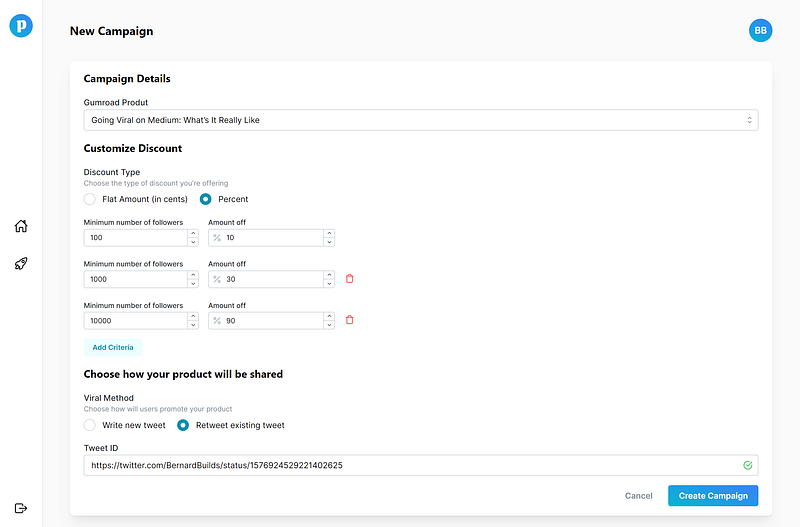
In the picture above, I‘m offering my customers:
- 10% discount if they have more than 100 Twitter followers
- 30% discount if they have more than 1000 Twitter followers
- 90% discount if they have more than 10000 Twitter followers
In exchange for the discount, they have to retweet my tweet about my Gumroad product, which I linked to the campaign.
Sharing discount on Gumroad
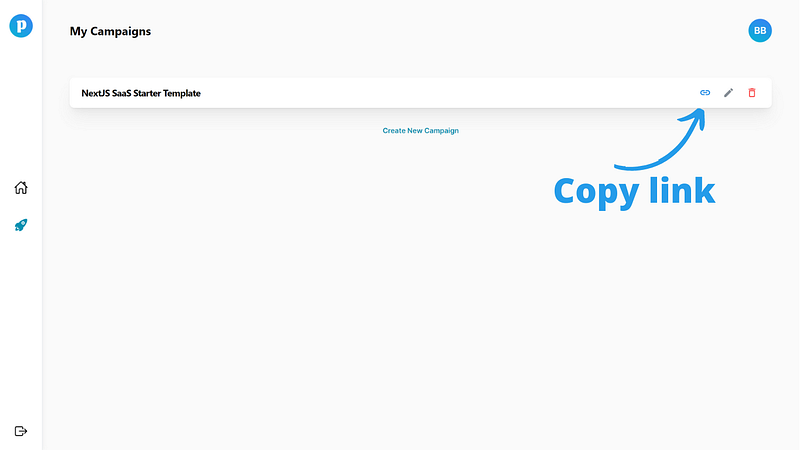
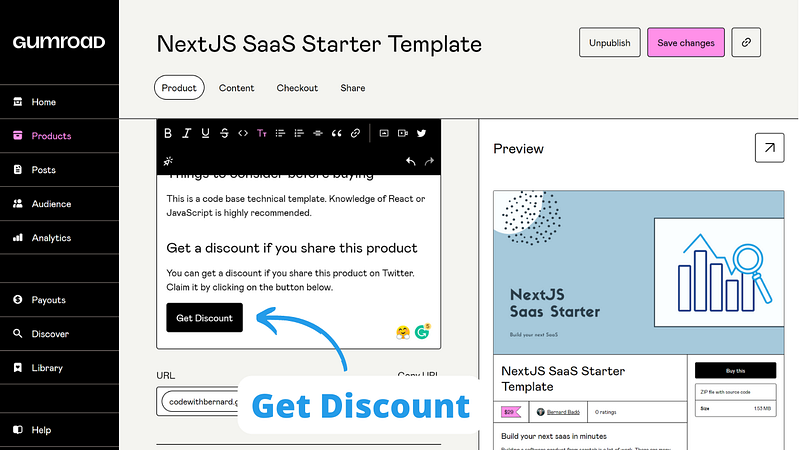
Once the campaign is created, I just grab a link to the discount page. This link can be used by anyone, as long as they meet the criteria we set in the step before.
However, the most important part is to include this link inside the product description.
Claiming discount
When anyone tries to get a discount, they have to connect their Twitter account first.
When they do, the discount is calculated and shown.
At this point, your customers can claim a one-time discount code and finish the purchase.
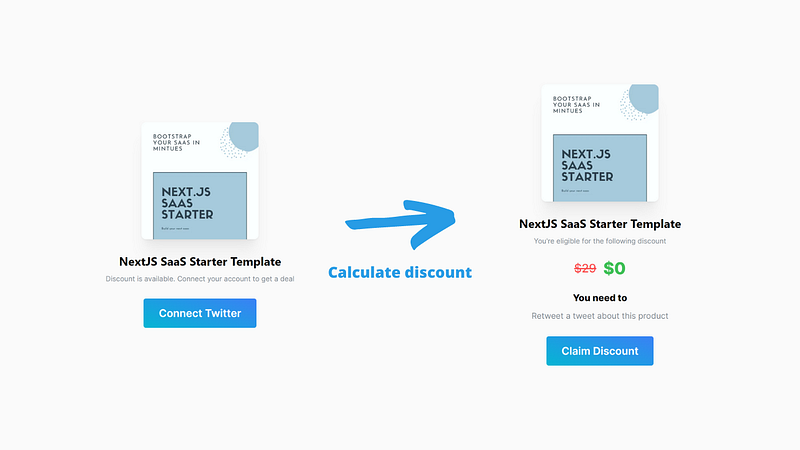
In the meantime, PayHoy shares the link to your Gumroad product in the background (on behalf of a purchasing user).
Why don’t you try this?
I just started testing this method and I can’t wait to see its results. I’ll be definitely posting an update on this experiment. And bring back some factual numbers.
In the meantime, you can do the same.
I made the tool free to use. You can create up to 2 campaigns for your Gumroad products. But if you need more, just reach out at @BernardBuilds.
I’m building the tool in public so if you have any ideas, improvements, or concerns, let me know.