
My Review of Coursera’s Google UX Design Program 2023
To do it right means sweat and tears first, relief when all done, and utmost joy when the certificate arrives
The certificate program is a real commitment in time and effort
To do this program right and get the best learning experience, it is extremely important to follow all the prompts and submission requirements. The requirements to pass tests and peer reviews throughout the course are substantial.
The program is divided into seven courses. The full program is described as the six-month certificate program. However, it is up to the learner to commit to more than the 10 hours per week recommended, and therefore, complete the course earlier.
Or, students can take a little more time and complete the program after more than six months. It took me nine months to complete, because I had to take a few months out for work.
Foundational knowledge
The first four courses of the program impart the knowledge about UX processes, methods, and tools. It’s important to study them and understand them because they will be needed later on.
Students will learn how to empathize with users, define pain points, ideate solutions, create wireframes and prototypes, test and iterate on designs, understand the basics of UX research, plan research studies, conduct interviews and usability studies, and synthesize research results. Accessibility studies are required throughout the program.
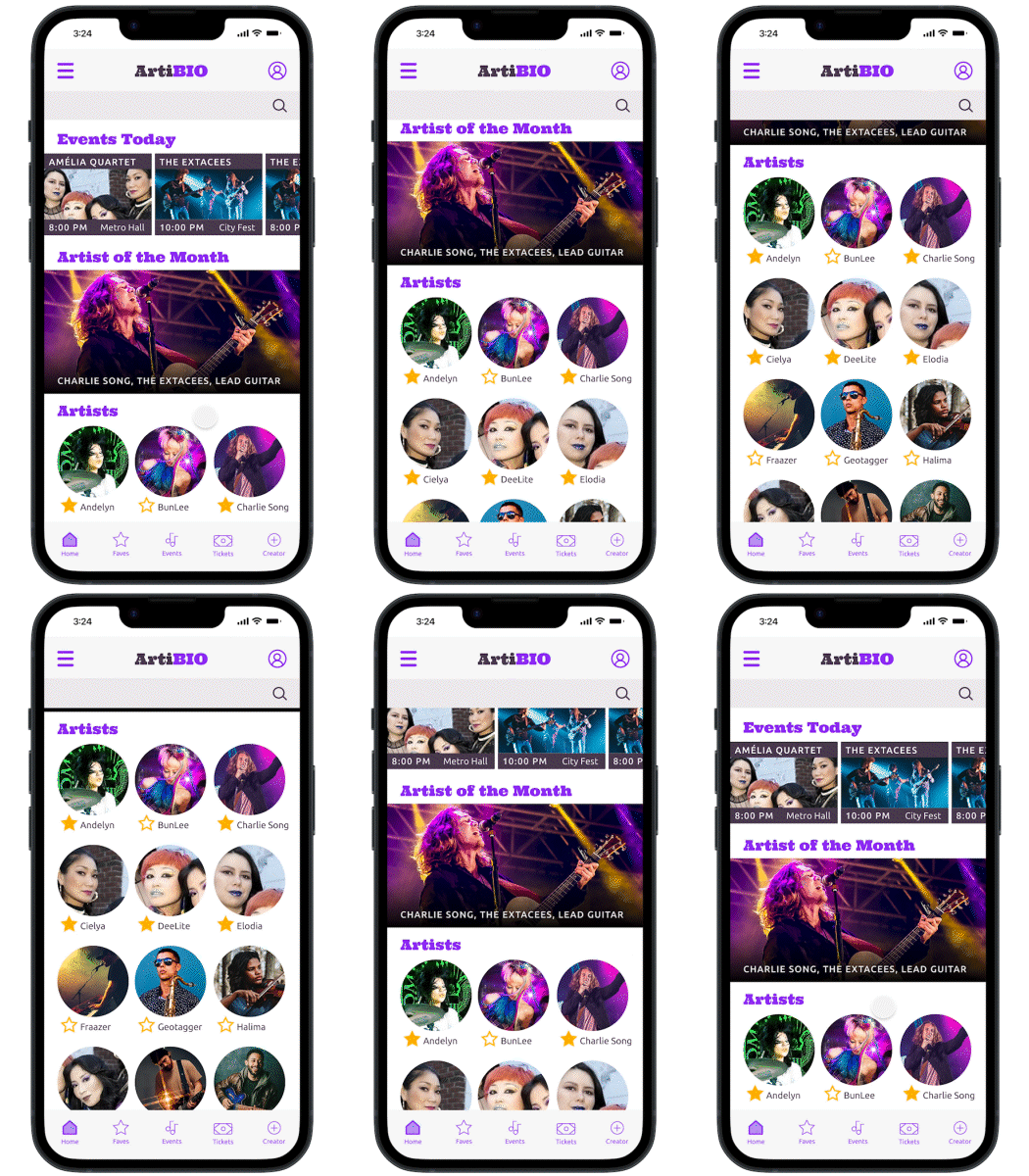
In courses 5 through 7, every student is required to complete 3 end-to-end projects based on prompts of their choice. The final submission of each project is a working prototype of a mobile app, a responsive website, and a cross-platform experience.
My first highlight came in at completion of course 5
What surprised me the most was the joy and pride I felt after I finally completed and submitted my first hi-fi prototype at the end of course 5. It was hard. To do an app well, you have to put in the time and work to do the research and execute on the design. There is no short cut.
Even with a solid design expertise, and a medium knowledge of UX, I found the first app design to be difficult.
Why? The requirements to complete course 5 and pass, multiple deck streams and Figma files have to be completed. A) the Figma design file, B) the Figma sticker sheet or UI assets, C) the Figma hi-fi prototype, D) the case study presentation deck that combines all the research and development work done up this point, and lastly, E) an initial portfolio site for peer review.
However, I’m proud of the outcome, and I’m glad I put in the time to create a prototype that made me confident that I understood the process.
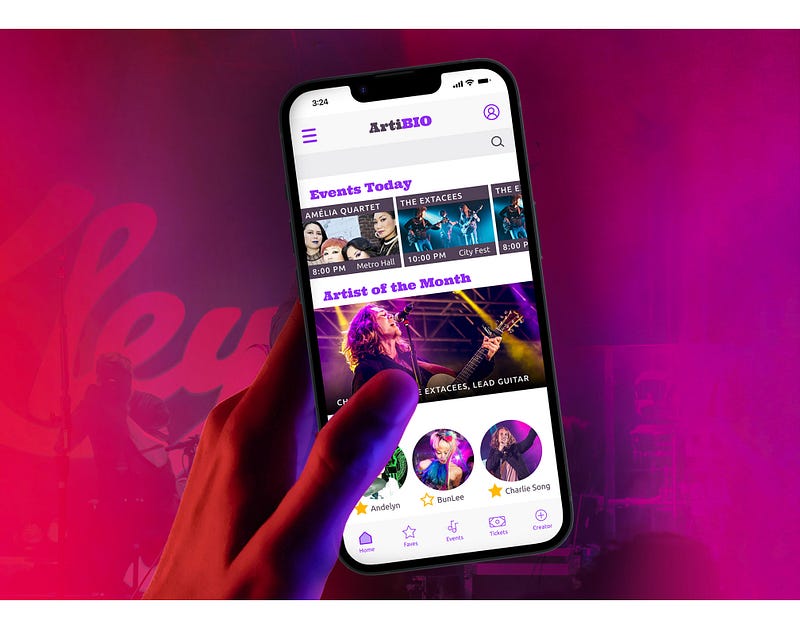
Course 6 is about building a responsive website
The requirement to complete course 6 is a prototype of a responsive website based on a prompt of one’s choice, from scratch.
Students need to complete everything: research, analysis, personas, journey maps, competitive analysis, usability studies, interviews, lo-fi wireframe sketching, ideation, lo-fi prototype, 2nd round of usability studies, hi-fi design, hi-fi prototyping in Figma or Xd, and finally, submitting a case study highlighting the UX process that made the final hi-fi prototype happen.
Everything is required.
It’s definitely not an easy ride.
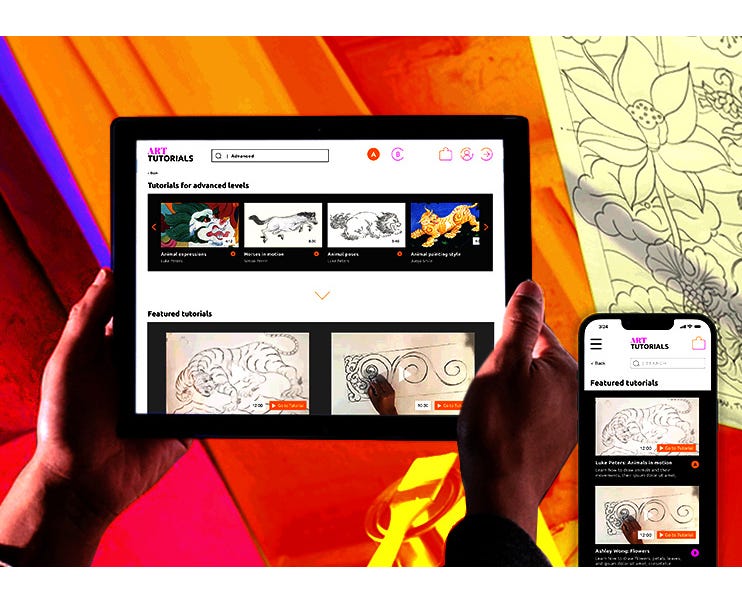
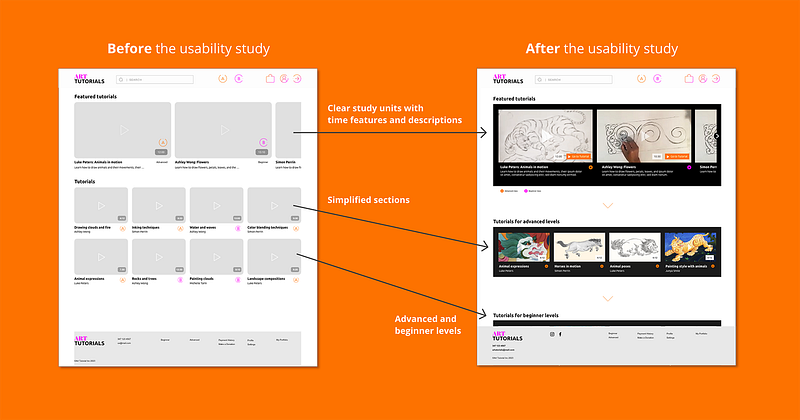
It is extremely important to capture screenshots of your process. For the case study deck, for instance, it’s required to show iteration versions from before and after usability studies.
Also, research items such as personas and journey maps are required for the case study.
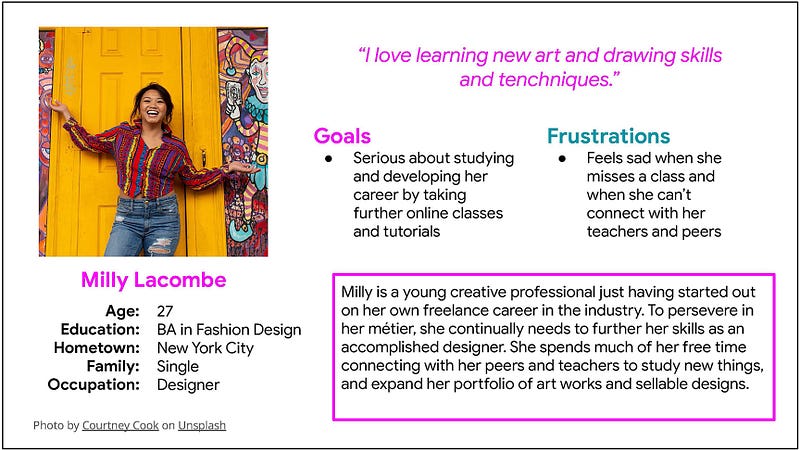
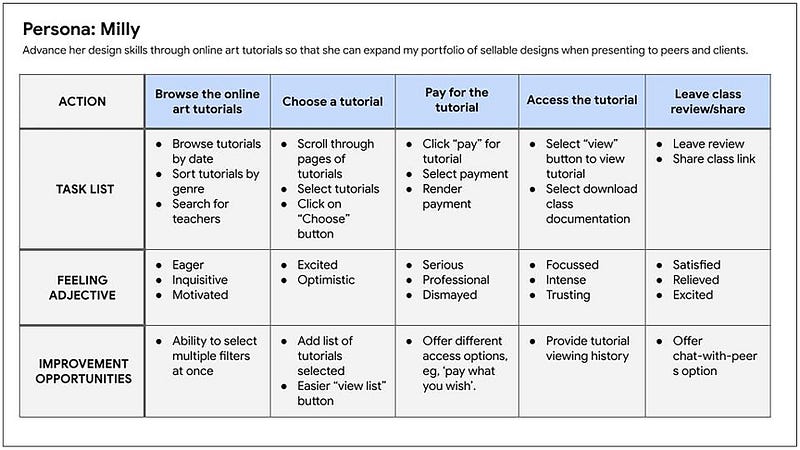
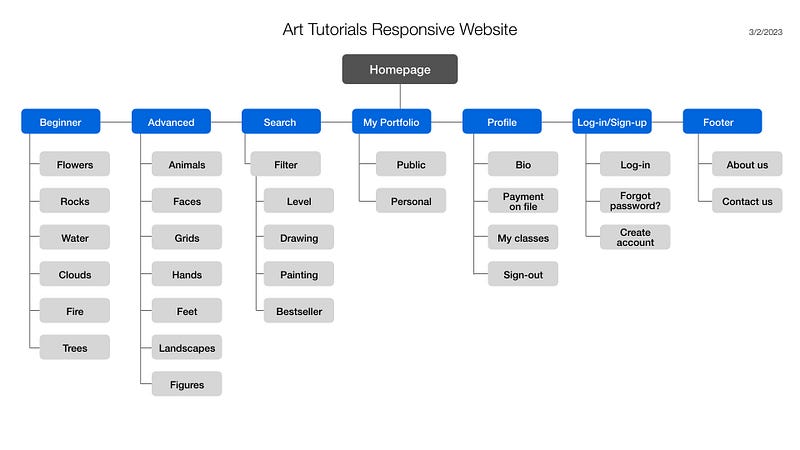
For the assignment of a responsive website, a sitemap was a required submission as well.
Course 7 is the most challenging
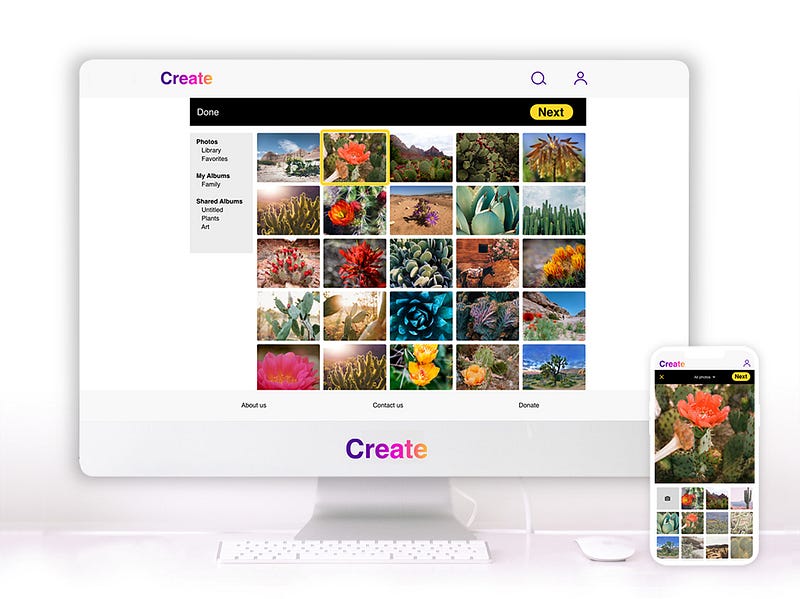
Just as you thought that you did really well and are about to wrap up the program, the requirement in course 7 is to design a user experience for social good in three screen formats, mobile, tablet, and desktop.
Again, this project is based on one’s prompt of choice. Again, it is built from scratch. Research starts again, analysis, user testing, usability studies, and so on, until the final hi-fi prototype design. A case study deck is the submission requirement to pass.
On the positive side, diving into this project feels great, because as a student, if the course was done right, one feels more confident, more creative, more ready to cross the finishing line.
UX concepts such as affinity mapping and insight prioritization become more familiar.
I chose my prompt again in the area of creativity and tutoring for adults.
I’m proud of my final project, which I named ‘Create’, to keep the tonality of my project motivational.
Even after your third prototype project, you’re not done yet.
As the grand finale, a personal online UX website has to be submitted for peer review. The three course projects need to be included, all three case studies have to be highlighted. Research methods and UX processes need to be featured to get the necessary points.
But, given that the UX portfolio will also be the designer’s calling card for future job, this final assignment is fun to work on, even though it requires some weeks to complete.
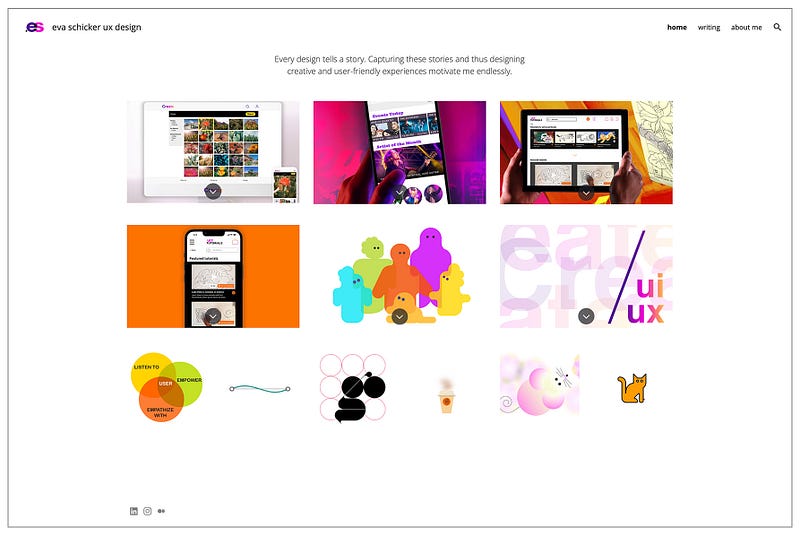
I designed my online portfolio in Google Site builder. Other than buying my domain name, it’s free.
Things to consider before you sign up:
It’s a huge time commitment
And I mean huge. After the 5th course, course 6 was tough. Lots of new micro research to do, lots of summaries to write up, lots of analysis again before hitting the creative ideation phase, which is really only the beginning of the project development cycle.
There is no short-cut. If you missed or skipped over a weeks worth of information and learning, you will have to go back and study that part of the course.
You can’t skip.
The course gives back only as much as you put in
Just like about anything in life, if you move through this course half-heartedly, it will also only give you half. It’s important to follow the steps, follow the prompts, and do the home work well.
Go the extra mile in your project of choice. When it mentions that it’s a one hour assignment prototyping in hi-fi, spend two hours. Carefully select your UI elements and visual styles. Don’t be sloppy.
Never give up, regardless of how daunting the assignments might seem
This is especially true for the last portfolio assignment, designing an app and responsive website for social good. This is definitely the most challenging as a project.
Empathy, research, analysis, design thinking, conceptualizing, prototyping, all has to be done right. Because if not, it will haunt you when you have to put together the case study deck, which again will be part of your final portfolio.
Complete all the phases of the UX design process. Don’t skip any one task. Complete all the required documents well.
Give it your best shot. Do overtime when turning in an interim paper. Don’t skimp on your own learning.
The result will show in your final product.
Focus only on the task that needs completion
The course gets easier and more difficult at once with progression. While your knowledge of UX will be more solid as you complete the assignments, more creativity and independent thinking is asked of you as a student and designer.
Course 7, the last assignment, was the most fun, but also the most challenging. I had a hard time focussing, as I felt a certain amount of tiredness of the course.
But… it’s important to just keep going step by step. Trust the process. There will be a successful completion, just keep going.
Complete the research assignments before iterating the designs
Research (usability studies!), analysis and insight prioritizations for design iterations will take up a lot of time, and they are super-important.
Most importantly, they eliminate the fear of doing research in the first place. Because doing so many research assignments throughout the course will make you understand the flow of research. You will also learn how to complete interviews with ease. As you repeat doing the interviews, you’ll learn that they are finite, and research outcomes are certain.
Most importantly, completing all the research assignments will eliminate the fear of doing research in the first place.
You need a good computer
A good laptop is fine, an iPad probably not. A desktop computer is best. You’ll have multiple applications open at once, Figma, Chrome, XD, Illustrator, Photoshop.
Good design skills are preferrable
Even as an advanced designer and writer, I found hi-fi prototyping the most challenging aspect. For instance, if I didn’t like the standard UI components, I had to design my own design system and app branding.
Interesting photos are also hard to source. Unsplash.com is okay, but not for all photo searches. I tapped into my own photo libraries and from friends.
Good design takes an enormous amount of time
As a designer, I’ve been looking forward to building my hi-fi prototype, but I must say that it was harder than I thought. I’m a bit of a perfectionist, and I had to challenge myself to focus on the most important aspect of this design… to finish it within a reasonable time frame. That said, creating the brand elements, the UI sticker sheets and design systems, and the navigation concept was challenging. Not to mention pulling in decent photographs to make it look contemporary.
App design looks easy, but now I think it’s quite difficult. There is a great measure of learning to accomplish a decent and user-friendly design. I’m now seeing all the apps I’m using everyday in a whole new way.
Now, the negative things
- Most of the students in the course are not really participating in the optional, open forums. Sometimes, the postings are downright awkward. There is no curation of the open responses, and it becomes a most user-unfriendly experience.
- Upon submitting the hifi responsive webpage prototype, the students need to review their peers’ prototypes. I found that one project was plagiarized, copied from another student’s submission. Subsequent submissions had no pdf attachments or prototype link. Obviously, these students were hoping to squeeze by, somehow, by ignoring submission requests. How unfair to the students who actually take the time to complete the assignments.
- Some action items are complicated and take much longer to implement than it is stated. There should be better emphasis on keeping the first rounds of design simple, and only expand into refined details with subsequent iterations.
- There’s a strong emphasis on Figma in the first 5 segments of the course. Only courses 6 and 7 focus on Adobe XD. While I like Figma, as an Adobe-based designer, I much prefer to execute in Adobe XD. But that’s just me. Most designers love Figma first and foremost.
- There’s no actual teacher-to-student interaction. Teachers do not comment or review the work.
- Even in the 7th and last course of the program, I could not believe that some of the students were only there for the ride. But I gather, when submission time comes for the UX portfolio, the jury is out.
Top take-aways about the course
The learning is excellent and long-lasting
The courses are well-structured and designed for students working on a laptop, better yet, a desktop computer.
The teachers are amazing
Every teacher shows energy, compassion, expertise, and personality throughout all the videos. It’s amazing to see the variety of viewpoints.
You have to be good at learning by yourself
This certificate program does not provide any real-time interaction. Everything is recorded, students view videos, read, and design on their own. Reviews are done as peer-reviews.
Design well and in-depth
It’s worth it. The more time is given to the assignments, the better the final outcome.
Trust the process
The goal of completing the course and getting the certificate will be achieved. Stick with the process, check your progress bar, and be proud of how much learning has already been accomplished throughout the course.
Learning is necessary
Designers need to continually learn new frontiers. This is an excellent way to do it.
Immerse yourself in design & UX stories, ideas, tools, trends, and inspirations. Join Medium with this link, and help my future writing about the world of (UX) design.
Thank you! ✍️🧡
Illustrations, mockups, and animations designed in Ai/Xd/PS/Ae/Figma, ©Eva Schicker 2023.


