
My Obsidian Setup (Part9) — Journaling How To
One habit that many people find desirable but few really establish is journaling. Until I discovered a good routine (aka workflow) in my note-taking program, Obsidian, I experienced the same struggles.

People don’t journal consistently because they don’t believe it’s urgent, giving priority to other tasks.
I did too.
However, we have much to gain from journaling. By going back and reading earlier entries, we can see how much development or growth we’ve experienced. A significant confidence boost might also come from observing our improvement. When we reflect on the difficulties we overcame and how far we have come, we can feel proud of ourselves. Also, as this is a writing platform, writing gets better with practice. When we keep a daily journal, we’re honing our writing skills.
My Journaling System
I’ve already explained in Part 3 how I automate my periodic notes.
What do I link to my Daily Notes?
Tasks Tasks created and completed for that day.
```tasks
due before <% tp.date.now("YYYY-MM-DD",1, tp.file.title, "YYYY-MM-DD") %>
not done
priority is high
hide task count
```
```tasks
done date is <% tp.date.now("YYYY-MM-DD", 0, tp.file.title, "YYYY-MM-DD") %>
hide task count
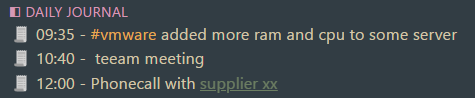
```Daily Journal These are things I did in a day that are not tasks, like meetings, phone call notes, or tasks that I did right away.
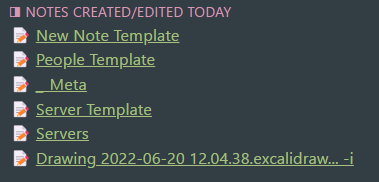
PKM Notes Knowledge notes created/edited for that day. List Modified plugin automatically does this for us.
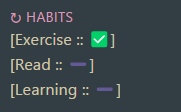
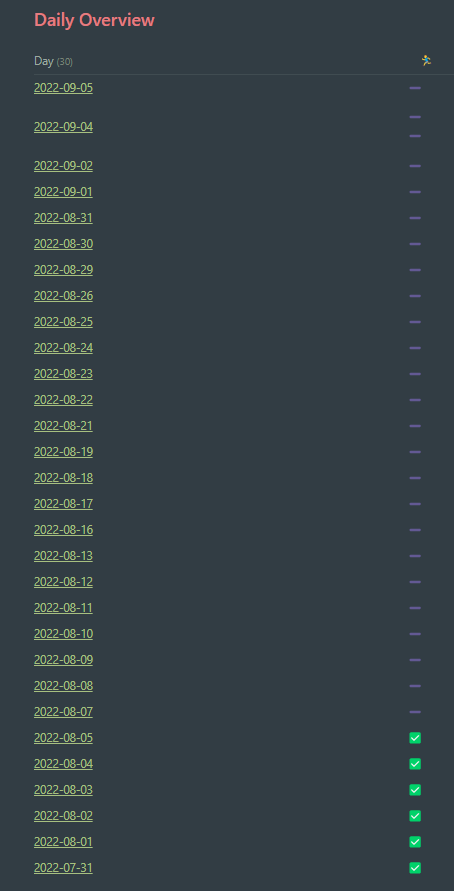
Habits Tracker I also track my habits on my daily notes. Then on weekly or monthly views, I can have an overview of them. As you can see, I didn’t exercise much lately 😜.
Linking Tasks
One other feature of my journaling is that I link tasks and daily notes to knowledge notes, objects and people, using tags and backlinks. This approach allows me to list tasks for specific subjects (using tags) or for specific objects or people (using backlinks).
For example, I can list all tasks (including dates) for Active Directory, right from my Active Directory Map of Content (MOC).
# Tasks
```tasks
description includes #ad
sort by start date
```
# Daily Log
```query
block:(/.*🧾.+#ad.*/ OR /.*🧾.+#ad.*/)
```I can also list all tasks for serverX , all tasks that I used knowledge noteY to complete, or tasks that include personZ .
# Tasks
```tasks
description includes [[serverX]]
sort by start date
```
# Daily Log
```query
block:(/🧾+.*\[\[serverX\]\].*/ OR /🧾+.*\[\[serverX\]\].*/)
```(same query structure for object, knowledge notes and people tasks)
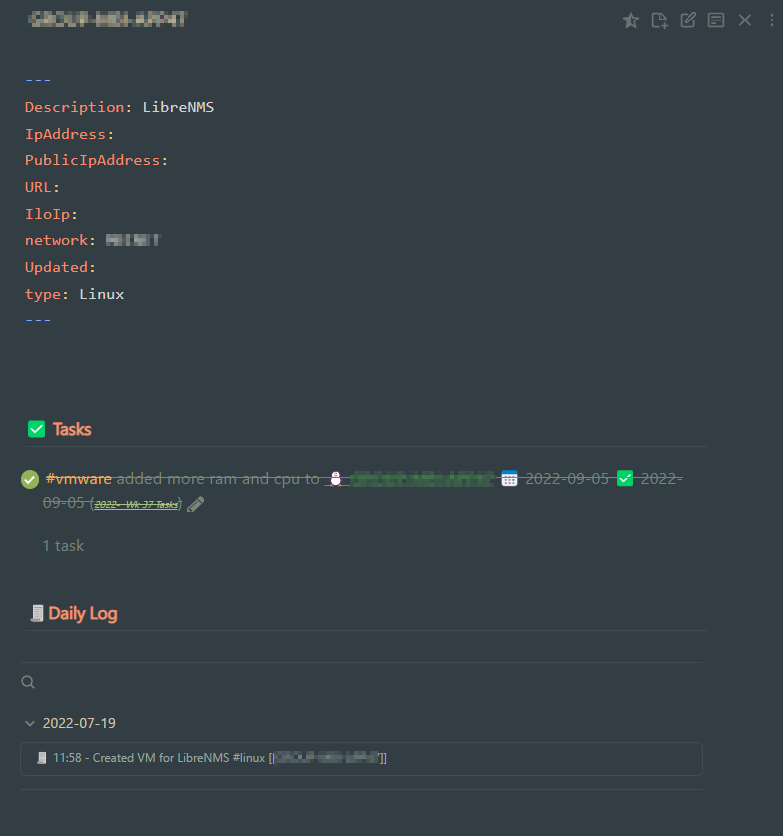
I’ve finally discovered a method to keep up my journaling and link my journaling notes to knowledge notes. It’s fast and seamlessly incorporates all the features I want into my note-taking/task management app, Obsidian.
Don’t forget to check out my other articles of My Obsidian Setup here:


