
My Obsidian Setup (Part 19) — How Do I Manage My Projects
I have already written a little bit about my project’s structure in the earlier articles of this series. Today, I’m going to explore in more detail the associated workflows and plugins.
Project Creation
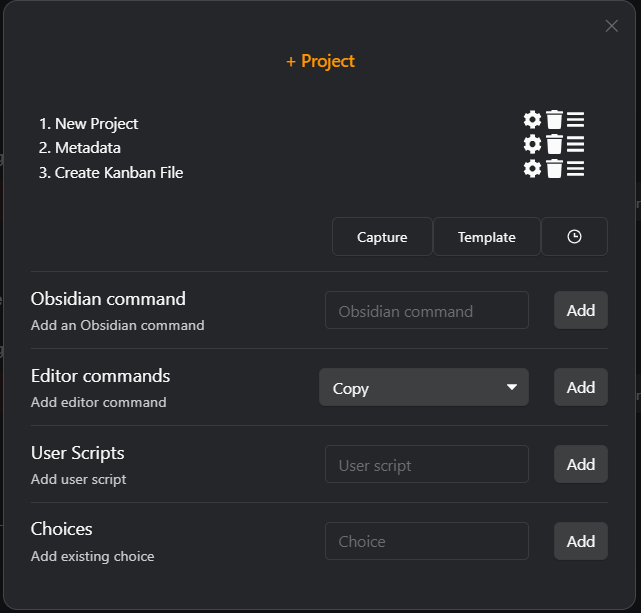
I create new projects using the QuickAdd plugin. I have a macro that:
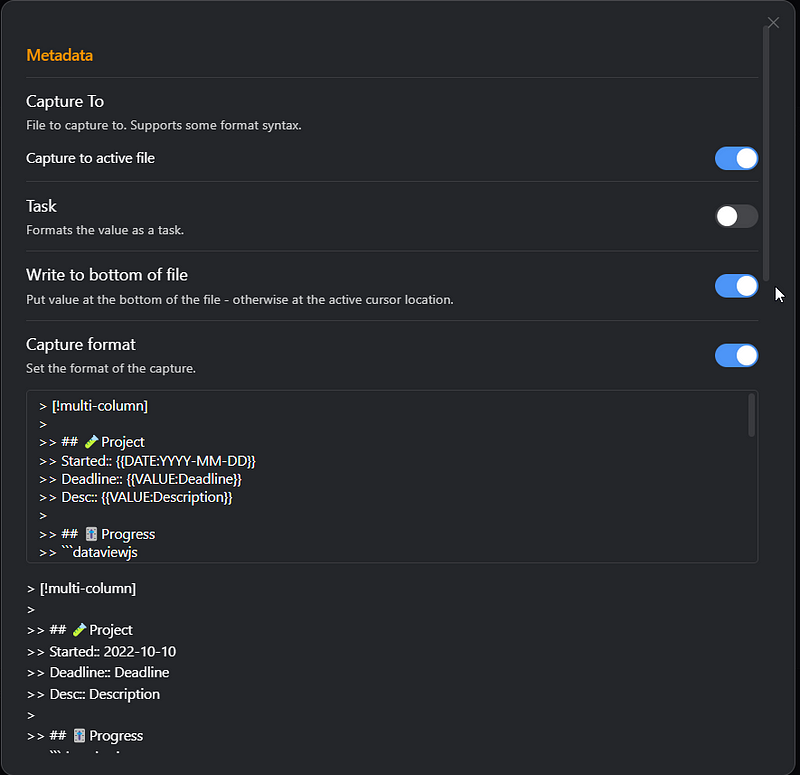
- Asks for the project name, description, and deadline
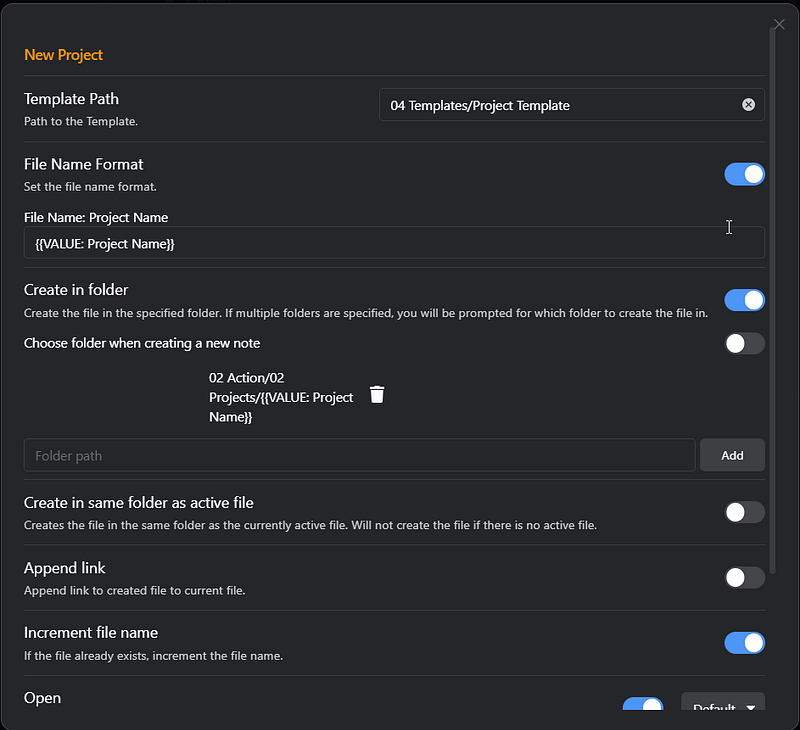
- Creates the project folder based on the project name
- Creates the project overview page with project data collected
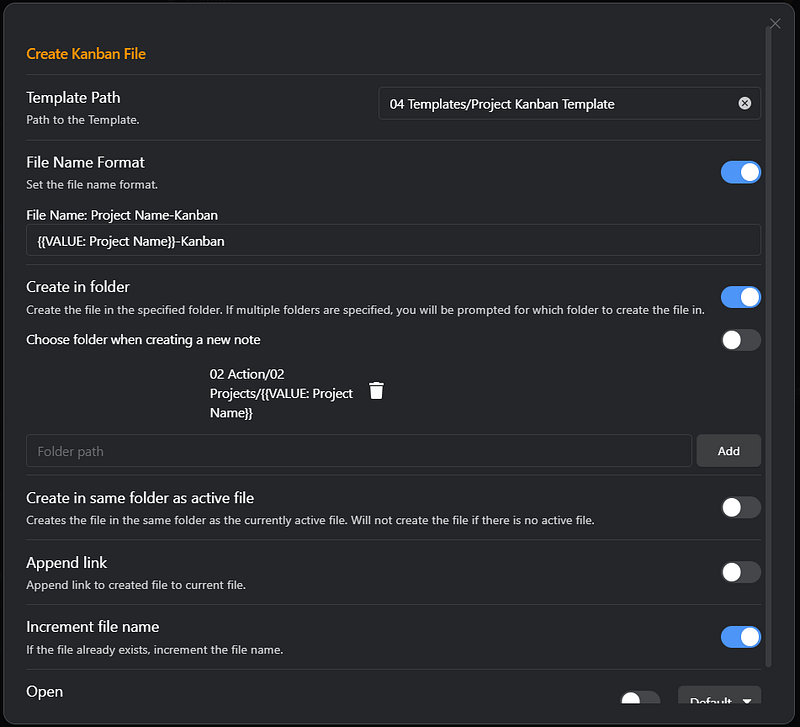
- Creates a kanban board inside the project folder
Project Overview
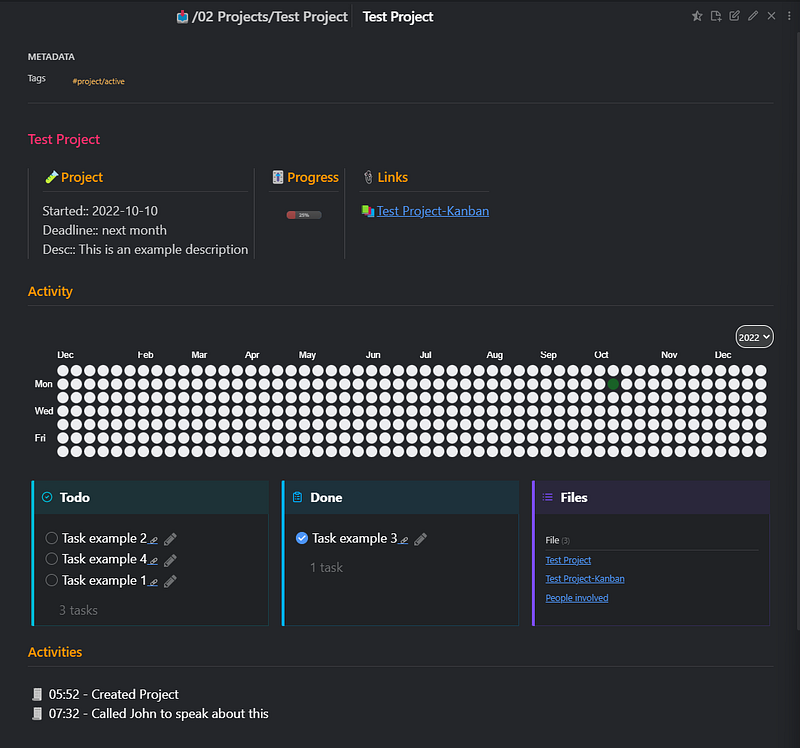
This is my project overview page, automatically generated with QuickAdd. In the first row, I have 3 columns with project details, progress, and important links. The progress bar is based on the percentage of the kanban file completed tasks and built using DataViewJS.
```dataviewjs
const Title = dv.current().file.name
const kbfile = Title + "-Kanban"
const Tasks = dv.page(kbfile).file.tasks
let NumberOfTasks = Tasks.length || 1
let CompletedTasks = Tasks.where(t => t.completed)
dv.span(" * 100) + "/)" )
```For the multicolumn style, I’m using Modular CSS Layout for Obsidian.
For the GitHub-style activity board, I’m using the Activity History plugin. Keep in mind that after creating the project, you need to go to the plugin settings and add the project path to the Tracked Projects.
The three-column callouts have a list of tasks to be done, tasks completed, and a table of the files inside the project folder. The tasks are listed using the Tasks plugin from the Kanban page. The files are listed using the DataView plugin.
```tasks
not done
path includes Test Project-Kanban
short mode
sort by urgency
```
```tasks
done
path includes Test Project-Kanban
short mode
sort by urgency
```
```dataview
TABLE
FROM "02 Action/02 Projects/Test Project"
```The bottom part is reserved for important events related to the project. I add them manually to the file or use a QuickAdd macro.
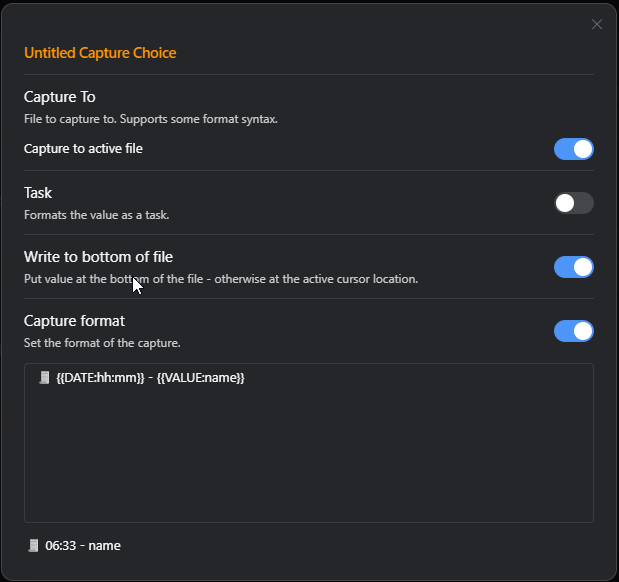
Project Kanban board
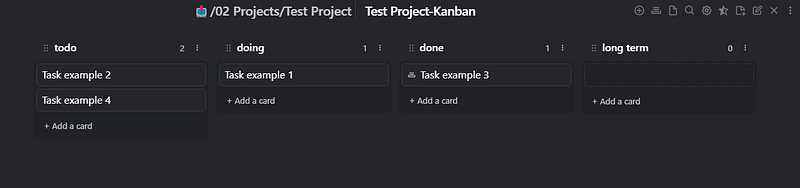
I have this template on file. So when I run the + Project QuickAdd macro, a Kanban board like this is created in the project’s folder. The Kanban functionality is from the Obsidian Kanban Plugin.
Projects Index
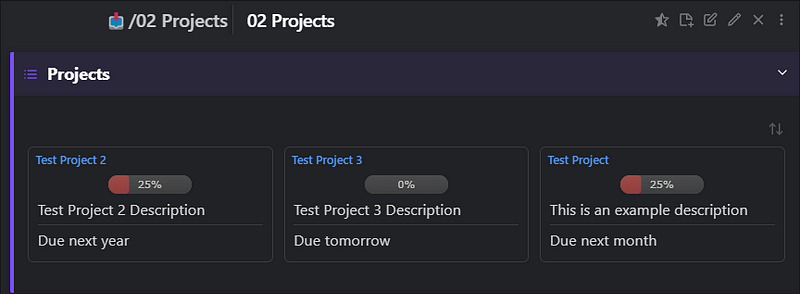
On my projects’ index page, I’m showing my active projects (projects with tag #project/active) and the project progress. The project's progress is measured by the percentage of tasks completed.
How do I get the number of tasks and tasks completed from the kanban board file? In the project file, I have 2 metadata fields: number of tasks and tasks completed. Then I have a Javascript that updates these fields automatically using the MetaEdit plugin API.
const Title = dv.current().file.name
const kbfile = Title + "-Kanban"
let tcreated = dv.page(kbfile).file.tasks.length;
if(tcreated==0){ tcreated = 1}
let tcompleted = dv.page(kbfile).file.tasks.where(t => t.completed).length;
const filePath = dv.current().file.path;
const {update} = app.plugins.plugins["metaedit"].api;await update('projectTasks', tcreated, filePath);
await update('tasksCompleted', tcompleted, filePath);
And this is how I manage my projects. I think it’s pretty cool that the project creation can be fully automated. Obsidian is a pretty awesome app. It is highly customizable and extendable. This way, I can adapt the app to my needs and not the other way around, like with other task management apps.
I hope you enjoyed the reading. Stay tuned for more articles on My Obsidian Setup.
You can read the previous parts of My Obsidian Setup series here:
Click here to be notified every time I publish a new story 😉.
If you’re not a Medium member yet and wish to support me or get access to all my stories, click here.


