avatarChristopher Reno Budiman

Free AI web copilot to create summaries, insights and extended knowledge, download it at here

2929

Abstract

that amazing and I can’t believe it’s just been taken from my phone camera (Back when iPhone camera is less superior than its competitor).</p><p id="1f88">I feel like Snapseed is the mobile version of Photoshop, which also can be used for both iOS and Android. Even nowadays when a smartphone’s camera evolved, I still play around with it to make photos even better. Nowadays with auto HDR enable in most smartphones, Snapseed can even tune it to much brighter, higher contrast and colourful result.</p><h2 id="39b9">Photos</h2><figure id="2d25"><img src="https://cdn-images-1.readmedium.com/v2/resize:fit:800/1*[email protected]"><figcaption></figcaption></figure><figure id="8352"><img src="https://cdn-images-1.readmedium.com/v2/resize:fit:800/1*[email protected]"><figcaption></figcaption></figure><p id="e375">If you are an iOS user and you feel like to edit photos instantly, use Photos. Which app? Do I have it? Of course, you do! (The flower colour spectrum icon). This native iOS app has been amazing in the past few months for me.</p><p id="b4ed">With the new iOS 13 update, you have more control in editing photos, just like what Snapseed offers. The interface is pretty intuitive and easy to adjust, so managing your photo can’t be easier than before.</p><p id="cee0">However unlike Snapseed, it offers less feature for much further editing, also obviously is exclusive for iOS only.</p><h1 id="90f8">Productivity</h1><h2 id="f0b8">Microsoft Office suite</h2><figure id="c6cd"><img src="https://cdn-images-1.readmedium.com/v2/resize:fit:800/1*[email protected]"><figcaption></figcaption></figure><p id="6109">My ultimate productivity companion, until now and maybe forever (?)</p><p id="81ff">During my time in university, being more productive is important to maximise the result. They created a specific email for me, which is based on Outlook. What makes it even greater is how my university maximises the use of Outlook. It integrates class schedule and appointment inside the calendar itself. Even before the session started, it sends me a useful 15 minutes reminder (Although I missed it few times…).</p><p id="3452">Saving a file in the cloud also never been easier with OneDrive. I can save hundreds of my school file there and I can access it anywhere and anytime, so I don’t need to worry if I need to change devices to access the file.</p><p id="fede">Writing notes. Say goodbye to traditional notebooks and hello to OneNote. It is an amazing app to organise every note that I wrote during a lecture and tutorial. Even better with iPad and keyboard integration, which I always use to type when I’m in classes.</p><p id="3da4">The rest of it is the usual suspects. Word, Excel and Powerpoint that runs as expected ever since I started using it. So far there has been a major complaint or something that convince me to turn around from Office suite.</p><h1 id="f410">Nav

Options

igation</h1><h2 id="f88d">Google Maps</h2><figure id="45d0"><img src="https://cdn-images-1.readmedium.com/v2/resize:fit:800/1*[email protected]"><figcaption></figcaption></figure><figure id="378d"><img src="https://cdn-images-1.readmedium.com/v2/resize:fit:800/1*[email protected]"><figcaption>Transit schedule and route example on Google Maps</figcaption></figure><p id="9dca">Google Maps has everything that you need on navigation apps. Best use scenario for Google Maps is by using public transport. With real-time transit schedule, showing the location of the bus or train before and getting you to the destination as fast as possible has been the main feature I used it.</p><p id="54fe">Since I moved to Australia in 2015, Google Maps has been a travel companion ever since. I remember me and my family was asking for direction to a random guy, he said: “I’m not sure where it is too, but just install Google Maps and you will be fine”. Yes, he’s right. Even better, it works on Airplane Mode too if you have your location services turned on.</p><p id="48bc">Well, the only time I didn’t use Google Maps is when I’m driving. Why? Because of numerous limitations (No speed camera detection, speed limit reminder, accident report and more) which makes me prefer Waze with that case.</p><h2 id="6767">Waze</h2><figure id="63d7"><img src="https://cdn-images-1.readmedium.com/v2/resize:fit:800/1*[email protected]"><figcaption></figcaption></figure><figure id="8fed"><img src="https://cdn-images-1.readmedium.com/v2/resize:fit:800/1*[email protected]"><figcaption>Waze allows user to send a report to others for better road awareness</figcaption></figure><p id="5cf5">Waze offers a far better experience for driving navigation. For instance, it gives you a more detailed report for traffic jams, accidents, speed camera, speed limit, police stand by and more. The way they obtain these data is by allowing users to report, basically like the wiki of navigation. It makes you more aware and cautious while driving with the help of other users.</p><p id="2700">In terms of driving navigation, Google has to learn a lot from Waze…</p><p id="2dcb"><b>Christopher Reno Budiman</b> is a writer, explorer and entrepreneur-minded person. He received Bachelor of Business (Hospitality Management) and Bachelor of International Hospitality Management with Swiss Hotel Association accreditation. He’s on <a href="https://www.facebook.com/chris.budiman97">Facebook</a>, <a href="https://www.instagram.com/christopherreno/?hl=en">Instagram</a> and <a href="https://www.google.com.au/url?sa=t&amp;rct=j&amp;q=&amp;esrc=s&amp;source=web&amp;cd=1&amp;ved=2ahUKEwjGxazLvLjpAhXK7HMBHVooDK4QFjAAegQIARAB&amp;url=https%3A%2F%2Fau.linkedin.com%2Fin%2Fchristopher-reno-budiman-239b05120&amp;usg=AOvVaw3wypG6ZPqqxqcC6lQ9mqnI">LinkedIn</a> if you would like to know more about him.</p></article></body>

My Favourite Apps For …… (Music, Photo Editing, Productivity and Navigation)

Ever wondering which apps are best to accompany your day? Here’s some the list of my favourite apps.

**DISCLAIMER — This is the personal thoughts of my experience. The review can be biased. Majority of apps used in iOS.

Music

Spotify
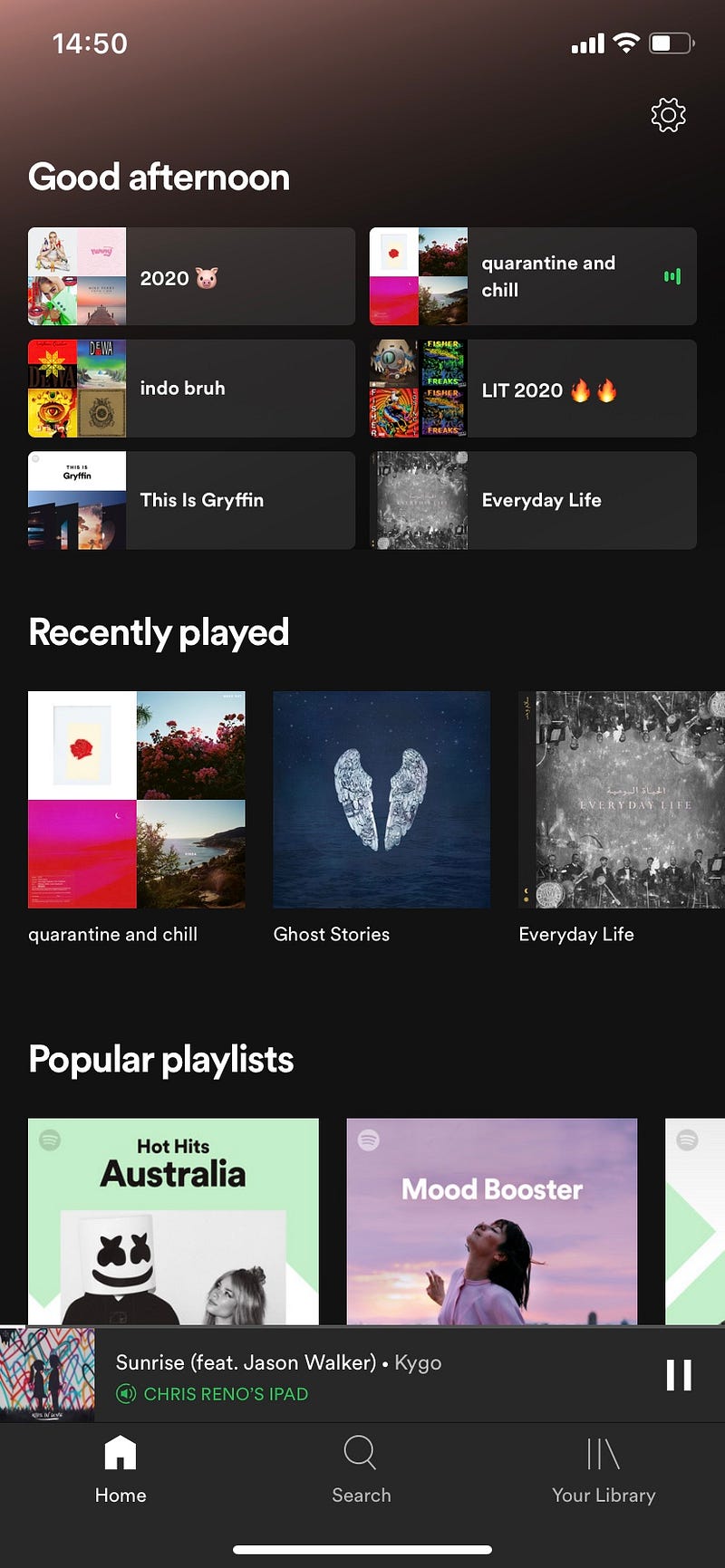
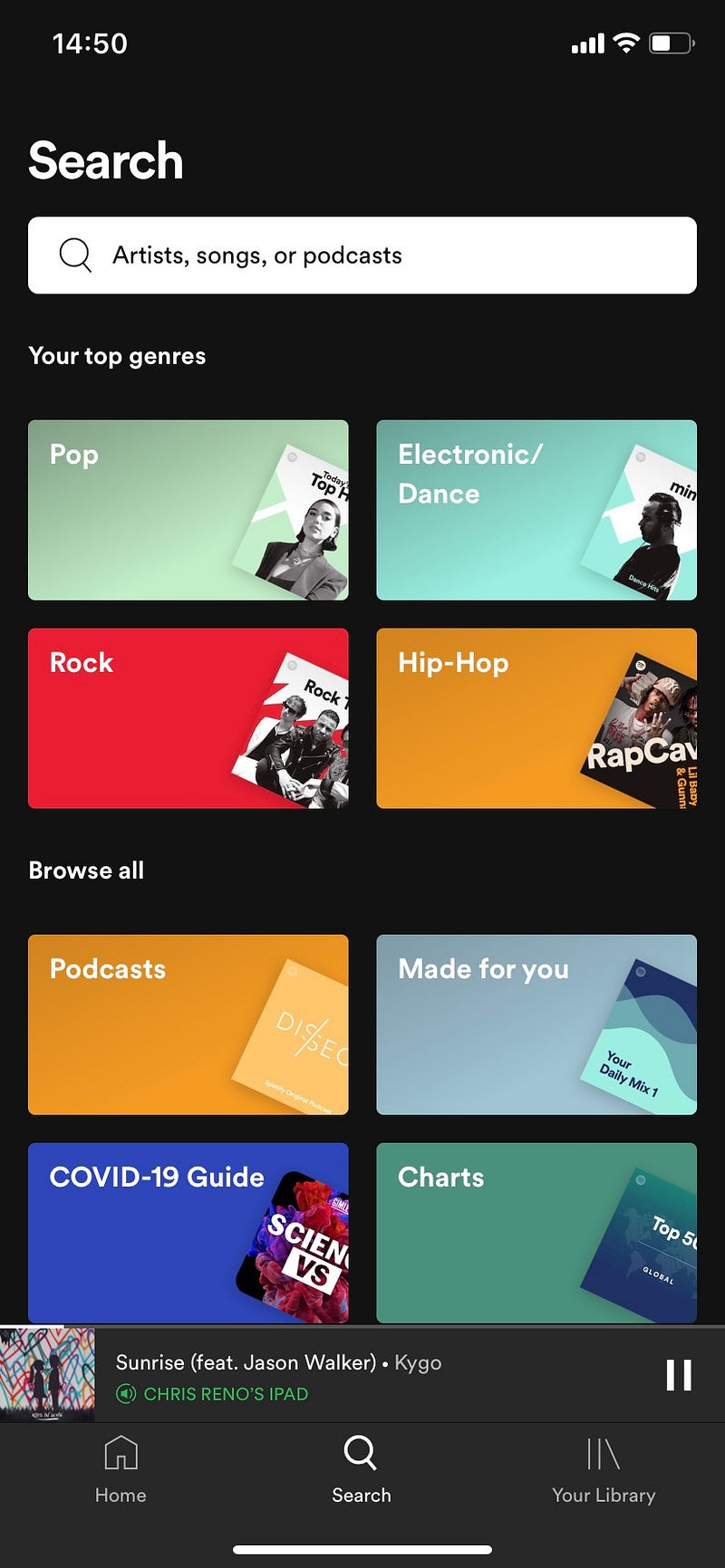
Spotify arguably the best music app so far. It never fails to impress me overall, with the design and easy to use interface that always precise at all time. It gets even better if you are a premium subscriber of Spotify since you can select and skip songs, even download it when you need to listen offline.

However, Spotify needs to work on their watchOS experience on Apple Watch. When I went to the gym, I was a bit frustrated to skip songs, since it feels very laggy and unresponsive. Besides, I can’t download and store a single song on it.

Apple Music
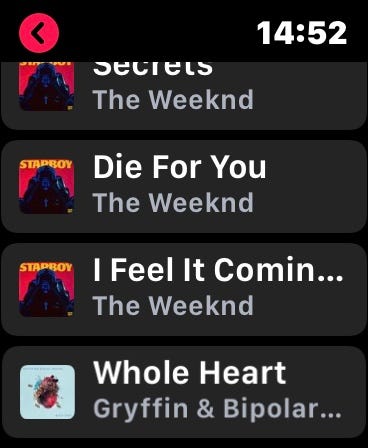
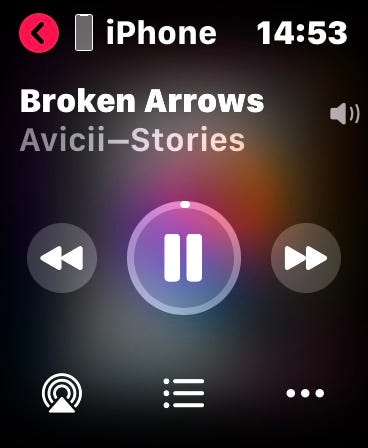
Apple Music on watchOS

Since I’m able to store and save music locally into my Apple Watch, I use Apple Music for my exercise companion. This is very effective when you need to leave your phone at home and just bring your watch with you (I have the GPS model, not the cellular model). Everything is so seamless because of the Apple ecosystem integration.

With that said, unfortunately, Apple Music is the sole purpose I’m still using it. The rest of it is much better with Spotify.

Photo editing

Snapseed
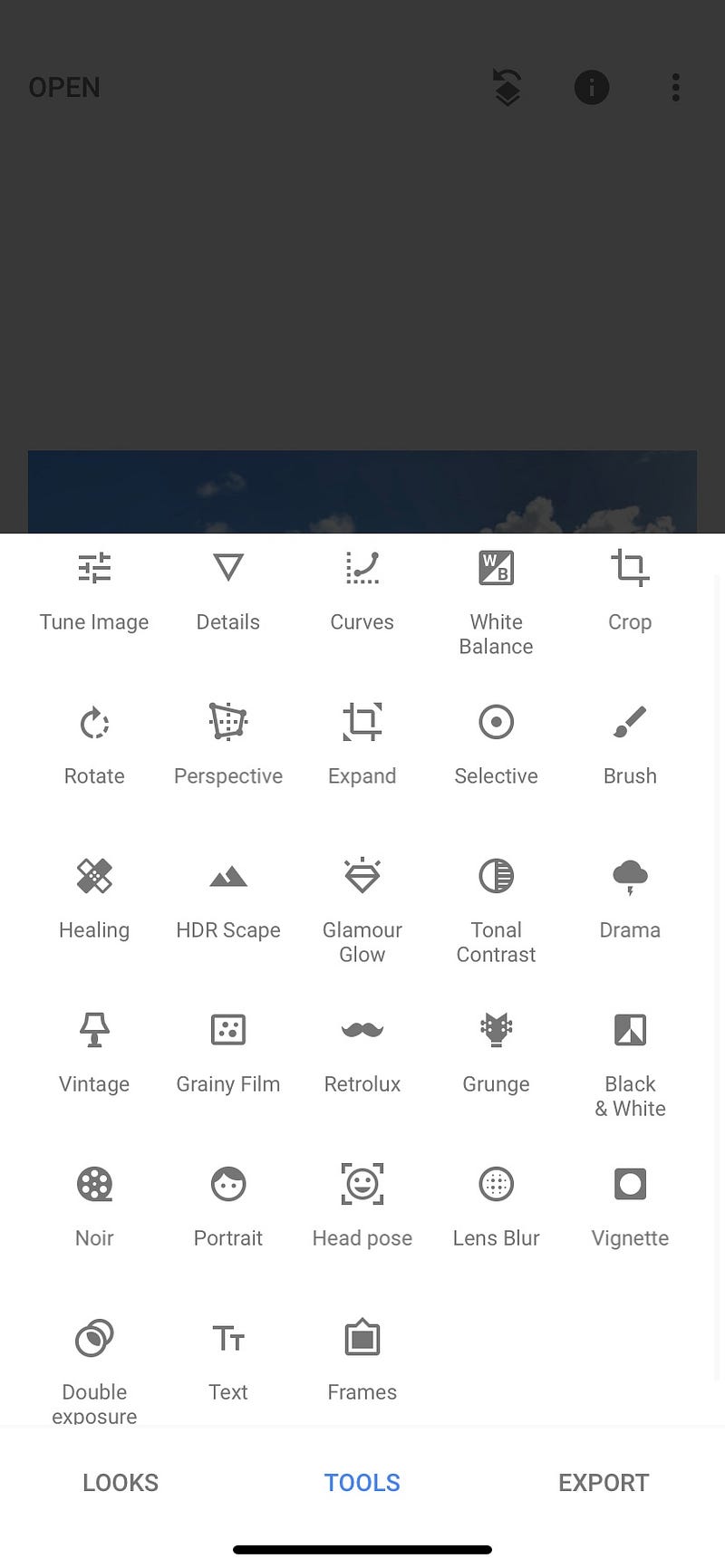
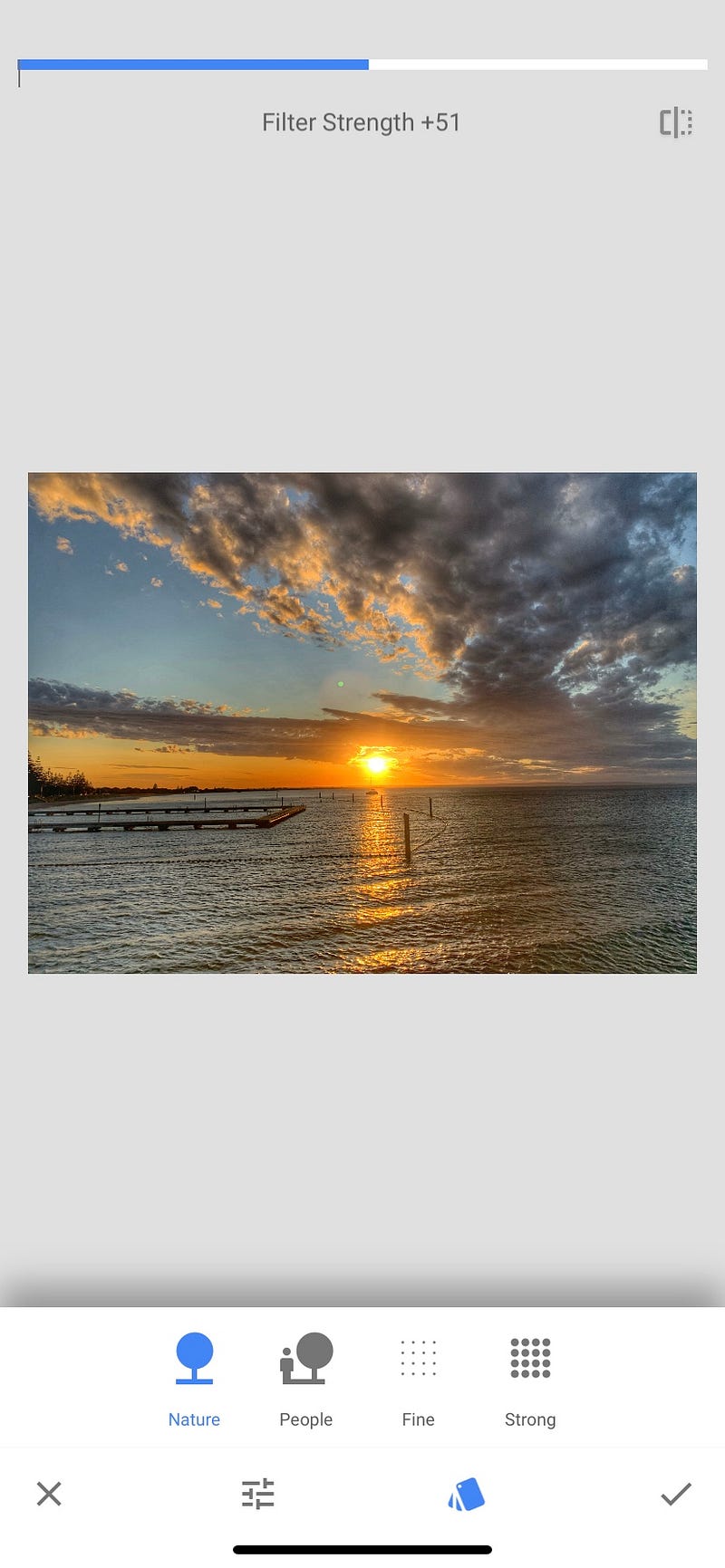
More options for pro. For example, HDR adjustment

I used Snapseed since 2017 when my friend recommended me to use it. He said, “You can turn any photo into a truly professional look!”. Yep, he’s not joking. It certainly works like MAGIC!

With a slight tweak and adjustment of the brightness, sharpness, contrast and a lot more, it changes everything from the original photo. The quality has never been that amazing and I can’t believe it’s just been taken from my phone camera (Back when iPhone camera is less superior than its competitor).

I feel like Snapseed is the mobile version of Photoshop, which also can be used for both iOS and Android. Even nowadays when a smartphone’s camera evolved, I still play around with it to make photos even better. Nowadays with auto HDR enable in most smartphones, Snapseed can even tune it to much brighter, higher contrast and colourful result.

Photos
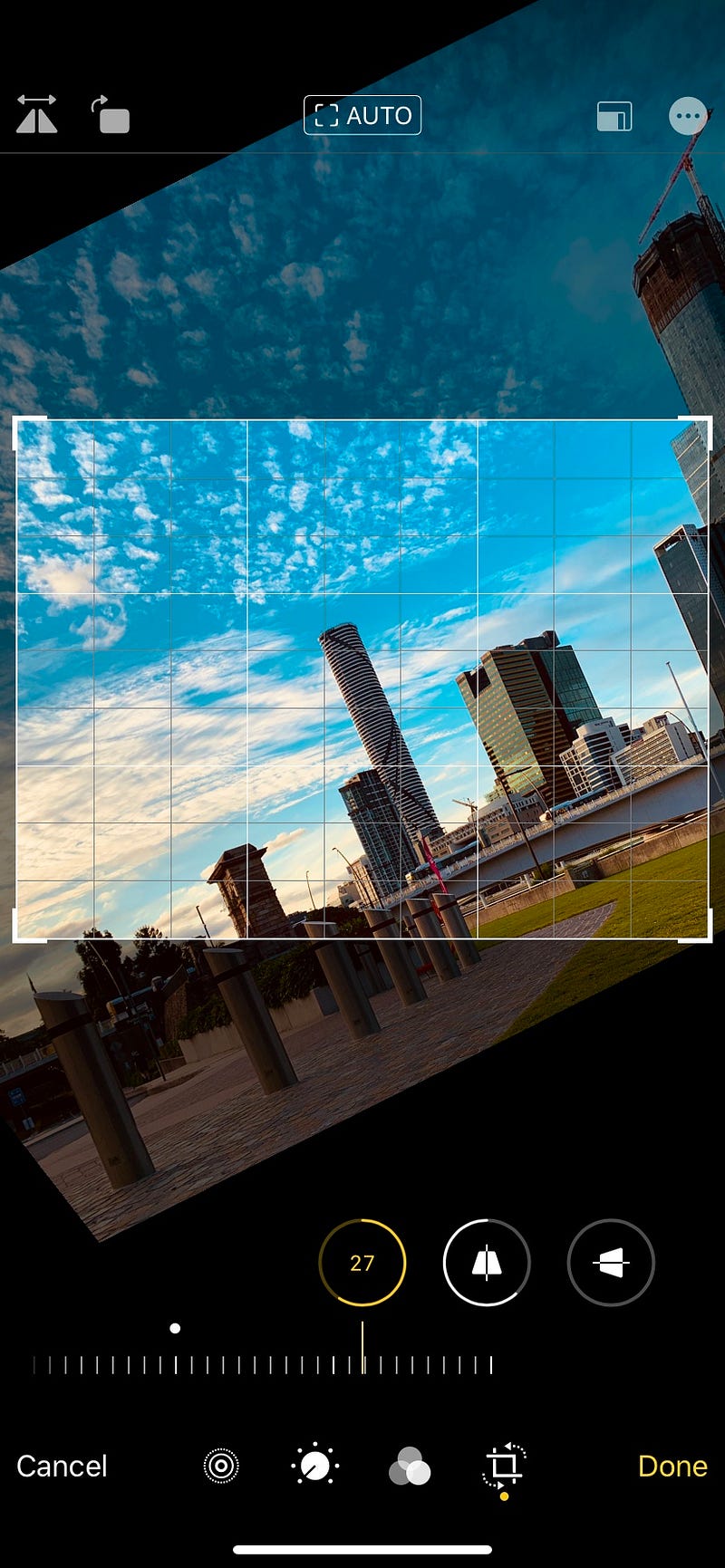
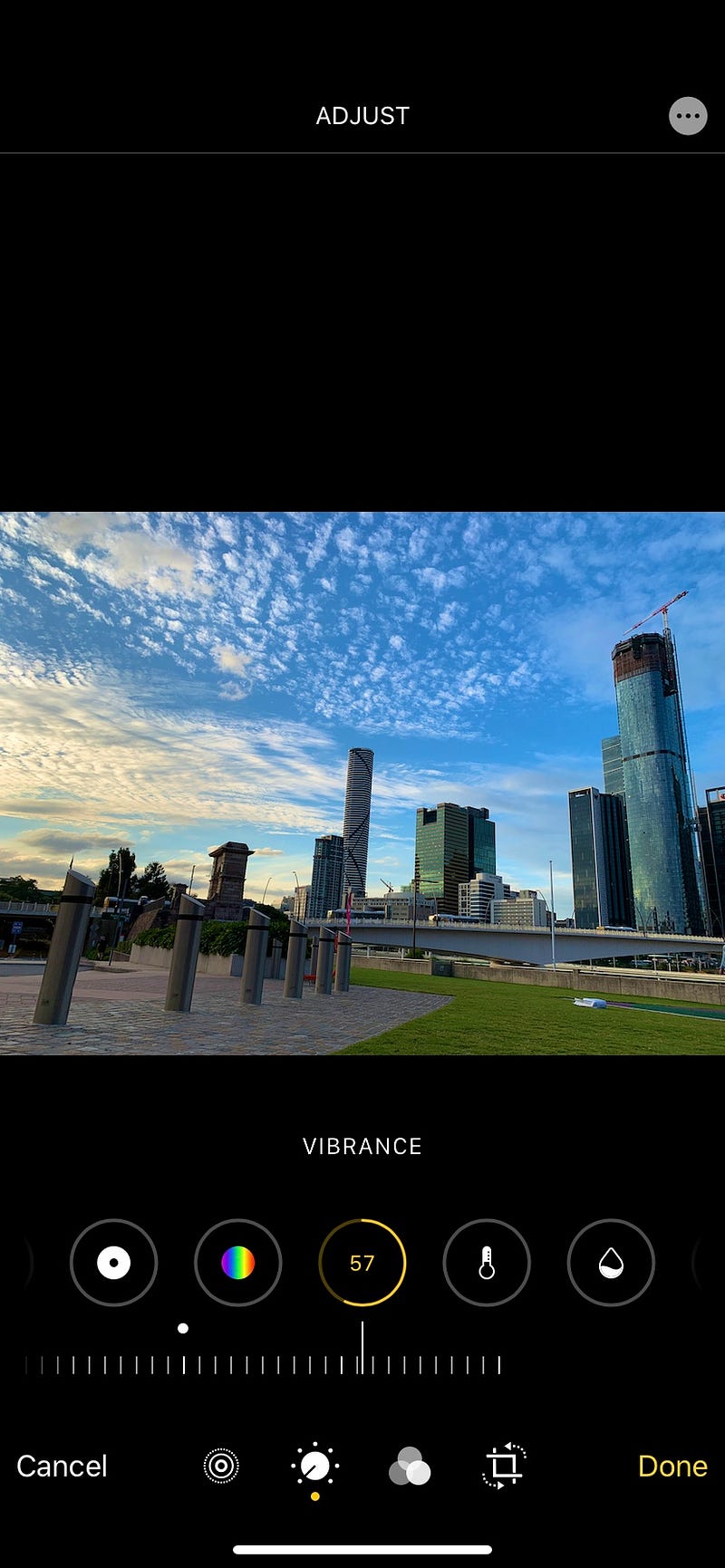
If you are an iOS user and you feel like to edit photos instantly, use Photos. Which app? Do I have it? Of course, you do! (The flower colour spectrum icon). This native iOS app has been amazing in the past few months for me.

With the new iOS 13 update, you have more control in editing photos, just like what Snapseed offers. The interface is pretty intuitive and easy to adjust, so managing your photo can’t be easier than before.

However unlike Snapseed, it offers less feature for much further editing, also obviously is exclusive for iOS only.

Productivity

Microsoft Office suite
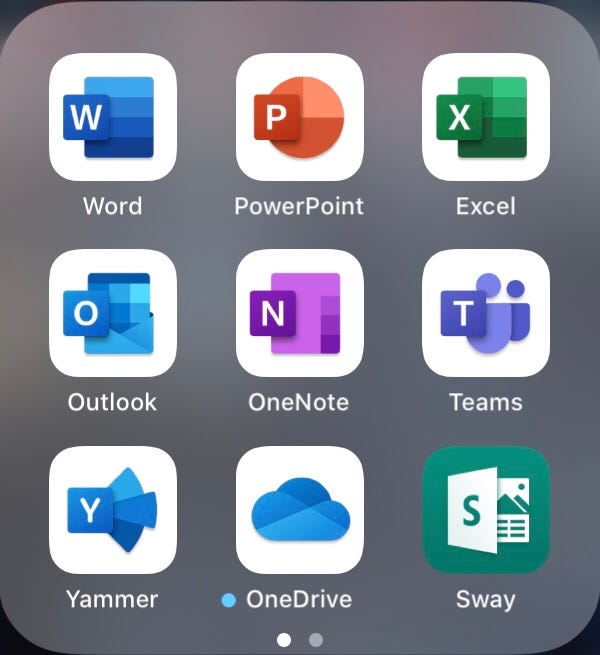
My ultimate productivity companion, until now and maybe forever (?)

During my time in university, being more productive is important to maximise the result. They created a specific email for me, which is based on Outlook. What makes it even greater is how my university maximises the use of Outlook. It integrates class schedule and appointment inside the calendar itself. Even before the session started, it sends me a useful 15 minutes reminder (Although I missed it few times…).

Saving a file in the cloud also never been easier with OneDrive. I can save hundreds of my school file there and I can access it anywhere and anytime, so I don’t need to worry if I need to change devices to access the file.

Writing notes. Say goodbye to traditional notebooks and hello to OneNote. It is an amazing app to organise every note that I wrote during a lecture and tutorial. Even better with iPad and keyboard integration, which I always use to type when I’m in classes.

The rest of it is the usual suspects. Word, Excel and Powerpoint that runs as expected ever since I started using it. So far there has been a major complaint or something that convince me to turn around from Office suite.

Navigation

Google Maps
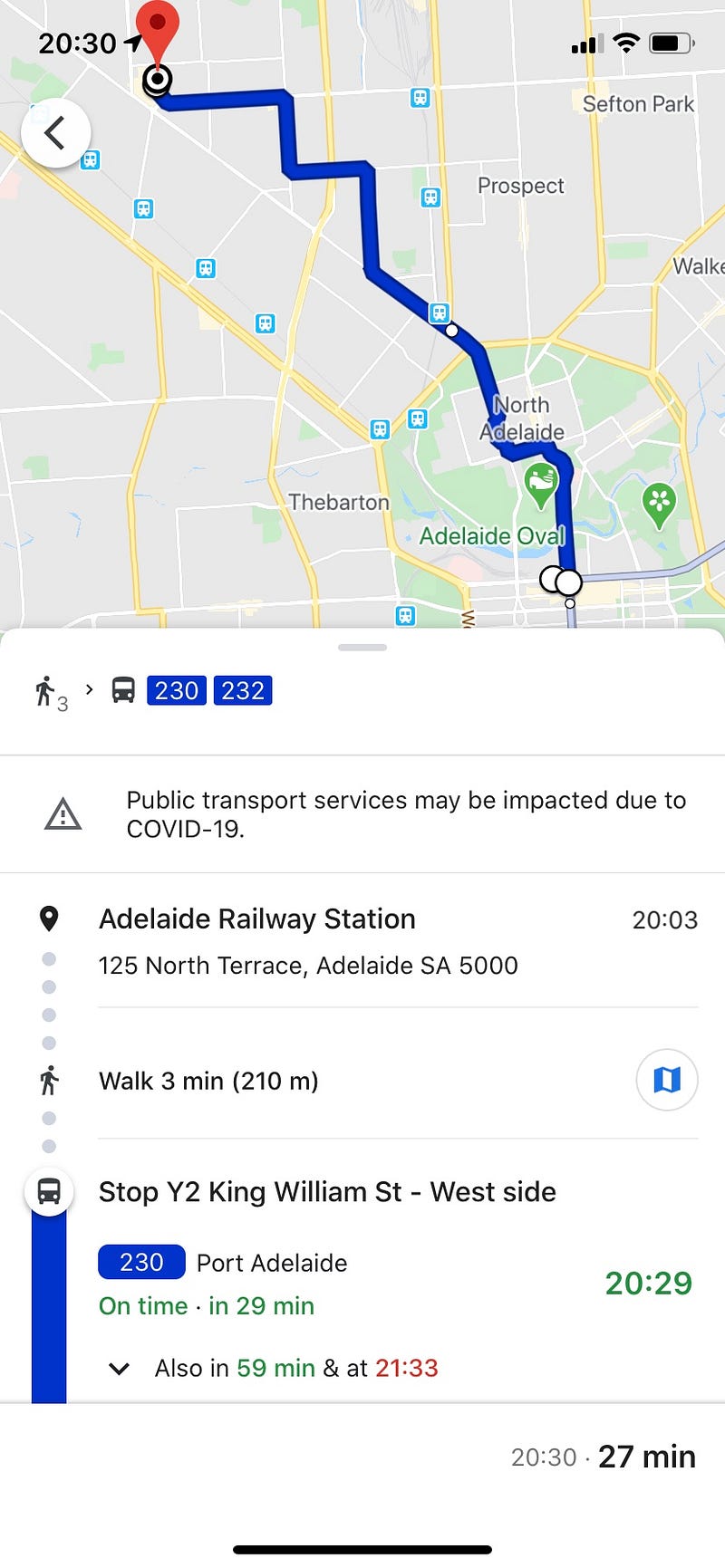
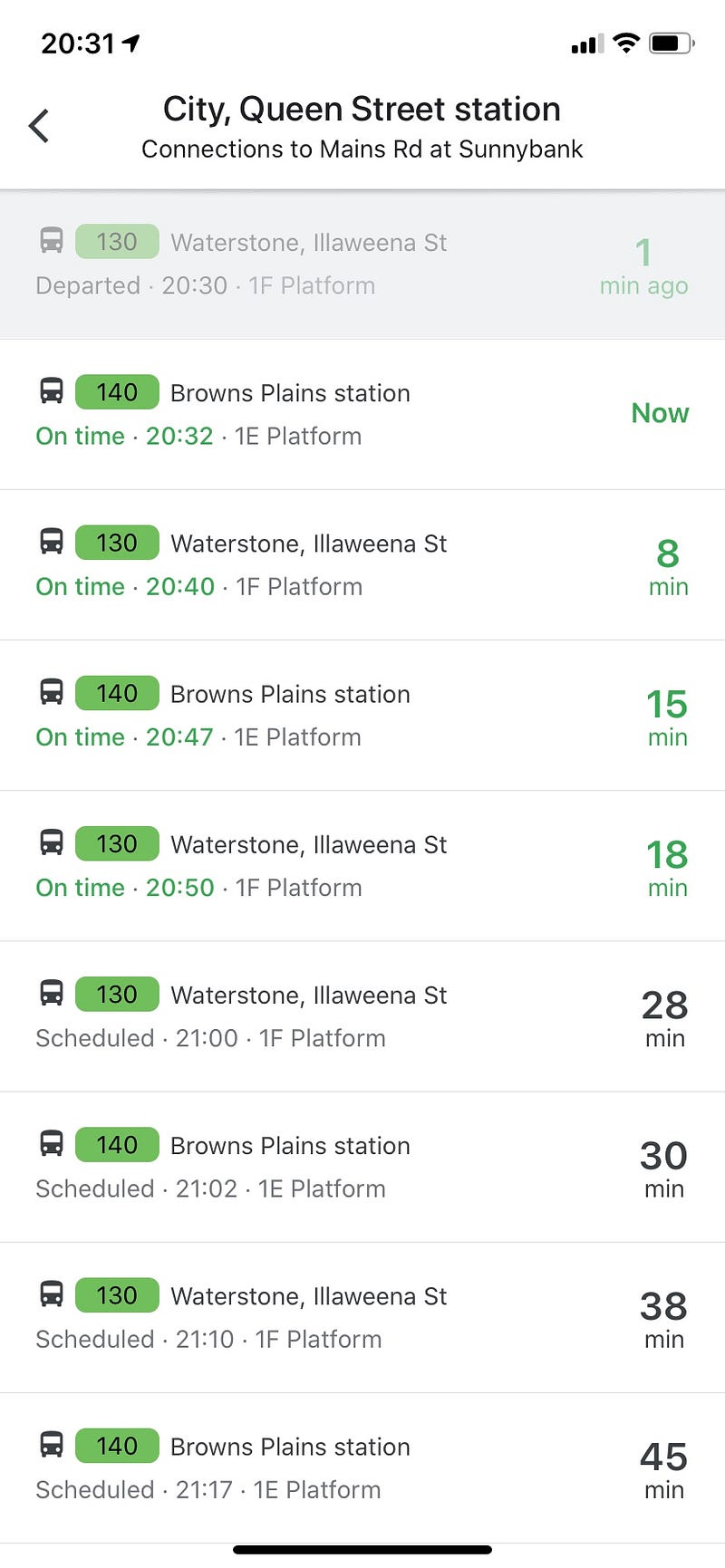
Transit schedule and route example on Google Maps

Google Maps has everything that you need on navigation apps. Best use scenario for Google Maps is by using public transport. With real-time transit schedule, showing the location of the bus or train before and getting you to the destination as fast as possible has been the main feature I used it.

Since I moved to Australia in 2015, Google Maps has been a travel companion ever since. I remember me and my family was asking for direction to a random guy, he said: “I’m not sure where it is too, but just install Google Maps and you will be fine”. Yes, he’s right. Even better, it works on Airplane Mode too if you have your location services turned on.

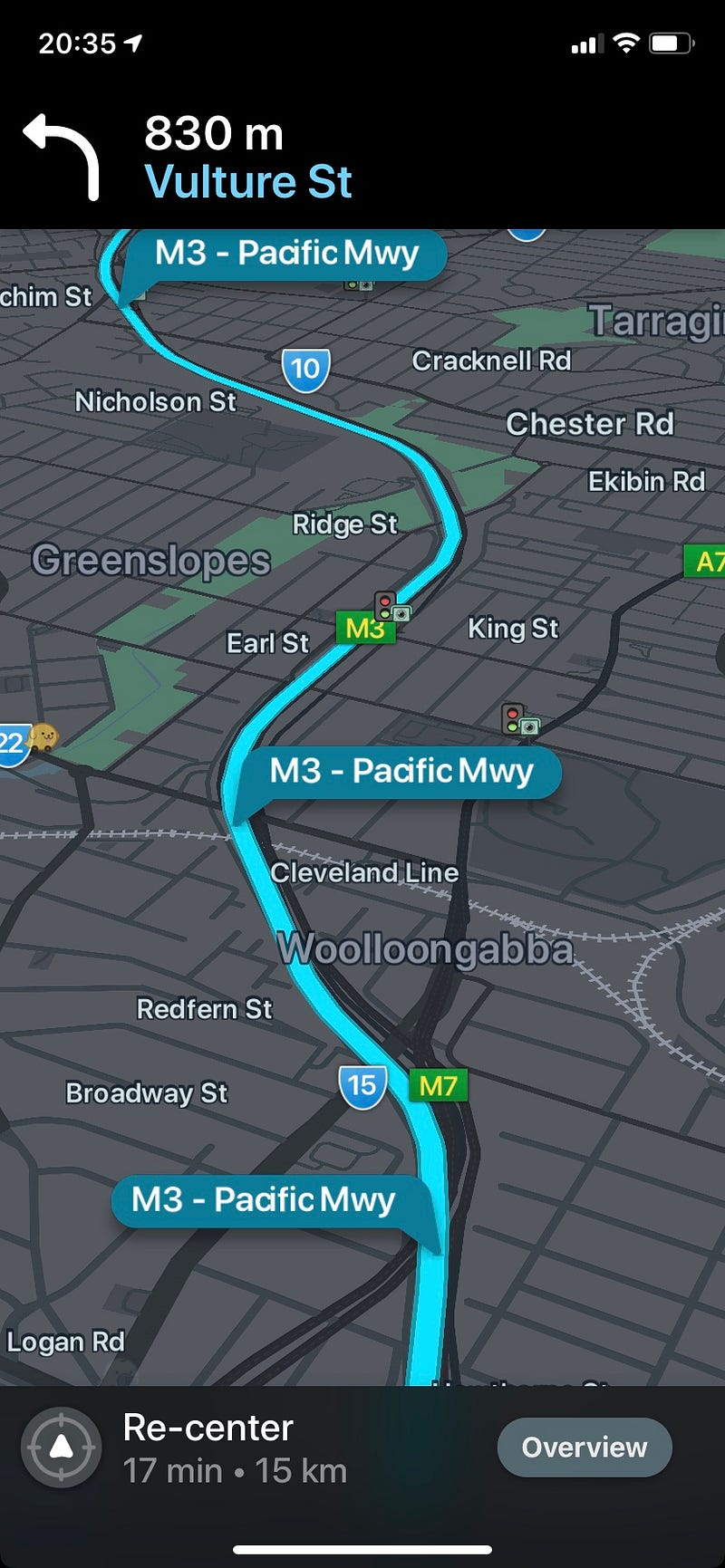
Well, the only time I didn’t use Google Maps is when I’m driving. Why? Because of numerous limitations (No speed camera detection, speed limit reminder, accident report and more) which makes me prefer Waze with that case.

Waze
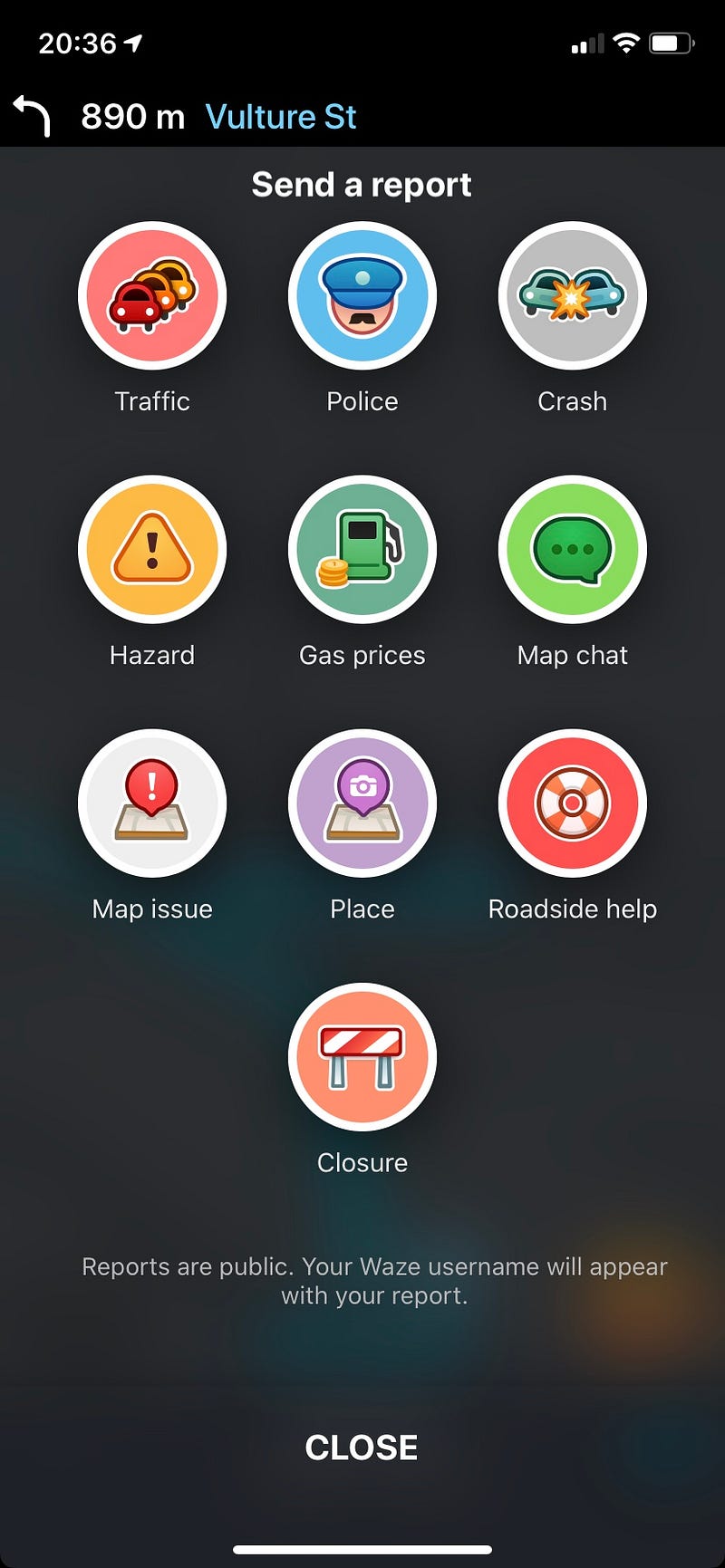
Waze allows user to send a report to others for better road awareness

Waze offers a far better experience for driving navigation. For instance, it gives you a more detailed report for traffic jams, accidents, speed camera, speed limit, police stand by and more. The way they obtain these data is by allowing users to report, basically like the wiki of navigation. It makes you more aware and cautious while driving with the help of other users.

In terms of driving navigation, Google has to learn a lot from Waze…

Christopher Reno Budiman is a writer, explorer and entrepreneur-minded person. He received Bachelor of Business (Hospitality Management) and Bachelor of International Hospitality Management with Swiss Hotel Association accreditation. He’s on Facebook, Instagram and LinkedIn if you would like to know more about him.

Apps
iOS Apps
Technology
Photo Editing
Favourites
Recommended from ReadMedium