
My AI Coloring Book Is Selling On Amazon KDP
How To Create A Coloring Book With AI
Artificial intelligence is currently trending all over the media. It has provided many new opportunities to transform industries and improve our daily lives. The tools will provide you with a range of benefits including automating processes, improving efficiency, saving costs and making better decisions.
The tool I’m going to be talking about is Midjourney. This tool generates images based on your text prompts through the power of AI and machine learning.

I actually used this tool to create my coloring book that selling on Amazon.
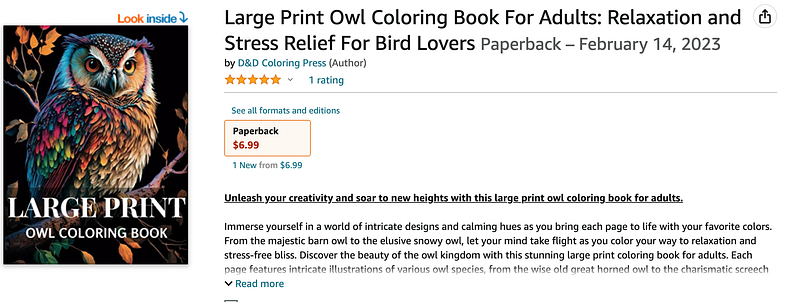
I created this coloring book roughly one month ago and it’s been selling well so far.
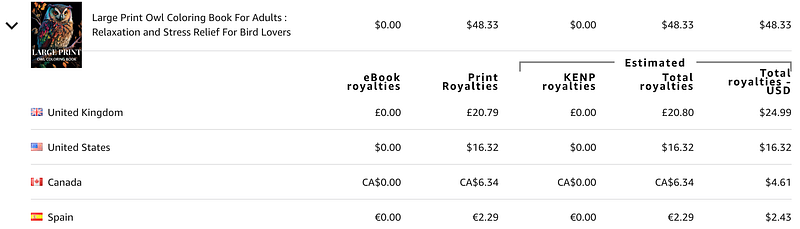
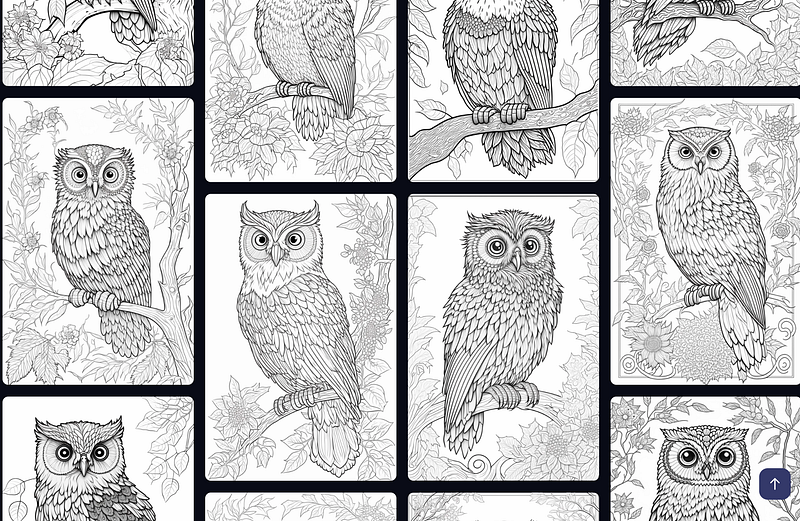
Without the use of Midjourney, I would not have been able to create high quality interior prices at such a low cost.
If your interested in how I created this coloring book then I’ll this to you in 5 easy steps:
- Start your research on Amazon.com, search for coloring books and take a look through the books shown to understand what coloring books customers are looking for. (Do not create your coloring books around anything trademarked.)
- Use Midjourney to create the coloring pages based on your research in step 1. You will need to use a paid subscription in order to have access to commercial license to sell your coloring pages. I suggest at least creating 20 coloring pages for your coloring book. You should also create your cover design in Midjourney.
- Use bigjpg.com to upscale your coloring pages and improve the resolution. This website will only allow you to upscale 5 images during a 7 day period but it has some awesome super low cost payment plan that will allow you to upscale hundreds of images each month. This is the best low cost upscale tool I have found so far.
- Use kdp cover calulator to work out the dimensions for your coloring books cover and interior. Then use a design tool such as Canva to create the cover and interior with the dimensions provided. Upload your upscaled coloring pages and cover that you did in step 3 to Canva. Align the coloring pages correctly and add text to the front cover. Finally download your coloring page and cover as a PDF Print, CMYK File (This is best for professional printing.) You will need a Canva Pro subscription to download it in this format but you can cancel for free anytime within the first month.
- Go to Amazon KDP to upload to coloring book files. If you do not have an account it is quite easy to set one up. If you do have an account, go to create, select paperback, then fill in the details of the book and upload your interior and cover. Finally choose the price of you book and select publish.
These steps only cover the basics but it gives you a rough idea of the processes involved.
If you want a full step by step guide to create your coloring book with Midjourney then you can watch my video below.
I have also reviewed the coloring book I created in depth:
I recommend you watch both video to understand the full process.
Thanks for reading.


