avatarEmanuel Trandafir

Free AI web copilot to create summaries, insights and extended knowledge, download it at here

6634

Abstract

s in which we send the emails will differ. Let’s check the console and see what was printed by the <i>sendPromotionalEmail </i>method:</p><div id="4f72"><pre>thread ForkJoinPool.commonPool-worker-6 - sending email to Denis thread ForkJoinPool.commonPool-worker-1 - sending email to Emil thread ForkJoinPool.commonPool-worker-5 - sending email to Bonnie</pre></div><p id="14df">To fix this, we can use the order-safe alternative <i>forEachOrdered:</i></p><div id="adf3"><pre><span class="hljs-meta">@Test</span> <span class="hljs-keyword">void</span> <span class="hljs-title function_">parallelStreamOrder</span><span class="hljs-params">()</span> { customers.parallelStream() .sorted(Comparator.comparing(Customer::name)) .filter(c -> c.age() >= <span class="hljs-number">20</span> && c.age() <= <span class="hljs-number">40</span>) .limit(<span class="hljs-number">3</span>) .forEachOrdered(<span class="hljs-built_in">this</span>::sendPromotionalEmail); }</pre></div><p id="3009">Now, we can re-run and notice that the order is correct, but all the <i>emails </i>were sent from the same thread. In other words, the <i>filter</i> and <i>limit </i>where executed on different threads but the final operation was sequential to guarantee the order:</p><div id="fc93"><pre>thread ForkJoinPool.commonPool-worker-2 - sending email to Bonnie thread ForkJoinPool.commonPool-worker-2 - sending email to Denis thread ForkJoinPool.commonPool-worker-2 - sending email to Emil</pre></div><h2 id="1a89">2. Expensive Intermediate Operations For Ordered Parallel Streams</h2><p id="b737">If the terminal operations usually have an order-safe equivalent (<i>forEach -> forEachOrdered, findAny -> findFirst</i>), the intermediate operations do not provide this.</p><p id="48d6">As a result, even if they are generally cheap operations, they can be expensive when it comes to ordered streams executed in parallel.If we consult the Javadoc for the operations: <i>limit</i>, <i>skip</i>, <i>dropWhile</i>, <i>takeWhile — </i>they all mention this issue:</p><blockquote id="36c3"><p>While limit is generally a cheap operation on sequential stream pipelines, it can be quite expensive on ordered parallel pipelines, especially for large values of maxSize, since limit(n) is constrained to return not just any n elements, but the first n elements in the encounter order.</p></blockquote><blockquote id="867e"><p><b>Using an unordered stream source or removing the constraint with unordered() may result in significant speedups of limit() in parallel pipelines, if the semantics of situation permit.</b></p></blockquote><blockquote id="7898"><p>If consistency with encounter order is required, you are experiencing poor performance or memory utilization with limit() in parallel pipelines, switching to sequential execution sequential() may improve performance.</p></blockquote><p id="ca58">In other words, we should always check each of the intermediate operations before switching to <i>paralleStreams. </i><b>In our example, even if the order would not matter (and if we remove the <i>sorted()</i> intermediate step), we can still have a problem with this if the source of this stream is ordered — for instance, a <i>List<></i>.</b></p><p id="14a2">Let’s revert to the initial requirement and pretend we want to send three emails, but the order does not really matter. To address the performance issue with <i>limit,</i> we should also make the stream <i>unoredered:</i></p><div id="ab4e"><pre><span class="hljs-meta">@Test</span> <span class="hljs-keyword">void</span> <span class="hljs-title function_">parallelStreamUnordered</span><span class="hljs-params">()</span> { customers.parallelStream() .unordered() .filter(c -> c.age() >= <span class="hljs-number">20</span> && c.age() <= <span class="hljs-number">40</span>) .limit(<span class="hljs-number">3</span>) .forEach(<span class="hljs-built_in">this</span>::sendPromotionalEmail); }</pre></div><h2 id="d561">3. Doing More Work Than Needed</h2><p id="17ec">Processing the stream in parallel may use the common thread pool to evaluate more customers than needed. To illustrate this, let’s add a print statement inside the filter step:</p><div id="958a"><pre>.filter(c -> { System.out.println(<span class="hljs-string">"thread %s - filtering %s"</span>.formatted( Thread.currentThread().getName(), c.name())); <span class="hljs-keyword">return</span> c.age() >= <span class="hljs-number">20</span> && c.age() <= <span class="hljs-number">40</span>; })</pre></div><p id="0b81">With this in place, let’s run both the sequential and the parallel stream, and compare the results. Let’s check the result of the sequential stream:</p><div id="0e77"><pre>thread main - filtering Anne thread main - filtering Bonnie thread main - sending email to Bonnie thread main - filtering Charlotte thread main - filtering Denis thread main - sending email to Denis thread main - filtering Emil thread main - sending email to Emil </pre></div><p id="e4e2">As we can see, we evaluated the <i>filter</i> step five times in order to find the first three customers matching the criteria. Let’s now compare it to the results of the parallel stream:</p><div id="fb0e"><pre>thread main - filtering George thread main - filtering Frank thread main - sending email to Frank thread ForkJoinPool.commonPool-worker-1 - filtering Charlotte thread ForkJoinPool.commonPool-worker-2 - filtering Iacob thread ForkJoinPool.commonPool-worker-2 - sending email to Iacob thread ForkJoinPool.commonPool-worker-3 - filtering Bonnie thread ForkJoinPool.commonPool-worker-3 - sending email to Bonnie thread ForkJoinPool.commonPool-worker-1 - filtering Emil thread ForkJoinPool.commonPool-worker-4 - filtering Horia</pre></div><p id="7573">While it is true that running the test using parallel streams may yield different results each time, it is worth noting that in most cases, the evaluation process will involve around 7–8 customers before identifying the desired 3.</p><p id="8414">The actual cost of this operation may vary depending on the context and the operations themselves, but it is an important consideration to keep in mind when transitioning to parallel streams.</p><h2 id="85a2">4. Using The Common Thread Pool</h2><p id="9b90">As demonstrated in the previous examples, parallel streams in Java default to using the common thread pool. However, this approach can lead to potential issues when processing large streams or performing expensive operations. In such scenario

Options

s, the common thread pool may become blocked, potentially impacting the performance of other critical operations throughout the application.</p><p id="0dc0">One way of addressing this would be to create a separate <i>ForkJoinPool</i>, and use it for the parallel stream execution:</p><div id="911e"><pre>Stream<Customer> stream = customers.parallelStream() .unordered() .filter(c -> c.age() >= <span class="hljs-number">20</span> && c.age() <= <span class="hljs-number">40</span>) .limit(<span class="hljs-number">3</span>);

<span class="hljs-type">ForkJoinPool</span> <span class="hljs-variable">pool</span> <span class="hljs-operator">=</span> <span class="hljs-keyword">new</span> <span class="hljs-title class_">ForkJoinPool</span>(); pool.submit(() -> stream.forEach(<span class="hljs-built_in">this</span>::sendPromotionalEmail));</pre></div><figure id="4824"><img src="https://cdn-images-1.readmedium.com/v2/resize:fit:800/1*73k7akT_7G0zYF1XqCMN9w.png"><figcaption>image generated on <a href="http://imageflip.com">http://imageflip.com</a></figcaption></figure><h2 id="a38d">5. Tricky Reduce</h2><p id="367e">Let’s use the <i>reduce </i>terminal operation to calculate the total age of all the customers of the stream:</p><div id="4d70"><pre>List<Customer> customers = List.of( <span class="hljs-keyword">new</span> <span class="hljs-title class_">Customer</span>(<span class="hljs-string">"Anne"</span>, <span class="hljs-number">10</span>), <span class="hljs-keyword">new</span> <span class="hljs-title class_">Customer</span>(<span class="hljs-string">"Bonnie"</span>, <span class="hljs-number">20</span>), <span class="hljs-keyword">new</span> <span class="hljs-title class_">Customer</span>(<span class="hljs-string">"Charlotte"</span>, <span class="hljs-number">30</span>), <span class="hljs-keyword">new</span> <span class="hljs-title class_">Customer</span>(<span class="hljs-string">"Denis"</span>, <span class="hljs-number">40</span>) );

<span class="hljs-meta">@Test</span> <span class="hljs-keyword">void</span> <span class="hljs-title function_">totaLAgeShouldBe100</span><span class="hljs-params">()</span> { <span class="hljs-type">int</span> <span class="hljs-variable">totalAge</span> <span class="hljs-operator">=</span> customers.stream() .map(Customer::age) .reduce(<span class="hljs-number">0</span>, (total, age) -> total + age);

assertThat(totalAge).isEqualTo(<span class="hljs-number">100</span>);

}</pre></div><p id="dc6c">Now, instead of starting from 0, let’s start from a “default value” of 20 and expect a total value of 120:</p><div id="5ed1"><pre><span class="hljs-meta">@Test</span> <span class="hljs-keyword">void</span> <span class="hljs-title function_">totalAgeShouldBe120</span><span class="hljs-params">()</span> { <span class="hljs-type">int</span> <span class="hljs-variable">totalAge</span> <span class="hljs-operator">=</span> customers.stream() .map(Customer::age) .reduce(<span class="hljs-number">20</span>, (total, age) -> total + age);

assertThat(totalAge).isEqualTo(<span class="hljs-number">120</span>);

}</pre></div><p id="2be1">After that, if we switch to the <i>paralleStream </i>approach and re-run te test, this time, the result will be unexpected:</p><div id="3f58"><pre><span class="hljs-meta">@Test</span> <span class="hljs-keyword">void</span> <span class="hljs-title function_">totalAgeShouldBe120</span><span class="hljs-params">()</span> { <span class="hljs-type">int</span> <span class="hljs-variable">totalAge</span> <span class="hljs-operator">=</span> customers.parallelStream() .map(Customer::age) .reduce(<span class="hljs-number">20</span>, (total, age) -> total + age);

assertThat(totalAge).isEqualTo(<span class="hljs-number">120</span>); 
<span class="hljs-comment">// test fails: expected 120, actuall 180</span>

}</pre></div><p id="8efe">The reason for the apparent discrepancy is the first parameter of the <i>reduce</i> method. This should not be a “default value”, but rather a “neutral number” or value.</p><p id="bea1">For example, in operations involving addition and subtraction, the neutral number is typically 0, whereas, for multiplication and division, it is 1. Similarly, when working with objects and collections, it may be necessary to provide empty collections or neutral objects that are compatible with the type being processed.</p><h2 id="bc9f">Conclusion</h2><p id="3dc0">In summary, parallel streams are a powerful tool that should be used with caution to avoid potential issues. To ensure optimal performance, developers should:</p><ul><li>Exercise caution when using intermediary operations such as <i>limit</i> or <i>skip</i> in ordered parallel streams. Use the appropriate terminal operations (ex: <i>forEach </i>vs <i>forEachOrdered</i>, <i>findAny</i> vs <i>findFirst</i>)</li><li>Use the <i>unordered()</i> method when the order of elements is not important to prevent performance issues.</li><li>Be aware that the parallel stream might evaluate more elements than the sequential one, but this is going to happen in parallel.</li><li>Do not block the common thread pool, create a different <i>ForkJoinPool</i> if needed.</li><li>Be careful with the <i>identity </i>parameter of the <i>reduce </i>operation.</li></ul><p id="1efe">By following these best practices, developers can effectively leverage the benefits of parallel streams while avoiding common pitfalls and ensuring optimal performance.</p><figure id="c0dd"><img src="https://cdn-images-1.readmedium.com/v2/resize:fit:800/0*iThTslT5fIM_nQEJ"><figcaption>Photo by <a href="https://unsplash.com/@ffstop?utm_source=medium&amp;utm_medium=referral">Fotis Fotopoulos</a> on <a href="https://unsplash.com?utm_source=medium&amp;utm_medium=referral">Unsplash</a></figcaption></figure><h1 id="176c">Thank You!</h1><p id="749f">Thanks for reading the article and please let me know what you think! Any feedback is welcome.</p><p id="04ce">If you want to read more about clean code, design, unit testing, object-oriented programming, functional programming, and many others, make sure to check out <a href="https://readmedium.com/start-here-6d2b065a626">my other articles</a>. Do you like the content? Consider <a href="https://medium.com/@emanueltrandafir">following or subscribing</a> to the email list.</p><p id="9c10">Finally, if you consider becoming a Medium member and supporting my blog, here’s my <a href="https://medium.com/@emanueltrandafir/membership">referral</a>.</p><p id="f035">Happy Coding!</p></article></body>

My 5-Step Checklist When Switching From Stream to ParallelStream

Five things you should be aware of when deciding to use parallel streams in Java.
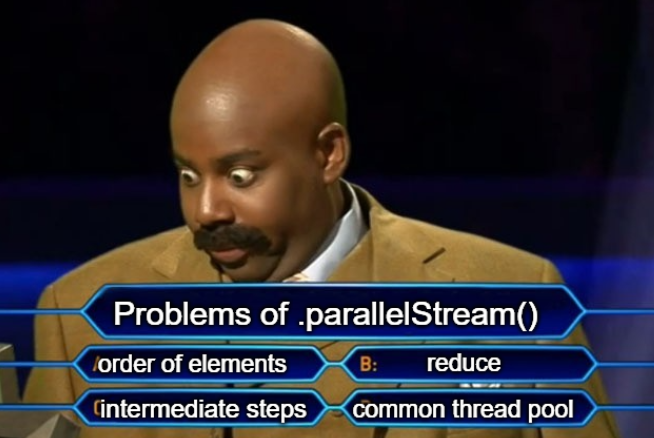
image generated on http://imageflip.com

Overview

In Java, streams are a powerful feature introduced in Java 8 that allows you to process collections of data in a declarative and functional style. Streams provide a way to express complex data processing operations using a simple and concise syntax, while also supporting lazy evaluation and parallel execution.

With streams, you can easily filter, map, reduce, and collect data from a variety of sources, including arrays, lists, and maps. Overall, streams are a versatile tool that can help simplify and optimize many common programming tasks in Java.

One of the major advantages of leveraging streams, or other functional pipelines, over traditional imperative code is the ease with which parallel processing can be introduced. In contrast, introducing parallelism in imperative code can often prove to be a challenging task.

In this article, we’ll leverage the very powerful paralelStreams and we’ll discuss the benefits and the overhead they can bring to our code.

Code Examples

For the code examples in this article, let’s consider a simple use-case where we start with a list of customers and we want to send a promotional email to three of them, within a given age range, this is what the code with classical for-loops would look like:

@Test
void imperativeStyle() {
    int emailsSent = 0;
    for (var customer : customers) {
        if (customer.age() >= 20 && customer.age() <= 40) {
            sendPromotionalEmail(customer);
            if (++emailsSent == 3) {
                break;
            }
        }
    }
}

@SneakyThrows
private void sendPromotionalEmail(Customer person) {
    System.out.println("thread %s - sending email to %s".formatted(
        Thread.currentThread().getName(), person.name()));
    Thread.sleep(1000L);
}

Now, let’s refactor this piece of code and use a Stream for implementing the use case:

@Test
void functionalStyleSequential() {
    customers.stream()
        .filter(c -> c.age() >= 20 && c.age() <= 40)
        .limit(3)
        .forEach(this::sendPromotionalEmail);
}

The goal of this article will be to switch to a parallelStream and address the three challenges we will encounter.

1. Does The Order Matter?

While it may be tempting to quickly implement parallelStream() to optimize code execution, it is important to consider additional factors before jumping into refactoring.

A crucial first step is to determine if the order of the customers in the source matters, particularly if they were sorted in any way. To illustrate this point, let’s consider a revised requirement where the objective is to email the first three customers in alphabetical order:

@Test
void sequentialStreamOrder() {
    customers.stream()
        .sorted(comparing(Customer::name))
        .filter(c -> c.age() >= 20 && c.age() <= 40)
        .limit(3)
        .forEach(this::sendPromotionalEmail);
}

@Test
void parallelStreamOrder() {
    customers.parallelStream()
        .sorted(comparing(Customer::name))
        .filter(c -> c.age() >= 20 && c.age() <= 40)
        .limit(3)
        .forEach(this::sendPromotionalEmail);
}

As you might’ve guessed, the two solutions will have different outcomes. That is because some of the stream operations do not care about the order when the stream is executed in parallel. Usually, these operations will have an equivalent that takes into account the order of the elements.

In this case, the problematic operation is the terminal .forEach(). As a result, we will always select the first three customers, but the orders in which we send the emails will differ. Let’s check the console and see what was printed by the sendPromotionalEmail method:

thread ForkJoinPool.commonPool-worker-6 - sending email to Denis
thread ForkJoinPool.commonPool-worker-1 - sending email to Emil
thread ForkJoinPool.commonPool-worker-5 - sending email to Bonnie

To fix this, we can use the order-safe alternative forEachOrdered:

@Test
void parallelStreamOrder() {
    customers.parallelStream()
        .sorted(Comparator.comparing(Customer::name))
        .filter(c -> c.age() >= 20 && c.age() <= 40)
        .limit(3)
        .forEachOrdered(this::sendPromotionalEmail);
}

Now, we can re-run and notice that the order is correct, but all the emails were sent from the same thread. In other words, the filter and limit where executed on different threads but the final operation was sequential to guarantee the order:

thread ForkJoinPool.commonPool-worker-2 - sending email to Bonnie
thread ForkJoinPool.commonPool-worker-2 - sending email to Denis
thread ForkJoinPool.commonPool-worker-2 - sending email to Emil

2. Expensive Intermediate Operations For Ordered Parallel Streams

If the terminal operations usually have an order-safe equivalent (forEach -> forEachOrdered, findAny -> findFirst), the intermediate operations do not provide this.

As a result, even if they are generally cheap operations, they can be expensive when it comes to ordered streams executed in parallel.If we consult the Javadoc for the operations: limit, skip, dropWhile, takeWhile — they all mention this issue:

While limit is generally a cheap operation on sequential stream pipelines, it can be quite expensive on ordered parallel pipelines, especially for large values of maxSize, since limit(n) is constrained to return not just any n elements, but the first n elements in the encounter order.

Using an unordered stream source or removing the constraint with unordered() may result in significant speedups of limit() in parallel pipelines, if the semantics of situation permit.

If consistency with encounter order is required, you are experiencing poor performance or memory utilization with limit() in parallel pipelines, switching to sequential execution sequential() may improve performance.

In other words, we should always check each of the intermediate operations before switching to paralleStreams. In our example, even if the order would not matter (and if we remove the sorted() intermediate step), we can still have a problem with this if the source of this stream is ordered — for instance, a List<>.

Let’s revert to the initial requirement and pretend we want to send three emails, but the order does not really matter. To address the performance issue with limit, we should also make the stream unoredered:

@Test
void parallelStreamUnordered() {
    customers.parallelStream()
        .unordered()
        .filter(c -> c.age() >= 20 && c.age() <= 40)
        .limit(3)
        .forEach(this::sendPromotionalEmail);
}

3. Doing More Work Than Needed

Processing the stream in parallel may use the common thread pool to evaluate more customers than needed. To illustrate this, let’s add a print statement inside the filter step:

.filter(c -> {
      System.out.println("thread %s - filtering %s".formatted(
          Thread.currentThread().getName(), c.name()));
      return c.age() >= 20 && c.age() <= 40;
})

With this in place, let’s run both the sequential and the parallel stream, and compare the results. Let’s check the result of the sequential stream:

thread main - filtering Anne
thread main - filtering Bonnie
thread main - sending email to Bonnie
thread main - filtering Charlotte
thread main - filtering Denis
thread main - sending email to Denis
thread main - filtering Emil
thread main - sending email to Emil 

As we can see, we evaluated the filter step five times in order to find the first three customers matching the criteria. Let’s now compare it to the results of the parallel stream:

thread main - filtering George
thread main - filtering Frank
thread main - sending email to Frank
thread ForkJoinPool.commonPool-worker-1 - filtering Charlotte
thread ForkJoinPool.commonPool-worker-2 - filtering Iacob
thread ForkJoinPool.commonPool-worker-2 - sending email to Iacob
thread ForkJoinPool.commonPool-worker-3 - filtering Bonnie
thread ForkJoinPool.commonPool-worker-3 - sending email to Bonnie
thread ForkJoinPool.commonPool-worker-1 - filtering Emil
thread ForkJoinPool.commonPool-worker-4 - filtering Horia

While it is true that running the test using parallel streams may yield different results each time, it is worth noting that in most cases, the evaluation process will involve around 7–8 customers before identifying the desired 3.

The actual cost of this operation may vary depending on the context and the operations themselves, but it is an important consideration to keep in mind when transitioning to parallel streams.

4. Using The Common Thread Pool

As demonstrated in the previous examples, parallel streams in Java default to using the common thread pool. However, this approach can lead to potential issues when processing large streams or performing expensive operations. In such scenarios, the common thread pool may become blocked, potentially impacting the performance of other critical operations throughout the application.

One way of addressing this would be to create a separate ForkJoinPool, and use it for the parallel stream execution:

Stream<Customer> stream = customers.parallelStream()
    .unordered()
    .filter(c -> c.age() >= 20 && c.age() <= 40)
    .limit(3);

ForkJoinPool pool = new ForkJoinPool();
pool.submit(() -> stream.forEach(this::sendPromotionalEmail));

image generated on http://imageflip.com

5. Tricky Reduce

Let’s use the reduce terminal operation to calculate the total age of all the customers of the stream:

List<Customer> customers = List.of(
    new Customer("Anne", 10),
    new Customer("Bonnie", 20),
    new Customer("Charlotte", 30),
    new Customer("Denis", 40)
);

@Test
void totaLAgeShouldBe100() {
    int totalAge = customers.stream()
        .map(Customer::age)
        .reduce(0, (total, age) -> total + age);

    assertThat(totalAge).isEqualTo(100);
}

Now, instead of starting from 0, let’s start from a “default value” of 20 and expect a total value of 120:

@Test
void totalAgeShouldBe120() {
    int totalAge = customers.stream()
        .map(Customer::age)
        .reduce(20, (total, age) -> total + age);

    assertThat(totalAge).isEqualTo(120);
}

After that, if we switch to the paralleStream approach and re-run te test, this time, the result will be unexpected:

@Test
void totalAgeShouldBe120() {
    int totalAge = customers.parallelStream()
        .map(Customer::age)
        .reduce(20, (total, age) -> total + age);

    assertThat(totalAge).isEqualTo(120); 
    // test fails: expected 120, actuall 180
}

The reason for the apparent discrepancy is the first parameter of the reduce method. This should not be a “default value”, but rather a “neutral number” or value.

For example, in operations involving addition and subtraction, the neutral number is typically 0, whereas, for multiplication and division, it is 1. Similarly, when working with objects and collections, it may be necessary to provide empty collections or neutral objects that are compatible with the type being processed.

Conclusion

In summary, parallel streams are a powerful tool that should be used with caution to avoid potential issues. To ensure optimal performance, developers should:

  • Exercise caution when using intermediary operations such as limit or skip in ordered parallel streams. Use the appropriate terminal operations (ex: forEach vs forEachOrdered, findAny vs findFirst)
  • Use the unordered() method when the order of elements is not important to prevent performance issues.
  • Be aware that the parallel stream might evaluate more elements than the sequential one, but this is going to happen in parallel.
  • Do not block the common thread pool, create a different ForkJoinPool if needed.
  • Be careful with the identity parameter of the reduce operation.

By following these best practices, developers can effectively leverage the benefits of parallel streams while avoiding common pitfalls and ensuring optimal performance.

Photo by Fotis Fotopoulos on Unsplash

Thank You!

Thanks for reading the article and please let me know what you think! Any feedback is welcome.

If you want to read more about clean code, design, unit testing, object-oriented programming, functional programming, and many others, make sure to check out my other articles. Do you like the content? Consider following or subscribing to the email list.

Finally, if you consider becoming a Medium member and supporting my blog, here’s my referral.

Happy Coding!

Java
Spring Boot
Spring Framework
Programming
Software Architecture
Recommended from ReadMedium