avatarEmanuel Trandafir

Free AI web copilot to create summaries, insights and extended knowledge, download it at here

5307

Abstract

t; MIN_NUMBER || input > MAX_NUMBER) { view.<span class="hljs-built_in">write</span>(String.format(<span class="hljs-string">"the number must between %d and %d! try again..."</span>, MIN_NUMBER, MAX_NUMBER)); input = view.<span class="hljs-built_in">readNextInt</span>(); } <span class="hljs-keyword">return</span> input; } }</pre></div><h2 id="581c">3. Dependency Inversion</h2><p id="39f1">How do we make it work? Well, to make it work the same as before, we now need to create an implementation of the <i>PlayerView </i>interface and copy the old functionality:</p><div id="fc04"><pre><span class="hljs-keyword">public</span> <span class="hljs-keyword">class</span> <span class="hljs-title class_">ConsoleView</span> <span class="hljs-keyword">implements</span> <span class="hljs-title class_">PlayerView</span> { <span class="hljs-keyword">private</span> <span class="hljs-keyword">static</span> <span class="hljs-keyword">final</span> <span class="hljs-type">Scanner</span> <span class="hljs-variable">scanner</span> <span class="hljs-operator">=</span> <span class="hljs-keyword">new</span> <span class="hljs-title class_">Scanner</span>(System.in);

<span class="hljs-meta">@Override</span>
<span class="hljs-keyword">public</span> <span class="hljs-type">int</span> <span class="hljs-title function_">readNextInt</span><span class="hljs-params">()</span> {
    <span class="hljs-keyword">return</span> scanner.nextInt();
}

<span class="hljs-meta">@Override</span>
<span class="hljs-keyword">public</span> <span class="hljs-keyword">void</span> <span class="hljs-title function_">write</span><span class="hljs-params">(String message)</span> {
    System.out.println(message);
}

}</pre></div><p id="e876">As a result, when the game will be initialized, we’ll need to create the players based on a <i>ConsoleView</i>, like this:</p><div id="2745"><pre><span class="hljs-type">Player</span> <span class="hljs-variable">player</span> <span class="hljs-operator">=</span> <span class="hljs-keyword">new</span> <span class="hljs-title class_">Player</span>(<span class="hljs-keyword">new</span> <span class="hljs-title class_">ConsoleView</span>());</pre></div><h2 id="532f">4. Writing a Mock</h2><p id="f389"><i>What are the gains?</i> After this inversion of the dependency, the Player class can be tested with ease. For instance, we can use a mocking library to mock the view and allow us to test the rest of the functionality in isolation. In java, <a href="https://www.baeldung.com/mockito-series"><i>mockito</i></a> is a popular and powerful tool for this.</p><p id="3b29">On the other hand, blindly using libraries and frameworks might make us lose sight of the bigger image. So, from time to time, it is better to code the solution ourselves instead of bringing in a 3rd party library.</p><p id="13f9">Therefore, let’s create a very simple version of a mock object. We can do this simply by writing a new implementation of the <i>PlayerView </i>interface:</p><div id="fa10"><pre><span class="hljs-keyword">public</span> <span class="hljs-keyword">class</span> <span class="hljs-title class_">MockView</span> <span class="hljs-keyword">implements</span> <span class="hljs-title class_">PlayerView</span> { <span class="hljs-keyword">private</span> <span class="hljs-title class_">List</span><<span class="hljs-title class_">Integer</span>> mockedUserInputs = <span class="hljs-keyword">new</span> <span class="hljs-title class_">ArrayList</span><>(); <span class="hljs-keyword">private</span> <span class="hljs-title class_">List</span><<span class="hljs-title class_">String</span>> displayedMessages = <span class="hljs-keyword">new</span> <span class="hljs-title class_">ArrayList</span><>();

<span class="hljs-meta">@Override</span>
<span class="hljs-keyword">public</span> int <span class="hljs-title function_">readNextInt</span>(<span class="hljs-params"></span>) {
    <span class="hljs-keyword">return</span> mockedUserInputs.<span class="hljs-title function_">remove</span>(<span class="hljs-number">0</span>);
}

<span class="hljs-meta">@Override</span>
<span class="hljs-keyword">public</span> <span class="hljs-built_in">void</span> <span class="hljs-title function_">write</span>(<span class="hljs-params"><span class="hljs-built_in">String</span> message</span>) {
    displayedMessages.<span class="hljs-title function_">add</span>(message);
}

<span class="hljs-keyword">public</span> <span class="hljs-title class_">List</span>&lt;<span class="hljs-title class_">String</span>&gt; <span class="hljs-title function_">getDisplayedMessages</span>(<span class="hljs-params"></span>){
    <span class="hljs-keyword">return</span> displayedMessages;
}

<span class="hljs-keyword">public</span> <span class="hljs-built_in">void</span> <span class="hljs-title function_">mockedUserInputs</span>(<span class="hljs-params">Integer... values</span>) {
    mockedUserInputs.<span class="hljs-title function_">addAll</span>(<span class="hljs-title class_">Arrays</span>.<span class="hljs-title function_">asList</span>(values));
}

}</pre></div><p id="8fe7">As we can see, we’ll use two lists</p><ul><li><i>mockedUserInpu

Options

ts </i>will be specified in the test setup. Each time somebody will call <i>readNextInt()</i>, the mock will return the next value from the list.</li><li><i>displayedMessages </i>only has a getter. This list will be used to store all the messages we are trying to print. This can be useful in case we want to check that we are displaying the messages correctly.</li></ul><h2 id="4d52">5. Unit Testing</h2><p id="b216">Finally, let’s use our tailor-made mock class and write some unit tests:</p><div id="d8aa"><pre><span class="hljs-meta">@Test</span> <span class="hljs-keyword">void</span> <span class="hljs-title function_">shouldAskUserToEnterNextMove</span><span class="hljs-params">()</span> { <span class="hljs-comment">//given</span> <span class="hljs-type">MockView</span> <span class="hljs-variable">mockedView</span> <span class="hljs-operator">=</span> <span class="hljs-keyword">new</span> <span class="hljs-title class_">MockView</span>(); mockedView.mockedUserInputs(<span class="hljs-number">11</span>); <span class="hljs-type">TestablePlayer</span> <span class="hljs-variable">player</span> <span class="hljs-operator">=</span> <span class="hljs-keyword">new</span> <span class="hljs-title class_">TestablePlayer</span>(mockedView);

<span class="hljs-comment">//when</span>
player.getNextMove();

<span class="hljs-comment">//then</span>
List&lt;String&gt; displayedMessages = mockedView.getDisplayedMessages();
assertThat(displayedMessages)
    .containsExactly(<span class="hljs-string">"please, type your next move and hit &lt;enter&gt;"</span>);

}

<span class="hljs-meta">@Test</span> <span class="hljs-keyword">void</span> <span class="hljs-title function_">givenInvalidInput_shouldAskUserToReEnterTheMove</span><span class="hljs-params">()</span> { <span class="hljs-comment">//given</span> <span class="hljs-type">MockView</span> <span class="hljs-variable">mockedView</span> <span class="hljs-operator">=</span> <span class="hljs-keyword">new</span> <span class="hljs-title class_">MockView</span>(); mockedView.mockedUserInputs(<span class="hljs-number">5</span>, <span class="hljs-number">22</span>); <span class="hljs-type">TestablePlayer</span> <span class="hljs-variable">player</span> <span class="hljs-operator">=</span> <span class="hljs-keyword">new</span> <span class="hljs-title class_">TestablePlayer</span>(mockedView);

<span class="hljs-comment">//when</span>
player.getNextMove();

<span class="hljs-comment">//then</span>
assertThat(mockedView.getDisplayedMessages())
    .containsExactly(
        <span class="hljs-string">"please, type your next move and hit &lt;enter&gt;"</span>,
        <span class="hljs-string">"the number must between 10 and 100! try again..."</span>);

}

<span class="hljs-meta">@Test</span> <span class="hljs-keyword">void</span> <span class="hljs-title function_">shouldReturnUsersMove</span><span class="hljs-params">()</span> { <span class="hljs-comment">//given</span> <span class="hljs-type">MockView</span> <span class="hljs-variable">mockedView</span> <span class="hljs-operator">=</span> <span class="hljs-keyword">new</span> <span class="hljs-title class_">MockView</span>(); mockedView.mockedUserInputs(<span class="hljs-number">44</span>); <span class="hljs-type">TestablePlayer</span> <span class="hljs-variable">player</span> <span class="hljs-operator">=</span> <span class="hljs-keyword">new</span> <span class="hljs-title class_">TestablePlayer</span>(mockedView);

<span class="hljs-comment">//when</span>
<span class="hljs-type">int</span> <span class="hljs-variable">userMove</span> <span class="hljs-operator">=</span> player.getNextMove();

<span class="hljs-comment">//then</span>
assertThat(userMove)
    .isEqualTo(<span class="hljs-number">44</span>);

}</pre></div><h2 id="8f6a">6. Conclusion</h2><p id="7e1d">In this article, we’ve learned about the MVC design pattern. We applied the Dependency Inversion Principle (the “<i>D</i>” in “<i>SOLID</i>”) to decouple the controller from the view.</p><p id="2f76">Finally, we were able to test it and we learned how to create a very simple <i>mock </i>object to simulate the user interaction.</p><figure id="5b3a"><img src="https://cdn-images-1.readmedium.com/v2/resize:fit:800/0*VKqF33bPC71w_x4L"><figcaption>Photo by <a href="https://unsplash.com/@clemhlrdt?utm_source=medium&amp;utm_medium=referral">Clément Hélardot</a> on <a href="https://unsplash.com?utm_source=medium&amp;utm_medium=referral">Unsplash</a></figcaption></figure><h2 id="dbb9">Thank You!</h2><p id="5086">Thanks for reading the article and please let me know what you think! Any feedback is welcome.</p><p id="cbc4">If you want to read more about clean code, design, unit testing, functional programming, and many others, make sure to check out <a href="https://readmedium.com/start-here-6d2b065a626">my other articles</a>. Do you like the content? Consider <a href="https://medium.com/@emanueltrandafir">following or subscribing</a> to the email list.</p><p id="ab36">Finally, if you consider becoming a Medium member and supporting my blog, here’s my <a href="https://medium.com/@emanueltrandafir/membership">referral</a>.</p><p id="b552">Happy Coding!</p></article></body>

MVC Violation Ruined His Tic-Tac-Toe Game!

In this hands-on, junior-friendly article, we’ll learn about MVC separation, the Dependency Inversion principle, and how to create a mock object.
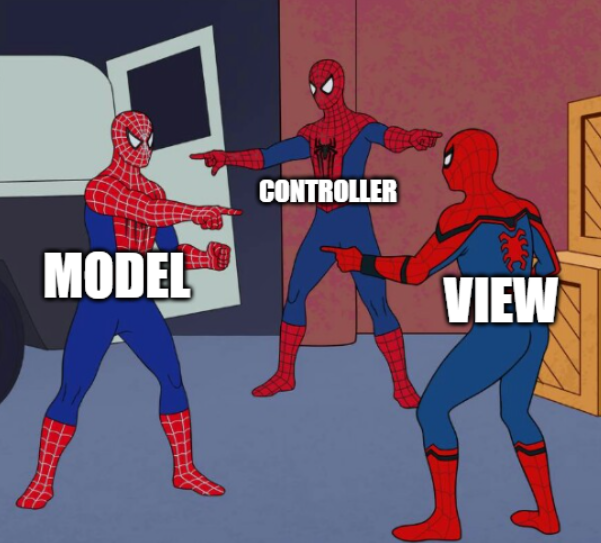
image generated with https://imgflip.com

1. Overview

My friend is working on a cool new VR game and he asked me to help with some tips and tricks on how to test it.

PS: I was kidding with the VR part, it will be a console tic-tac-toe game:

public class Player {
    public static final int MAX_NUMBER = 100;
    public static final int MIN_NUMBER = 10;
    private final Scanner scanner = new Scanner(System.in);

    public int getNextMove() {
        System.out.println("please, type your next move and hit <enter>");
        int input = scanner.nextInt();

        while(input < MIN_NUMBER || input > MAX_NUMBER) {
            System.out.println(String.format("the number must between %d and %d! try again...", MIN_NUMBER, MAX_NUMBER));
            input = scanner.nextInt();
        } 
        // other game-related logic here
        return input;
    }
}

Even though it is possible to do some “hacks” and test this method, ugly tests may be symptoms of bad design — so it’s always a good idea to refactor the code first.

2. MVC Violation

Firstly, there is no separation between the model, view, and controller. This leads to a lot of coupling between the game logic and the input that comes through the terminal.

The best way to eliminate his direct coupling is to apply the Dependency Inversion Principle. In this case, let’s declare an interface that allows user communication. We’ll call it “PlayerView”:

public interface PlayerView {
    int readNextInt();
    void write(String message);
}

The Player object will only know about this interface. At this point, we only depend on our own classes (we no longer use System.out, System.in, Scanner … etc):

public class Player {
    public static final int MAX_NUMBER = 100;
    public static final int MIN_NUMBER = 10;
    private final PlayerView view;

    public Player(PlayerView console) {
        this.view = console;
    }

    public int getNextMove() {
        view.write("please, type your next move and hit <enter>");
        int input = view.readNextInt();

        while(input < MIN_NUMBER || input > MAX_NUMBER) {
            view.write(String.format("the number must between %d and %d! try again...", MIN_NUMBER, MAX_NUMBER));
            input = view.readNextInt();
        }
        return input;
    }
}

3. Dependency Inversion

How do we make it work? Well, to make it work the same as before, we now need to create an implementation of the PlayerView interface and copy the old functionality:

public class ConsoleView implements PlayerView {
    private static final Scanner scanner = new Scanner(System.in);

    @Override
    public int readNextInt() {
        return scanner.nextInt();
    }

    @Override
    public void write(String message) {
        System.out.println(message);
    }
}

As a result, when the game will be initialized, we’ll need to create the players based on a ConsoleView, like this:

Player player = new Player(new ConsoleView());

4. Writing a Mock

What are the gains? After this inversion of the dependency, the Player class can be tested with ease. For instance, we can use a mocking library to mock the view and allow us to test the rest of the functionality in isolation. In java, mockito is a popular and powerful tool for this.

On the other hand, blindly using libraries and frameworks might make us lose sight of the bigger image. So, from time to time, it is better to code the solution ourselves instead of bringing in a 3rd party library.

Therefore, let’s create a very simple version of a mock object. We can do this simply by writing a new implementation of the PlayerView interface:

public class MockView implements PlayerView {
    private List<Integer> mockedUserInputs = new ArrayList<>();
    private List<String> displayedMessages = new ArrayList<>();

    @Override
    public int readNextInt() {
        return mockedUserInputs.remove(0);
    }

    @Override
    public void write(String message) {
        displayedMessages.add(message);
    }

    public List<String> getDisplayedMessages(){
        return displayedMessages;
    }

    public void mockedUserInputs(Integer... values) {
        mockedUserInputs.addAll(Arrays.asList(values));
    }
}

As we can see, we’ll use two lists

  • mockedUserInputs will be specified in the test setup. Each time somebody will call readNextInt(), the mock will return the next value from the list.
  • displayedMessages only has a getter. This list will be used to store all the messages we are trying to print. This can be useful in case we want to check that we are displaying the messages correctly.

5. Unit Testing

Finally, let’s use our tailor-made mock class and write some unit tests:

@Test
void shouldAskUserToEnterNextMove() {
    //given
    MockView mockedView = new MockView();
    mockedView.mockedUserInputs(11);
    TestablePlayer player = new TestablePlayer(mockedView);

    //when
    player.getNextMove();

    //then
    List<String> displayedMessages = mockedView.getDisplayedMessages();
    assertThat(displayedMessages)
        .containsExactly("please, type your next move and hit <enter>");
}

@Test
void givenInvalidInput_shouldAskUserToReEnterTheMove() {
    //given
    MockView mockedView = new MockView();
    mockedView.mockedUserInputs(5, 22);
    TestablePlayer player = new TestablePlayer(mockedView);

    //when
    player.getNextMove();

    //then
    assertThat(mockedView.getDisplayedMessages())
        .containsExactly(
            "please, type your next move and hit <enter>",
            "the number must between 10 and 100! try again...");
}


@Test
void shouldReturnUsersMove() {
    //given
    MockView mockedView = new MockView();
    mockedView.mockedUserInputs(44);
    TestablePlayer player = new TestablePlayer(mockedView);

    //when
    int userMove = player.getNextMove();

    //then
    assertThat(userMove)
        .isEqualTo(44);
}

6. Conclusion

In this article, we’ve learned about the MVC design pattern. We applied the Dependency Inversion Principle (the “D” in “SOLID”) to decouple the controller from the view.

Finally, we were able to test it and we learned how to create a very simple mock object to simulate the user interaction.

Photo by Clément Hélardot on Unsplash

Thank You!

Thanks for reading the article and please let me know what you think! Any feedback is welcome.

If you want to read more about clean code, design, unit testing, functional programming, and many others, make sure to check out my other articles. Do you like the content? Consider following or subscribing to the email list.

Finally, if you consider becoming a Medium member and supporting my blog, here’s my referral.

Happy Coding!

Clean Code
Programming
Solid Principles
Unit Testing
Software Development
Recommended from ReadMedium