
Multiclass Classification with Image Augmentation
This article explains the basics of multiclass image classification and how to perform image augmentation.

What is Image Augmentation?
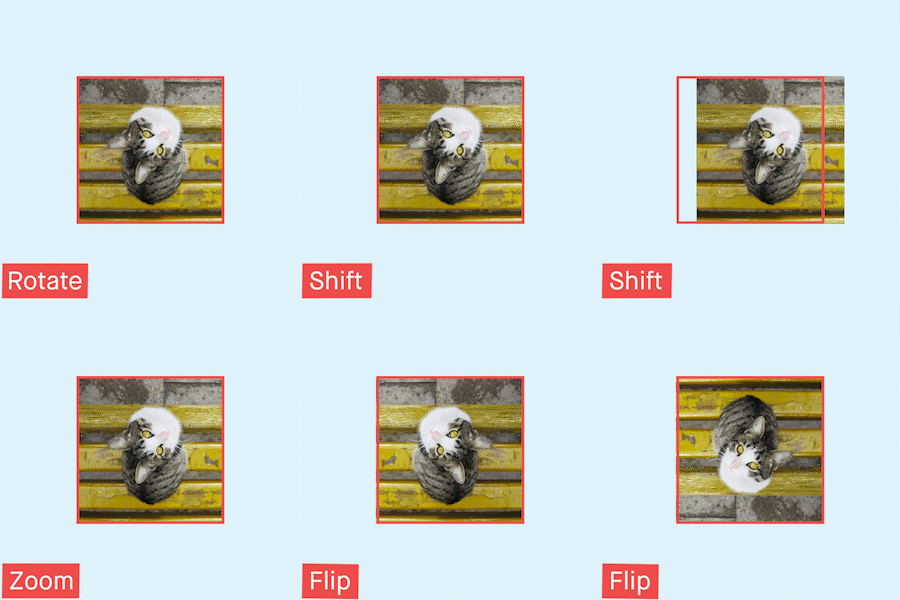
Image Augmentation, a solution to the problem of limited data. Image augmentation is a technique that can be used to artificially expand the size of a training dataset by creating modified versions of images in the dataset. Image Augmentation encompasses a suite of techniques that enhance the size and quality of training images such that better Deep Learning models can be built using them.
Installation of Tensorflow
Prerequisites
- Linux, macOS, Windows
- Python ≥ 3.7
Install TensorFlow
CPU-only
pip install “tensorflow>=1.15.2,<2.0”
or
conda install tensorflow’>=1.15.2,<2.0.0'
GPU support
pip install “tensorflow-gpu>=1.15.2,<2.0”
or
conda install tensorflow-gpu’>=1.15.2,<2.0.0'
Sanity Check
>> import tensorflow as tf
>> tf.__version__
'2.3.0'
Now, we are going to use Rock Paper Scissors Dataset from Kaggle to perform multiclass image classification.
Let’s jump into it !!!
1. Dataset exploration
The dataset has three directories namely train, test and validation. Here, train and test have three classes of image and validation has a list of images to be tested.
The output is,
Train set -->  ['paper', 'scissors', 'rock']
Test set -->  ['paper', 'scissors', 'rock']
Validation set -->  ['paper8.png', 'paper1.png', 'scissors-hires1.png']
2. Dataset Sample
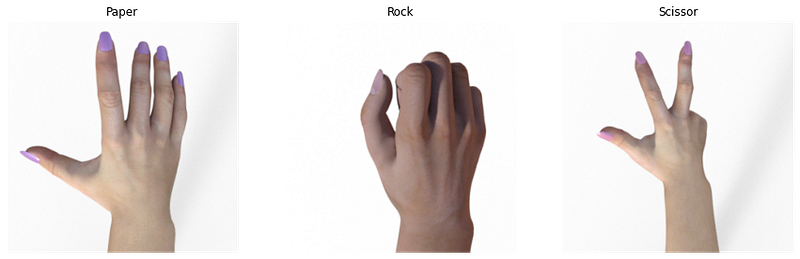
Let’s display a random image of each class from the dataset.
So, the images are,
3. Defining the CNN model
This model comprises of five different types of layer,
- Convolution Layer: This layer will extract important features from the image
- Pooling Layer: This layer reduces the spatial volume of the input image after convolution by isolating the important features
- Flatten Layer: Flattens the input into a single-dimensional array
- Hidden Layer: Also called a dense layer, connects the network from a layer to another layer
- Output Layer: It is the final layer consisting of neurons equals to the no.of classes
Here, we have three classes of the image, so, the output layer should have three neurons.
And, the summary of the model is,
Model: "sequential"
_________________________________________________________________
Layer (type)                 Output Shape              Param #
=================================================================
conv2d (Conv2D)              (None, 148, 148, 32)      896
_________________________________________________________________
max_pooling2d (MaxPooling2D) (None, 74, 74, 32)        0
_________________________________________________________________
conv2d_1 (Conv2D)            (None, 72, 72, 64)        18496
_________________________________________________________________
max_pooling2d_1 (MaxPooling2 (None, 36, 36, 64)        0
_________________________________________________________________
conv2d_2 (Conv2D)            (None, 34, 34, 128)       73856
_________________________________________________________________
max_pooling2d_2 (MaxPooling2 (None, 17, 17, 128)       0
_________________________________________________________________
conv2d_3 (Conv2D)            (None, 15, 15, 128)       147584
_________________________________________________________________
max_pooling2d_3 (MaxPooling2 (None, 7, 7, 128)         0
_________________________________________________________________
flatten (Flatten)            (None, 6272)              0
_________________________________________________________________
dense (Dense)                (None, 512)               3211776
_________________________________________________________________
dense_1 (Dense)              (None, 1)                 513
=================================================================
Total params: 3,453,121
Trainable params: 3,453,121
Non-trainable params: 0
_________________________________________________________________
4. Model compilation & Callback function
For this model, we use adam optimizer and categorical_crossentropy as the loss function. The callback function here will stop the training of the model on epoch end when it reaches the accuracy >95%.
5. Generators
Training Generator with Image augmentation
Found 2520 images belonging to 3 classes.Validation Generator
Found 372 images belonging to 3 classes.6. Fitting the model
As we are using generators in place of model.fit we need to use model .fit_generator function
Epoch 1/10
126/126 - 46s - loss: 1.0141 - accuracy: 0.4591 - val_loss: 0.4937 - val_accuracy: 0.9301
Epoch 2/10
126/126 - 27s - loss: 0.5067 - accuracy: 0.7968 - val_loss: 0.0886 - val_accuracy: 0.9785
Epoch 3/10
126/126 - 27s - loss: 0.2712 - accuracy: 0.9056 - val_loss: 0.1290 - val_accuracy: 0.9624
Epoch 4/10
126/126 - 27s - loss: 0.1608 - accuracy: 0.9393 - val_loss: 0.1045 - val_accuracy: 0.9597
Epoch 5/10

Reached >95% accuracy so cancelling training!
126/126 - 26s - loss: 0.1408 - accuracy: 0.9512 - val_loss: 0.0784 - val_accuracy: 0.9677
7. Visualizing the model training
Let’s distribute the model’s accuracy and loss across the epoch
And the resultant graphs are,
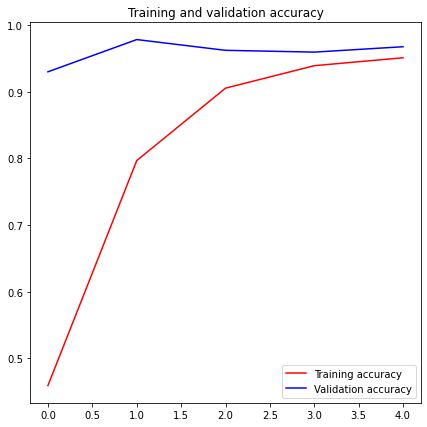
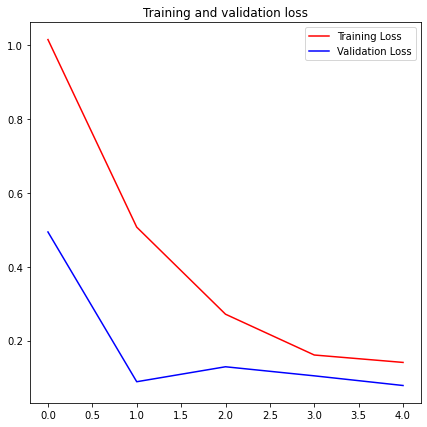
We can see that the accuracy increases and the loss drops for every epoch
8. Prediction
Preparation of test data
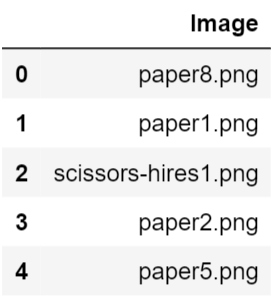
Test Generator
Found 33 validated image filenames.Model prediction
Label Mapping
To identify the labels of the image, class_indices function is used
{0: 'paper', 1: 'rock', 2: 'scissors'}Plotting the prediction
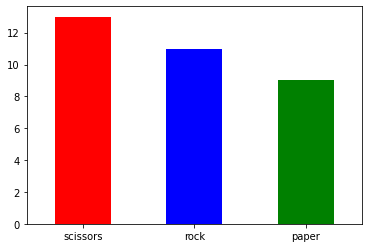
Model performance on unseen images
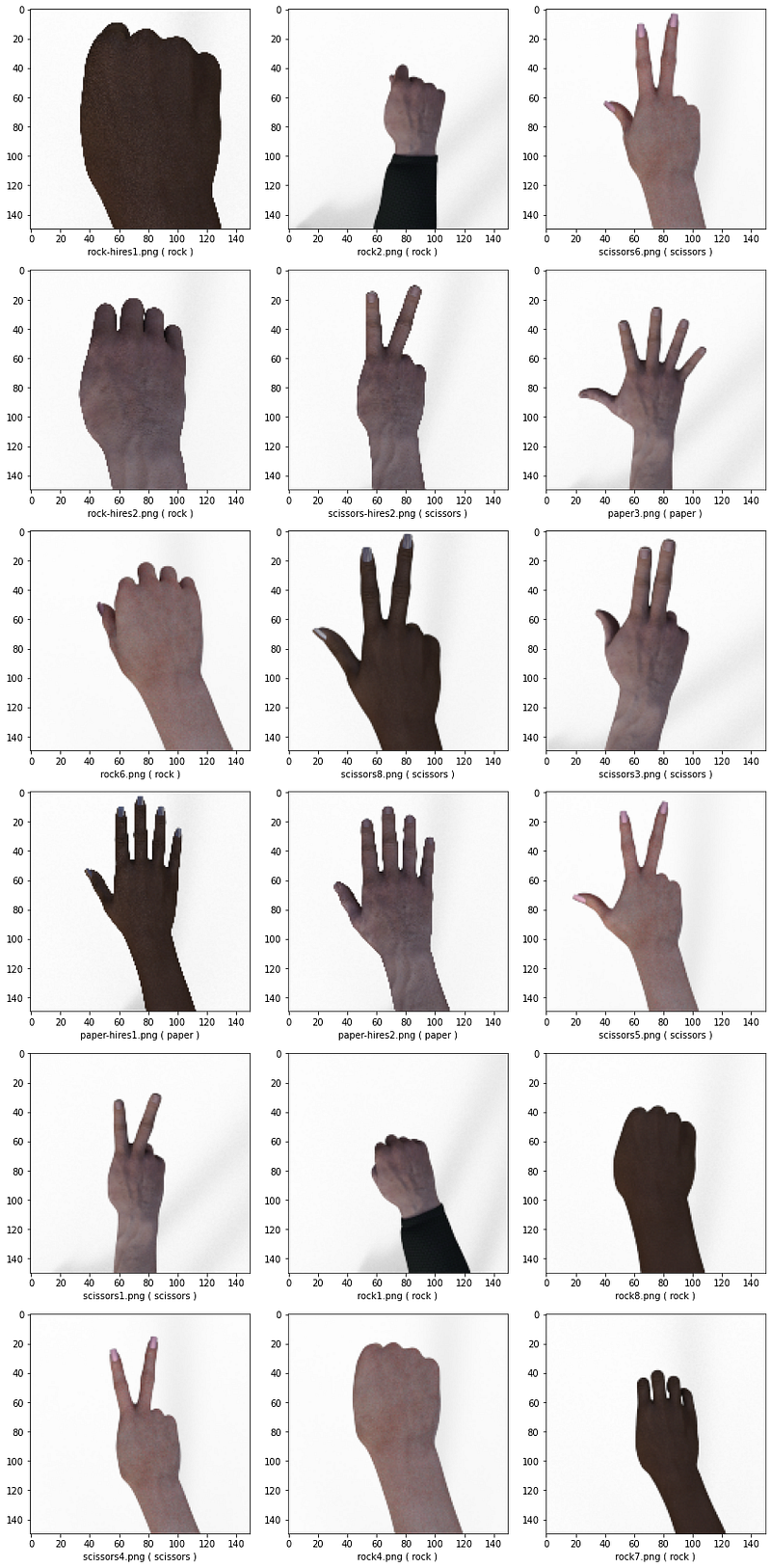
Model accuracy on unseen images
Accuracy of the model on test data is 93.94%The full code is available here
Thanks for reading !!!


